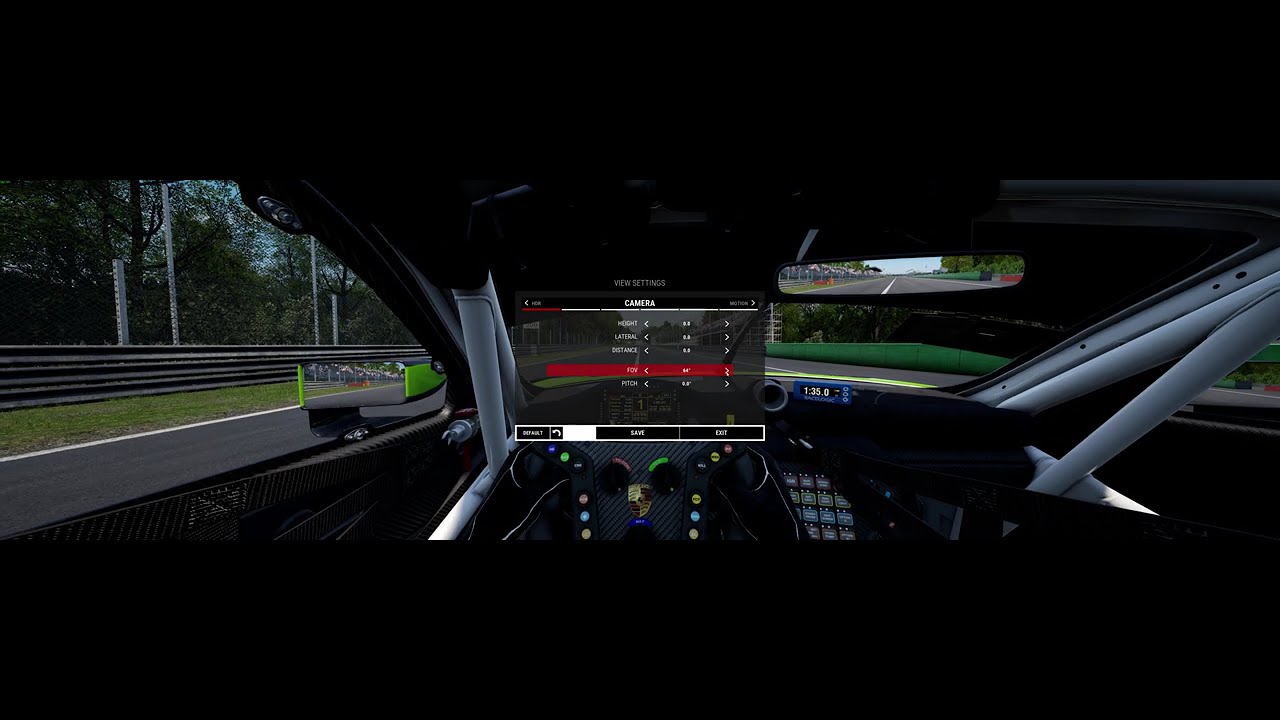
Here is an example of (in my opinion) what is being asked for in this post. Assetto Corsa Competizione has a “Projection Correction” option which applies distortion to the mathematically “correct” projection, to reduce the distortion at the screen edges. I grabbed a quick video to demonstrate it. Note the effect is of course more pronounced at a wider FOV.
Personally I’d put this request in the “nice to have” bucket - as a 32:9 ultrawide owner I’ve got used to this feature being VERY rare; I think ACC is the only game I own which offers it!
Honestly, until Xbox supports ultrawide or multiple screens I don’t think this will get any traction. It’s a shame though because the sim needs better support for multiple and ultra wide screens
While in racing Sims, you usually look mostly straight forward, in flight simulation it is necessary to look around.
For instance at the holding point to check whether the approach path is clear. Or during patterns to check, when it’s time to turn to base or final. Or when landing a helicopter to check the visual references.
Try this in MSFS24 and you get motion sick when zoomed out, or will crash when zoomed in due to missing viewing angle an visual references.
I’m coding, experimenting etc. But I’m not ‘flying’ as this distortion makes it unflyable wit TrackIR on ultrawides.
Just get a TrackIR and use a huge 16:9 monitor. You’ll save yourself a lot of money on specialty widescreen monitors and be able to look any direction you want.
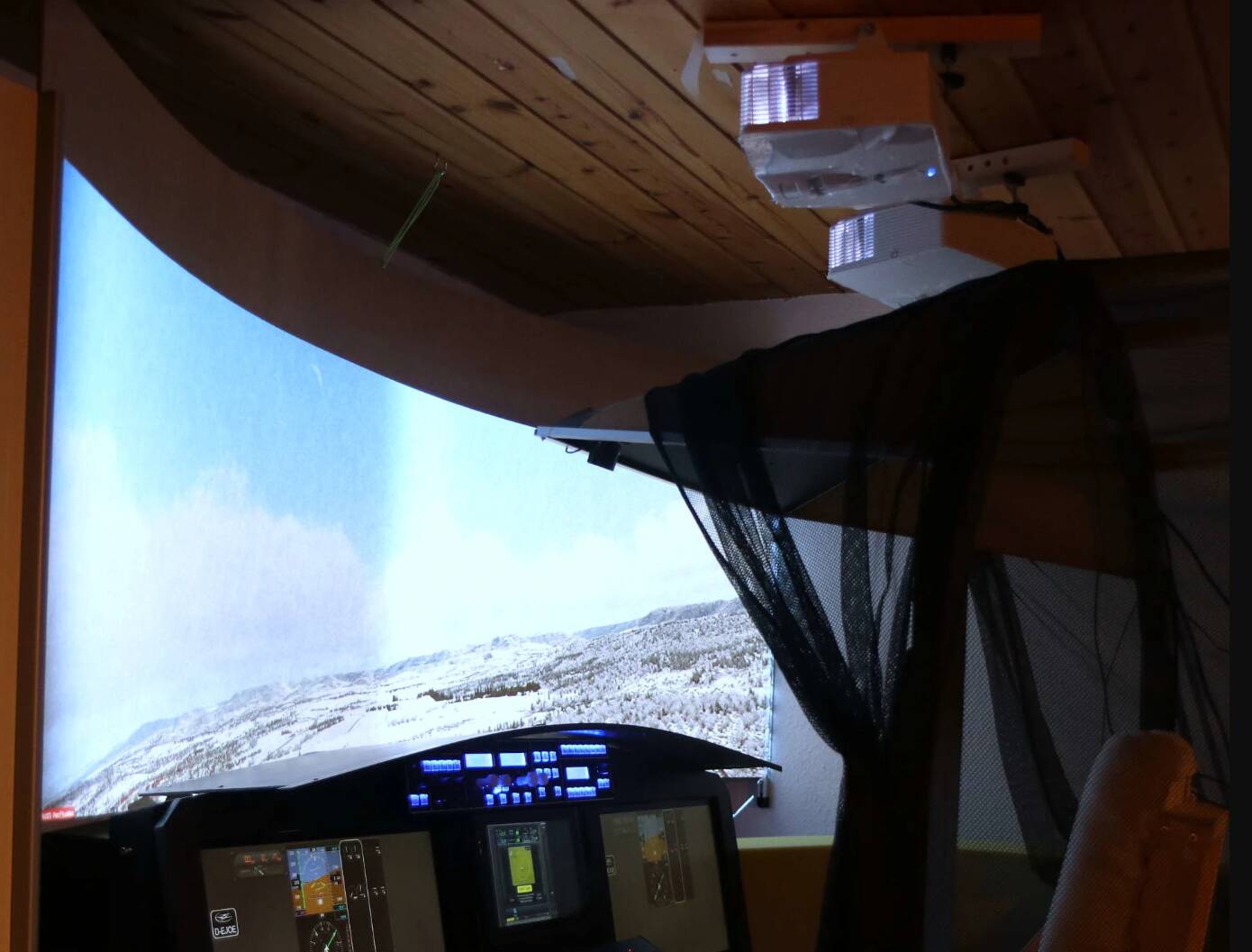
And… there are not only standard 1-screen desktop simmers where “grab your TrackIR and a 16:9 screen and you’re good to go” matches the desired state.
just one example of an older setup…