Saitek X52 Pro controller not working with ms2020, I have fsx and works fine, it did work okay with 2020 until i updated drivers, Iv`e spent over a week now uninstalling and reinstalling to no avail, I have read the forum on these issues and tried them but still no success, now the advice is will it make a difference if I uninstall and reinstall fs2020, what confuses me there is 2 versions shows up in xbox site, do I have to uninstall all of them ? I have owned installed 1. and premium deluxe owned bundled ! not sure what this means.
Current issues: rudder and throttle will work until take off, then throttle stops working, no left right bank, no up down. I have used default x52 pro and added new profiles with no success. I also recalibrated the controller which shows all working. I have been to logitech and installed their latest drivers. So now am left with uninstall/reinstall fs2020 any advice whether this would work is appreciated thanks.
I doubt that a reinstall would cure the issue.
If it is a setting issue, your settings are kept in the cloud and will be restored with a reinstall.
Have you checked to ensure that you have no pilot assistance options selected on?
The sim has a habit of changing those on it’s own.
Hi, yes just set all settings to off, disabled, or med, made no difference. I also disconnected the controller, reinstalled the x52 drivers, reconnect and started 2020 again, what I noticed, is it reverted to an old profile, not the new saved profile I made, this has me thinking that they are not being saved in the same place !!.When I initially installed 2020 was C:, then moved to D: and XBox with 2020 and Digital 2020 is on G: screen shots of the 3 locations …
My FSX is on C:. Logitech is on C:
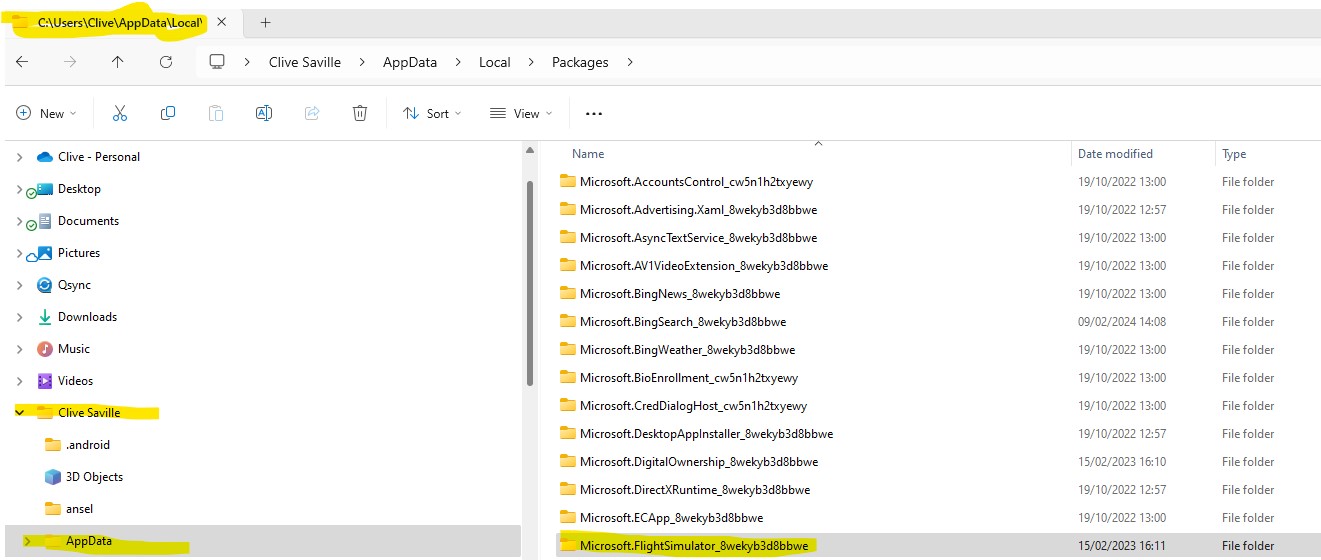
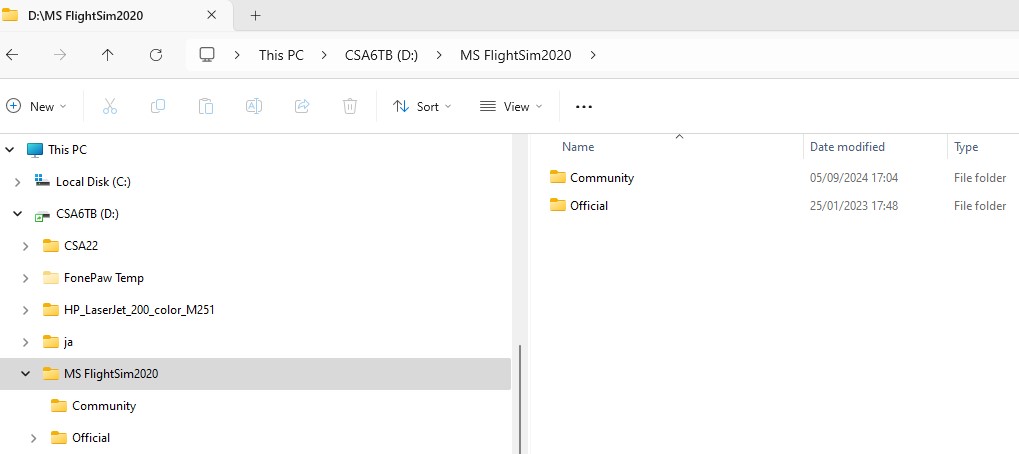
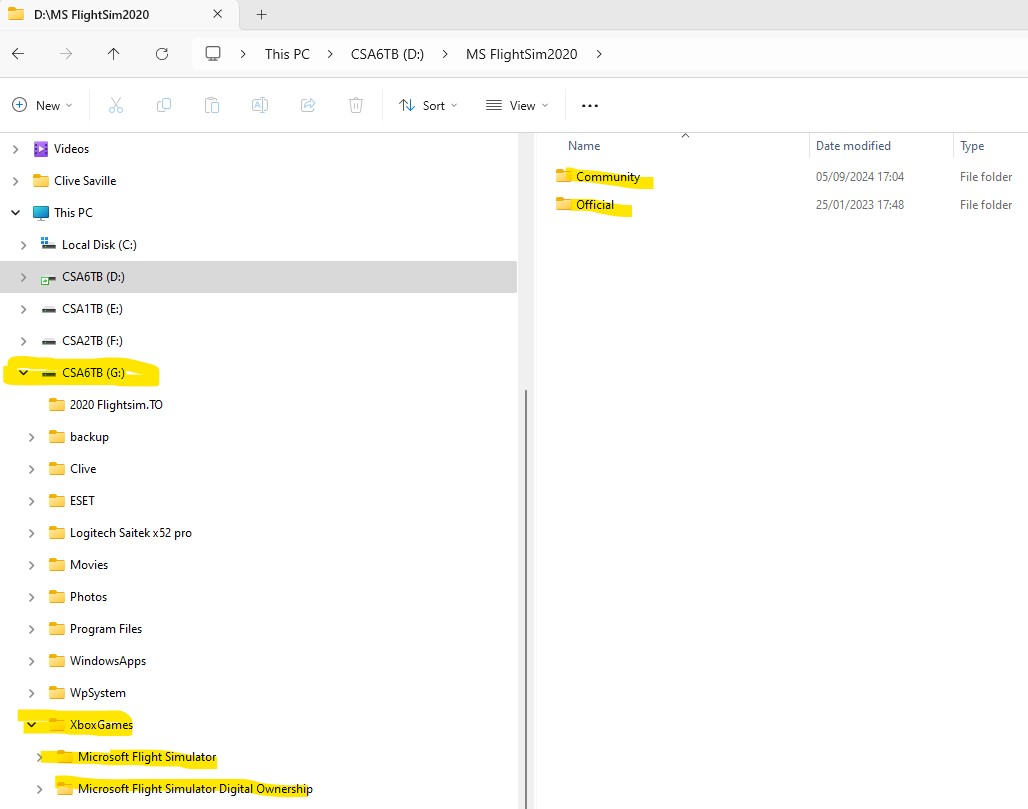
Maybe someone may have the answer thanks
Your settings are kept in the cloud, as well as your device.
The sim defaults to the cloud, unless it notices a discrepancy, at which time it should ask which you want to use.
A lot of folks have trouble with the X52 working in MSFS.
The first thing to try is this calibration tool:
It is one of the few that work well with Logitech.
https://heusinkveld.com/download-diview/
Do your calibration with this, and see if that helps.
Let us know, and we’ll try plan B if necessary!
My x52 was giving me grief last year, and I discovered that the cable that connects the flightstick to the throttle was not making proper contact cause one of the connection pins was missing. I ordered a replacement cable from Amazon and no problems since.
Same here - sort of… I replaced the double-ended PS2 cable on my original Saitek X52, but the port on the stick side started to fail. That’s when I finally broke down and bought a new one from Logitech. The X52 is the only controller I’ve ever used with the sim and never had an issue.
Against my better judgment and your advice, I reinstalled fs2020, when I came to reinstall it says 157GB, and I only had 115GB on C: so went to profile/settings etc as it advised, and changed the install and data to D:/. At first nothing would happen, after 5 hrs still at 0 %, shutdown and bed, this morning opened it up and its installed. So tried a flight using a jet, I was able to take off and fly, the primary flight controls were now working, Then I switched to external view, and all failed and crash dived, no controls worked, tried again and just the same, if I flicked back to cabin, they worked, but nothing in external view. I also noticed, that the default profile is the one that does not work, I must have changed settings in this and later deleted before I knew that I should have left default as is, anyway made up two new profiles, I managed to get one working inside and outside, except the throttle doesnt work now, I get full power and take off, and then dies and the only way is down. I will try the calibration tool you have suggested and see what happens. Hope to have it cracked before 2024 comes out.
My cables are good, I removed and reinserted them to ensure secure though and alls well there.
I had the original x52 used with fsx, and then bought x52 pro for fs2020 and never had problems before this. Reading through other posts it seems all makes of controllers are having issues. Maybe MS should design and bring one out for 2024 so theres no bugs
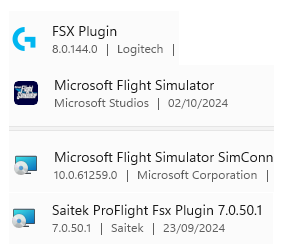
I have now solved the issue with my X52 Pro, not working controller & throttle in FS 2020. I uninstalled ALL logitech drivers from MS APPS on my PC.
I rebooted the machine. Then loaded my FSX and did a flight and the controller worked as normal. I loaded FS2020 and under DEFAULT x52 Pro profile, did a flight and all worked as normal. I have made 3 new profiles to test what will work and what doesnt when I program various buttons and axis still in progress. I did not reinstall any drivers after the uninstall, I did not disconnect the controller. So you can try this if anyone have issues when youve downloaded the latest drivers, there is no Logitec X52 pro drivers showing in my Apps. I am assuming this works only if you already had FSX and the original Saitek drivers installed, and that FS2020 is using that driver.
Glad to hear the controller issues were resolved - there do seem to be lots of issues with older Logitech / Saitek products and their drivers recently.
If you happen to be in the position to get a new controller to go with FS 2024, I can thoroughly recommend VKB. Their entry-level Gladiator is anything but entry level, and a very noticeable improvement over the X52 or X56:
Gladiator NXT EVO ‘Space Combat Edition’ – VKB FSC Europe (flightsimcontrols.com)
The Gunfighter base with your choice of grip is even better:
Gunfighter IV ‘Modern Combat Edition’ Pro – VKB FSC Europe (flightsimcontrols.com)
The VKB joysticks don’t need dedicated drivers - Windows automatically recognises them as controllers - so you don’t get conflicts / failures like you have seen with the X52.
They do however both come with extremely powerful calibration and configuration software, which enables you to set up sensitivity curves, change how buttons, axes and sliders are recognised, add extra controls and even change how the LED’s work.
Thank you on the VKB insight, worth consideration. I have been looking at Turtle Beach velocity one Flight Deck, it seems to cover all the bases I would require, but expensive, and I cant find out if it would work with my FSX as well, no one seems to have the answer searching online, also on searching it says comes not configured profiles, so all has to be done from scratch ? a daunting task.