Hello,
I would like to ask for help, advice. I currently have a computer with the following hardware:
-
GALAX NVIDIA RTX 4070TI SUPER 16GB
-
Ryzen 7 5800X3D
-
Gigabyte B550M Aorus Elite
-
32GB RAM (4x8) DDR4
-
Corsair 850W 80+ Gold RM850X
-
Full HD screen (AOC Hero 27’)
I basically use my PC for MSFS 2024 flights and I do care about graphics and performance. I switched from my old CPU to this one in February 2024 and from the old GPU to this one in October 2024.
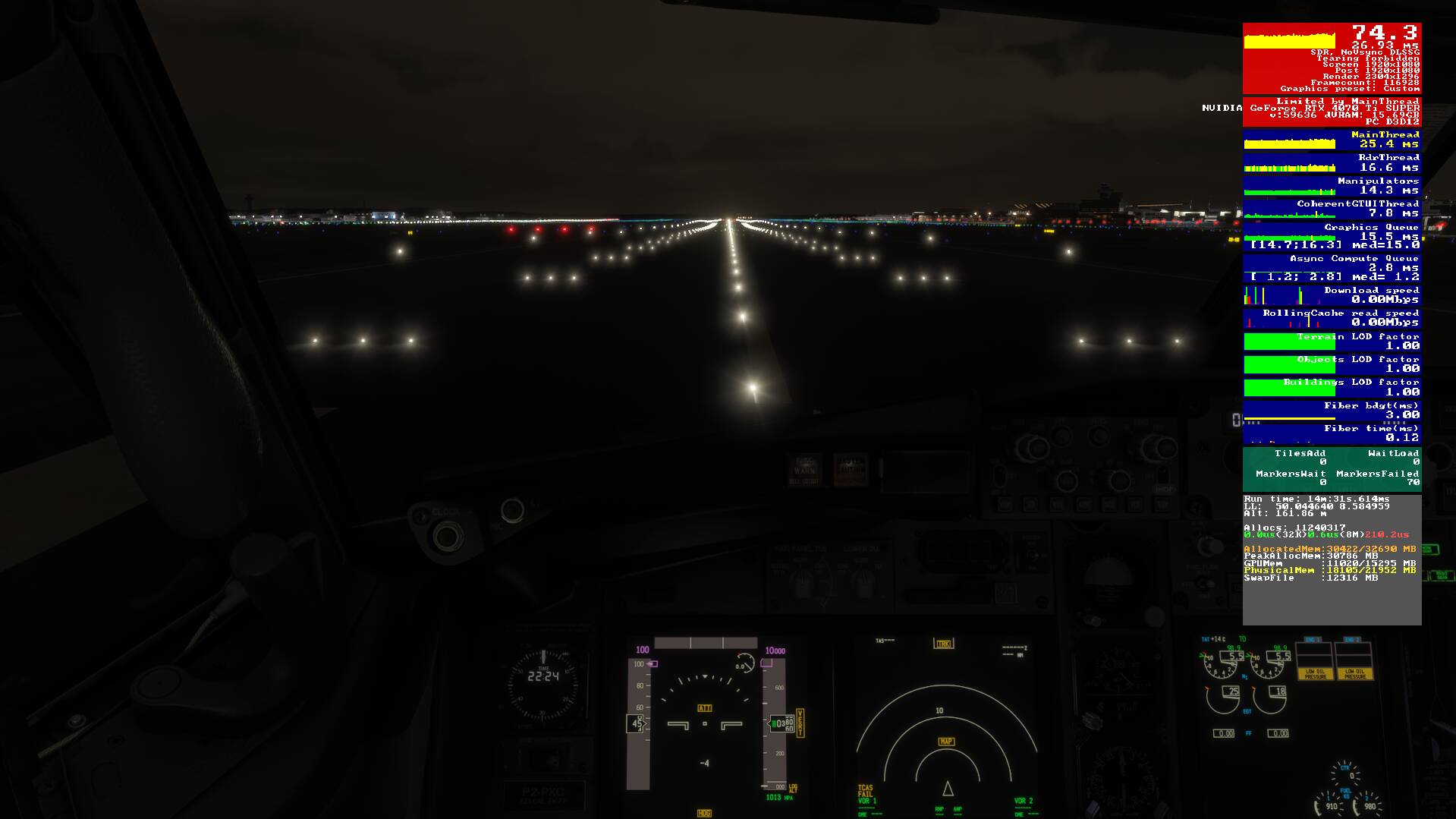
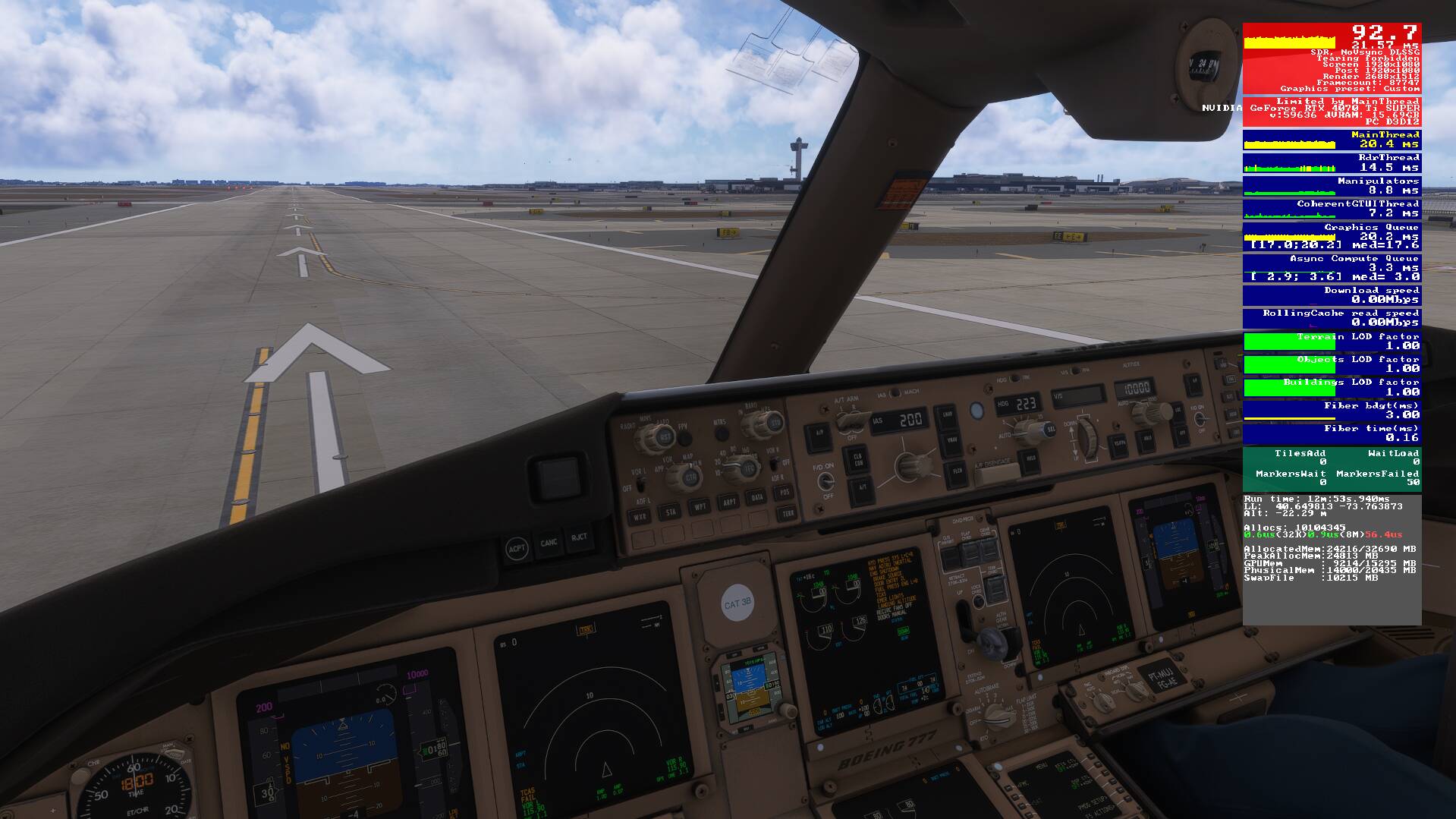
To give you a better context, these is my in-game performance (TLOD 160, OLOD 120, TAA, Render Scaling 140, Frame Generator ON)
EDDF (Aerosoft)
EGLL (Inibuilds)
KJFK (Inibuilds)
SBRJ (Paulo Ricardo)
What would be the next upgrade I should make, in your opinion? What is limiting me? Is it worth getting a GPU like the 5070TI and keeping the same CPU, or upgrading first to a Ryzen 7 9800X3D, for example? Or is it better not to do any upgrades at this time?
Best regards!
Well, one man’s opinion, but you’re getting 36 fps, doubled to 72 fps in your most demanding screenshot. That’s pretty good.
If you want more performance, I would just set your render scale to 100% instead of 140%. Those extra pixels are costing you performance for a likely negligible improvement in your visuals.
I wouldn’t upgrade with these results at all. I am also using 36 > 72 now, buttery smooth. But that 140% is a bit too much. Let your gpu take some breath.
Agreed.
OP might want to leave TAA behind and try the latest DLSS version and Preset K. Might even be able to quit using frame gen.
Regardless, you aren’t upgrading to a 9800X3D without also changing motherboard and RAM.
The 5800X3D is a pretty capable little CPU. And the 4070 Ti is a decent GPU. Agree about reducing render scaling as well.
@BigCow74 @DrewmorKuZy @BegottenPoet228 thank you all for your responses and suggestions, it helps a lot.
I agree that I’m not in a position where an upgrade is necessary, especially since I’m running well and have a good GPU with 16GB of VRAM and a good CPU.
I generally prefer DLSS over TAA, but since I fly a lot of airliners, I can’t help but notice the transition between numbers on the displays, and it bothers me a lot.
I lowered the render scaling back to 100.
I have two questions:
1- In the future, when I upgrade, would you replace the CPU or the GPU first? Disregard price; give a suggestion based on performance.
2- Right now, would upgrading my monitor from Full HD to 2K be bad for me, or would my graphics card handle it?
Thanks a LOT guys!
My opnions:
-
If you go with a new X3D CPU, you have to also budget a new motherboard and RAM. The 5800X3D is an AM4 CPU, and the current crop (like the 9800X3D) is AM5. Different architecture.
-
I have a 3090 Ti 24GB (pretty close to your 4070 Ti) and I find myself limited by the GPU. That said, I get good 4K (DLSS Quality) performance when combined with my 7950X3D. DLSS DLAA and TAA are on the edge for me, and a better GPU, like a 5080, would be a significant pure performance upgrade. I’m going to wait at least a year to upgrade my GPU. I am hesitant to get rid of my 24GB VRAM…
Your 4070 Ti should shine @ 2K.
I previously had a 5800X3d / 3090 Ti combo, and it ran 2K really well. Of course, that was FS2020. But you should be fine with your CPU/GPU @ 2K.
I always recommend that people upgrading their monitor save their pennies and get one with a VESA DisplayHDR 1000 certification. For the record, all OLED monitors exceed that spec, which is why they have such good black levels. Most LED/LCD monitors that advertise ‘HDR’ only conform to the HDR10 spec. Huge difference, and not for the better.
My 32" 4K HDR1000 monitor looks spectacular. Was is expensive? You betcha…
Was it worth it? Absolutely.
Thanks a lot @BegottenPoet228! I’m afraid to buy a 2K monitor and have to lower many settings to get the same FPS. Is there any reliable way to simulate a 2K resolution on my current monitor and see what the performance would be like?
One detail: my GPU is the 4070 TI SUPER, which is superior to the 4070 TI and has 4GB more VRAM.
How about buying a 2K monitor from Amazon, testing it out, and returning it within 30 days if you find it doesn’t work well for you? This gets you HDR400, G-sync, and 240Hz max refresh.
LG 27GR83Q-B 27-inch Ultragear QHD (2560x1440) IPS Gaming Monitor, 240Hz, 1ms, DisplayHDR 400, G-Sync, AMD FreeSync Premium, HDMI 2.1, DisplayPort
List Price: $499.99
-38% $309.99
.
.
.
Also, maybe consider testing a 4K monitor for future-proofing? You can run it @ 2K, and if you upgrade your CPU/GPU to 4K-capable your monitor is ready. Depends on your budget (and in this case, desk space) of course.
This one looks pretty nice. It has AMD FreeSync™ Premium Pro, which works with nVidia GPU’s. And its HDR600, which is nice.
-33% $599.99
List Price: $899.99
Samsung 37” Odyssey G7 (G75F) 4K UHD Resolution, 165Hz, Curved Gaming Monitor, 1ms Response Time (GtG), VESA DisplayHDR™ 600, AMD FreeSync™ Premium Pro, LS37FG75DENXZA