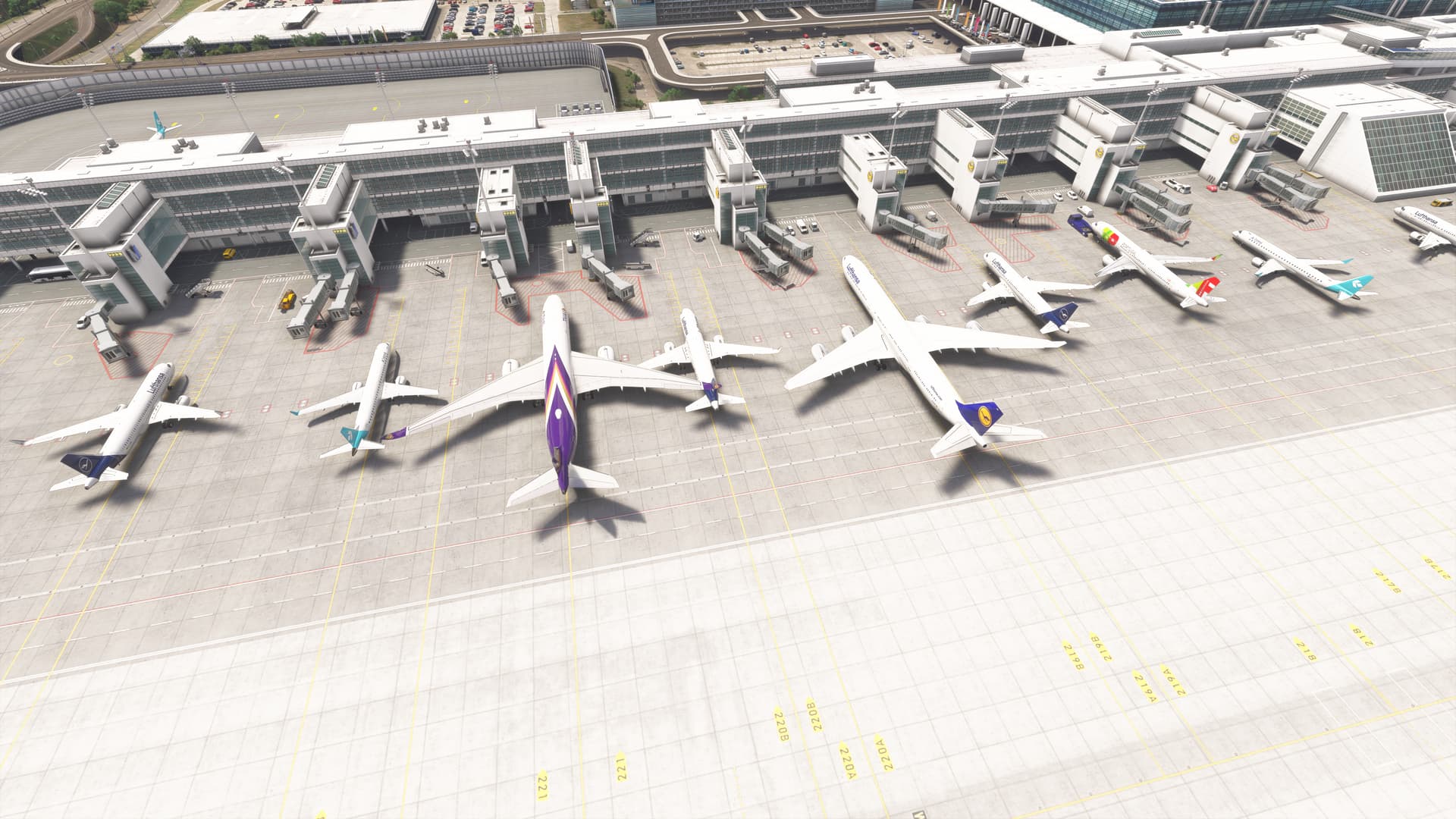
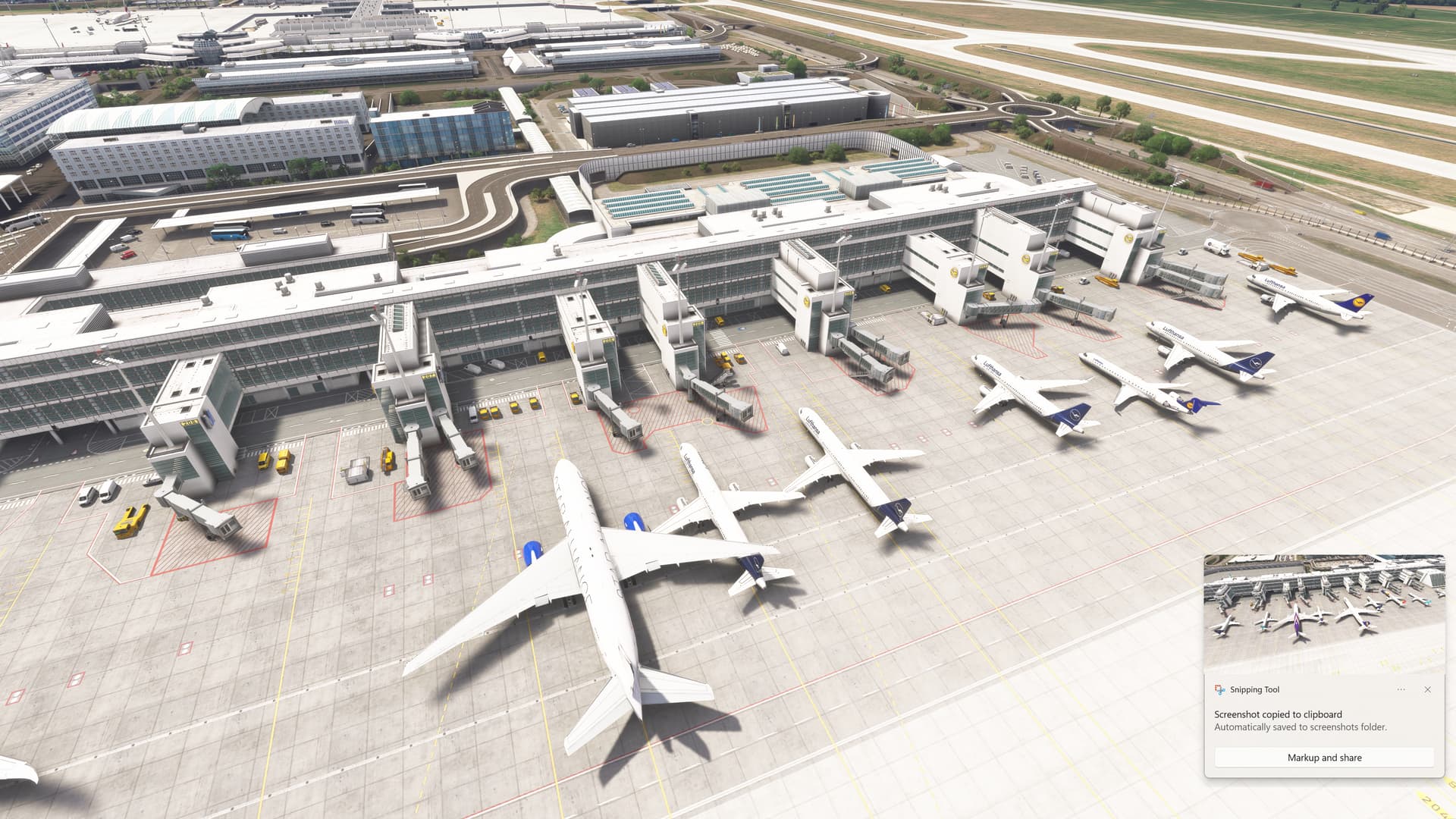
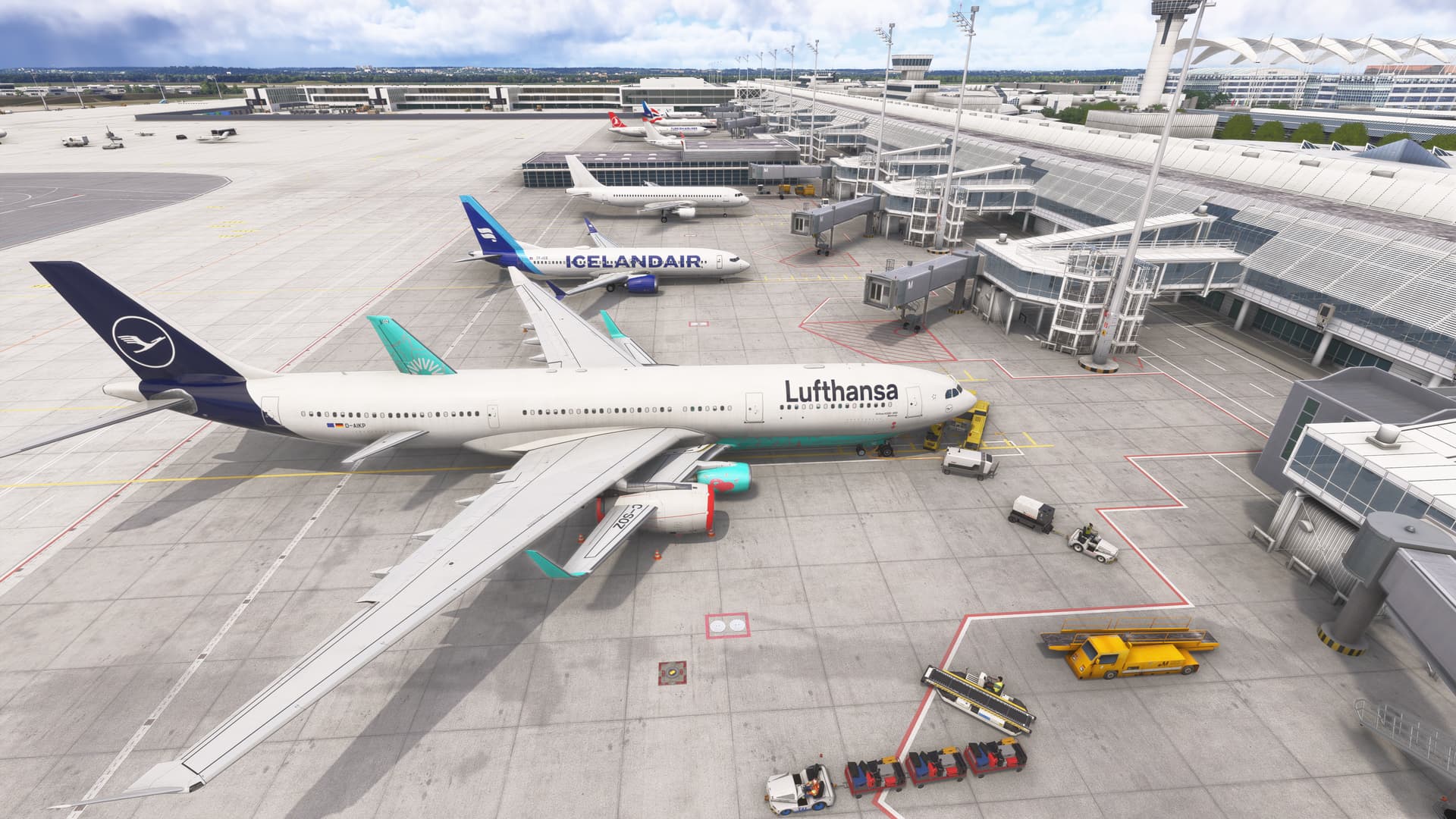
Description of the issue: AI generated (BATC + FSLTL) AIRPLANES OVERLAPPING, CLIPPING …This is visible in many airports I took example screenshots from EDDM but what would be the tips to troubleshoot this. The AI traffic in sim is disabled this is just what BATC injects using FSLTL as priority 1
ICAO, coordinates, or specific location:
[PC Only] Did you remove all your community mods/add-ons? If yes, are you still experiencing the issue?
FREQUENCY OF ISSUE
NOT every airport but let us say where there are close to each gates in a an airport it might appear
REPRODUCTION STEPS
Please list clear steps you took in order to help our test team reproduce the same issue:
1.Load BATC with FSLTL as priority 1 AIG priority 2
2.Put user airplane on stand
Thank you for this report. We’ve moved your topic into the User Support Hub.
The Bug Reporting Hub is for posting suspected or confirmed bugs that other users are able to reproduce without duplicating an existing bug report. Using the template or providing all the relevant information about your bug and sim setup is required in order to provide valuable information, feedback, and replication steps to our test team.
If you are not sure if your issue is a bug or need further input from the community, please use the User Support Hub category. If the community can replicate your issue, first search the Bug category to see if there’s an existing topic. If it already exists, contribute to that report. Duplicate bug reports will be closed.
If you believe it is a new report and no duplicate exists, then create a new bug topic using the provided topic template.
All issues caused by or involving third-party addons/mods should be reported to the third-party developer. Assure that no addons/mods are used when reporting issues in Bug Reports.
I did that already the airport is clean from any aircraft until I inject BATC stuff but they are like as you see in the picture so I am wondering if layout is messed up or something that they spawn with no type in mind a340 next to a321 clipping through it, etc