Using the template below will greatly help the team reproduce the issue and ease the process of fixing it. Before posting, search for an existing report. If you are not sure it’s a bug, please first report in User Support Hub.
3 tags are required - add them in the tag section next to the title above:
ISSUE DESCRIPTION
Aircraft selection menu_Mouse click not possible
FREQUENCY OF ISSUE
Allways, ervery time when MSFS 2024 was started
REPRODUCTION STEPS
Please list clear steps you took in order to help our test team reproduce the same issue:
-
Go to Menu-Selection Aircraft
-
Select an Aircraft (doesn’t matter if Asosbo Standard or Addon)
-
Choose F-CONFIGURE
-
Try to click with left mouse-click to F-CONFIGUE. Nothing happen
-
Only works if I press ‘F’ key on keyboard
-
But liveries are not displayed correct
-
Only when i click on VARIANT again and then back on LIVERY alle liveries are displayed.
Since the update on April 29, 2026, I’ve been having the following issue when selecting aircraft:
As soon as I select an aircraft in the main view and try to go to “F-Configure,” the left mouse button no longer works. It only works if I press the ‘F’ key on the keyboard.
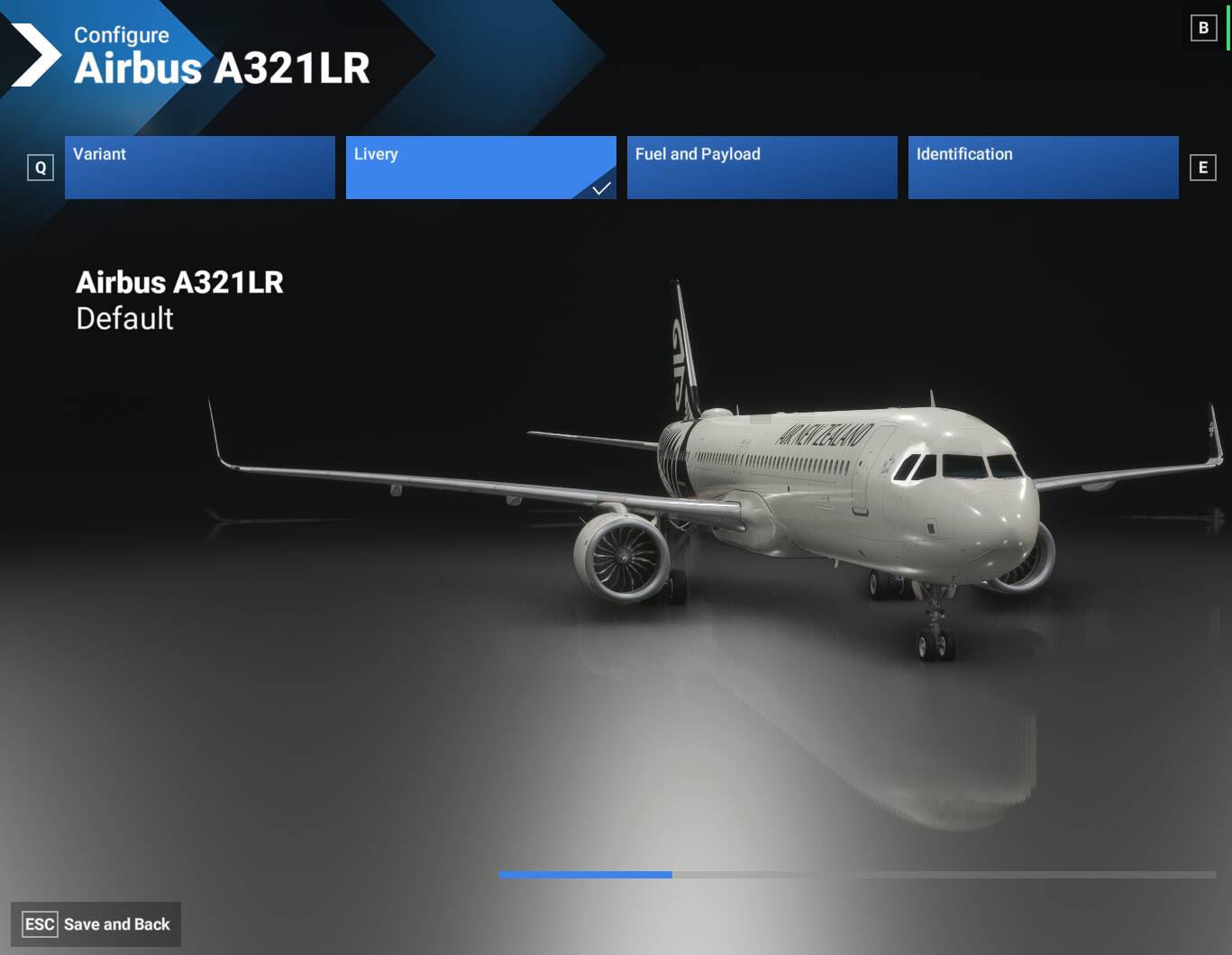
If I then select “Livery,” the liveries are not displayed. Only when I click on ‘Variant’ again and then back on “Livery” are all the liveries displayed.
This happens with all aircraft: whether standard MSFS 2024 or additional add-ons.
Translated with DeepL.com (free version)
YOUR SETTINGS
If the issue still occurs with no mods and add-ons, please continue to report your issue. If not, please move this post to the User Support Hub.
What peripherals are you using:
[PC Only]
[PC Only] What GPU (Graphics Card) do you use?
AMD Ryzen 7 7800X3D 8-Core Processor, 4201 MHz, 8 Kernel, 16 logische(r) Prozessor(en)
MEDIA
screenshot directly after choosing LIVERY: no liveries will shown. Strange taskbar at the bottom.