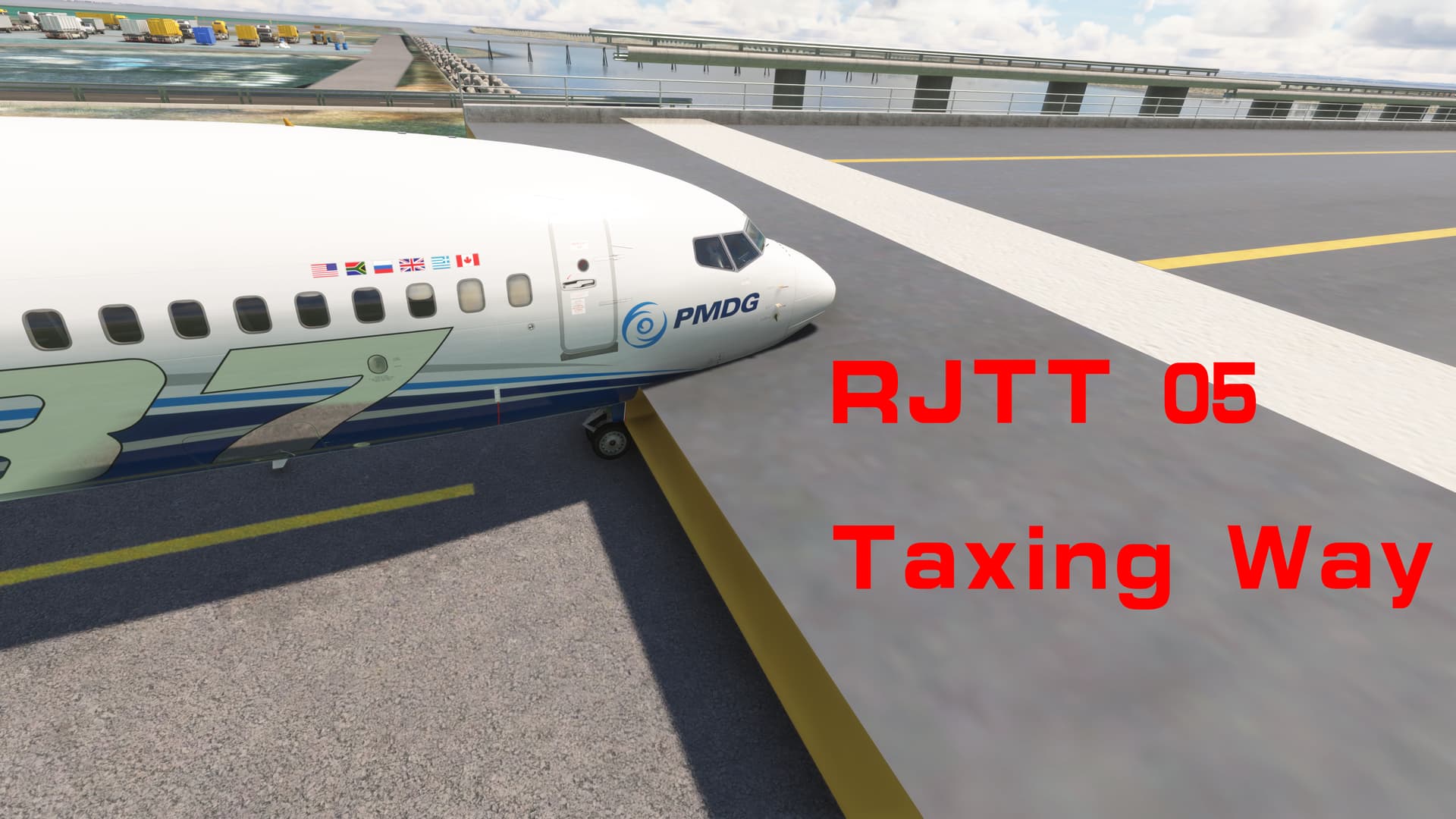
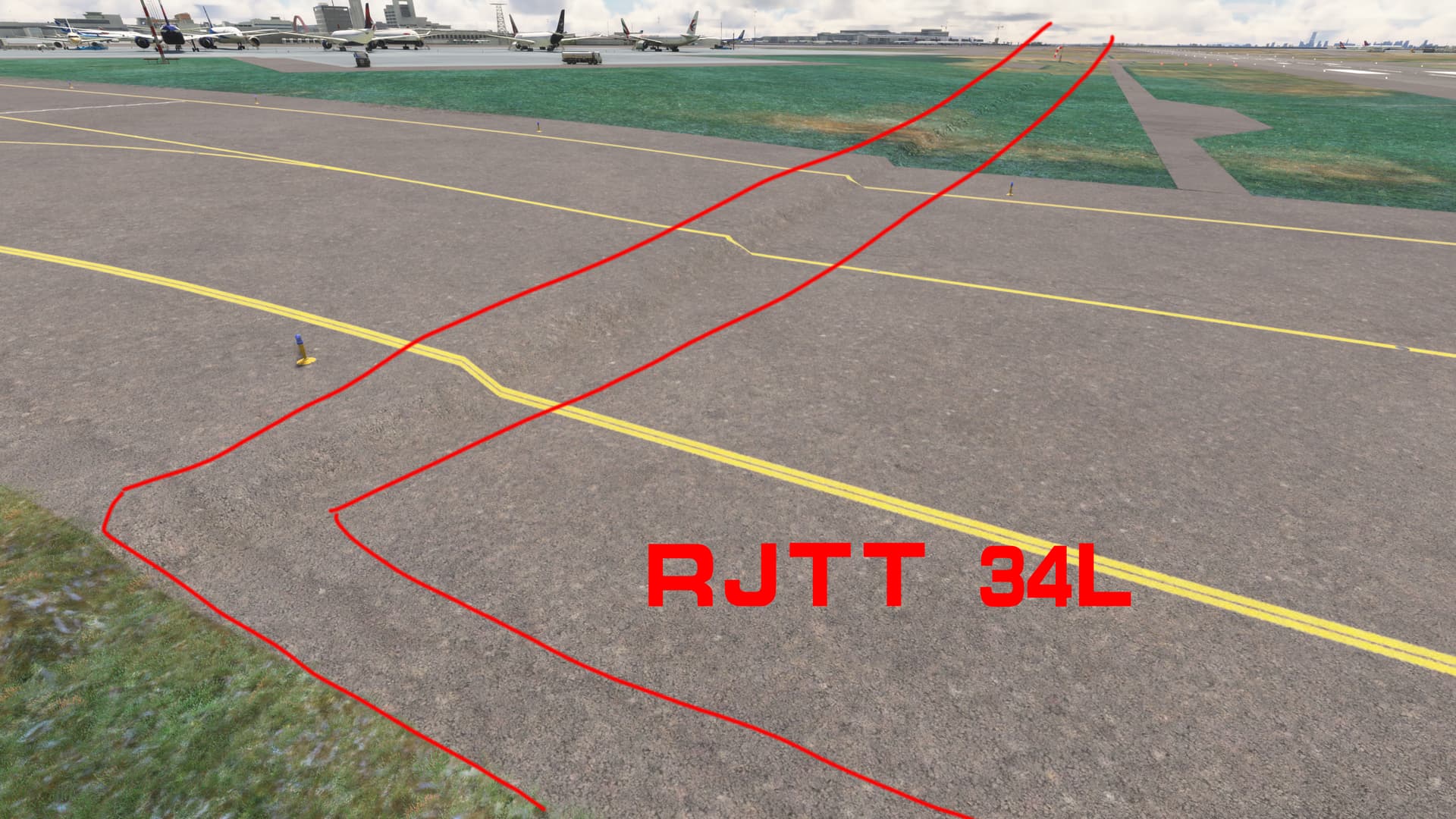
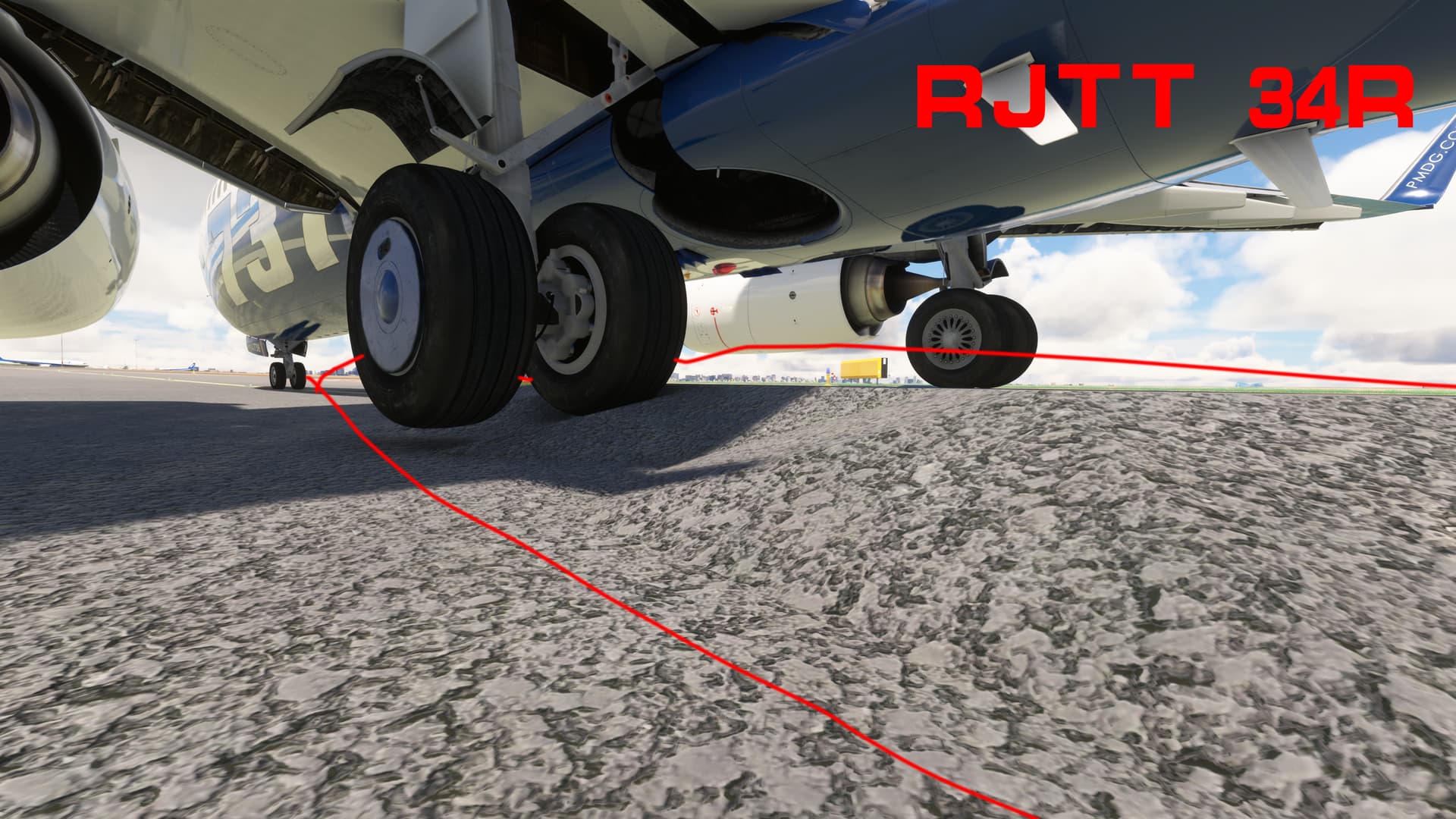
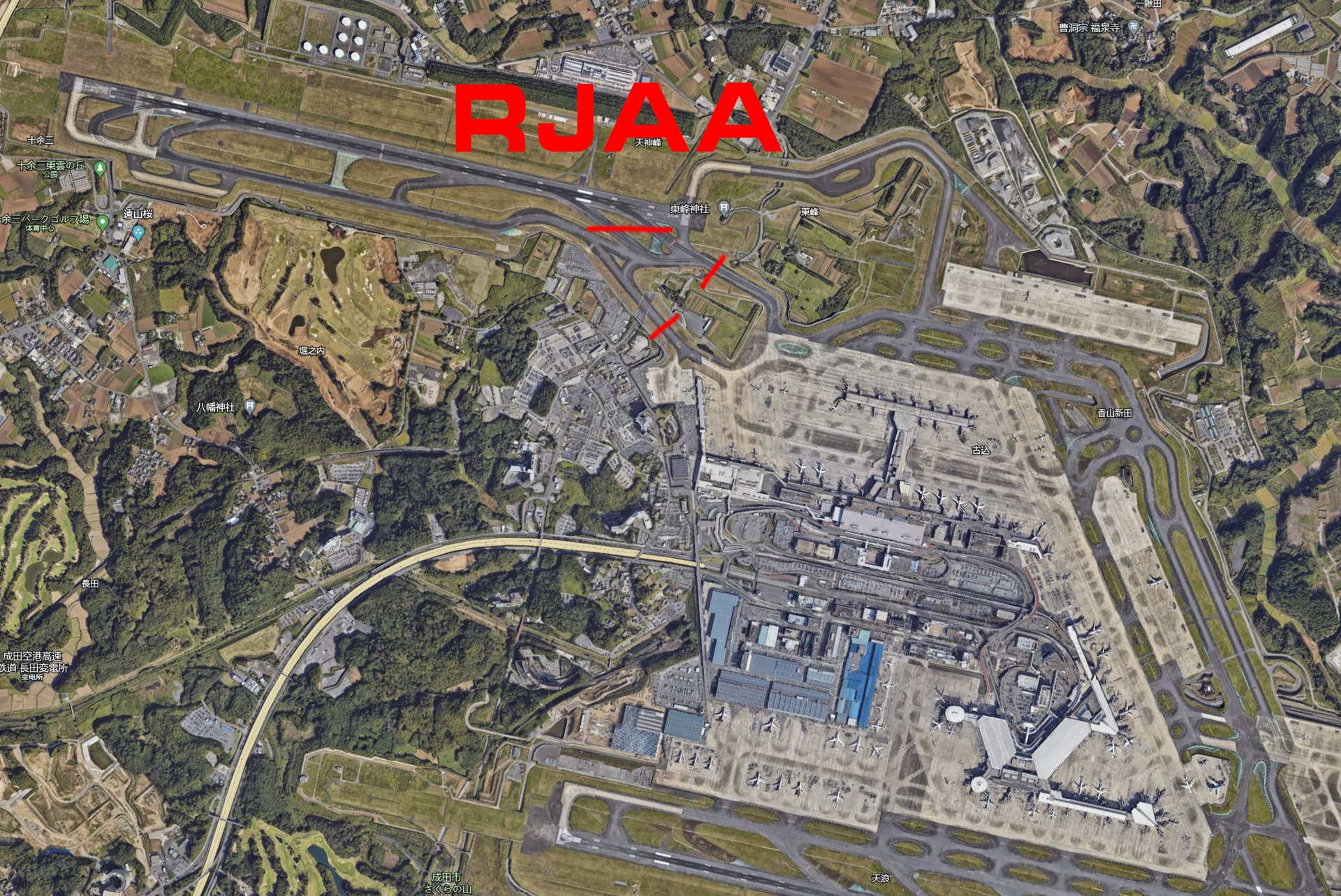
Airport Runway to Taxing way has big gap (Steps) to block taxing

:wave: Thank you for using the Bug section, using templates provided will greatly help the team reproducing the issue and ease the process of fixing it.

Are you using Developer Mode or made changes in it?

No

Have you disabled/removed all your mods and addons? If the issue still occurs with no mods and add-ons, please continue to report your issue. If not, please move this post to the User Support Hub.

Yes, tried and tried clean reinstall both Windows and MSFS

Brief description of the issue:

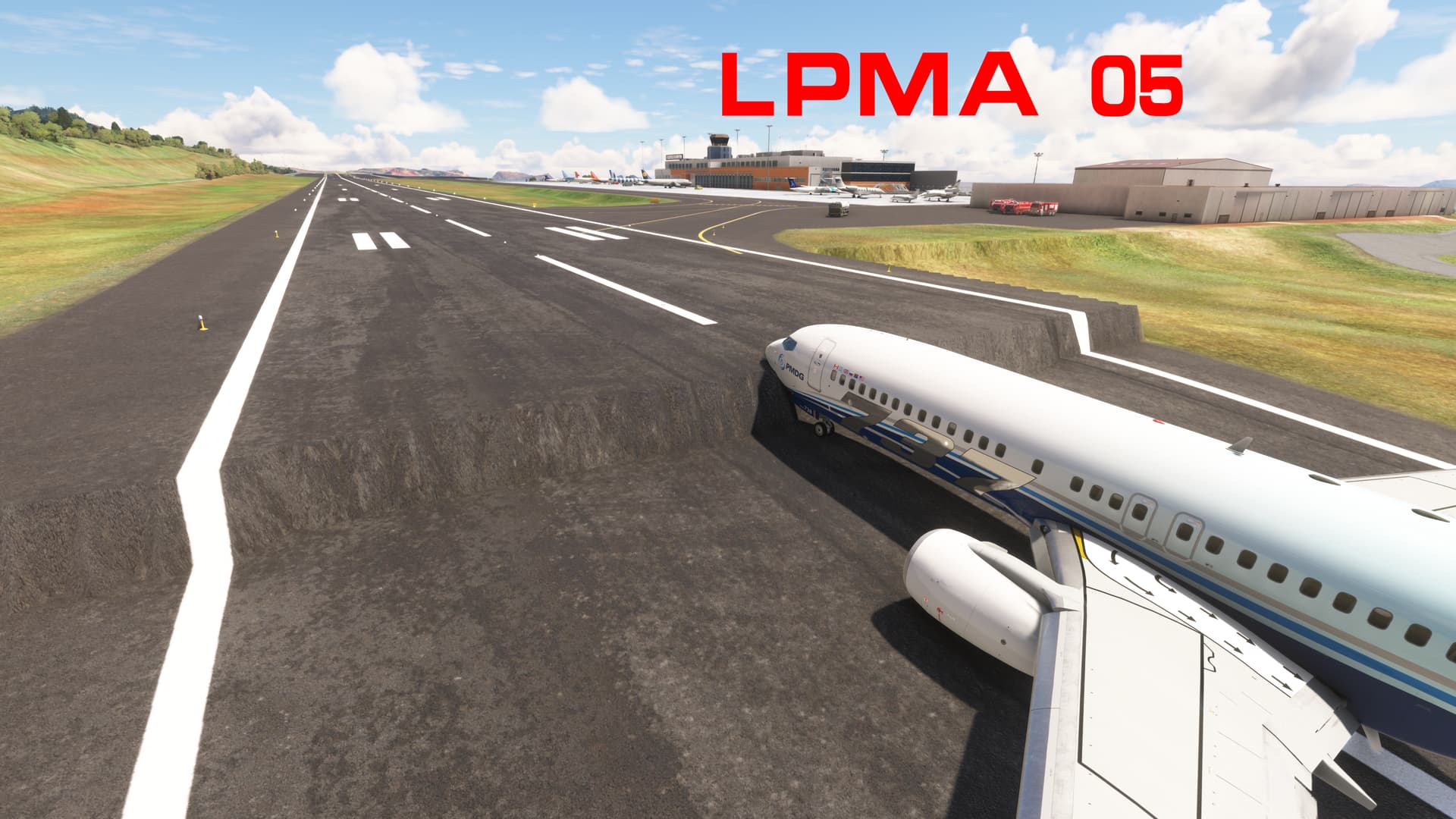
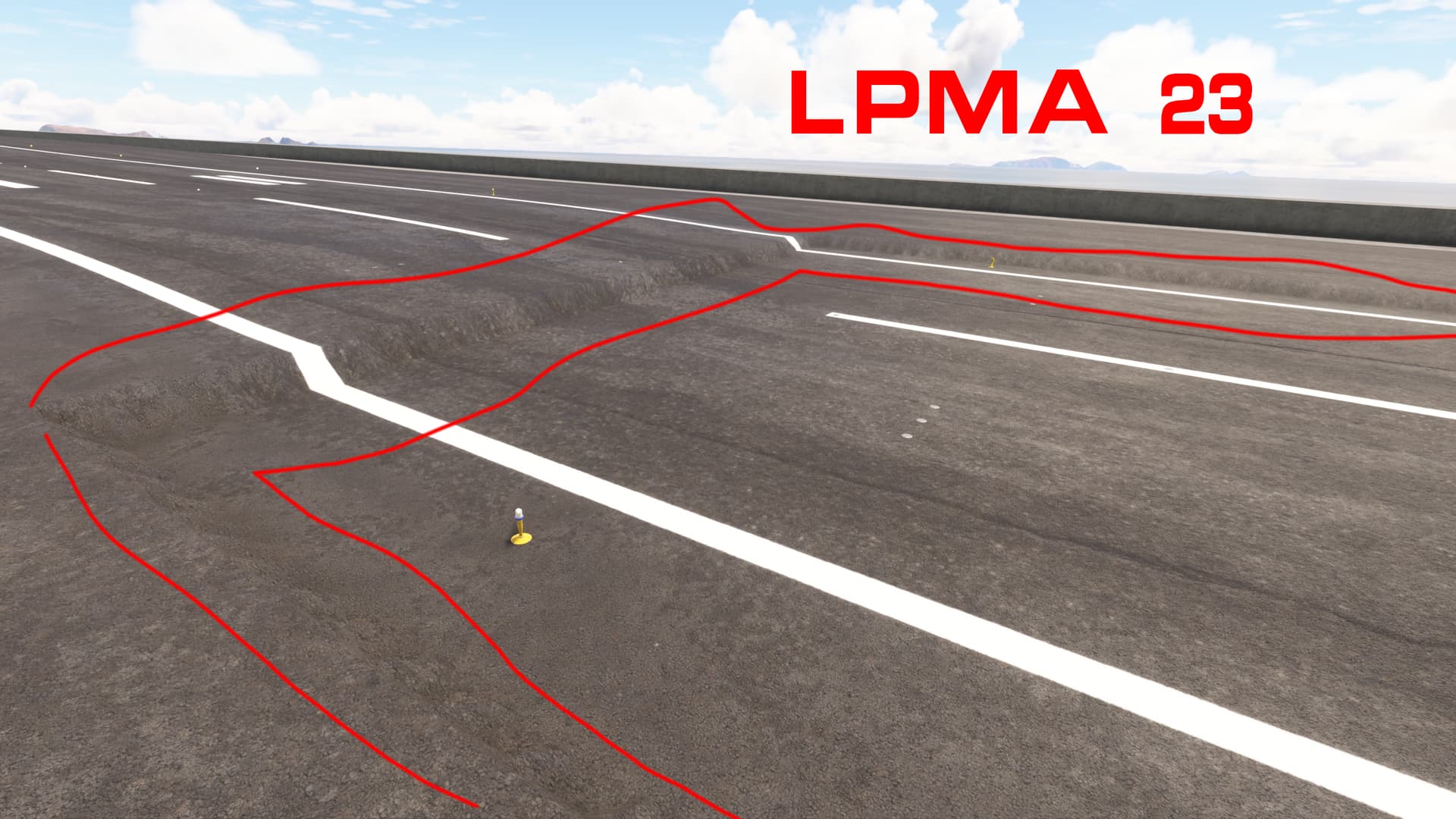
The airport runway is uneven and has a big gap(Steps) to block the aircraft moving.

Provide Screenshot(s)/video(s) of the issue encountered:
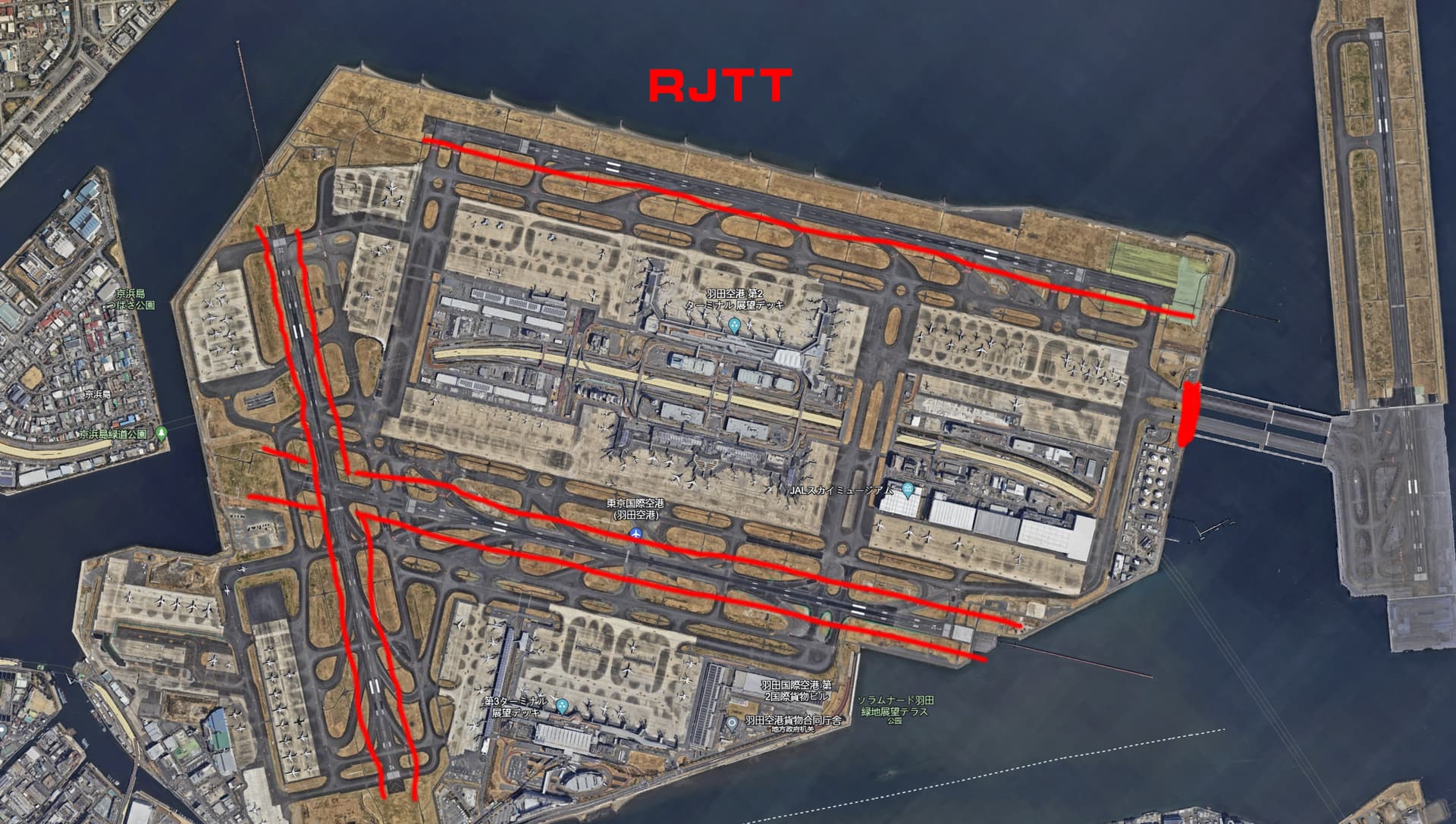


ICAO or coordinates (DevMode > Debug > Display position)

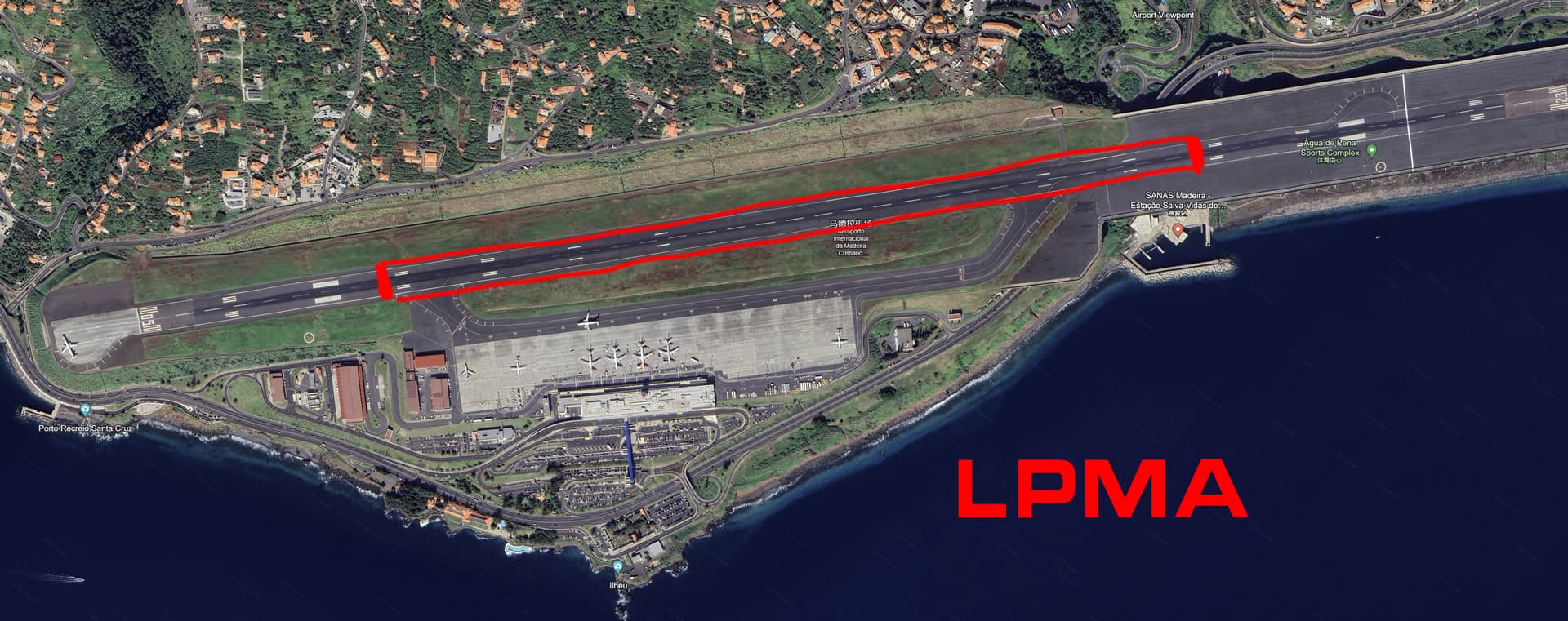
RJTT 34R 34L 05, RJAA 34R, LPMA 05 23

Detailed steps to reproduce the issue encountered:

Start any aircraft and taxing through the runway according to the airport plan pictures (Red line area)

PC specs and/or peripheral set up if relevant:

Intel 14700, 64GB, 4090 24G, 4T ssd.

Build Version # when you first started experiencing this issue:

About a year ago the first time I found this problem and until today.


:loudspeaker: For anyone who wants to contribute on this issue, Click on the button below to use this template:

Do you have the same issue if you follow the OP’s steps to reproduce it?

Provide extra information to complete the original description of the issue:

If relevant, provide additional screenshots/video:
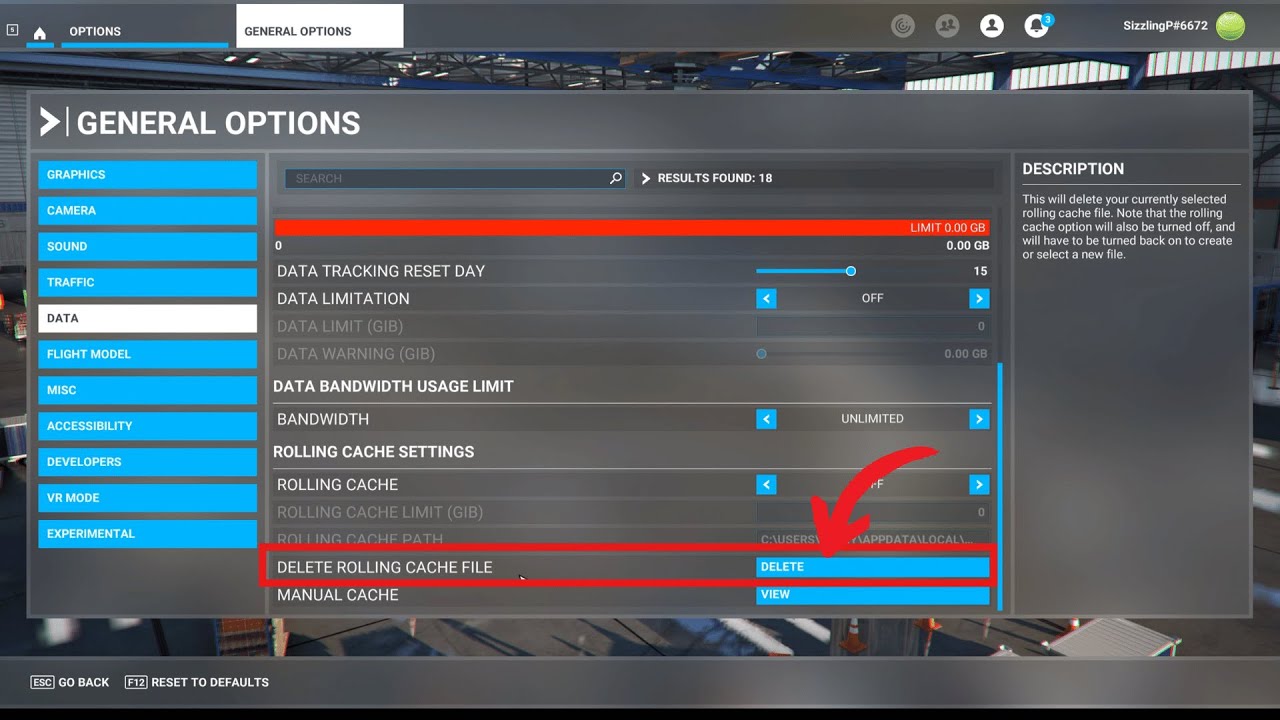
Not sure what to do for you, since you wrote you’ve reinstalled and everything…

Maybe point 3 of this video is where it goes wrong with your install.

Check just around the 3 minute mark… apparently doing that step, makes msfs relearn it’s sceneries…

Do you have the same issue if you follow the OP’s steps to reproduce it?

no

Provide extra information to complete the original description of the issue:

tested at 3 airports mentioned by OP and no issue on my system

If relevant, provide additional screenshots/video:
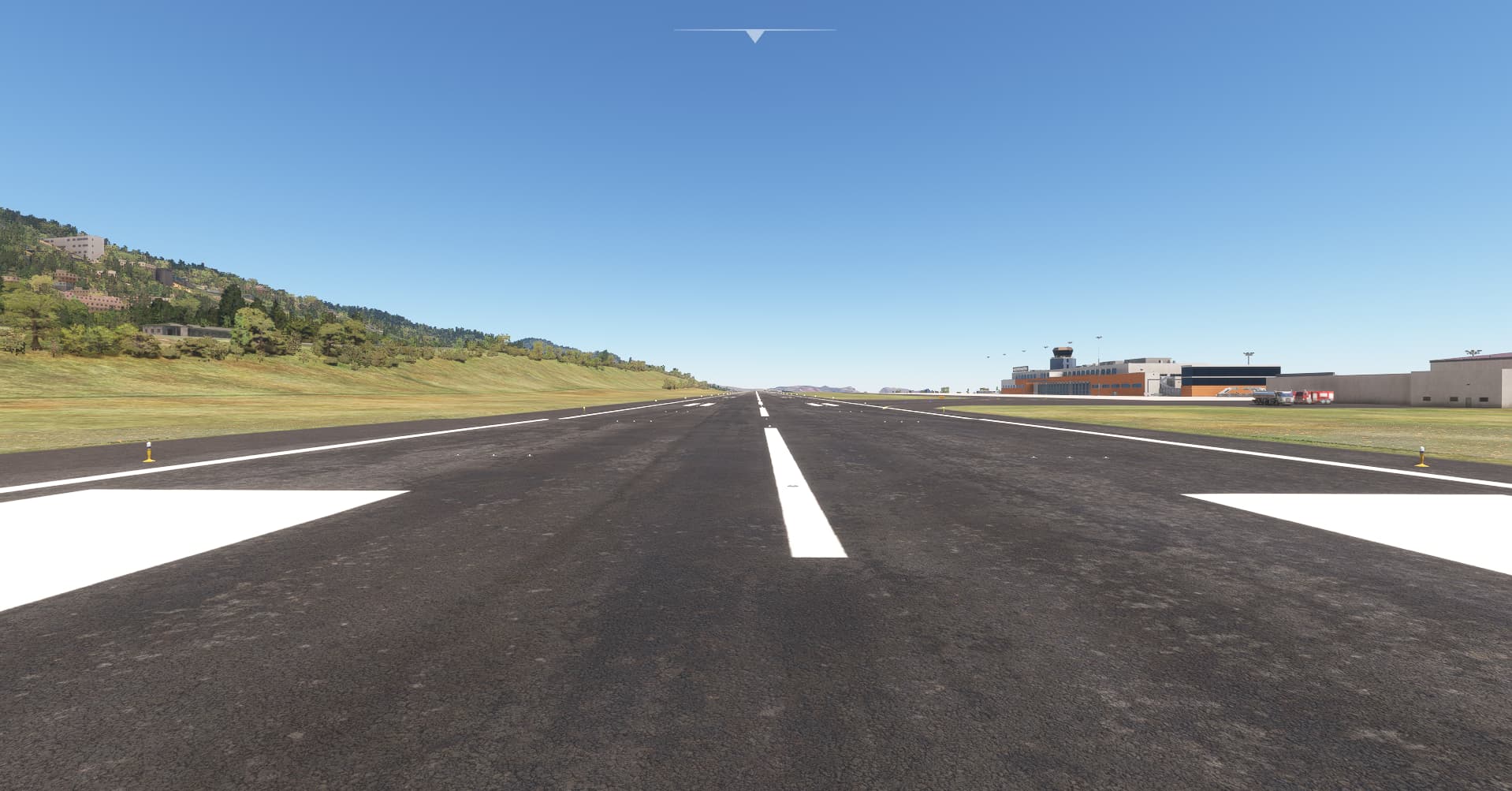
LPMA example, same spot:

Hi @XiaoHuX2610 ,

Thank you for this report. We’ve moved your topic into the User Support Hub.

The Bug Reporting Hub is for posting suspected or confirmed bugs that other users are able to reproduce without duplicating an existing bug report. Using the template or providing all the relevant information about your bug and sim setup is required in order to provide valuable information, feedback, and replication steps to our test team.

If you are not sure if your issue is a bug or need further input from the community, please use the User Support Hub category. If the community can replicate your issue, first search the Bug category to see if there’s an existing topic. If it already exists, contribute to that report. Duplicate bug reports will be closed.

If you believe it is a new report and no duplicate exists, then create a new bug topic using the provided topic template.

All issues caused by or involving third-party addons/mods should be reported to the third-party developer. Assure that no addons/mods are used when reporting issues in Bug Reports.

For LPMA, check out that topic:

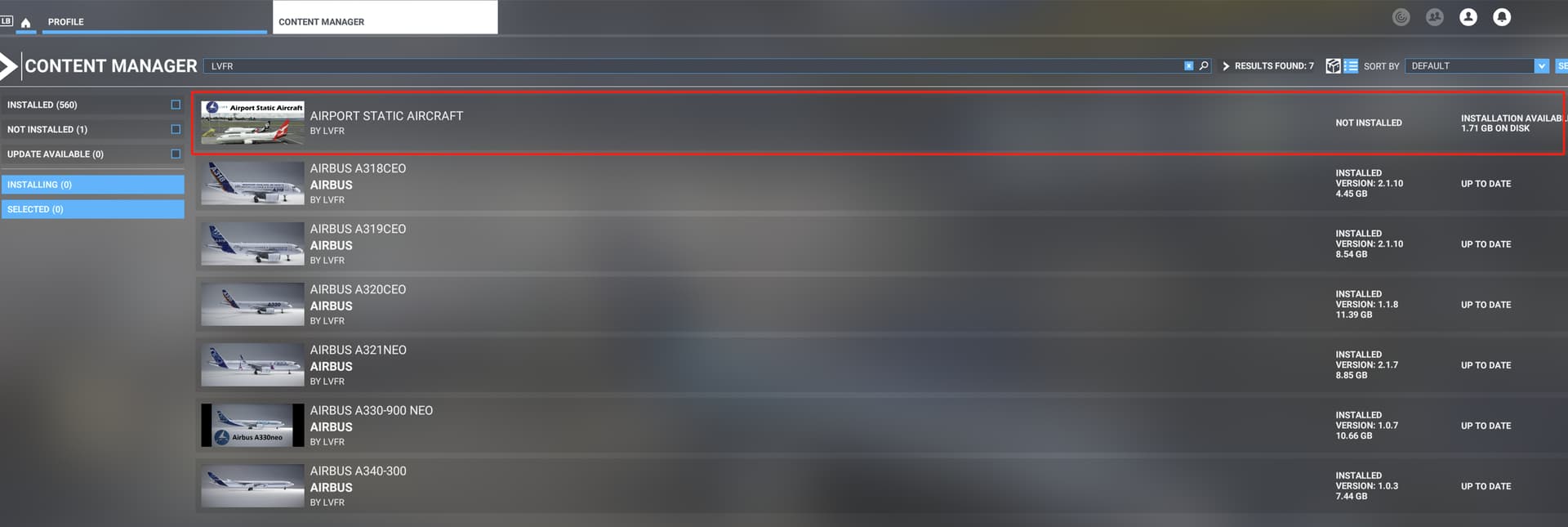
By any chance do you have LVFR Static aircraft installed ?. Maybe that addon also impacts other airports.

You can also try to start in safe mode (it will disable your community and marketplace addons): once in the sim, go to your Windows Task manager and terminate msfs.exe. Restart the sim and you’ll get the safe mode option.

Thanks @DementedCorn327 & @Steinways
This is caused by LVFR Static aircraft, the problem is gone after I deleted this add-on and restarted the GAME.

RJAA RJTT and LPMA are all back to work finally.

1 Like

This topic was automatically closed 365 days after the last reply. New replies are no longer allowed.