ISSUE DESCRIPTION
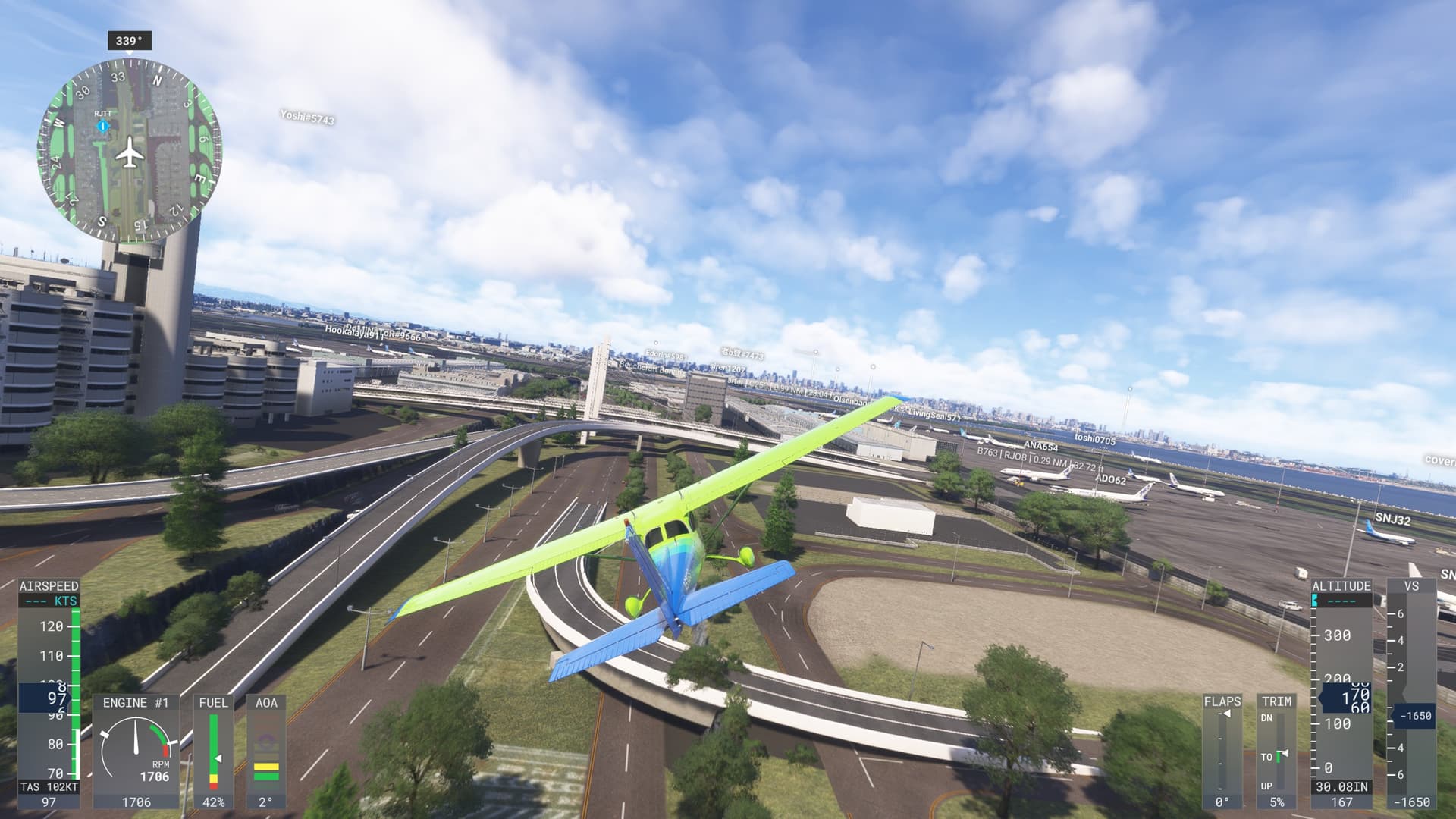
Description of the issue: Giant straight vertical 10 foot cliffs have appeared on the edges of each runway of Haneda airport (RJTT). This happens with or without the “World Update 20: Japan” add-on installed.
It’s surprising that seemingly nobody checked one of Japan’s busiest airports with the release the Japan update…!
Coordinate or location of issue:N35.559, E139.791
FREQUENCY OF ISSUE
How often does this occur for you (Example: Just once, every time on sim load, intermittently)?
Every single time.
REPRODUCTION STEPS
Please list clear steps you took in order to help our test team reproduce the same issue:
-
Open free flight
-
Select any runway in Haneda airpot (RJTT) as a departure point
-
Check out the giant 10 foot cliffs on the side of each runway!
-
Attempt to taxi off runway to crash into the cliffsides of the runways.
YOUR SETTINGS
If the issue still occurs with no mods and add-ons, please continue to report your issue. If not, please move this post to the User Support Hub.
What peripherals are you using: T Flight Hotas One (not that it matters)
[PC Only] Are you using Developer Mode or have you made any changes to it? no.
[PC, MSFS 2020 Only] Are you using DX11 or DX12? DX12.
[PC Only] What GPU (Graphics Card) do you use? Nvidia
[PC Only] What other relevant PC specs can you share?
MEDIA
Note also that many of the gate/parking areas also similarly depressed into the ground, surrounded by cliffs.
Hi folks,
Thanks for reporting this so quickly. We’re currently aware of and investigating a minor issue affecting ground scenery (runways, taxiways, aprons, etc.) at RJTT (Tokyo Haneda Airport). The development team are currently investigating this.
The MSFS Team
2 Likes
The bridges here have always been broken in 2024. Also it was reported ages ago but to date nothing has been done. The only fix was getting a community mod.
Very sad that one of the busiest airports for the whole of the country has been broken for as long as it has and especially since now again the country has its own update, that it has slipped thru the cracks.
That said, hopefully with the PS5 launch it will now finally be fixed as I can tell you, seeing how busted it is will certainly have a negative impact. I just hope that we don’t find other places that have issues.
I’m happy to report that it seems to be fixed already!
And the the funky road area in the middle that @Brettsan671 mentioned also seems to be much cleaner and closer to reality now!
I’d like to thank the devs for deploying a quick fix! And thank you @Chewwy94 for the quick communication of the status!
Hi folks,
This issue has now been resolved and players should see RJTT (Tokyo Haneda) appearing correctly once again. Please let us know if this is the case!
Thanks
The MSFS Team
6 Likes
What a quick fix, do the same for the rest please 

If we have downloaded any content (core files, not the WU content) do we need to update anything or delete Rolling Cache / Scenery Indexes to see the fix?
I flew last night (around 6pm UK time) and I took this screenshot. Not sure if that is BEFORE or AFTER the fix, time-wise? But it’s not a deep dip/trench as in screens above, rather a raised slope by about 1ft.
Hi, im still having this issue - what do i need to do? i have disabled and re-enabled the scenery as well as the world update
i just took this screenshot in the sim..
Same spot than your last screenshot but cannot reproduce the issue:
Have you restarted the sim ?
If any, have you disabled your addons related to sceneries ?
Hi, yes have restarted the sim - no addons relating to this scenery/airport or the surrounding areas
Even addons not related to this area could impact. Recommendation is to test without any addons at all.
Have you tried clearing the cache? Might also want to try clearing the sceneryIndexes directory if that still exists in 2024. Had to do that to fix some very weird scenery issues back on MSFS 2020.
Edit: %APPDATA%\Microsoft Flight Simulator 2024\SceneryIndexes
just did both of these^, loaded back in and its still the same
the entire airport is elevated, even the terminals
Hi @imprettysus3048
Have you removed any mods that could be conflicting with the default scenery? We’re not seeing any other reports on our platforms of the original issue still being prevalent for players at this time.
Thanks
The MSFS Team