Agree, with caution and only if you know what you are doing.
For all your configs/settings (such as undervolting the GPU, CPU and/or tweaking (V)RAM timings and speeds) that are working fine for 99.99% of games, there is a good chance that they will not work with this SIM. MSFS2024 is one of the best stress tests for your PC.
I ran into that with 2020 and my i7-11700KF system. The CPU and MSI motherobaord combo could overclock up to 5.2GHz for most applications but anything past 4.9GHz crashed the sim hard, and sometimes even blue screened the PC when simming. However, for everything else, 5.2 was perfectly stable. I usually left it capped at 4.9GHz and stopped messing with it.
For this current system, I have under-volted all cores to -10 in the PBO Curve setting and not changed either the scalar or the CPU boost. I did a 6 hour flight yesterday in the PMDG 777-200ER and my CPU did not exceed 63.5C, and that was just after loading into the sim before the CPU cooler ramped up. After that point, it ran between 43 - 48C for most of the flight. I think it briefly hit around 53C during landing at SFO as all the scenery and BATC-placed aircraft rendered in and started moving around.
But the system itself was smooth and stable for the whole flight.
So now that you have given yourself some headroom, try this:
Set PBO to Advanced
Set PBO limits to Motherboard (selects highest values for PPT, EDC & EDC that are safe for your motherboard)
Set PBO scaler to 10x (will allow the CPU to more aggressively boost)
Set Thermal throttle limit to Auto
Set CPU boost clock override to Enable
Set Max boost clock override to -125 (max is -200 however 125 will enable a nice bump in boost whilst not causing too much additional heat)
Set curve optimizer to -15 for all cores (this reduces heat to allow for higher and more aggressive boosting - the main purpose for undervolting. PS - on my 9950x3d my lowest undervolt on my 3d cached cores is -24 so you still have plently of room here to reduce heat more. Reducing heat more allows higher boosting . That’s what PBO gives you.
Keep in mind that the thermal limit of the 9800x3d is 95c after which the cpu will throttle back so that no harm will be done. What I have outlined above is utilizing AMD’s advertised tool to safely tweak your cpu performance and AMD is not going to provide this to allow everyone to bork their cpu .
Edit: I would also recommend using some stress test tools like Corecycler, Prime95 along with other tools to verify everything runs stable and the cpu remains under 95c.
Well, I tried -15 on all cores last week and AIDA64 failed within about 30 seconds. I promptly went back to -10 and left it alone. Not gonna bother with any further tweaking or overclocking - as I said in an earlier post, I’m not interesting in spending a great deal of time hyperoptimizing. I built this machine for a better flight sim experience, which it delivers. That’s really all I was after.
Thank you so much for posting the link to your specs, I followed your settings and my 5070ti has never been better in MSFS 2024. You are the only person that I have ever seen post the NVIDIA App version, that is why I couldn’t follow anyone’s posted screenshots or directions, I had the new driver but an older app version. In fact I can’t even find the proper way to update the app, I just saw you were on version 4 and I still had version 2, I just installed again from the website and now have version 11.0.5.245. I have spent months trying to figure this out, thank you!!
So a little bit of an economic post-script to my build. I have been watching Amazon prices on the components I’m using and over the last two weeks, prices have moved, and not in a good way.
My CPU (9800X3D) has gone from $449 to $479
My system SSD (Samsung 990 Evo 2TB) has gone from $149 to $159
My RAM (G.Skill Z5 neo RGB 2 x 32GB kit) has gone from $239 to $249.
It gets worse if you count the PSU I bought last year to put into my old system and prep for the new build. It’s an MSI MPG A850G 850 watt 80-plus Gold certified unit with 105C-rated Japanese capacitors. It was $119 when I bought it in November. The same unit is now $164. MSI have introduced a similar-spec unit at the same $119 price point but it’s got a revised model name and no longer advertised as using the same quality caps.
Glad I bought parts when I did, and I sincerely hope when I build again in 3-4 years, things will settle down price-wise.
I too have been watching prices religiously. Mc bundle just went up $20. Still need the bundle and a 2tb 990 pro and I’ll be building!
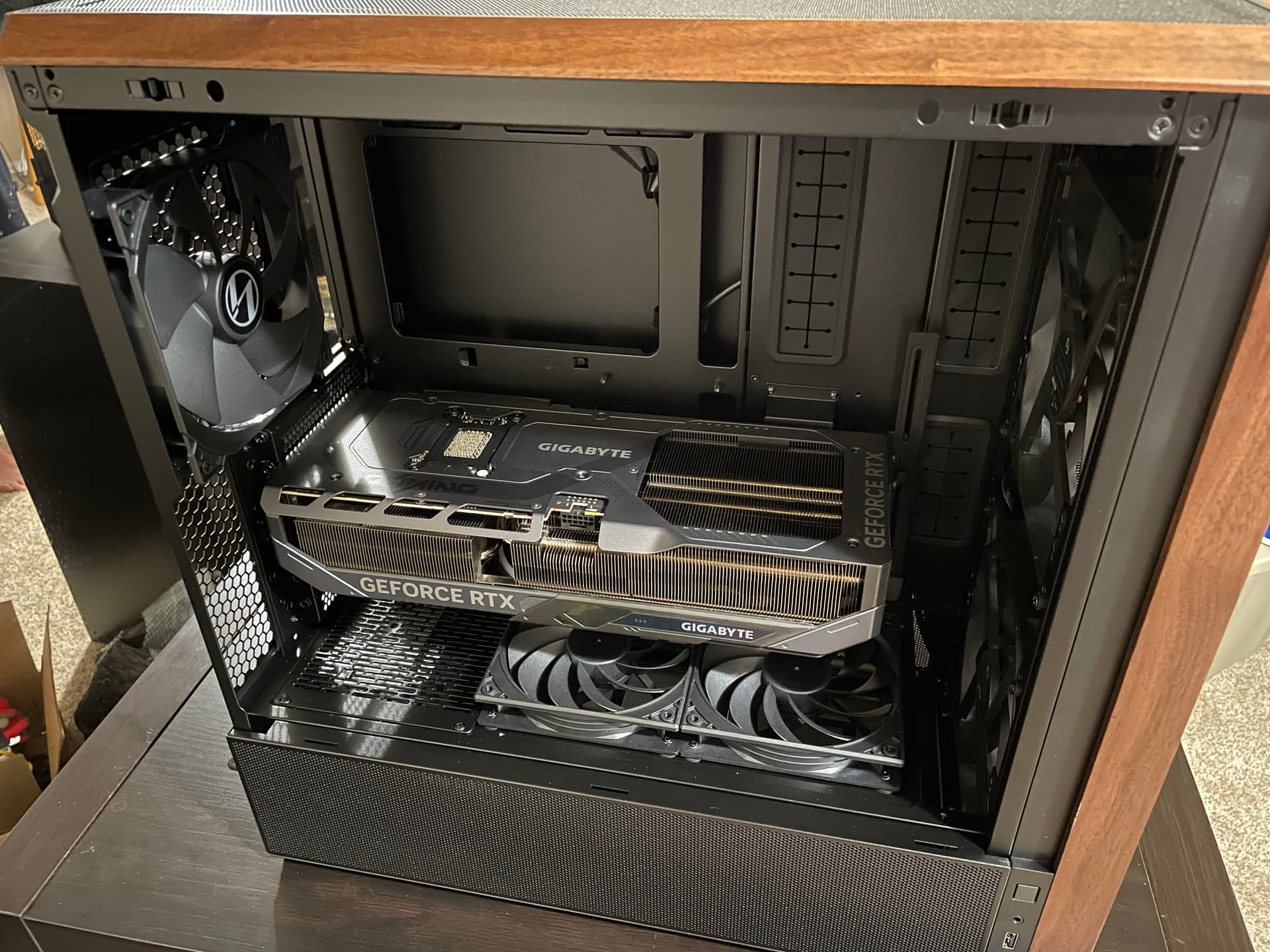
Have had a Lian Li 217 and Rm1000x(2024) sitting in “inventory” for a build that never happened. Going to repurpose those for this build and save decent money in that aspect.
Will also be using the included fans with the case and going air cooled for this build. Only have done AIO with icue so I’m looking forward to dealing with that! Here’s a little preview of the case with my Gigabyte 5080 in there, my 5090 is roughly the same size and wanted to see how she’d fit.


 . That’s what PBO gives you.
 .
.