Hi all!
Just spent a bunch of time optimizing my Warthog stick and throttle setup for VR use with MS FS 2020. I make significant use of Joystick Gremlin in order to map just about everything I can to buttons, using the boat switch to move between three modes. Helps since seeing the keyboard in VR is hard. But it works great for screen as well, nice to keep hands on throttle and stick, HOTAS, er, haha.
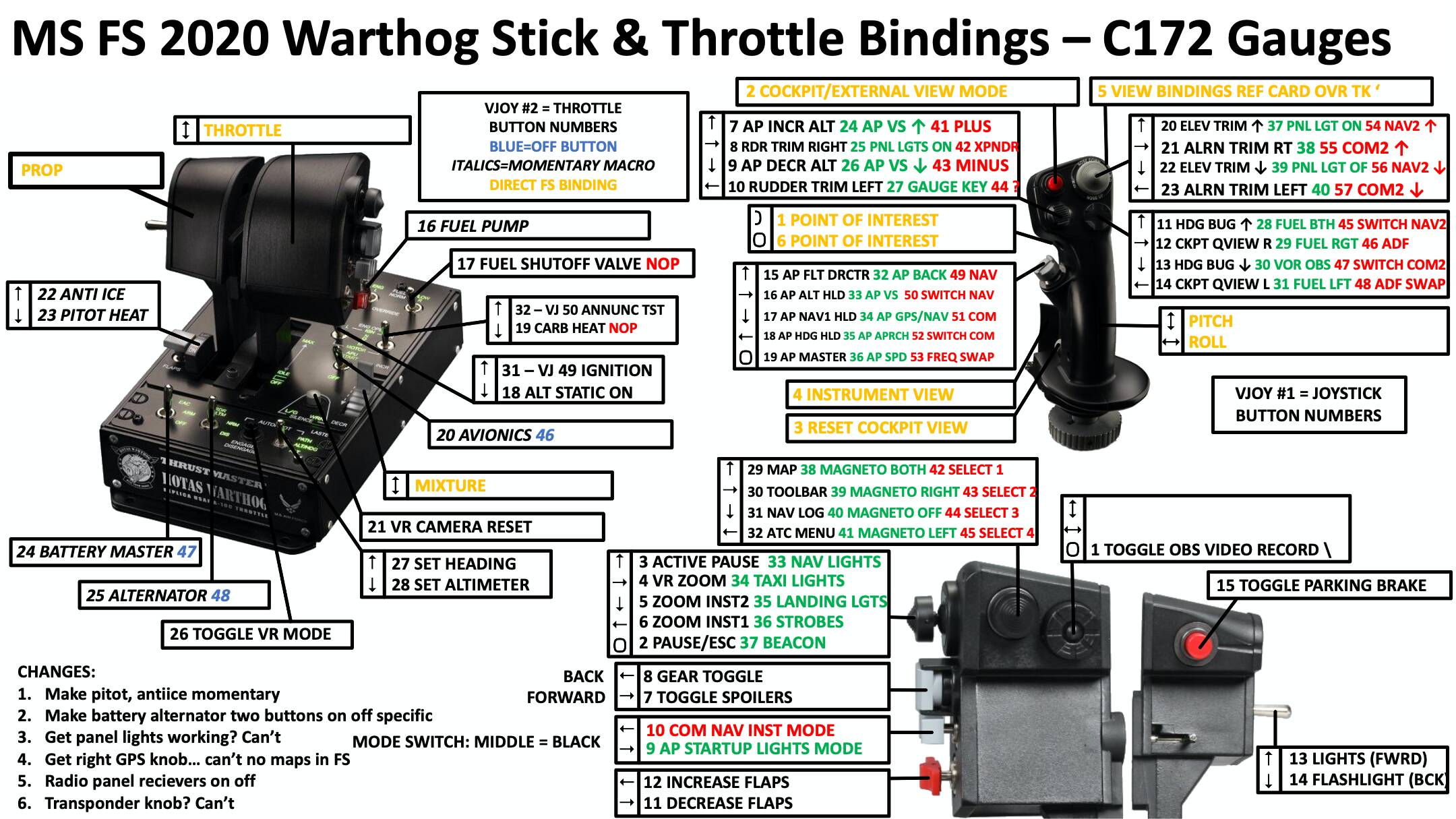
Attached are a bindings map PNG that I use to learn the controls. For screen you can just print and keep handy. For VR I used OVR Toolkit to make the PNG pop up in front of my face during flight so I can learn in VR. I also map a button to start/stop webcam recording with OBS Studio.
Also attached is the joystick Gremlin settings file that I used. You will need to set up joystick gremlin, enable two vJoy Devices, and the load this profile in joystick gremlin. Oh wait, I’m sorry I can’t upload joystick gremlin xml files. Hmm. Message me if you want, i’ll try to figure out how to send.
Then, in FS 2020, you bind the commands listed in the bindings PDF to vJoy device 1 or 2, to the appropriate buttons listed on the PNG, inside FS2020. Unbind all other things from the Warthog directly, except for the things shown in orange.
It’s pretty tricky, send a note if you get stuck. But great when working. You can really fly. It will be great when all the buttons/GPS knobs are implemented.
If I get a chance i’ll upload a video of the mapping PNG coming up in FS2020 in VR with OVR Toolkit. It’s huge for learning such complex settings.
Cheers!