A general APR question here for all equipped aircraft…
In the good old bad old days of FSX, in order to prep for an automated landing, you had to dial up the correct NAV1 frequency and dial in the correct CRS heading for the runway.
I cannot find any CRS data anywhere. The flight planner gives me the correct frequency for the NAV1 setting, but no CRS data. Some of my APR approaches work, but a lot of them are way off course! In any case, once flying, I’m unable to alter the CRS dial either in GPS or Nav1 mode.
You’ll need to pull your own charts for approaches and ref Box 2 for Inbound CRS. This is also applicable to ILS frequencies as NavBlue has some incorrect frequencies for certain fields.
There are free resources available such as SkyVector for the approach plates.
‘Luckily’ this doesn’t matter with the default aircraft since the CRS is (incorrectly in most cases) automatically set when you dail in the LOC frequency.
That’s another bug with the MSFS default aircraft.
No. With add-on aircraft like the Carenado Mooney the CRS setting works as it should.
Thank you for the replies - seems a shame that having purchased the premium pack, all the stock aircraft I put faith in appear to be bugged!!!
I shall persevere…
I’m getting more joy with the propeller aircraft - they seem to be a little less buggy, but the CRS issues on those do also exist.
I’m getting to grips with the Citation Longtitude - more seems to be going right there, except I can’t for the life of me get the auto throttle to work!!
Thanks again for the support.
An update to the last post…I sorted the auto throttle from another thread, and got that part of the flight to work just fine.
The only thing left to master is the APR itself - still being a bit of a mare…
I have entered my Nav1 frequency as 108.15
Initially I leave the GPS mode as is and hit the APR button - in the far left hand MFD I can’t change the top option from GPS to NAV1
We do a controlled auto descent ok, but I’m not lined up with the runway - it seems like it’s doing a controlled descent on the GSP track and not the runway heading.
APR doesn’t work in GPS mode, you need to switch to NAV.
Without knowing which aircraft you are talking about it’s impossible to tell you how to change the NAV source.
I might be missing something, but are you looking to do an ILS approach or a VOR approach?
If it’s an ILS, you know you don’t need to dial in a course as the localiser only has one fixed direction. Most pilots would select the published course for reference on the CDI as a matter of habit and good airmanship anyway. In real life you could fly an ILS approach with a published localiser course/track of say 360 degrees with a course of say 090 set on your CDI, it would look a bit odd and distracting even, but the AP would still track the 360 and the moving centre needle would still be indicating left or right of the 360 degree localiser ( hopefully in the centre of course;) ), and your heading, depending on the wind would be around 360, rather than 090.
You may know this ,so ignore it if that’s the case, but it may benefit others who are not aware that the sim is wrong in this regard. The sim has the bug you’ve pointed out that automatically presents the course on the CDI when the correct ILS frequency is selected and you can’t change it, which may give those without experience the impression that this is what happens in real aircraft, which of course is not.
If it’s a VOR approach you would have to dial in the correct published course so that you (or the AP) can correctly follow the approach track.
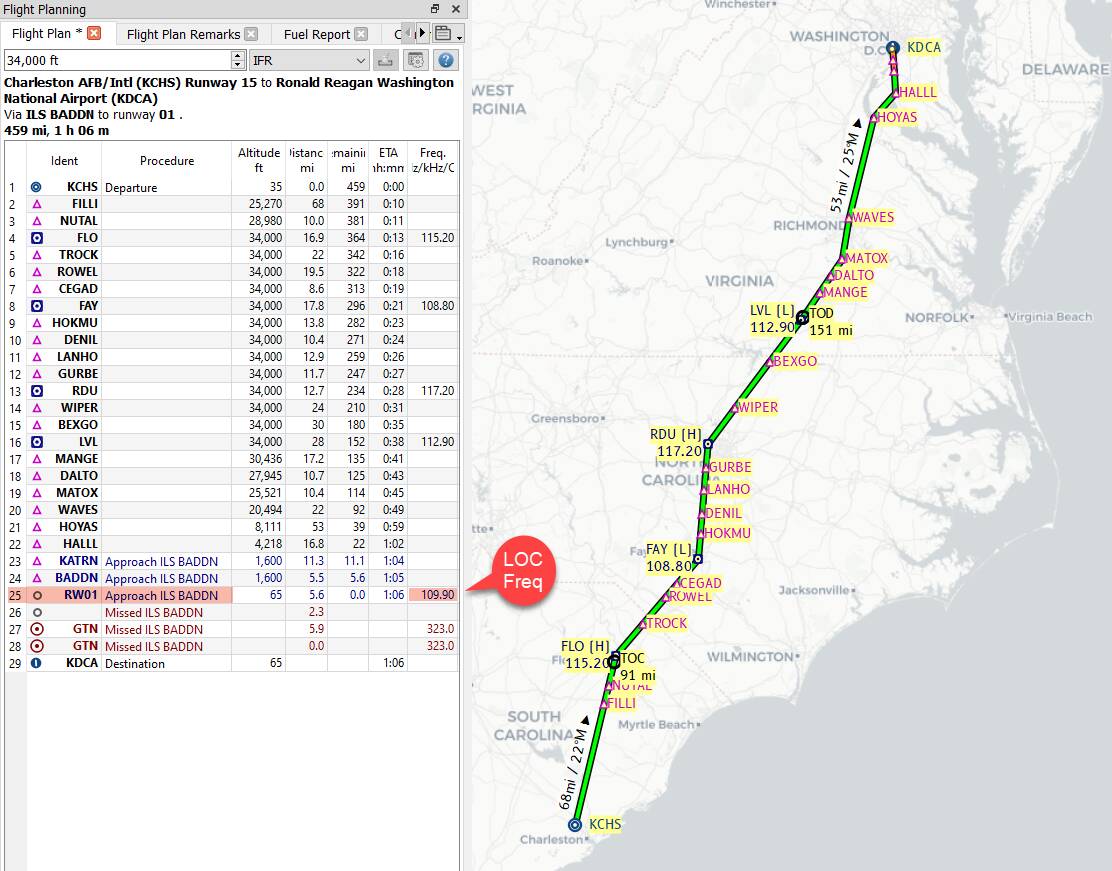
You’re right about NavBlue having some ILS LOC Frequencies incorrect; I’ve made it a point to check the MCDU (or equivalent depending on aircraft) for RNAV (radio navigation) set to the right freq; sometimes it is blank, and sometimes it is wrong–it says one freq. and another source, like Little Navmap says its another freq for LOC on a particular runway. So… I recommend checking the freq. from another reliable source too.
Little Nav Map reads directly from the simulator. If you’re using just the vanilla sim, it’s reading NavBlue data, and if Navigraph you can set it to read that instead of NavBlue. So it’s only as good as the dataset it’s reading from.
For US charts, I’ve had good luck with AirNav and Skyvector. EU and PACRIM flyers can speak to other sources for their region, I’m not too familiar with those.
Avliasoft EFB gives you the Frequency and the course for any approach on the sim. It also gives you the vertical profile for non ILS approaches. No charts necessary.
Little Navmap is free (that’s really nice) and it is simple to use (although at first it appears daunting, but it really is easy), and I recommend it because it integrates very well with MSFS. I use it every day alongside the sim and follow my flights live on it.
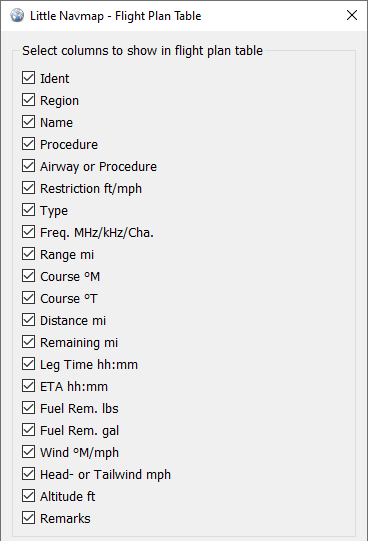
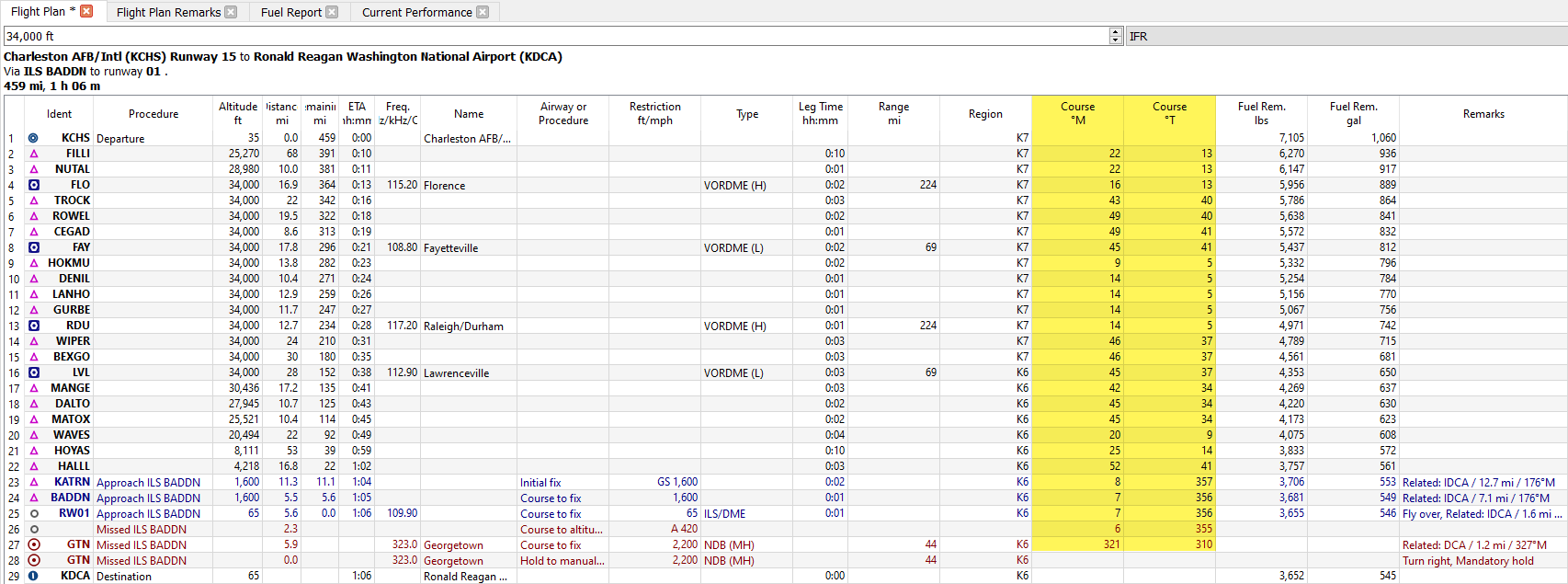
Here is an example of a flight plan I’ve used recently… I’ve arranged the columns to show me the most pertinent info on the legs of a route, especially the approach phase. Notice the radio nav freq for ILS approach:
Yep - Alex Barthel does a lot of work in LNM. It’s amazing for what it does. And use the Performance Files to calculate fuel burn, effective mission range and appropriate cruising altitude. I’ve barely cracked the online manual - it is chock full of utility!
Very helpful post - thank you.
I believe I’m trying for an ILS approach - currently in the Citation Longtitude.
I’m turning on finals and I hit the APR button having already dialed in the frequency using one of the MDFs - usually the one on the left side near the flight yoke.
As soon as I hit the APR button, I can’t change anything on that MDF - not even the top option which is previously set to GPS - can’t change that to NAV1. I’ll try changing it to NAV1 before hitting the APR button and see it that helps out.
I’m finding that the APR works better in the propellor aircraft more often - possibly because I know them better!
And another update - am trying to get this fixed!!
I did the same flight today in the Beechcraft Baron
On this occasion, I hit the APR button before changing to NAV1 - hitting the APR button defaulted the heading to VOR2 - try as I might I couldn’t get the CDI over to NAV1.
DId the landing ok, but had to disengage the APR cos it just wasn’t responding at all, not lining up with the runway. Stopping the aircraft after touchdown, and APR mode off, I was able to switch the CDI to NAV1 ,and lo and behold the arrows were in line with the runway, although the arrow was at the bottom.
Would I have had better success if I had switched the CDI to NAV1 first, and then gone to APR??