Thank you for using the Bug section, using templates provided will greatly help the team reproducing the issue and ease the process of fixing it.
2 tags are required: One for platform, and one for aircraft.
Are you using Developer Mode or made changes in it?
Not to reproduce the bug
Have you disabled/removed all your mods and addons? If the issue still occurs with no mods and add-ons, please continue to report your issue. If not, please move this post to the Community Support section.
Yes
Which aircraft are you reporting an issue about? (Please also add the proper tag for it)
Asobo Icon A5
Which aircraft version are you experiencing this issue on? (You can find this listed in the Content Manager under the Aircraft Name)
Asobo_Icon_Livery_01
Brief description of the issue:
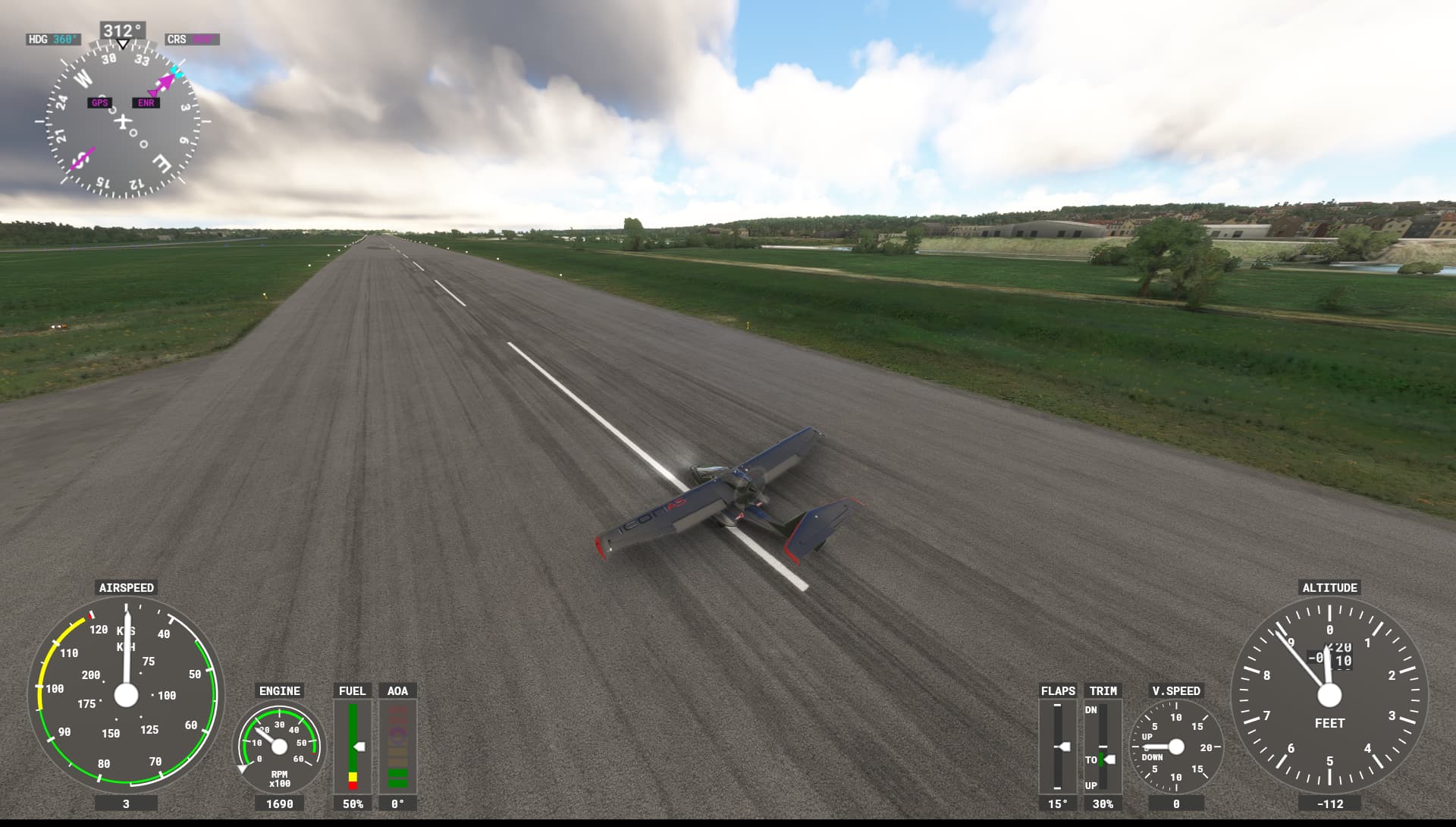
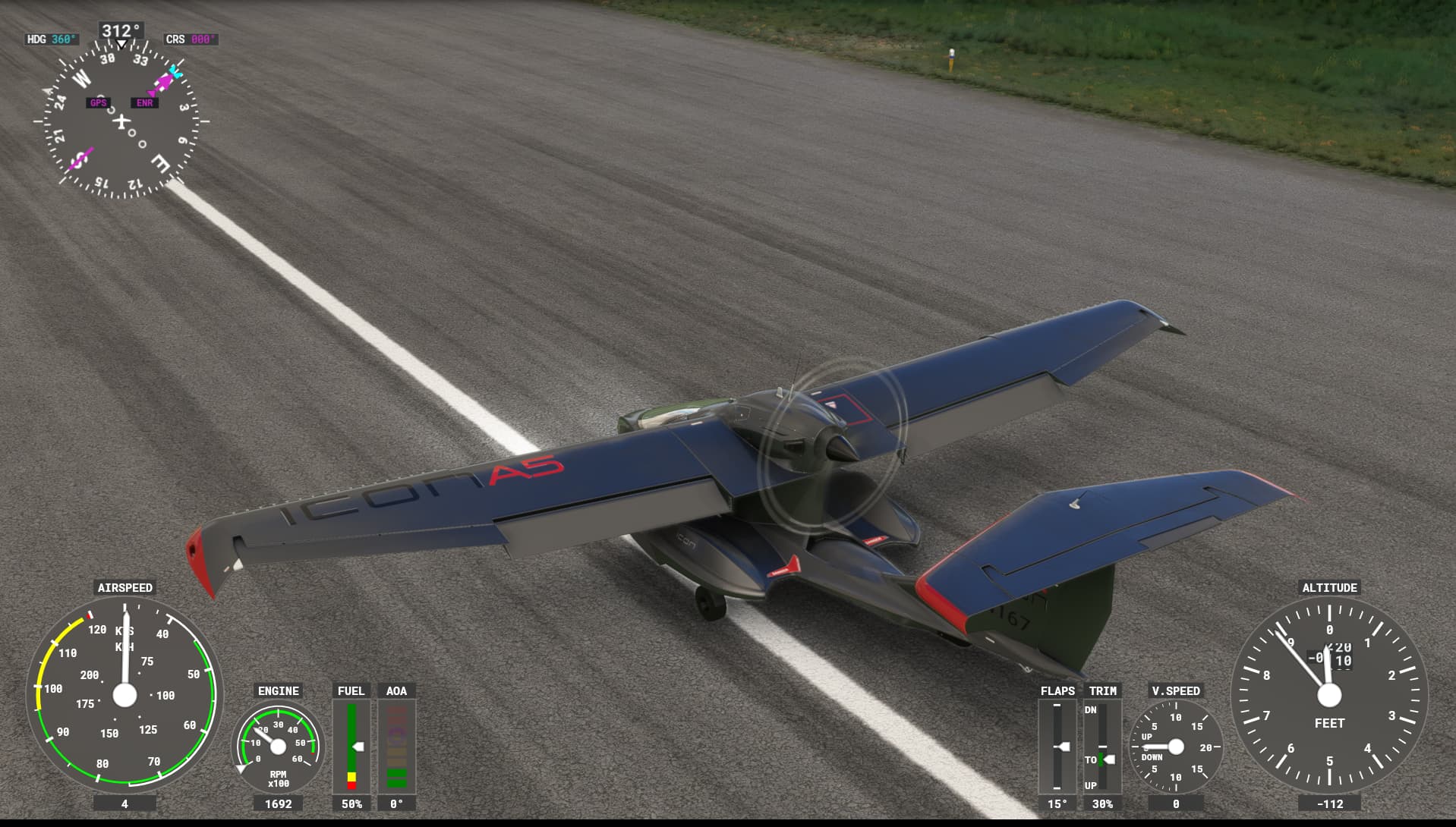
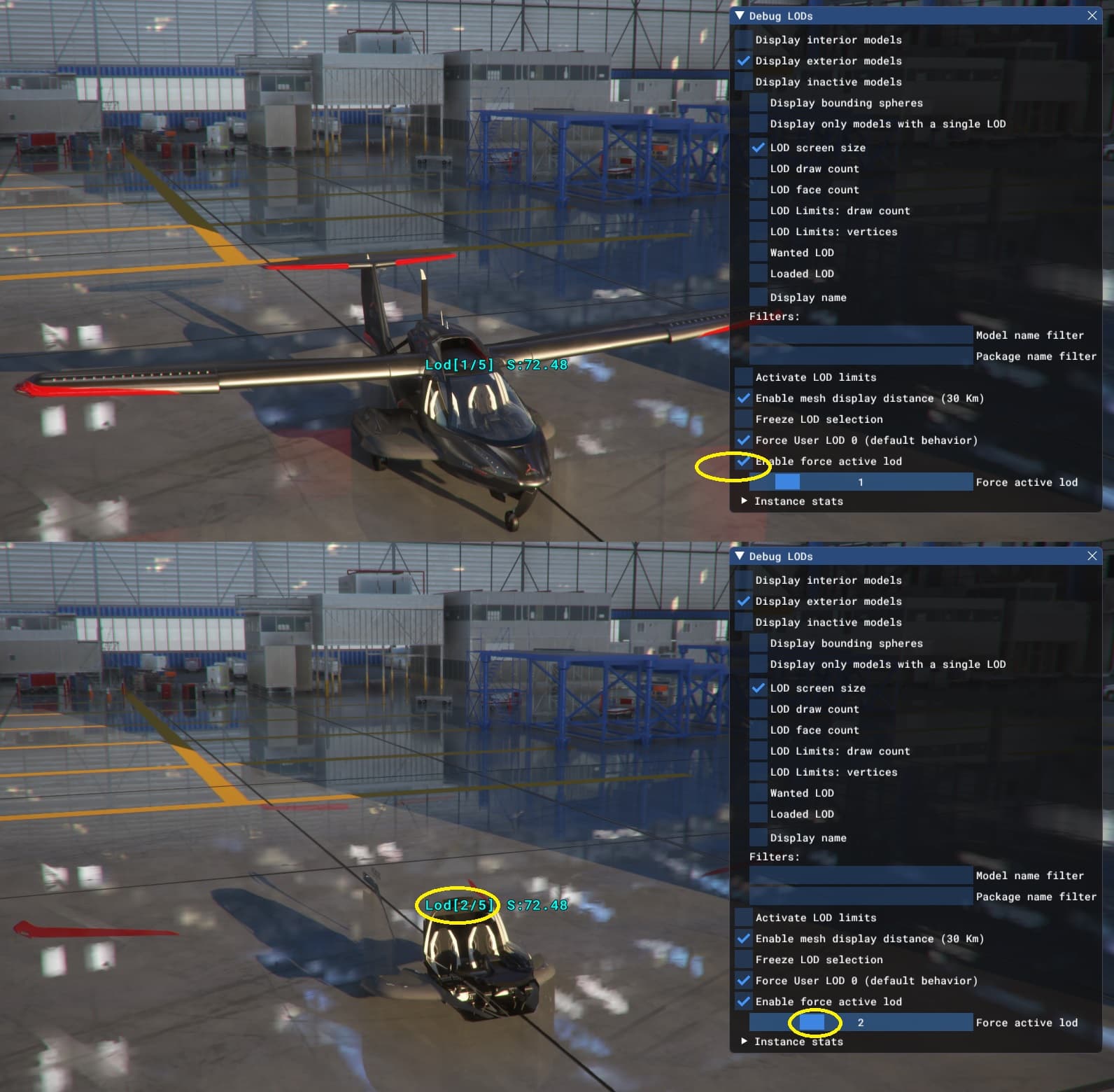
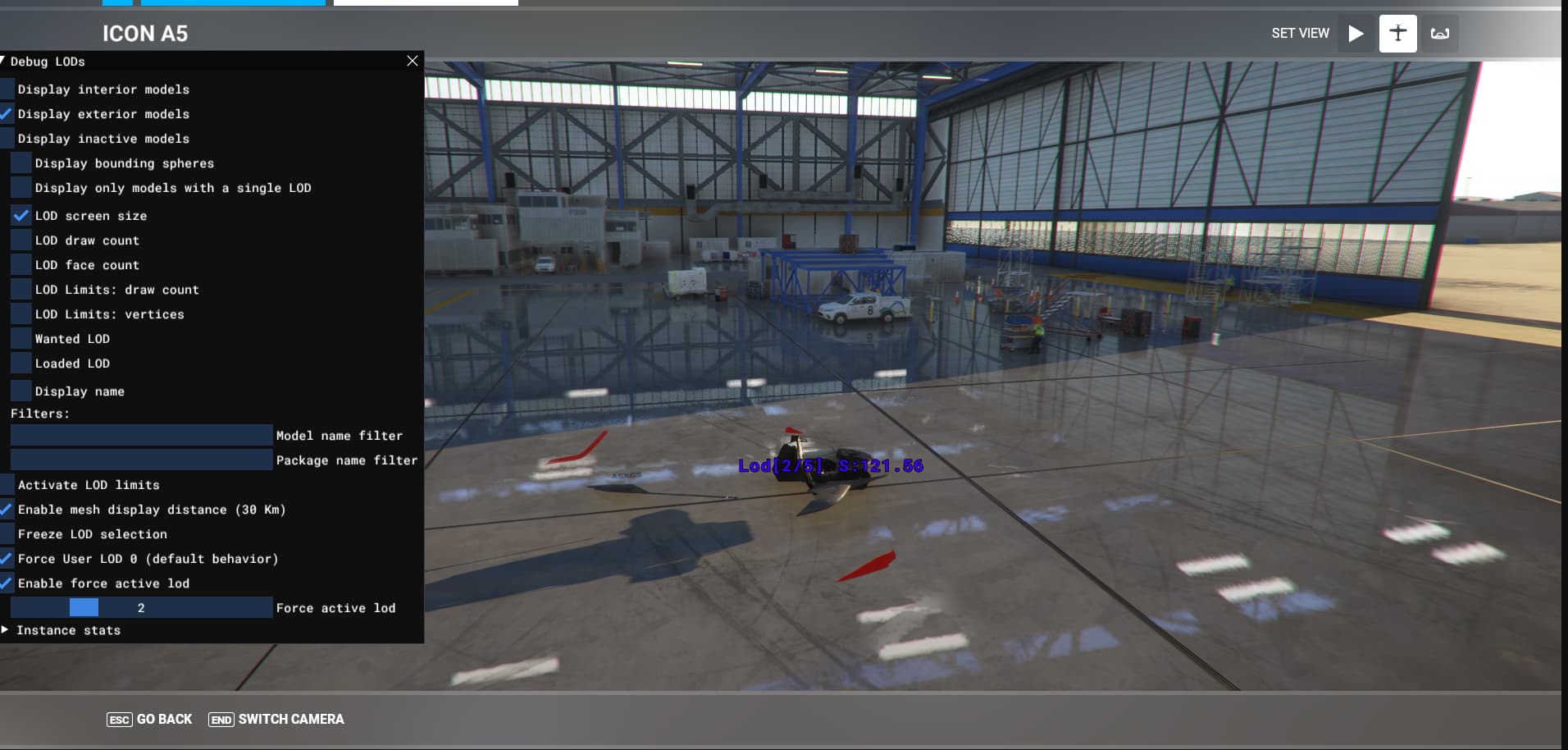
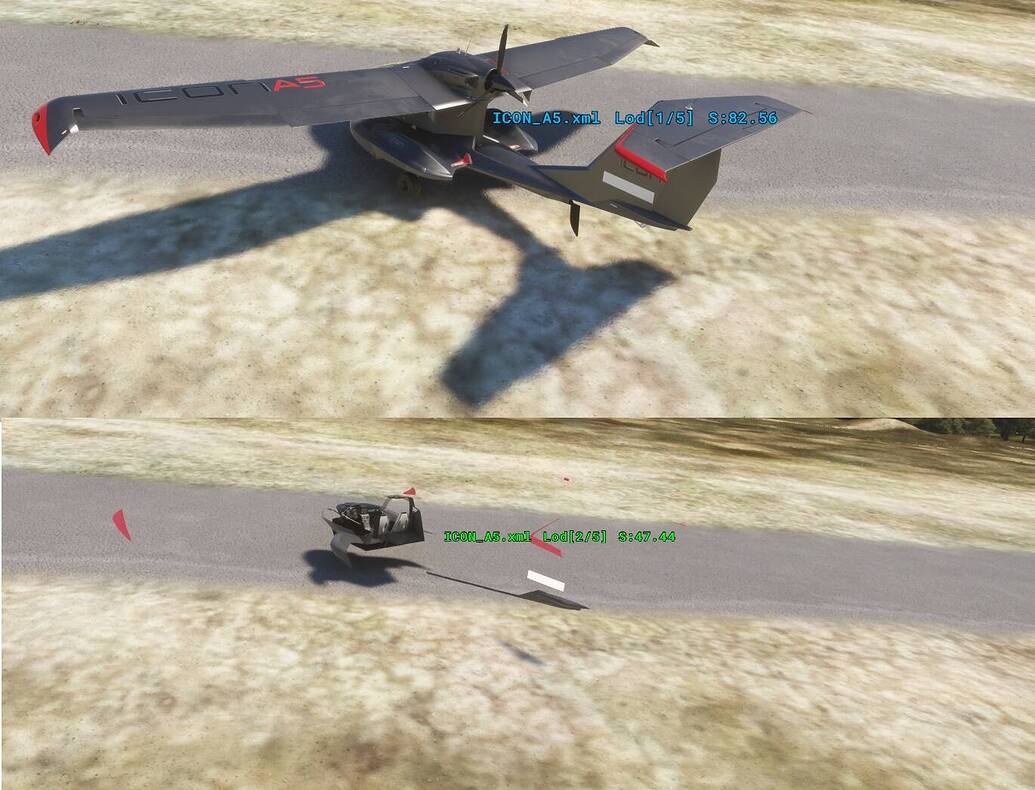
The fuselage is transparent in LOD02 model when the plane is AI parked or multiplayer
Provide Screenshot(s)/video(s) of the issue encountered:
Detailed steps to reproduce the issue encountered:
Taxi near the parked plane
PC specs and/or peripheral set up if relevant:
Nvidia1080
Build Version # when you first started experiencing this issue:
SU13
 For anyone who wants to contribute on this issue, Click on the button below to use this template:
Do you have the same issue if you follow the OP’s steps to reproduce it?
Provide extra information to complete the original description of the issue:
If relevant, provide additional screenshots/video: