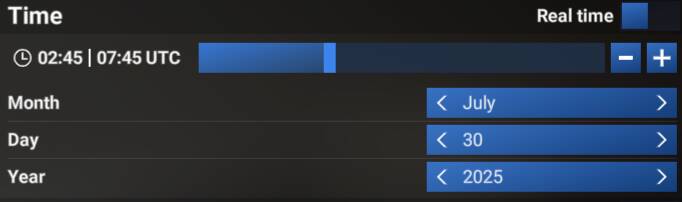
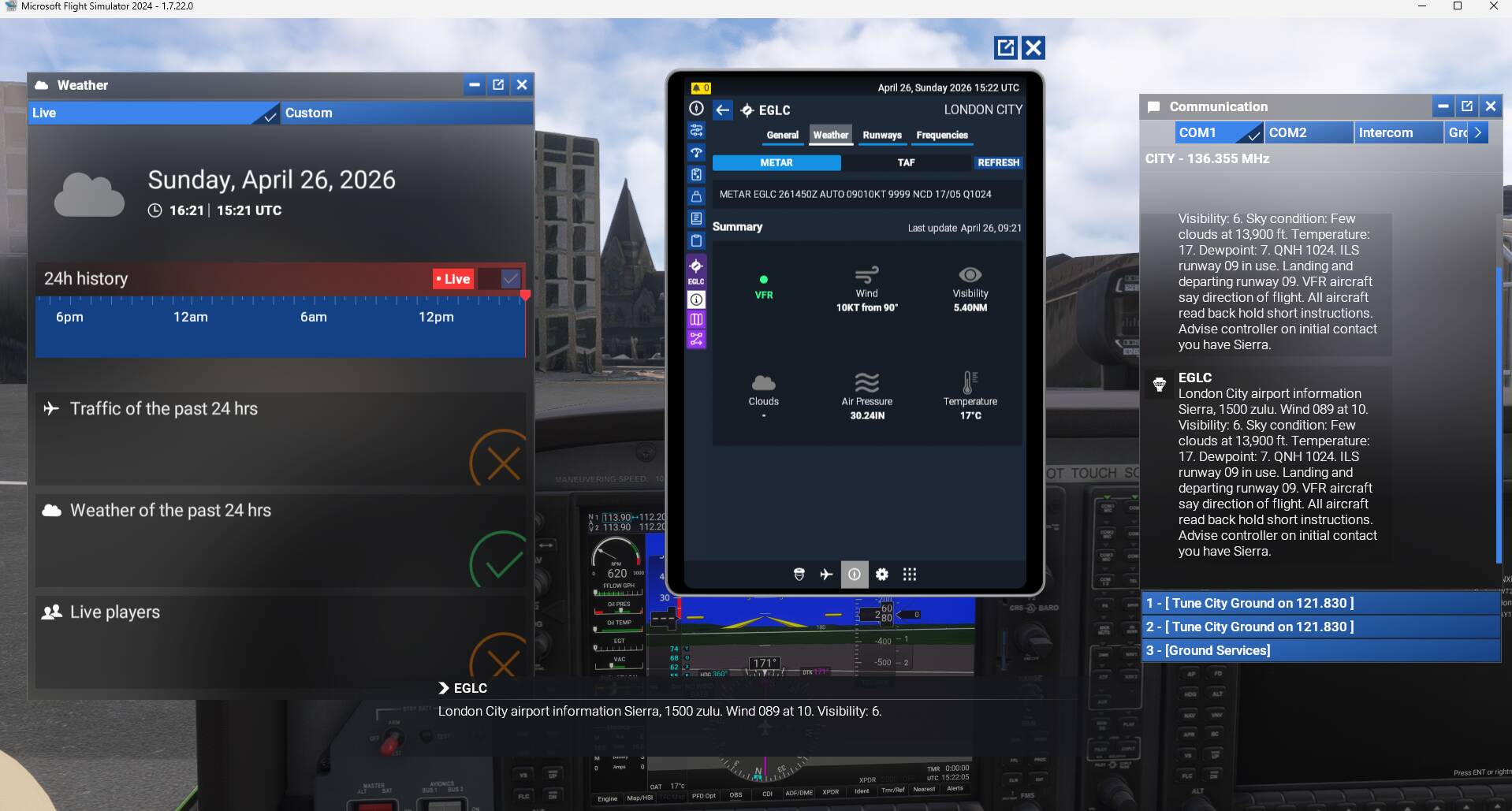
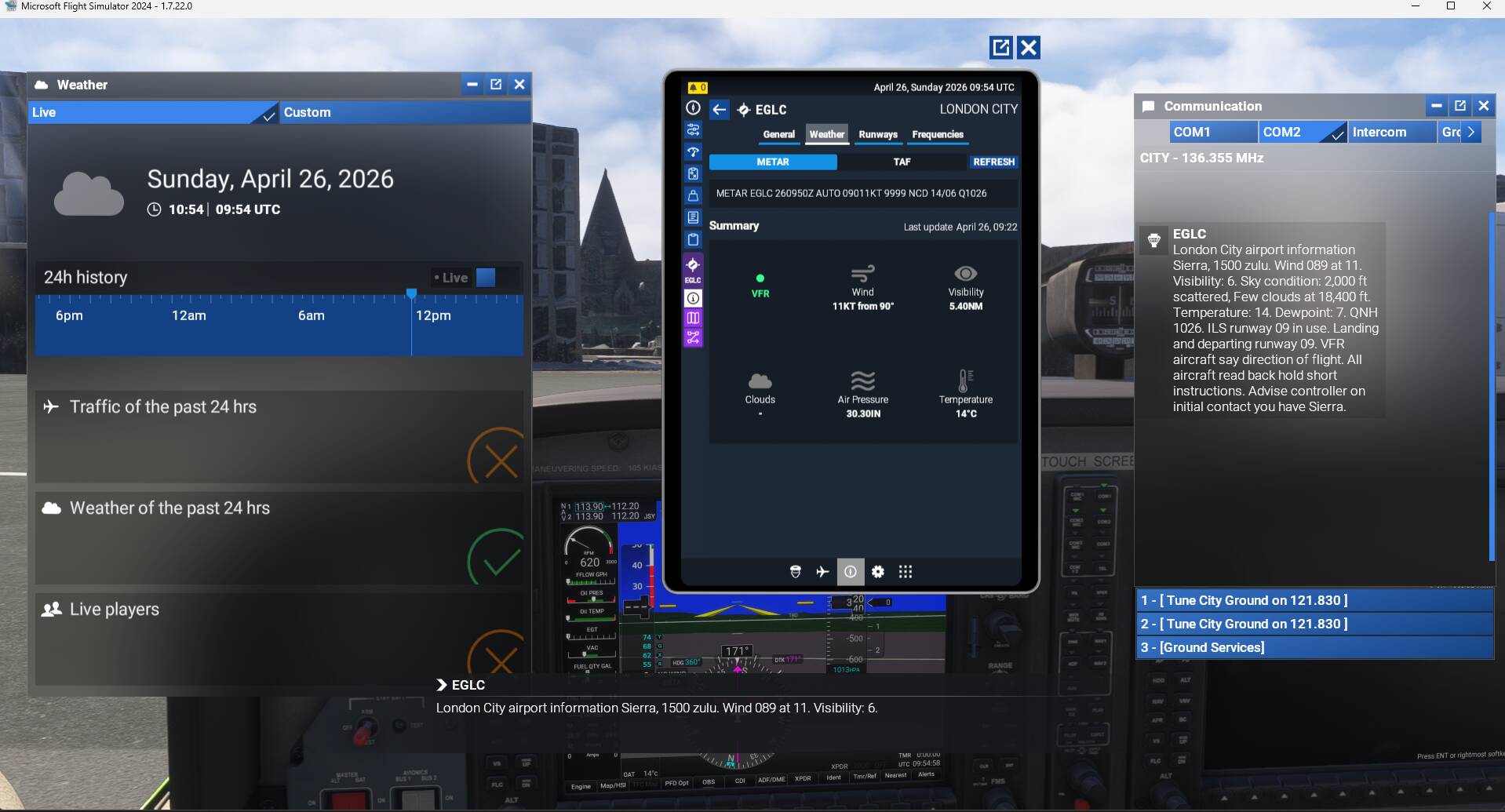
Can confirm this issue as well in Career mode. Similar problem. I suspect that it’s to do with live weather being fed into the sim regardless of sim time and the Atis is pulling the info from the weather injection.
Very similar issues. The winds reported in the EFB are different and when you try to change the runway, EFB shows it but ATC keeps it’s runway. It’s like it’s in a different weather reading.
Hi all, currently I am replicating a real flight from this day. The real flight started at let’s say 0500Z and I set the time in the simulator accordingly to 0500Z. Now it is 1400Z. The weather setting is live and the weather corresponds to METAR from 0500Z. Now I am enroute to my destination and receiving the ATIS from the arrival airport. The ATIS is reading the current 1400Z METAR instead of the actual METAR from ingame time 0500Z. So when I check the EFB, I can see the METAR from 0500Z so it is there, but the ATIS message is reading the METAR from 1400Z.
I think this is a bug and I would expect the ATIS to read the 0500Z METAR (corresponding to the actual time in the sim) and not the 1400Z (which is the current real life time).
FREQUENCY OF ISSUE
Every time.
REPRODUCTION STEPS
Start the Sim at 1200Z real life time.
Set live weather active and start the flight at 0600Z.
Start the flight.
Check that weather is according to METAR from 0600Z.
Tune in ATIS frequency.
See that ATIS is reading the weather (METAR) from 1200Z.
Get confused because it should read ATIS with METAR from 0600Z.
YOUR SETTINGS
I am flying on XBox Series S.
MEDIA
Please add a screenshot or video of the issue occurring.