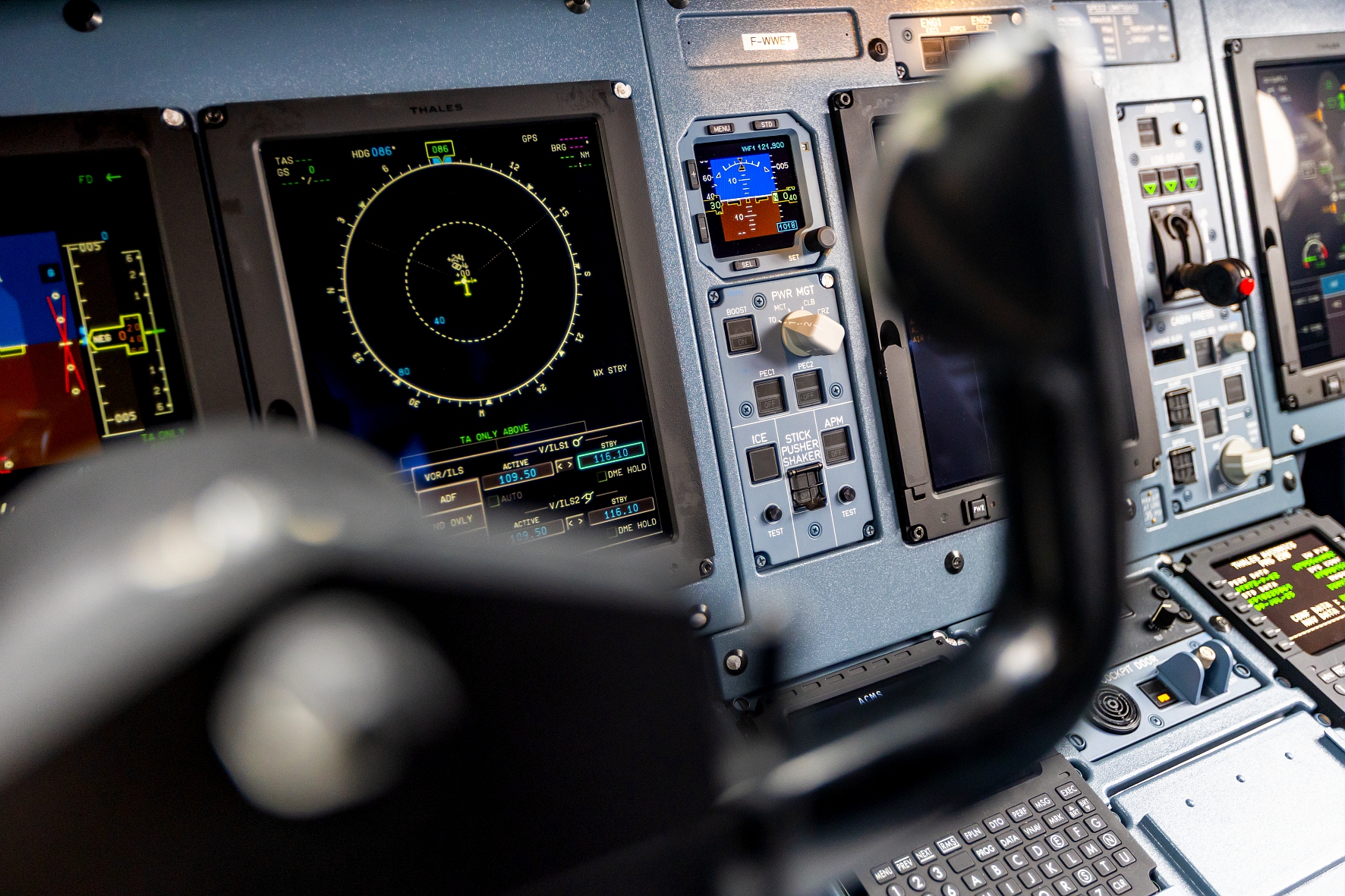
Description of the issue: the normal (non-S) variant of the ATR42 have the ATR72 cockpit
every time
Please list clear steps you took in order to help our test team reproduce the same issue:
Select the ATR42-600 Passenger or Highline version
load a flight
Go into the Cockpit
If the issue still occurs with no mods and add-ons, please continue to report your issue. If not, please move this post to the User Support Hub.
What peripherals are you using, if relevant:
[PC Only] Are you using Developer Mode or have you made any changes to it?
[PC, MSFS 2020 Only] Are you using DX11 or DX12?
[PC Only] What GPU (Graphics Card) do you use?
[PC Only] What other relevant PC specs can you share?
Please add a screenshot or video of the issue occurring.
Can confirm. ATR 42 has ATR 72 nameplate (also, shouldn’t it say ATR 72-600, not 212A?)
No, that’s correct, ATR 72-212A is the “proper” name, 72-600 is a marketing name.https://en.wikipedia.org/wiki/ATR_72#ATR_72-212A
Thank you! But it is incorrect for the -42, right?
Yes, indeed, the 42 should not say 72. might actually be “ATR 42-500”… because naming things is hard.
Not only that, but the ATR42 is not supposed to have the Boost button either (except for the cancelled ATR42-600S)
Filed a bug report for that already.
DGymer
June 21, 2026, 8:04am
8
Purely for information/giggles, I compiled a full list of ICAO and IATA type codes against official ATR model names for both sizes of ATR:
AT43
AT4
ATR 42-300/320
AT45
AT5
ATR 42-500
AT46
ATR
ATR 42-600
AT72
AT7
ATR 72-201/-202
AT73
ATR
ATR 72-211/-212
AT75
ATR
ATR 72-212A (500)
AT76
ATR
ATR 72-212A (600)
Approaches Intel levels of confusing naming.
The AT46 is having the wrong label-variable there in the first place. It seems copy-pasted from the other AT76 variant, It should have it’s tail-registration at that spot. (Example )
The issue is that all variants of the ATR load the same cockpit textures, and the texture is for the 72. This is a remodelling issue, not just a minor texture bug.
Not just the texture, but also the model.
The only variant of the ATR42 that is supposed to have the Boost button is the -600S, the other variants are NOT supposed to have it
This issue is still present in the current aircraft version
Still the wrong label indeed.. along with some sort of debug texture ID label visible on every single panel (circled red on photo) ATR-46 Highline 03
No, the real aircraft actually has those panel markings. But they do not light up at night as in this creation, there is no light behind them
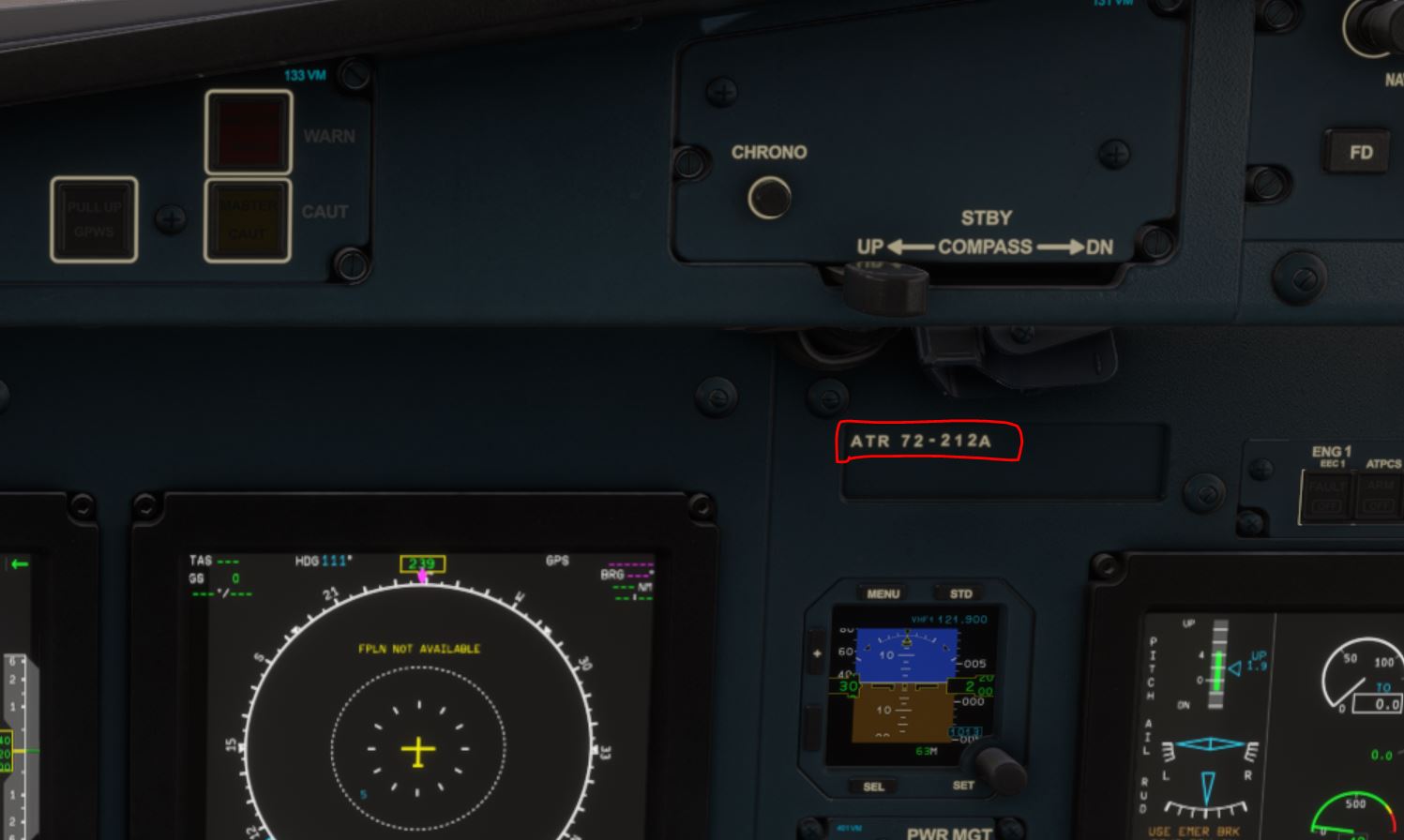
 I can’t actually find a clear picture of a 42-600 cockpit to see what the placard actually says - I suspect it might actually be “ATR 42-500”… because naming things is hard.

 .
.