ATR Eng 2 ITT Excessive (Overheating) w/ Higher Ambient Temperatures in Hotel Mode

ISSUE DESCRIPTION

Description of the issue:

In higher ambient air conditions, ITT of Eng 2 in Hotel Mode results in red zone overheat ITT.

FREQUENCY OF ISSUE

How often does this occur for you (Example: Just once, every time on sim load, intermittently)?

Every Time

REPRODUCTION STEPS

Please list clear steps you took in order to help our test team reproduce the same issue:

  1. Load C&D into ATR
  1. Start Eng 2 in Hotel Mode
  1. Adjust ambient temp with Weather pane
  1. Observe ITT raise in tandem with ambient to the point of overheating (This is ~24° C depending on baro)

YOUR SETTINGS

If the issue still occurs with no mods and add-ons, please continue to report your issue. If not, please move this post to the User Support Hub.

What peripherals are you using, if relevant:

[PC Only] Are you using Developer Mode or have you made any changes to it?

No

[PC, MSFS 2020 Only] Are you using DX11 or DX12?

[PC Only] What GPU (Graphics Card) do you use?

[PC Only] What other relevant PC specs can you share?

MEDIA

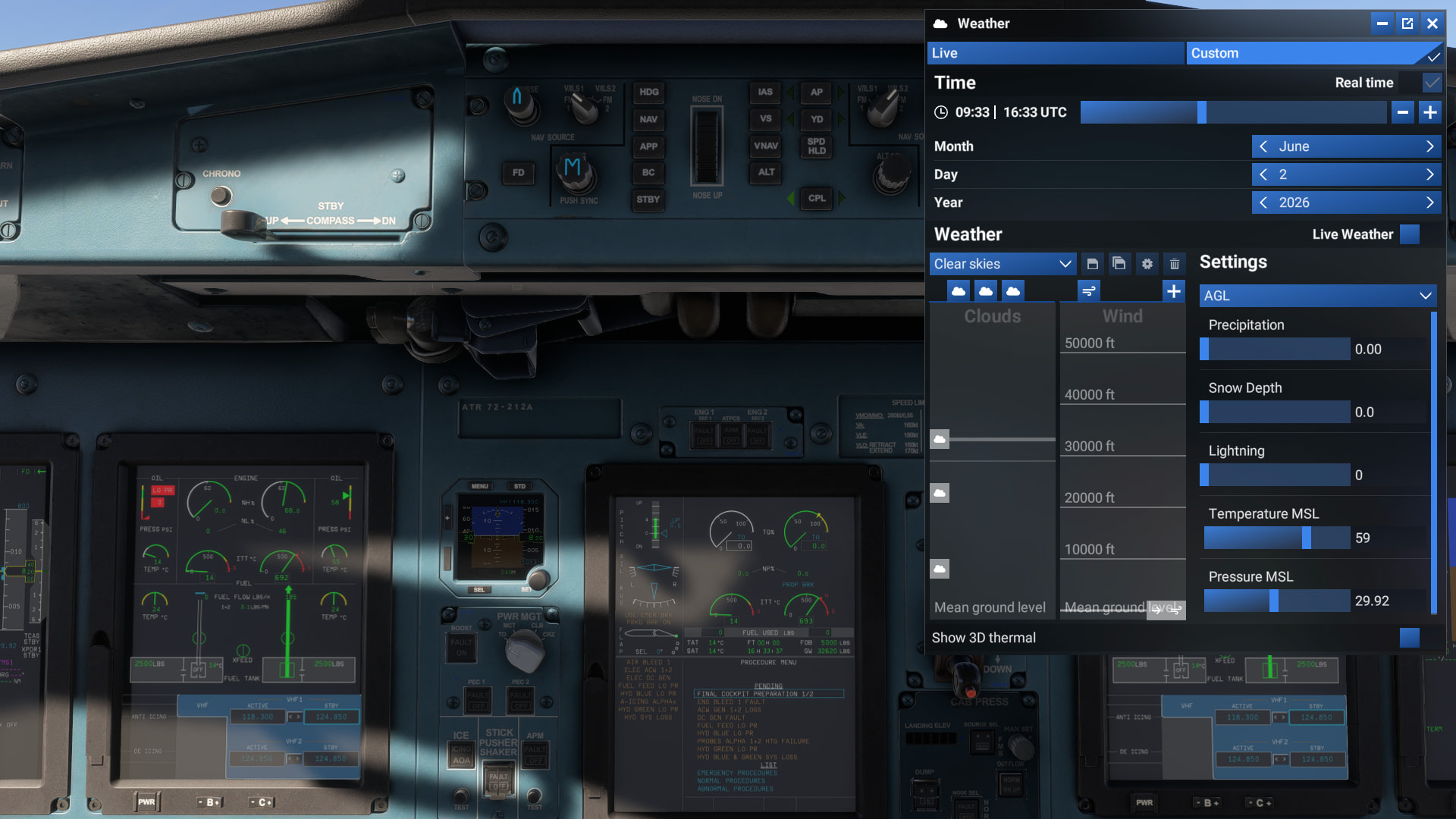
Here it is nearly overheating at 14° C:
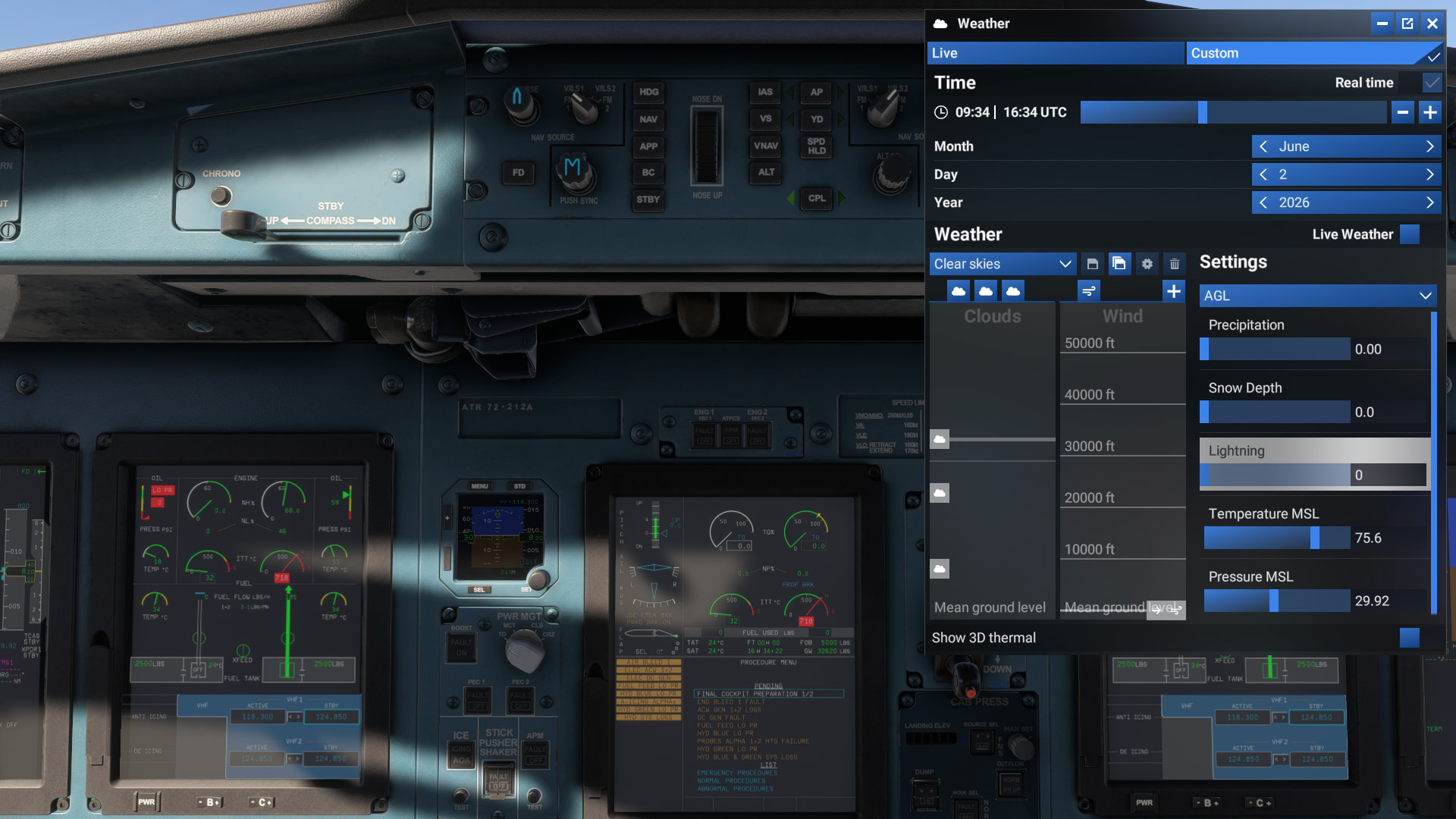
Here it is overheating at 24° C:
Im having the same issue, ITT drops down to 550 ish as soon as the prop brk is released.

Thank you for the bug report.

We have created an internal ticket to see if our team already has this logged, and if not they will attempt to reproduce the issue and create a new bug report. This item is now marked as feedback-logged. If there is an existing bug report or one is created, we will move this thread to bug-logged.

Adding to this – if you allow the engine to continue to run in Hotel Mode whist in an overheated state, the engine will eventually fail. I just experienced this during pre-flight confgiuration.

I would like to add that I so far only checked the atr-42-600STOL and the standard pax atr-42-600. Tried troubleshooting controller assignments and other things that could explain the behaviour. Made no difference if the engine was running in flight or ground idle. The SAT was roughly 28C, and ITT reached nearly 800C and stabilized there within 20-30 seconds. Whether the engine was started directly in hotel mode, or if the prop brk was engaged after engine start made no difference. Normal ITT so long as the prop brk was not engaged, and 750-800C when prop brk engaged.

Hope you figure something out.

Best regards

Eilif

You shouldn’t be able to select flight idle with propeller brake engaged. For the propeller brake you need the gust lock on, and the gust lock should prevent you from going up to flight idle and above. In real life, releasing the gust lock, ignoring the master warning and going to flight idle and above will not be good for the engine.

Yeah I know obviously it shouldn’t run above ground idle with prop brk. I do seem to have some calibration issues I can’t get my head around though, because it settles somewhere between ground and flight idle on the calibrated idle position regardless of the position of the idle gate, or gust lock for that matter. The point was nevertheless that the ITT overheats on ground idle every time anyways (idle gate GND position and gust lock engaged). What the real aircraft does I cannot say, but in the sim the throttles can be advanced all the way up to ~35% with the gust lock engaged, not that it is particularly relevant to the ITT issue.

Yeah in real life you could go up to the gust lock stop in hotel mode to aid in cabin heating or cooling. I have never seen ITT go red in hotel mode in real life. Flight idle and above would definitely not be good for the engine, not necessarily the ITT, I think torque is a bigger issue.