ATR - Friend's Liverie in multiplayer disappearing

:wave: Thank you for using the Bug section, using templates provided will greatly help the team reproducing the issue and ease the process of fixing it.

2 tags are required: One for platform, and one for aircraft.

Are you using Developer Mode or made changes in it?

NO

Have you disabled/removed all your mods and addons? If the issue still occurs with no mods and add-ons, please continue to report your issue. If not, please move this post to the Community Support section.

NO

Which aircraft are you reporting an issue about? (Please also add the proper tag for it)

ATR72/42

Brief description of the issue:

It’s been a long time since this has been happening, but I decided to demonstrate this bug, trusting that the excellent Microsoft team will pass it on to the developers.
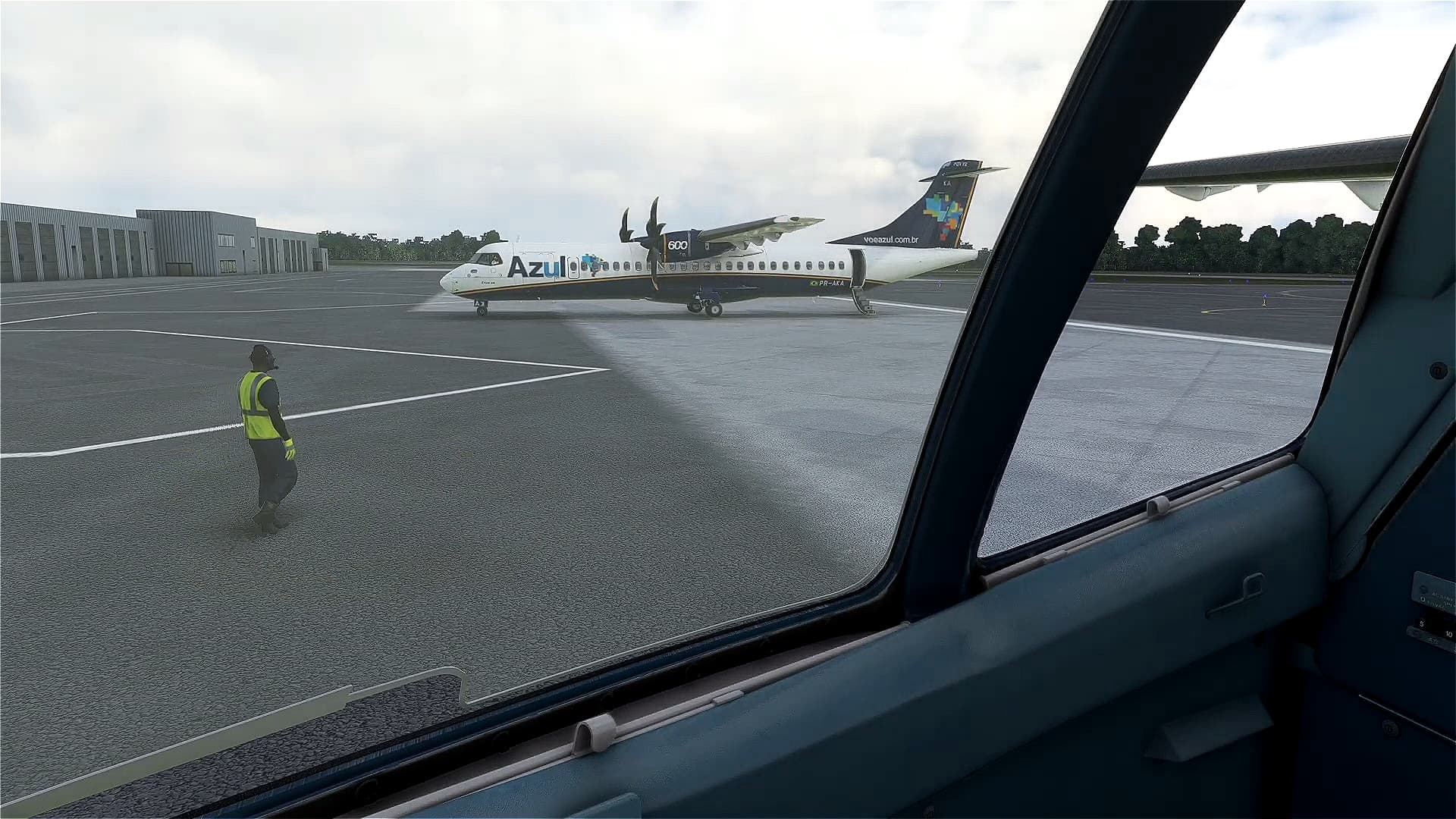
My colleague’s livery in Multiplayer disappears if you’re not close enough. According to the video I’ll attach, the texture only appears when approaching with the drone or in cockpit view.
To avoid any questions, we are using textures from the same package and the same paint developer, so this issue shouldn’t be happening. The same thing happens on his end, so it’s not just me. We’re both on Xbox Series S.

Provide Screenshot(s)/video(s) of the issue encountered:
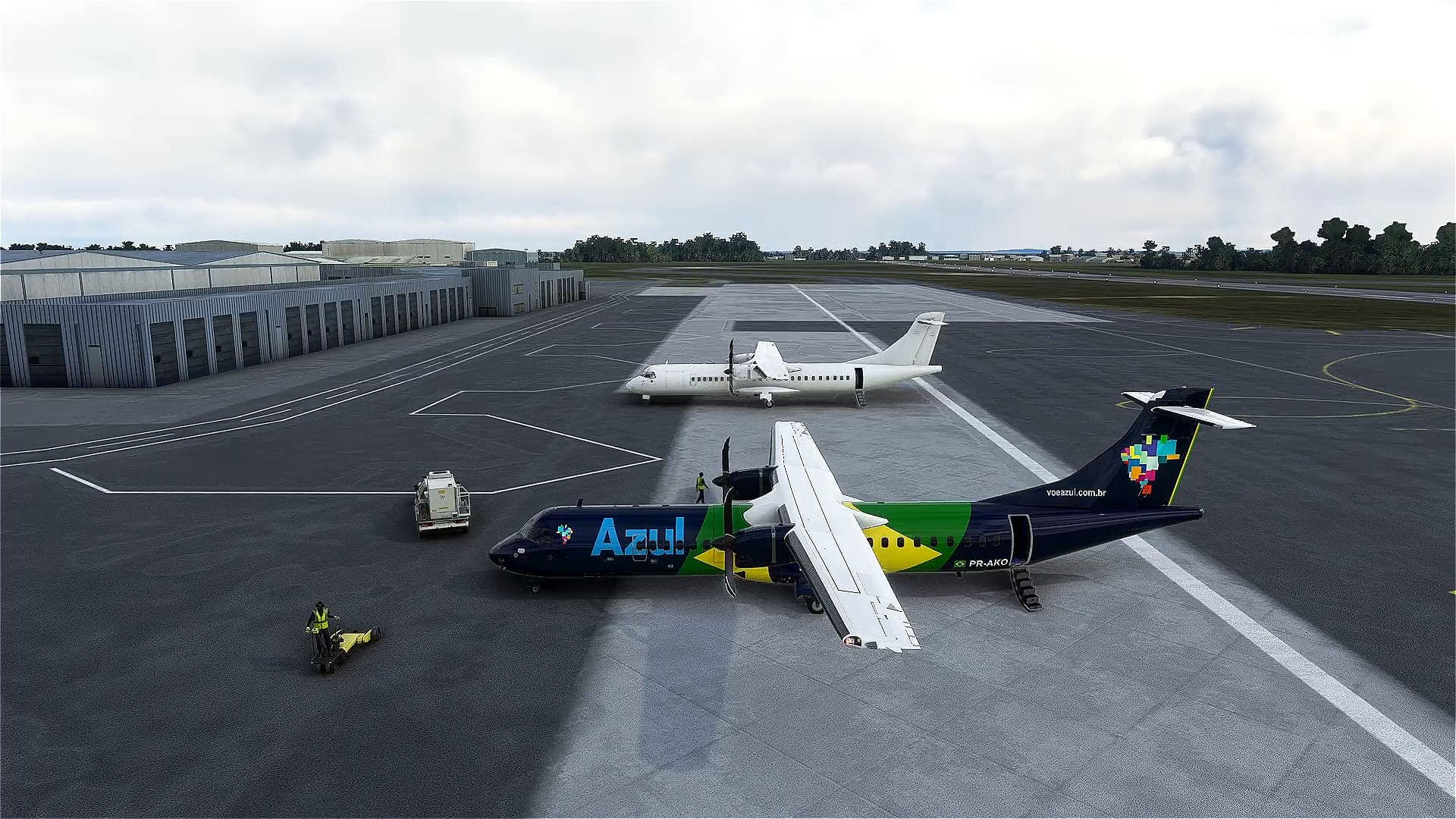
Detailed steps to reproduce the issue encountered:

Call a friend to fly with you with ATR and notice if this happens.

PC specs and/or peripheral set up if relevant:

Build Version # when you first started experiencing this issue:

1.33.8.0


:loudspeaker: For anyone who wants to contribute on this issue, Click on the button below to use this template:

Do you have the same issue if you follow the OP’s steps to reproduce it?

Provide extra information to complete the original description of the issue:

If relevant, provide additional screenshots/video:
1 Like

This will happen with just about any livery on any plane. It’s not just the ATR. I’ve seen it on the C152’ and the xcub along with many other graphical issues. Multiplayer in this sim is poorly executed.

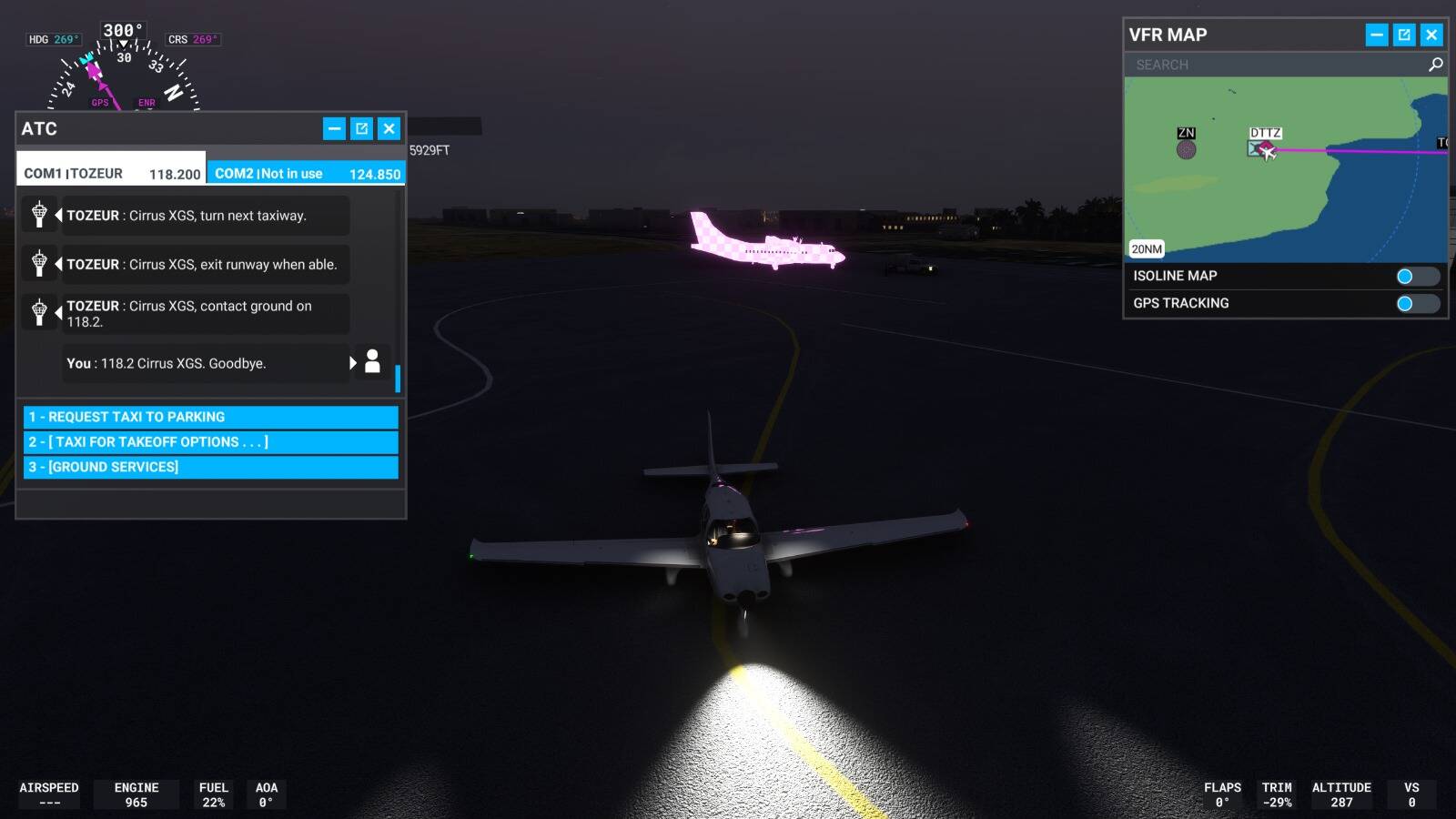
Sorry, but this only happens for min on ATR. PMDG, and other aircraft I always see with the corresponding textures without any defects. This aeee is very specific to the ATR. When the texture does not appear, a table towel appears, in pink color and plaid style.

1 Like

Is this an LOD issue with the livery itself?

Where the textures aren’t designed to reduce in quality for distance and instead just disappear?

Does it happen will all liveries your friend applies or ones from a specific vendor/artist?

adding the line: “fallback.10=........\texture\Planes_Generic” to the texture.cfg almost always fixes the pink checkerboard problem. The other problem of the textures reverting to default at specific distances from other players I’m convinced is LOD related. Not all will do it but I’d say 80-90% of liveries I’ve tried will disappear once you get past maybe LOD03

This problem is most likely caused by the livery you are using, and not a fault with the ATR itself.
Many aircraft have a separate texture specifically for the low LOD model you encounter as you get some distance away from an aircraft. This usually is only apparent when it is being used as an AI aircraft, as you never get far enough away from the livery when you are flying it yourself to trigger the low detail texture. Livery designers often do not update this texture as it doesn’t affect the livery when you are flying it yourself. Also often the low detail texture is a different layout to the main textures. so it can be a lot of work the create them in addition to the actual textures.

It is usually only noticeable on AI aircraft (or other player aircraft) as you can get further away from them then you can when flying the livery yourself. In your video you can see that is being triggered by distance. As the livery designer hasn’t supplied the low detail texture for this livery, it is defaulting to a default texture from the source aircraft which is just plain white. As a livery designer myself I am fairly confident that this is the issue, even though I haven’t worked on the ATR.

1 Like

Hi Nixon, we are using the same package as FS Soares. Even if we choose the same liverie from the same package it happens. Like I said it only happens in the ATR. PMDG and all I’ve been with it, it works normally.

Hi Nik, unfortunately on Xbox we can not have access to these options.

Could it be the paintkit used by the painters? They might be painting the aircraft over the original ATR texture or a white texture that is hidden in the folders? It may even turn white, but so close to the aircraft? This shouldn’t happen, not this close.

The issue isn’t the ATR. The issue is with the livery itself, so FSOARES. I’d contact them directly with your concern.

In order to not stress the graphics of the sim, the liveries can be generated to have varying levels of detail based on how close/far away you are from an aircraft (and any object, for that matter). It’s up to the livery creator to generate the varying states of “Level of Detail” (LOD) for these stages. If they haven’t done so then you get the generic white livery instead.

1 Like

A question, does Microsoft provide the paintkit within the aircraft folder or are the painters redesigning on top of an already ready white livery? Something like what was done in the past when there was no paintkit…

I’m not, in anyway, experienced with livery creation.

That said, I’m looking through the ATR’s directories and I don’t see anything that looks like a paintkit or labeled as such.

It is most likely caused by a mistake made by the livery creator rather than any paintkit they may have used. Mipmaps are just smaller and smaller versions of the textures that MSFS loads as you get further from the aircraft. When generating a texture you have the option to use existing Mipmaps, generate new Mipmaps from the texture or generate no Mipmaps. If the livery creator developed their textures from an existing all white livery and forgot to regenerate the Mipmaps, then your problem is exactly what you might see.

If it is just missing Mipmaps then you can fix the problem yourself if you are on a PC, by just regenerating the DTX5 texture using a program like Gimp. If you are on XBox then your only solution is for the livery creator to fix the problem.

If it is the missing separate low res texture some 3d aircraft models use, I mentioned in my earlier post, then the livery creator needs to fix the problem.

1 Like

Given the explanations, I think I’m convinced that this is being caused by some issue on the part of the ATR painters. I will try to get in touch with them to check this in their textures and see if there can be a correction for this. Moreover, I thank @NixonRedgrave , @BilingualHarp7 and @KaelaNikNak for their contributions on this issue, thank you all.

2 Likes

Apparently this is marked as solved?

It does appear perhaps the install process has an intermitant issue?

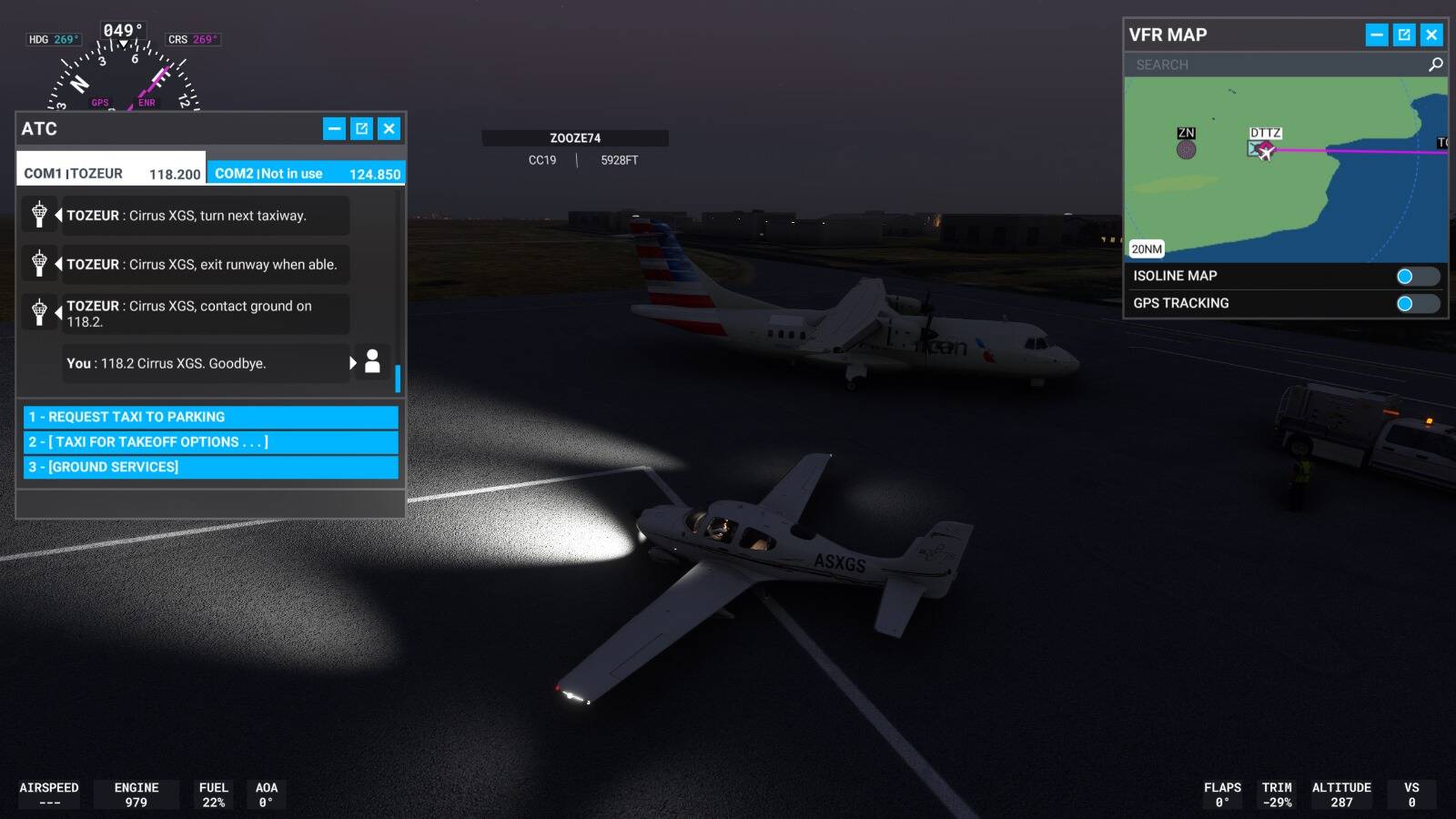
So my brother and I have the same plane and liveries, but when I see his plane from a distance I get the pink textures, get closer and it works.

The screenshot below is actually from an AI ATR plane I saw at an airport, I was 3000 feet up and saw a bright texture and it was the pink texture from the plane, it’s only when I got with 20 feet of the plane, the actual texture showed up.

UPDATE: So my brother was able to reproduce the issue. So it’s as @BilingualHarp7 has stated, a likely development issue with the livery texture pack.

The texture pack I’m using for the ATR is the 4Simmers ATR Livery Complete Edition.

I’ve been noticing this for a while too. Its primarily the ATR. And it does not seem to be from a specific livery pack. I’ve see it from the default liveries that come with the ATR, and I bought multiple livery packs trying to troubleshoot the problem. 4simmers, FSores, 2Pilot, Bravo Air Space, and Gear Down Simulations all have liveries that reproduce this issue. It’s Either all white or pink textures from a distance.