ISSUE DESCRIPTION
Description of the issue:
After ca 15 min of flight in VR the EFB frame begin to flicker and i cant move/click the most switches any longer. Some switches in the overhead are shown twice: In On and Off position. Plane is still flying, PFD and ND is working.
FREQUENCY OF ISSUE
Every three flights i did until now
REPRODUCTION STEPS
Please list clear steps you took in order to help our test team reproduce the same issue:
-
ATR72 Cold an d dark > Takeoff
-
Fly about 15min
YOUR SETTINGS
If the issue still occurs with no mods and add-ons, please continue to report your issue. If not, please move this post to the User Support Hub.
What peripherals are you using:
[PC Only] Are you using Developer Mode or have you made any changes to it? No
[PC Only] What GPU (Graphics Card) do you use? 4080Super
[PC Only] What other relevant PC specs can you share? Pimax Super
MEDIA
Please add a screenshot or video of the issue occurring.
Ah, finally someone else with the same problem. Try going back under FL110 and see if the problem clears up?
For me it’s not about time in flight, it’s purely altitude that’s causing it.
I may have just gotten to the bottom of the problem - for me - the 2020 version was still enabled! I’d had it off at one point, went back to using it, then back to the 2024 version but seemed to have not fully disabled the old one again.
Unfortunately I only discovered that after trying countless other experiments (rolling back graphics drivers, emptying community folder, disabling marketplace mods, etc).
Yep, definitely fixed for me by ensuring everything related to the 2020 version was fully disabled in my library.
Just finished a great flight Bournemouth to Manchester in the ATR-42 at FL230 and it behaved the whole way.
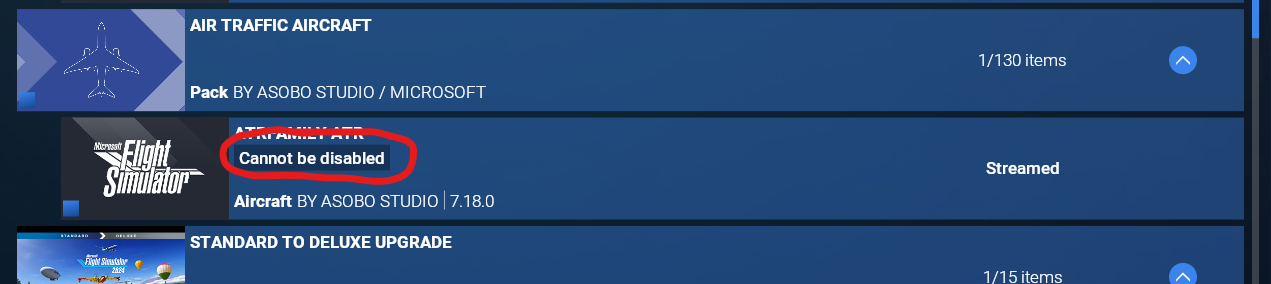
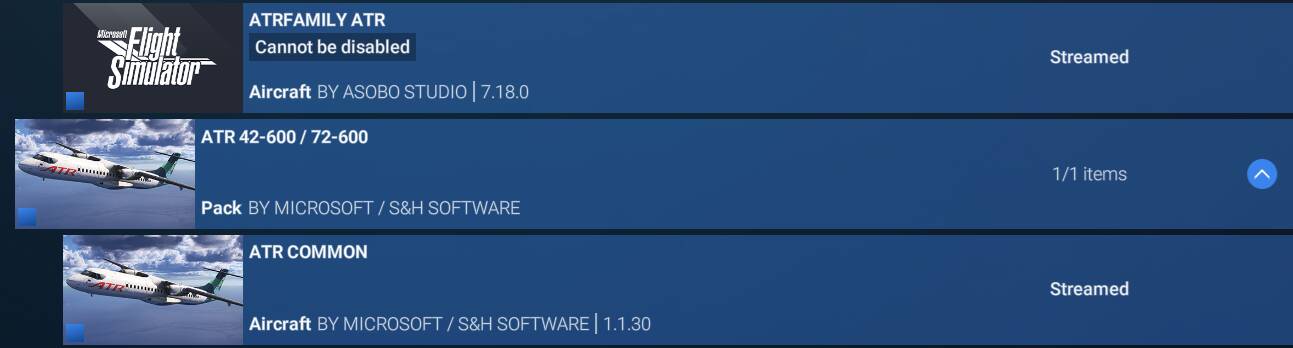
Ah, ok… Maybe it was at 11000ft every time for me, too. Thats possible… But i have the problem that i cant disable complete the old version as you can see in my screenshot:
Did anyone has an idea for this problem?
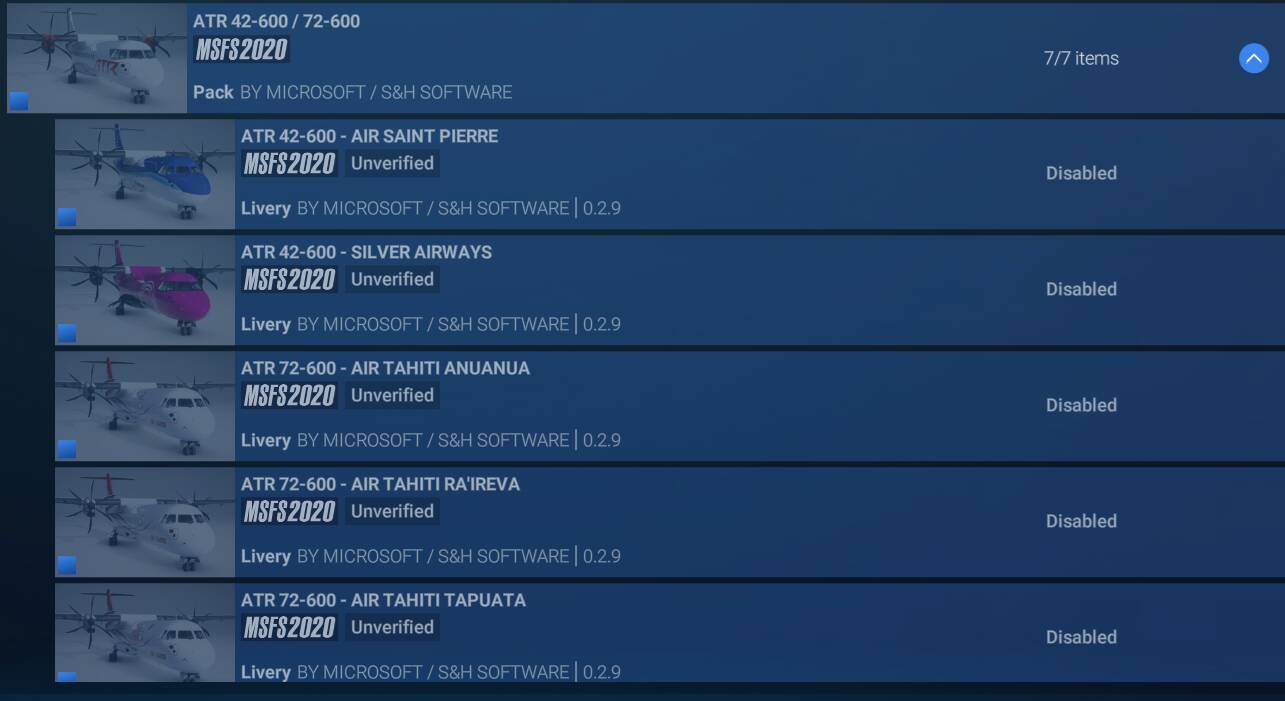
That’s the 2024 code stuff I think - anything 2020 related will have “2020” stamped over the icons. I’ll grab a screenshot later when back home.
Ok, I’ve got the following set to enabled:
And this lot (including a few off screen) all disabled:
Arrrgh. So I did several flights yesterday with all my mods re-enabled with the 2020 version disabled and it was fine, and then tonight…busted again 
Edit: I’ve just spent all morning enabling and disabling this that and the next thing, and simply cannot get the aircraft to behave again. The instant it’s above about 10,500 feet, the graphics corruption and inop panels kicks in. This is so frustrating.
Checked my installation again. Looks pretty same to yours.
And did a new testflight with the same experience: At ~11000 ft the problem is present.
I´m wondering if we are the only ones with this VR problem.
Is here anyone who can run the ATR in VR without this problem?
I’m on AMD you’re on Nvidia, so we can probably rule out drivers. And besides, every other plane is fine so it’s gotta be something ATR related that’s wrong.
Yes. Unless its an addon wich we use both. Did you already try a flight with empty addon folder?
Yeah, including disabling most of the stuff I’ve got from the marketplace as well. At one point I thought maybe it was linked to Navigraph but after further testing with it on or off it made no difference. It doesn’t help that I don’t fully trust the in-game enable/disable options…I think if you don’t restart the sim it might not always be telling you the truth unfortunately.
i did a test with a complete empty community folder (renamed the old one). And i was able to reach 12000ft before the sim crash because of a “direct to” input in FMC. But it was a complete different crash (screen froze complete). I dont disabled any MP files (but i dont have much from marketplace)
It’s quicker to just select a random point on the maps and let it spawn you in at 17,000 feet. You’ll then know instantly whether it’s busted or not. You can still stuka dive bomb it back under 10,500 to confirm it’s ok at the lower altitudes.
Ok, latest theory after some more tests. What’s your OLOD above 10,000 feet (irrespective of what external tools you might use to control that)?
Mine was set to 20. Setting it to 40 or higher seems to be fixing things.
OK. Thanks. Did a big try and error search and it seems that the “mobiflight-event-module” in my community folder caused the problem. Do you also have this file? If so, please delete it for a test…
It’s not mobiflight that’s at fault (not directly anyway), the issue is the plane doesn’t render properly with a very low OLOD. Whether that’s a bug or not would be up for debate but the solution seems to be to ensure your OLOD minimum doesn’t hit 20.
Hopefully we’ve cracked the problem now!