ATTENTION Aussie Flight Group Participants …
Group Flight: 2023-01-03T09:00:00Z
PLEASE DO NOT SPAWN ON THE RUNWAY. ENSURE YOU SELECT THE STARTING POSITION ON THE RAMP.
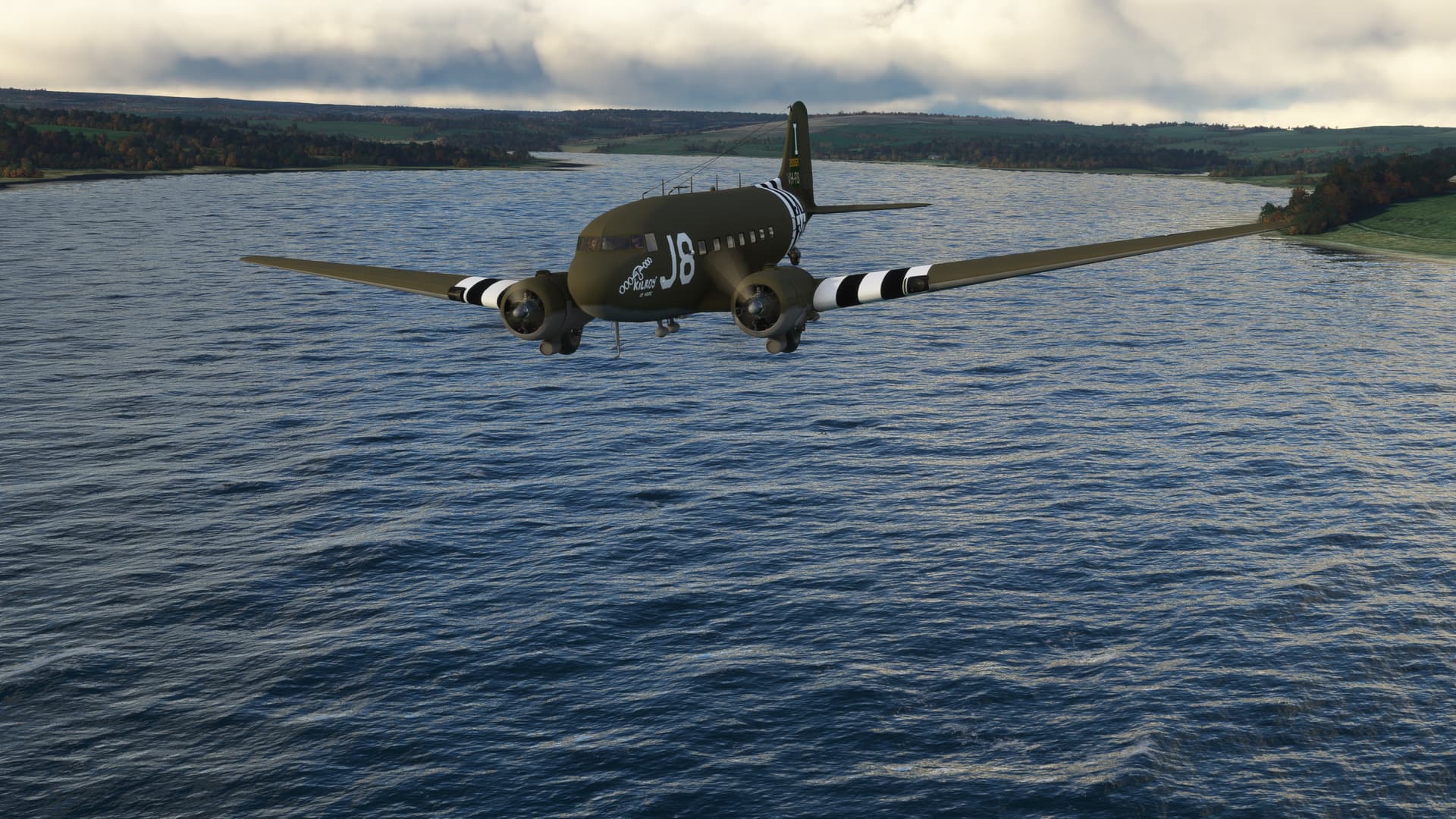
NOTE: The route to the Reservoir and dam is not the actual route followed by the pilots. I was unable to determine the route so approximated the approach to the dam. The return journey is expanded to take in the surrounding scenery and add to the flight time for the event. The challenge in the event will be flying low for a sustained period and to the escort aircraft to keep tight with the bomber aircraft. After we complete the task, we can climb up to 2,500’ and enjoy the scenery as we head home.
Route: Scampton(EGXP) Broomhead Reservoir(WP1) Howden Dam(WP2) Derwent Reservoir(POI2) Derwent Dam(WP4) Ladybower Reservoir(POI3) Ladybower Res Dam(WP9) Camphill Airfield(EGHV) Chapel-en-le-Frith(WP10) Crosland Moor(EGND) Leeds Bradford(EGNM) Breighton Airfield(EGBR) Brough(EGNB) Humberside(EGHJ) Scampton(EGXP)
Take off from Scampton(EGXP)
Track 284 deg to Broomhead Res(WP1) 39nm
Track 250 deg to Howden Dam(WP2) 5.3nm
Track 189 deg to follow the Derwent Res at 60' above the water to the Derwent Dam(WP4) 1.4nm
Note: This is the target dam. Unfortunately the towers aren't modeled on the dam wall.
Follow the waypoints over Ladybower Res(POI3) to the Ladybower Dam(WP8) 2.8nm
Track to Camphill Airfield(EGHV) 3.7nm
Full Stop Landiing at Camphill Airfield(EGHV)
Take off from Camphill Airfield(EGHV)
Track 280 deg to Chapel-en-le-Frith(WP9) 6.8nm
Track 010 deg to Crosland Moor(EGND) 17.9nm
Touch and Go at Crosland Moor(EGND)
Take off from Crosland Moor(EGND)
Track 023 deg to Leeds Bradford(EGNM) 16.1nm
Full Stop Landing at Leeds Bradford(EGNM) +++ 10min Break +++
Take off from Leeds Bradford(EGNM)
Track 098 deg to Breighton Airfield(EGBR) 27nm
Touch and Go at Breighton Airfield(EGBR)
Track 139 deg to Humberside(EGNJ) 11.7nm
Touch and Go at Humberside(EGNJ)
Track 204 deg to Scampton(EGXP) 17.5nm
Full Stop Landing at Scampton(EGXP)
Altitude: The route to the Howden Dam is to be flown at not above 500’ AGL. Over the water is to be flown not above 60’. The remainder of the event can be flown up to 2,500’ to be clear of terrain.
Airport details
Scampton(EGXP)
Elev: 202’
RW 04/22 Asphalt
Camphill Airfield(EGHV)
Elev: 1,295’
RW 01/19 Grass
RW 10/28 Grass
Grosland Moor(EGND)
Elev: 825’
RW 07/25 Asphalt
Leeds Bradford(EGNM)
Elev: 681’
RW14/32 Cement
Breighton Airfield(EGBR)
Elev: 24’
RW 10/28 Asphalt
Brough(EGNB)
Elev: 12’
RW 12/30 Bituminous
Humberside(EGNJ)
Elev: 121’
RW 02/20 Asphalt
RW 08/26 Asphalt
Aircraft: Bomber: DC6/DC3 Escort: Spitfire/Hurricane/Mustang etc.
IMPORTANT: In the interest of keeping it REAL, please refrain from selecting inappropriate aircraft, like airliners. This only detracts from the immersion of the flight.
Seeing Aircraft Correctly: You need to do two things to ensure you can see the other pilots in the event and see them in the aircraft they selected.
Select the same server: To do this, proceed as follows:
From the Welcome Screen, click on your Username (top right)
From the list of servers, under Servers, select WEST USA
Turn off Generic Planes: To do this, proceed as follows:
From the Welcome Screen, click on OPTIONS
Click on GENERAL
With TRAFFIC selected, scroll down to the last option and set USE GENERIC PLANE MODELS to OFF
Turning off Crash/Damage:
Select Options/Assistance
Expand Failure & Damage
Disable Crash Damage
Disable Aircraft Stress Damage
Disable Engine Stress Damage
Accept the changes
Voice Room: My personal Discord server is used for voice comms. If you haven’t already joined my server, click on the below link to request access. I will set you up as a Member so you can access the server. Ensure you do this prior to the flight, as latecomers will need to wait for the next event.
Link to join the Voice Room: Discord
Note: this link is only valid for 7 days from posting.
Weather/Time: We will set the time to 8am. This will allow us to fly in daylight and choose REAL weather so that the winds are correct.
From the World Map view, click on Flight Conditions (upper right of screen)
Click on All Players, Live Traffic, Custom
Under Weather and Time, select Live Weather and move the time slide bar to show 8:00am.
Click Close and Fly from the World Map view.
We can start departing from 09:00z. There will be no need for official radio calls. Lets just have some fun taking in the scenery and the social aspects of the event.
Turning on Points of Interest
Select Options/Assistance
Expand POI
Set Landmark Markers to ON
Set City Markers to ON
Set Airport Markers to ON
Accept the changes
Turning on Name Tags (This will assist you in following the group if you get disoriented):
Select Options/GeneralTraffic
Set Show Traffic Nameplates to On
Accept the settings
Still confused, check out the multiplayer video tutorial from SimHangar Flight Simulation: MSFS | MULTIPLAYER | How To Guide | Everything You Need To Know | Fly in events coming soon. - YouTube
Let me know if there’s anything else that I’ve missed that you need to know.,
Regards, Paul