ISSUE DESCRIPTION
Description of the issue:
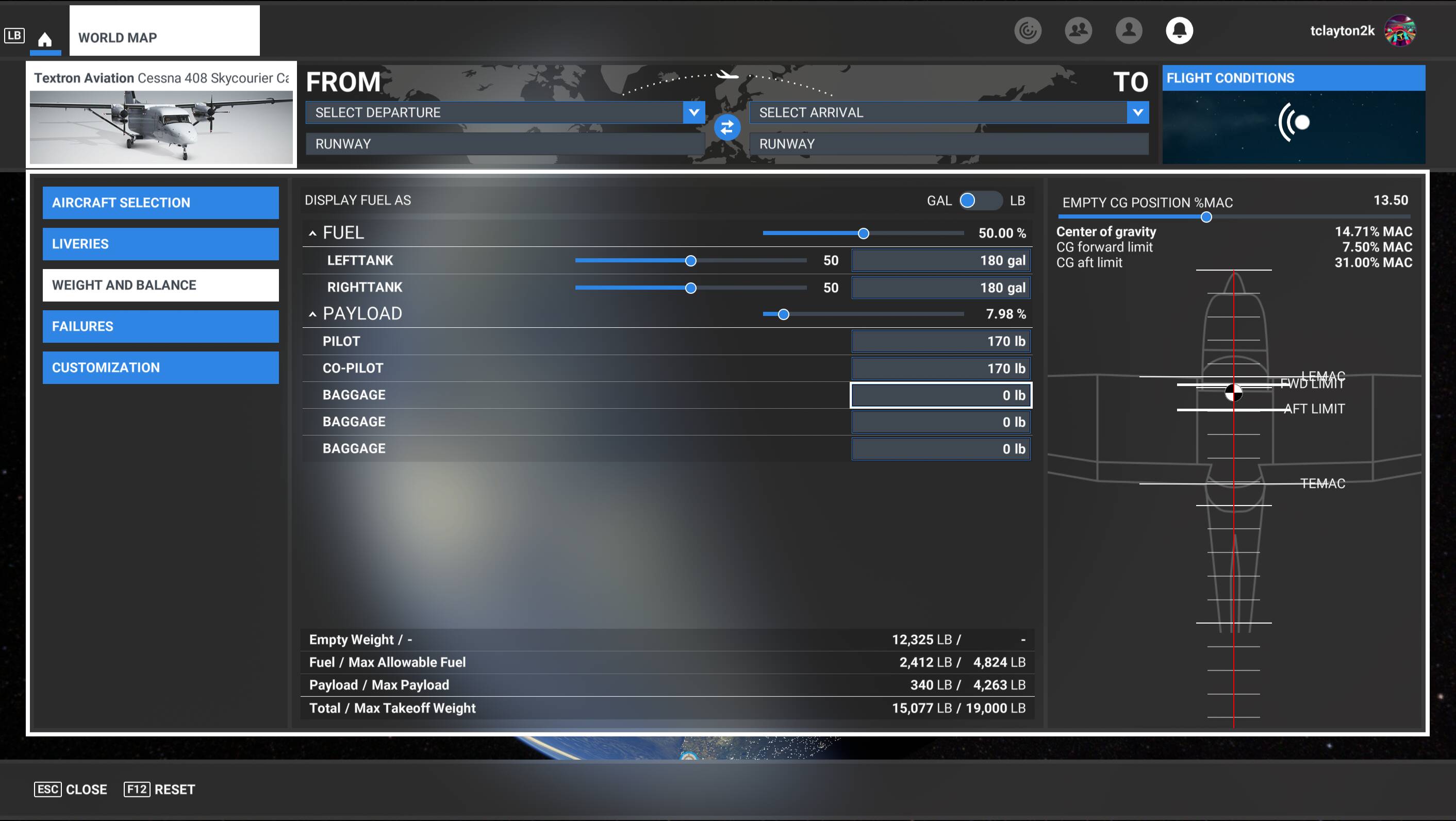
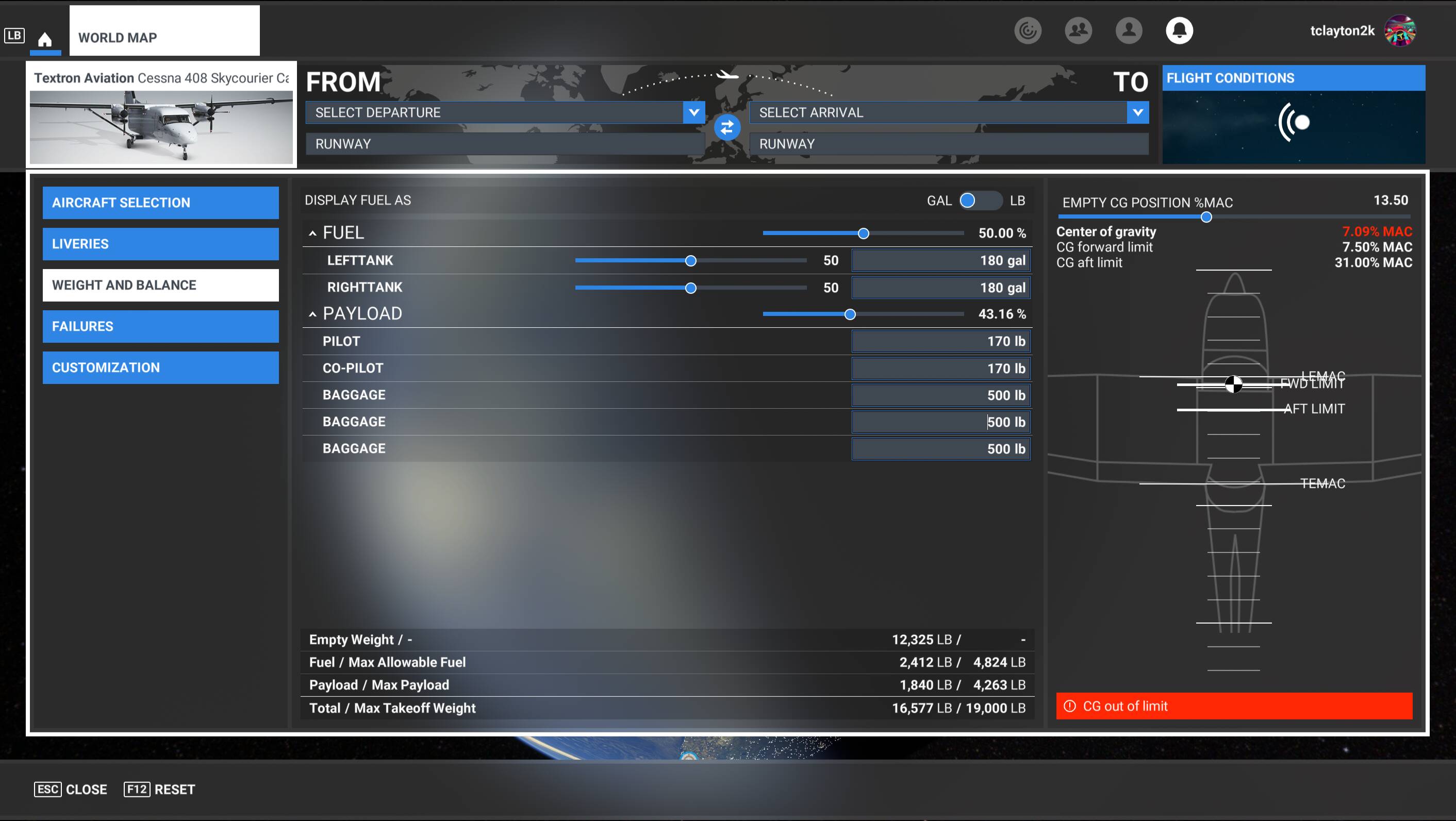
When loading cargo in the back of the '20 version of the C408, the CG moves forward in stead of back as the load is increased
FREQUENCY OF ISSUE
How often does this occur for you?
Every single time
REPRODUCTION STEPS
Please list clear steps you took in order to help our test team reproduce the same issue:
-
Pick the C408 Cargo and open the W/B balance menu
-
Add weight
-
Watch the CG go the wrong way
YOUR SETTINGS
Not relevant to this issue, but posted in my profile.
MEDIA
I wonder what stations those are? If that’s the cargo version there are only 3 places you could put “baggage” as opposed to “cargo”. Nose compartment, cockpit, and the aft baggage shelf in the rear of the cargo bay. The nose compartment and cockpit CG stations are forward of neutral, whereas the aft shelf is aft of neutral. Not sure if that explains what you’ve described.
This is the Cargo version with the containers modeled in the rear. The passenger version’s W/B menu has spots for the passengers’ weights.
I have a theory that if you put weight in the baggage categories one at a time and zero out the other two you will get the following outcomes:
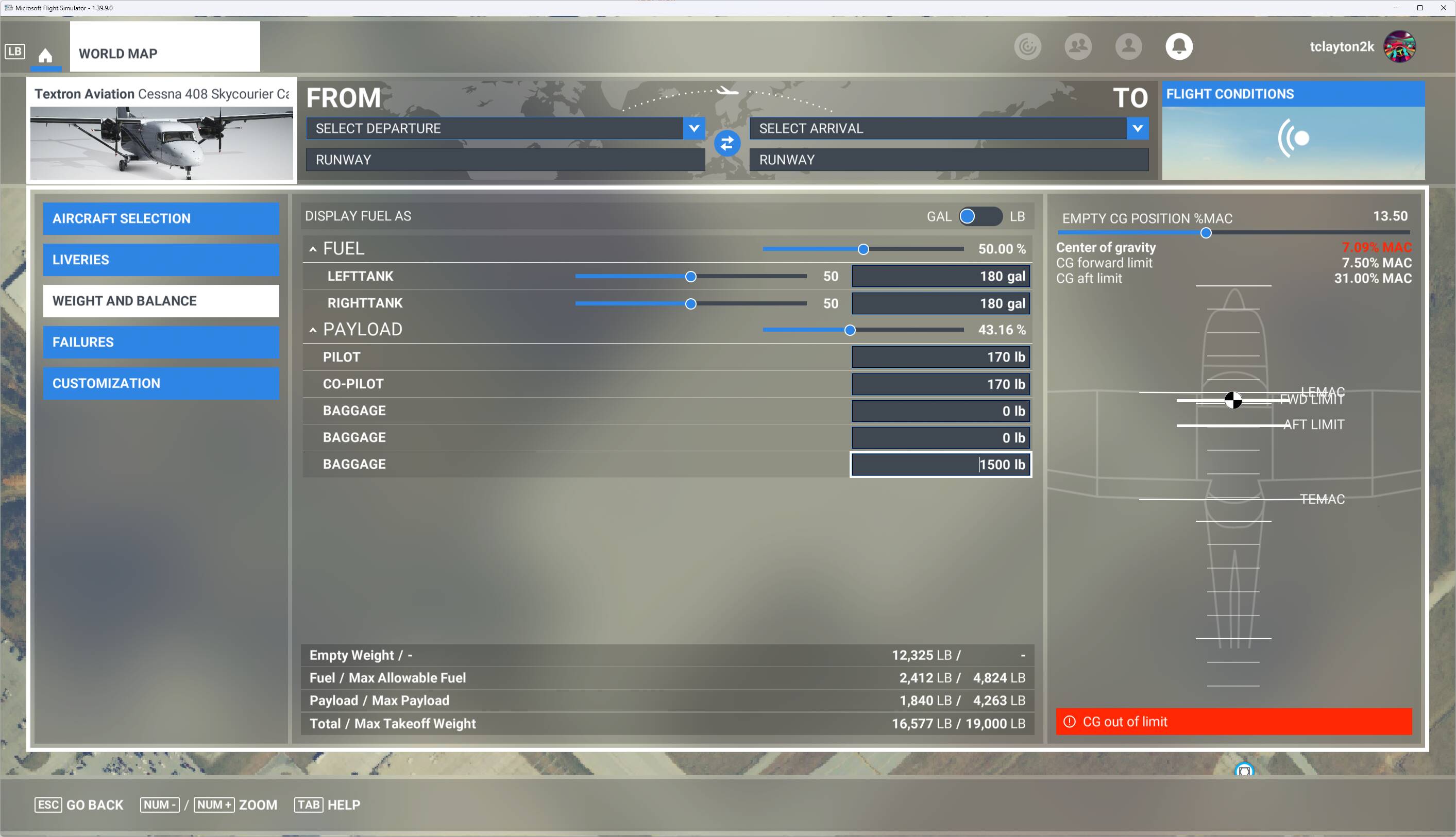
Weight in baggage 1: CG moves forward
Weight in baggage 2: CG moves slightly less forward
Weight in baggage 3: CG moves aft
Willing to test and report back?
I’m afraid that’s not the case. All three move the CG forward. Here’s just the rear loaded up at far less than the max load and it sends the CG past the forward limit.
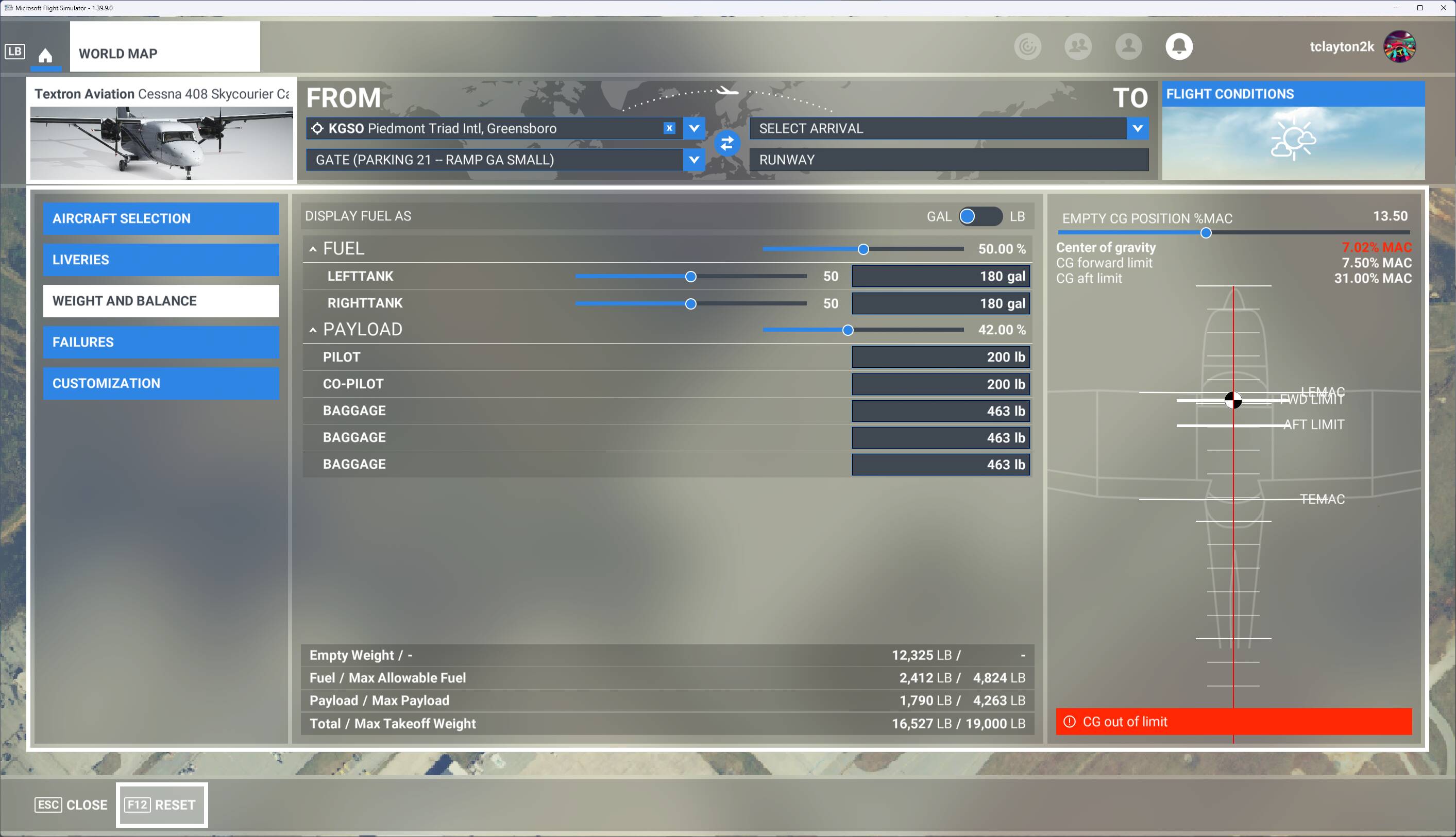
Yeah that looks odd then. Increasing payload slider moves CG aft I hope?
It only took 42% to get out of limit.
I will say this - manually adjusting the empty CG position slider will bring it back into within limits, but that feels like cheating. In the real world, I don’t know of any aircraft that has the ability to shift its CG on a whim. I think some automotive race classes have that ability to adjust cornering, but that doesn’t help me here…
Can replicate, adding weight to either one of the 3 baggage positions for the C408 cargo moves the CG forward.