No, and I don’t need yet another forum account and place to check up on. I opened a support ticket through Just Flight which you would think would be the way to, well, get support 
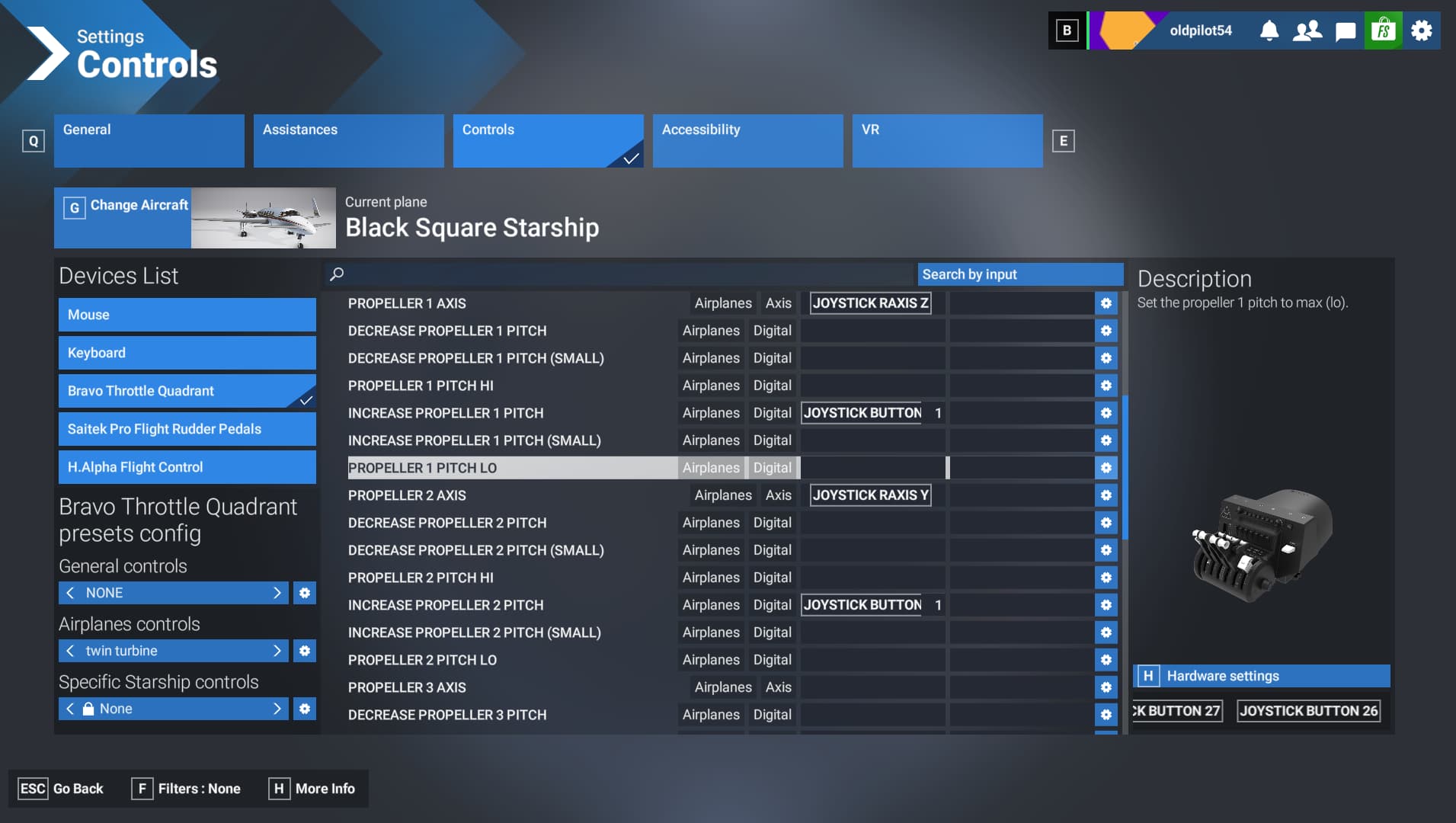
I haven’t yet, but need to start getting this cleaned up. For example what about feathering the prop levers? The standard MS way doesn’t seem to work, as I have my Bravo set to toggle feather on 1 & 2 but nothing happens. So figure I’ll have to figure this out in SPAD just haven’t done it yet. Always something else to do.
Oh, all those control variables are laid out in the manual, so it can be scripted. I will probably do the same. I already have two buttons on my STECS throttle configured for propeller increase and decrease, so binding the feather commands for each engine into my new Mobiflight profile will be a relative piece of cake.
Yeah but I didn’t notice anything about feathering when I skimmed it last, except for the autofeather which you mentioned. Like I said though I haven’t found the time to do it proper so I need to do that 
I’m away from sim, but I have autofeather mapped via Spad.Next on a Streamdeck. 90% sure it’s 2 = off, 1 = armed, 0 = test. (Kinda backwards from what I’d expect.).
I’ll verify this tomorrow night.
You can use my AAO scripts with any hardware, not only StreamDeck
https://flightsim.to/file/94092/bksq-starship-streamdeck-xl-plus-profile-aao-scripts
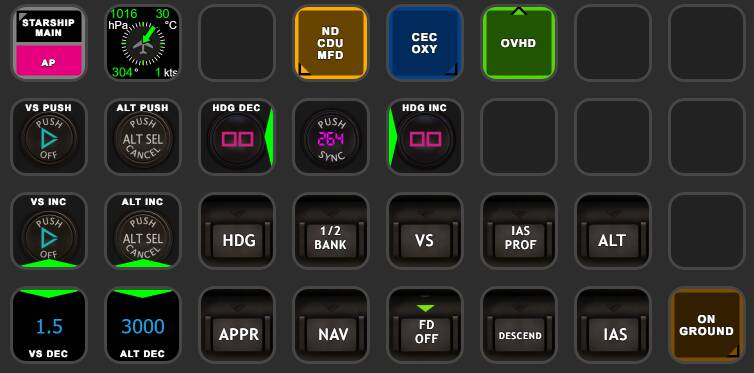
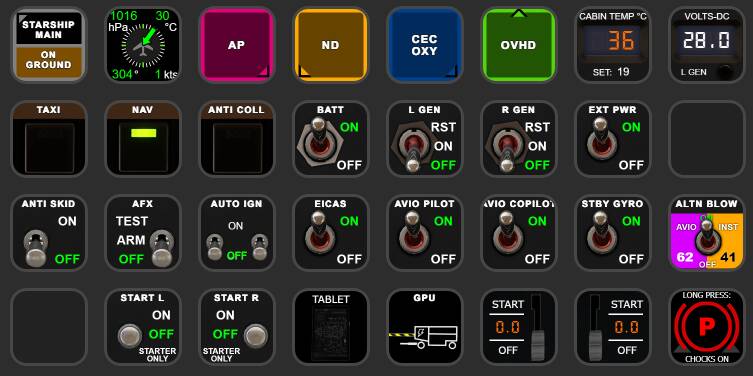
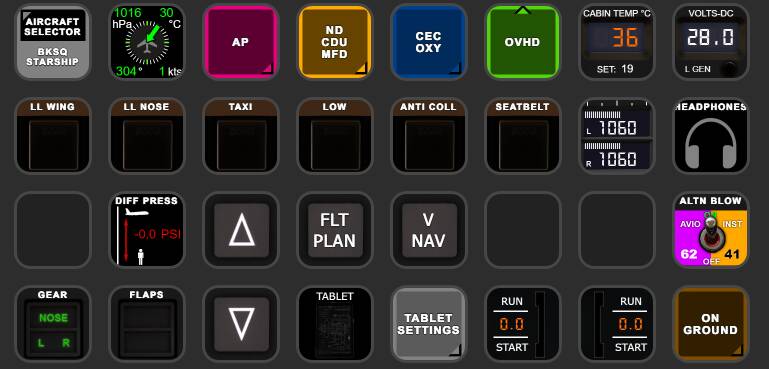
Got mine yesterday.
With the exception of the un-interactive passenger cabin (I want the table :P) and the missing state saving (which as I understand the developer simply doesn’t like as a feature) seems to be excellent all-around and a new high point in MSFS aircraft. The radar is for sure impressive.
I also like the atmosphere inside, which is important to me if I’m supposed to spend hundreds of hours in it
I’m also not sure If I understand the standard throttle lever/gate/beta logic. I had the turbo duke before, and it felt natural there, like in most other high fidelity turboprops, but here it’s either strange or I just me and I have to adapt 
I don’t have either of the Dukes so I can’t compare with how those are setup, but I can confirm that the Starship is distinctly different from the only other prop plane with a beta range that I’ve flown extensively recently, the twin-radial piston engined Grumman Albatross. In the case of the Albatross, moving the throttles back past Idle moves you directly into Beta, and there’s a fairly wide beta throttle range (important when trying to “taxi” on water).
In Starship, by contrast, there are appears to be effectively two physical detents: one for “regular” flight idle as you would expect, then immediately below that, a second one for GND (“Ground”) FINE, what the actual Starship POH refers to in one place as Ground Idle. Below that second detent is what most people think of beta, e.g., reverse thrust for a propeller-driven plane.
Haven’t tested much in FS2020, but in FS2024, looking at Starship_Interior.xml, CDU.js, and state.CFG, it seems there’s several things it’s saving and trying to restore that aren’t working.
For some of them it’s obvious what’s going on (like the pilot/passenger weights getting reset to the 2024 EFB values any time you enter the plane), others I’d guess it might be basically the same problem but happening a single time at load-in, like for the fuel quantities.
Some stuff gets properly restored, like active failures, engine health, and the floppy disk nav database update date.
I hope Black Square can find workarounds for the sim idiosyncracies. The nuclear option would be to put a manual “LOAD STATE” button in the tablet, since if you’re already inside the cockpit, then the timing should be safe.
There might be some small bugs but the manuals for BlackSquare planes were always clear on this, only very limited state saving was intended. And the main systems/switches are skipped on purpose.
I only saw a discussion once where this was asked to Nick on the forums and it seemed like he just skipped the question Maybe coincidence or he’s just tired of answering the same thing over and over.
Either way, for me this makes shutdown workflows less meaningful and takes away the feeling of continuity between flights. No biggie but it’s just not a “perfect” plane without it. Still great though
Edit: Also, almost forgot about this one. Is the passenger cabin also so loud for you in 2024? According to the Justflight video it was supposed to be super silent, but for me it’s louder than in other turboprops
I agree with the part that checklists are less important, if I know that the plane always spawn in the same configuration. I wish it was fully saving the state between flights. But I don’t get the impression at all, that it would be because of some personal uninterest from Nick, that these features aren’t present in Blacksquare’s planes. It seems it’s more about limitations in the sim itself.
On the Just Flight forum, someone was bringing up the fact that weight and fuel wasn’t saved for them between sessions, in the Starship.
There is no difference between how I handle weight and fuel saving between Starship and any of my other aircraft. Both seem to be working well for me. This is why you haven’t seen more advanced aircraft ownership features from me. The MSFS state saving system seems to behave differently on different computers. I hope this doesn’t sound like an excuse, but I have torched numerous hours trying to get to the bottom of these inconsistencies with no luck.
I feel the best compromise here would be for Nick to add a ‘randomiser’ mode which simply spawned the aircraft with the occasional switch in the wrong place. This would overcome the temperamental sim issues with state saving, and rekindling the importance in following checklists.
That might depend on the positions of your audio sliders in 2024. Also, you can enable headphone mode/noise cancellation, which in this plane is not a binary off/on toggle. Once enabled, you can scroll your mouse wheel over the headphone jack to adjust the level of noise cancellation.
I’m slightly bummed…I was just visiting family in Tucson AZ, home of the Pima Air and Space Museum. They have a huge outdoor section where you can go right up to the planes. And yes, they have a Starship there. Unfortunately, the temperatures were over 105 degrees (41 C) in my hometown, so it was a bit too unbearable to go there this time. I’ve made three visits over the last couple of years, but the Starship wasn’t even on my radar before the BKSQ, so I never paid attention to it amongst nearly 400 planes.
I highly recommend this museum, if you’re ever in the area.
Ah I see what you mean. Yeah, bugs aside, there’s a lot that could potentially be saved that isn’t. I figure some of that is to make things simpler when starting on the runway or in flight.
I share your taste and prefer more thorough saving, since otherwise pre-flight checks feel like empty rituals. In fact I’ve finally buckled down to write my own state save/restore Lua scripts for FSUIPC7, with the Starship being the first plane I’m doing it for. (I wish simply using the sim’s own .flt file saving worked better, but I’ve found loading those to have weird effects on complex planes.)
The Throttle Axis translates like this:
Hardware Throttle 15% → Flight Idle
above that → Flight Range with active Prop Governor
below 15% Hardware Throttle → you are in Beta Range, with Prop Angle gradually reduced the further you move the throttle back.
when your hardware throttle is at idle → you are at appr. zero thrust prop angle (ground fine)
further moving back hardware throttle into reverse range → you move the propeller angle further back into the reverse range
So basically from 15% hardware throttle backwards the propeller angle is directly controlled with throttle.
So after flying this more, I think my biggest “issue” if you even want to call it that, with this plane, is that the older avionics means my reliance on charts is much, much higher. For example, the avionics can’t give me any altitude/speed restrictions for SIDs/STARs so I need to go to the charts for those. I’m FINE with that except for the fact that there is no “in-plane” way to access charts. The avionics obviously can’t display charts, and the Black Square EFB doesn’t appear (unless I missed it) to have an option either. So in VR my only option is a floating Navigraph window, which works but is not immersive in any way. It’s also kind of tricky to even find a place to put it in such a crowded cockpit haha.
It would be nice if either the Black Square EFB could show Navigraph charts like a lot of other EFBs, or maybe a way to toggle what is displayed on the in-cockpit tablet, so you can toggle the display between the Black Square EFB and the Microsoft EFB?
Have you tried it in MSFS 2024? I’ve been flying it a lot in MSFS 2024 and I can do all this in the Asobo EFB, including Simbrief. I create a flight plan in the Simbrief EFB plugin, duplicate or import it in the EFB flight plan (import can cause issues for now) and if you add the approaches you can get all the LIDO charts right in the EFB. If you want PDF files for your own charts, you could use the Sky4Sim Pro EFB plugin. Be aware that you don’t want to import a full flight plan in MSFS 2024 in 1.1 as it can cause issues with waypoints, build your own flight plan in the plane.
The Asobo EFB is still just a floating window, and a really horrible one in VR as well. It is ok in something like the Cessna 172 where the EFB is a modeled part of the cockpit, but in here it is just a floating window so no real difference from just using the Navigraph window, which actually works better anyway.
The point is I wish there wish a more “immersive” option hence being able to use the existing 3d modeled EFB would be ideal.