I had my first flight in the new PMDG 777-200ER yesterday from KDEN to KSFO. BATC handled most of the flight well, but still a couple oddities.
At FL400, a few minutes after being told to expect a particular STAR and runway. and still about 20-30 miles before TOD, I was told “Increase to 290 knots.” At FL400 and Mach 0.835, I was doing about 260 KIAS (going from memory), about 430 knots over the ground. At that altitude, 290 knots was well into the overspeed band. There was no option available to reply “unable.” So after BATC auto-acknowledged the request for me, I simply ignored it. During my descent later, I was doing about 260 - 280 knots and never fussed at about speed.
The second oddity was that after landing and given instructions to exit the runway, BATC basically forgot about me. During my rollout on 28R, I was told “Exit left at Quebec.” I was actually already turning off earlier than that at Tango when I received the instruction. After that, I could not request taxi instructions. Tower did not switch me to Ground, and manually switching to Ground, did not give me the option to request taxi instructions.
But hey, at least no nutty vector instructions, nor was I told to expect the visual in the mid-day Bay Area fog.
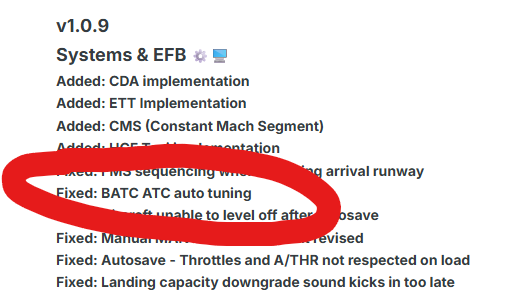
IniBuilds has fixed A350 auto-tuning
7 Likes
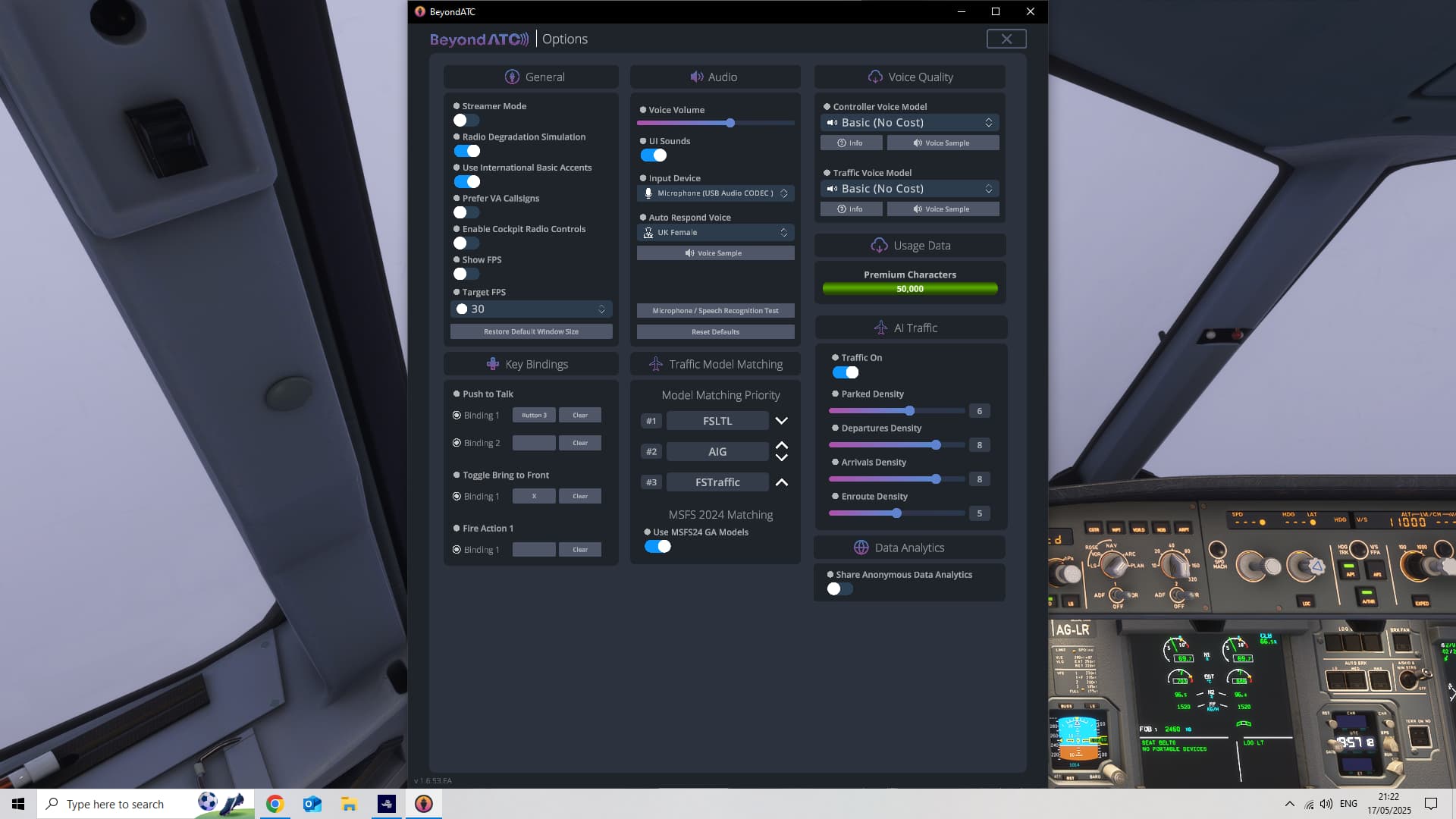
First flight since SU2 tonight. Departing EDDM. Lots of parked aircraft but despite these settings below not a single movement on the ground, no departures, no landings. Is there a known issue?
My settings:
FWIW I had plenty of traffic all the way through the beta.
I departed EDDM on Saturday and there was some ground movement, at least at the apron.
Did you start the BeyondATC app (“fly” button) when the local time was in the middle of the night, and then change the sim time to daytime? I think BATC uses the sim time when it’s launched as the basis of traffic volume and movement.
Thanks for the suggestion, I was flying with live time and live weather. About 8pm UK time.
Had a EDV pilot call a PIREP for severe turb just outside Miami airspace. That was cool! But I really would love a way to ensure ATC will talk to you (like a priority order – If I press my PTT button then I should get priority to talk next or something like that), because on both departure and approach I kept getting talked over.
Another annoying part of BATC is when I ask for something, the AI doesn’t respect it and talks in between my request and the controller’s response. For example, I called for clearance at KMIA. As I finished my request, instead of waiting for ATC to read back to me and for me to acknowledge, an AI plane calls in also requesting clearance. Then the controller proceeds to give clearance to the other pilot, then me. Rather annoying when I’m at a busy airport and the chatter just doesn’t stop.
Happy to find this thread. I purchased a copy of BeyondATC before I realized, I think it is correct, you have to use SimBrief with this product and SimBrief does not included ILS approaches.
Is there no way out of this Catch 22? There does not seems to be a way to write an instrument flight plan in Flight Planner, even writing a pln file, to have SimBrief upload that pln file.
Am I missing the boat here, or just refusing to see that the boat is sunk?
Supposedly, BATC reads destination METAR and decides which runway is appropriate, rather than choose your data from SimBrief (which may be old and inaccurate). I believe that is why SimBrief doesn’t even offer an ILS choice when planning; weather will change and the sim handles that runway change.
I’ve had countless times where the airport’s SOP is to use one runway for approach, the other for landing, or to use one direction even with a light tailwind, and BATC doesn’t realize and assigns what it believes should be. The jack of all trades is a master of none… While FSLTL uses FR24 data to see which runways are currently active, and then there won’t be any conflicts as that is what the real airport is doing at that moment. I think FSLTL’s way is smarter, but that’s me 
They’ve slowly been adding different custom SOPs for individual airports, but its a long process.
Thanks for replying. I think this software is really for the ATC communications I guess and not for the Instrument procedures. I am using AIG which at least paints in the planes for decoration.
1 Like
Yes, agree that the prioritization needs fixing, first come first serve. Its very annoying.
1 Like
That’s realistic though. Frustratingly getting a word in is often a total bun fight in some parts of the world and certain airlines pilots often just transmit on joining a frequency without listening for even a second. It drives me almost crazy but it is what it is, it can be draining to listen to for hours on end sometimes.
Regarding runway assignment, I’ve discussed this on Discord with the devs and whilst I don’t fully agree with the way it’s being done, BATC almost always is in compliance with the charts for a given airport. That doesn’t necessarily reflect real world but is correct per the airfield written procedure. They have to draw a line somewhere so I get why they do it this way.
Finally, when you get given a flight plan in the real world it doesn’t specify type of approach, and would only list the expected/planned runway based on the weather forecast. The rest is up to ATC and, to an extent the pilots on the day. Again, in this respect BATC is realistic.
Is it perfect? No. It is, however, early access and in constant development. If there’s something you feel is wrong get in Discord, submit a player log and tell them why.
4 Likes
Yesterday, I flew the B-737 Max from KJFK in New York to KORD in Chicago in VR using BATC. I could hear BATC talking to planes in front on the same route, so I could anticipate course and frequency changes. It was really very cool.
BATC and MSFS 2020 are working almost flawlessly for me now in VR and I just hope it lasts and M/S doesn’t screw it up. And, I’m on a Dell Laptop! So I almost wish I could ‘freeze’ the sim in it’s current beta state. I was just about to call Center and ask for my initial descent from cruise altitude, but BATC called me first and gave me a specific approach to descend on and a RWY. And I was still far enough out to have plenty of time to set that all up in the FMC. And that’s the way it works in RL too, most of the time.
So good work, you guys at BATC. Now please get to work on the VFR side of things. I’d be willing to pay a one time fee for a VFR add-on to BATC, as long as it’s not anything to do with a subscription type deal.
2 Likes
It’s on the roadmap! It’s up next after GSX integration.
That’s not correct. BATC will assign your aircraft an arrival runway and approach based on its own appraisal of the weather conditions and an internal database of procedures. For airliners in the US, you will generally get visual approaches when visibility is good, and ILS approaches when not. Even when assigned a visual approach you will often be given vectors to intercept a runway localizer.
I’m having a bit of an issue while trying to install the AIG Traffic Manager. It won’t ‘connect’ with AVSIM. Even if
I login to AVSIM to run during the installation, it doesn’t seem to work. It just stays at ‘not logged in’. Major thank yous for any help with this.
That doesn’t really have anything to do with Beyond ATC?
Yes I’m sorry I should have mentioned that. It is the AI traffic manager for Beyond ATC.
Do you mean the AIG models? If so that isn’t strictly to do with BATC as it simply uses those models for model matching.
You might be better off directing that at the AIG thread maybe, I suspect you’re more likely to get help there. That aside I’d suggest logging into AvSim before running the Manager though if you haven’t already. You’ll obviously need an account to do so.