Good, that’s my most likely use scenario.
Don’t quote me here but this is what I understood (and experienced):
- VFR comes later - and what you describe fits quite well the VFR bracket
- I once imported a simple FROM-TO flightplan from LNM to Simbrief and then BATC could not create the flightplan - got stuck on 50% path tree or the like.
So, maybe for now we are stuck to emulate a full IFR flight for our little GA trips lol
I installed without admin rights just fine.
It has to do with an airport causing a bug. I have had the same thing happen.
The admin rights requirement might depend on if you installed MSFS into the default (protected) folder or a custom one.
Nope my install is default. And BATC installed into the root of my drive.
You sure about that? It’s possible to disable Windows UAC (User Account Control) prompts, but not advisable. But I’m pretty sure this app requires admin privs to install, regardless whether you get prompted or not.
Basically, apps that get installed in user AppData don’t require elevation, anywhere else (root of C:, c:\ProgramFiles) do require admin, as those are protected directories.
1 Like
I see - thanks Bobo!
Yes for example the Addon for Zurich LSZH does not provide info for Taxi - so I guess this is what they meant with some issues. Fair enough
Just bought it and jumped into the pool…
..that is jumped into the cockpit and tried to setup on the fly.
Flight LEBL - LEAS (Barcelona - Asturias) on the Fenix A320
Both airports custom payware.
I used dummy mode (auto-radio tuning and auto-response).
Once I got it running, taxi instructions in Barcelona were fine.
Take off, climb to cruise level and ready for descent also fine.
Descent and vectoring to intercept LEAS ILS 29 just perfect.
Then, no switch to tower, and no clearance to land. I just landed anyway.
After landing, no taxiing instructions (it says that “no gates are found in this scenery for your aircraft, taxi at your discretion”).
Using the basic voices, Spanish controllers sound great, but very difficult for me to understand what they are saying (their English is far worse than mine).
The biggest problem so far is the lack of a VR interface. I had to remove the headset and look at the program window several times, just to be sure I was not missing anything. Hope they prioritize the VR panel in the to-do list…
As a summary, very promising, but will take some learning curve for me (as I have been using in-game ATC for four years), and it will take some effort by the developers to iron out the software.
In any case, I did enjoy the experience a lot, and I am looking forward to my second trial flight tomorrow
1 Like
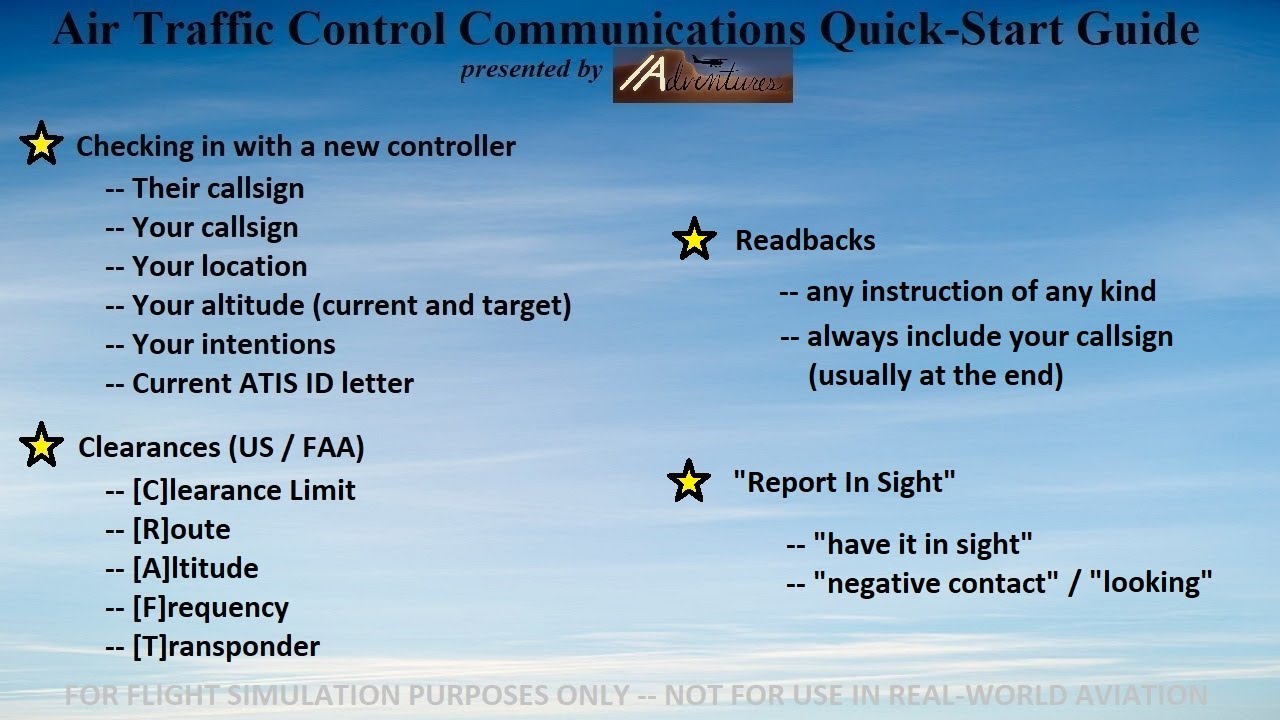
I found also this recommentation:
6 Likes
Yes, I watched this Slant Alpha video multiple times before I jumped into VATSIM. Highly recommended .
very kind of you! thanks for all the tools provided! now i have to start studying it 
1 Like
Update downloading as I type. Hats off to the team for getting fixes out this fast. 
1 Like
Soon as I woke up this morning, UK time ordered with no hesitation support BATC, First flight was great Vectored in spot on. Yes there were issues but Devs are very transparent. And installing clearly states its a Beta. Just show my apprecition thanks guys..it will only get better.
2 Likes
Just a quick question… I have been on the BATC Discord for the past hour and their support team have not been able to solve my issue, which is this: I downloaded and extracted the installer without issue, but the BeyondATCInstaller.exe will not run. I have tried just double-clicking the exe as well as trying to run with elevated privileges, but the cursor spins for half a second, then nothing. I do not use a 3rd party AV program, but did exclude the BATC exe from Windows Defender, but still no joy.
I’m not asking for any exhaustive analysis of this, just for any of you who may have seen this or who have a quick tip about what might be up here. And Win11 is stock and up to date as are all my drivers (PC specs in profile). Thanks for chiming in if you have any thoughts.
What exactly happens when you double click the .exe? Sorry reread. Did you try redownloading?
Hey @BoboSkypark - Redownloaded about 3 times … still no joy. A real head-scratcher.
Edit: And everything I have is essentially stock… I don’t mess with processes or system files… so there’s that.
I am on Win 11 and zero issues no administrative privileges needed. Have you checked in defender to see if it is has been flagged??
Yes, and it has not.
Well, then I am fresh out of ideas? Have made sure that your windows install is up to date?