Hi all. I’ve been struggling to resolve this one for the past 2 days, which leads me to believe it’s a bug.
ISSUE DESCRIPTION
Description of the issue:
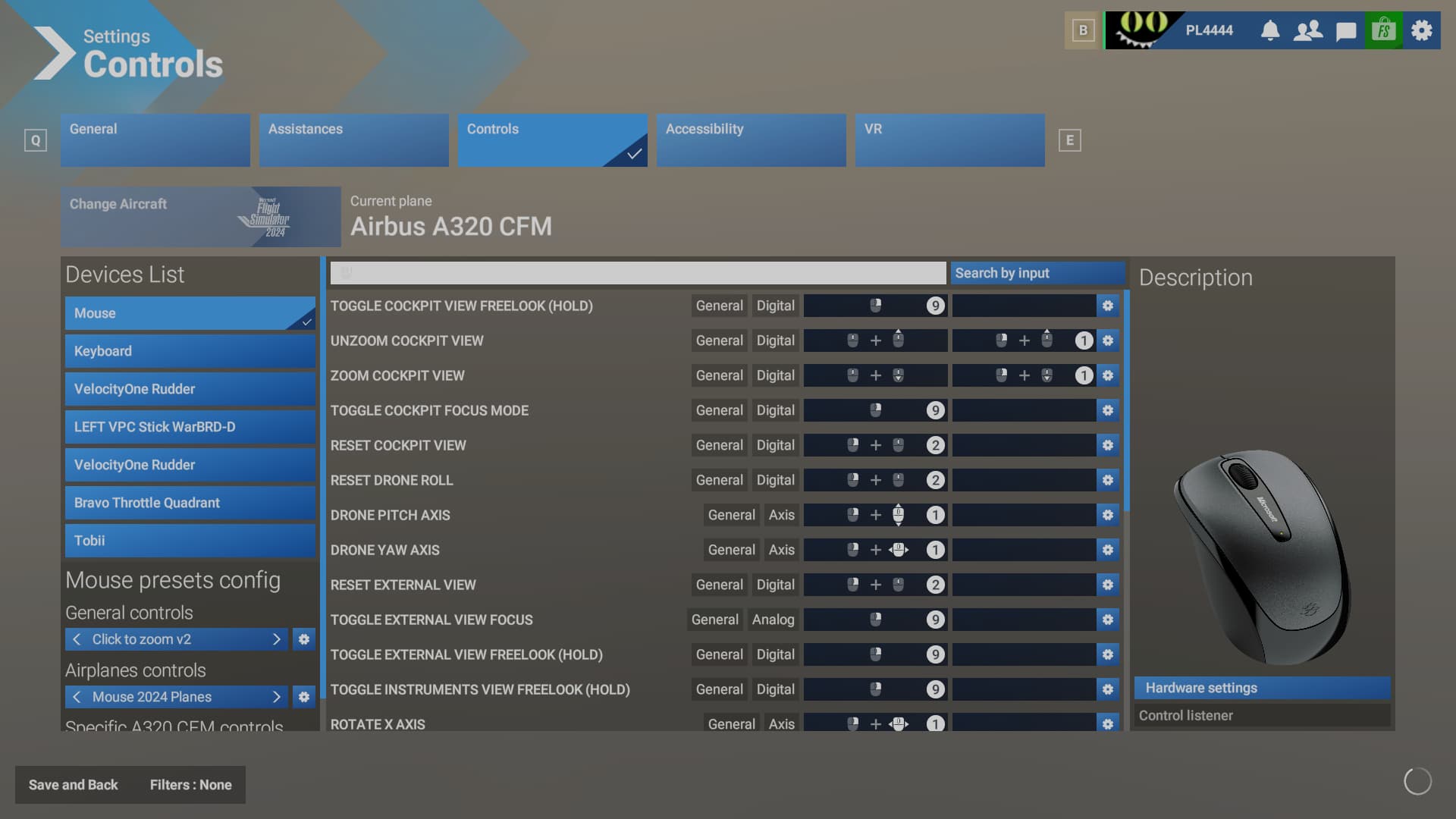
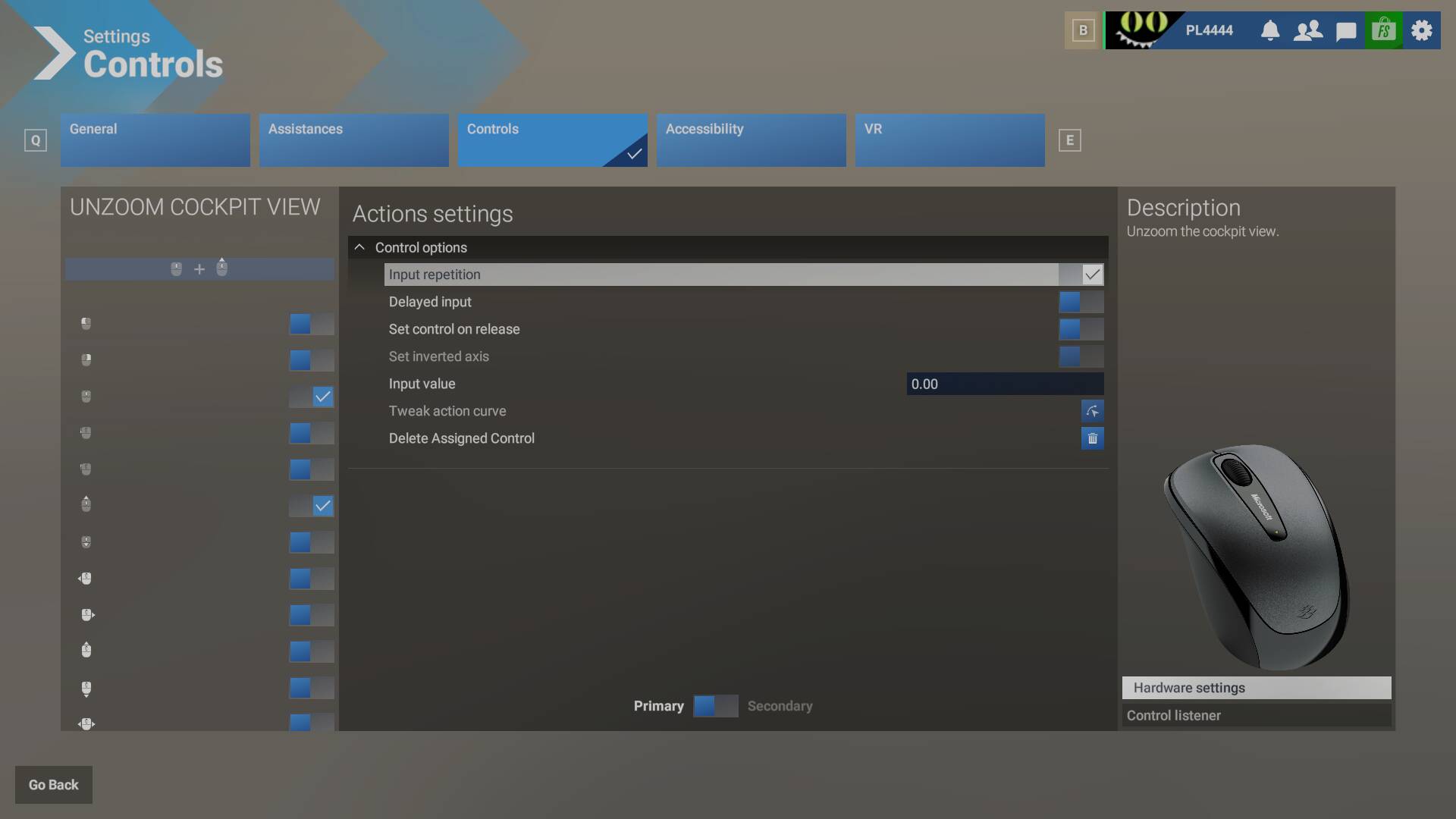
I’m a head tracker user, therefore I always modify the default scroll wheel view zoom binding to also require a right mouse button press, otherwise whenever I move my head slightly while manipulating knobs and switches with the wheel, the mouse cursor inadvertently ends up outside of the click spot and I make unwanted zoom inputs. This quickly gets frustrating. In FS2020, binding RMB+Mouse wheel up/down to zoom/unzoom cockpit view works as intended. In FS2024, however, the same binding seems to disable/interfere with the ‘Toggle cockpit view freelook (hold)’ RMB press. As soon as I bind RMB+mouse wheel to zoom/unzoom, pressing RMB to pan the camera view completely stops working. This also happens in external view with the external zoom/unzoom bindings modified. Why is it not possible to pan the camera with the mouse button pressed and zoom in or out with the same button pressed plus the scroll wheel, like it is in FS2020? Is this working as intended, or am I missing something/binding it wrong?
[PC Only] Did you remove all your community mods/add-ons? If yes, are you still experiencing the issue?
Yes and yes.
FREQUENCY OF ISSUE
How often does this occur for you (Example: Just once, every time on sim load, intermittently)?
Every time.
REPRODUCTION STEPS
Please list clear steps you took in order to help our test team reproduce the same issue:
- In control settings, modify the ‘Unzoom cockpit view’ and ‘Zoom cockpit view’ mouse bindings to RMB+Mouse wheel up/down.
- Load flight.
- In cockpit view, freelook will not work now despite being assigned to RMB.
YOUR SETTINGS
If the issue still occurs with no mods and add-ons, please continue to report your issue. If not, please move this post to the User Support Hub.
What peripherals are you using, if relevant: Virpil WarBRD-D, miniFCU+EFIS, Honeycomb Bravo, Tobii Eyetracker, Logitech mouse+keyboard.
[PC Only] Are you using Developer Mode or have you made any changes to it?
Only to take the screenshots.
[PC, MSFS 2020 Only] Are you using DX11 or DX12?
N/A
[PC Only] What GPU (Graphics Card) do you use?
ASUS NVIDIA GeForce RTX 3080 ROG STRIX
[PC Only] What other relevant PC specs can you share?
N/A
MEDIA
Please add a screenshot or video of the issue occurring.
[END OF FIRST USER REPORT]
 For anyone who wants to contribute on this issue, Click on the button below to use this template:
Do you have the same issue if you follow the OP’s steps to reproduce it?
•
Provide extra information to complete the original description of the issue:
•
If relevant, provide additional screenshots/video:
•