I noticed some artefacts in the water that weren’t there before. Did anyone else see them? This one, for example, is located in front of FMEE, UVENA2R, 18 nm in front of TESOP for ILS 14.

Some more in front of FMEE:
Black lines are there since SU4 first beta. Actually it’s a very old recurring problem (2021) and it’s been acknowledged by Asobo. I doubt they have a solution.
The black lines are tiles that not line up with the wave and movement direction and happens sometimes if out of balance and float (i do not know the exact words for it)
The other picture i suppose and guess are current and waterdepth with windshear .
You can try to flatten water in devmode → ground option to see if it makes a change
Yeah i’m talking about the black lines, but good to know thanks!
Yea. There’s some black lines in the Carribean waterz
Looks to me like maybe two separate issues: lines versus polygons. My screenshot above is clearly a polygon that changes size but is always a polygon. The others seem to be long lines. Maybe these have the same origin: mismatches of abutting coordinates in some cases two=a line and in other cases three=a polygon. If just one is mismatched, a point is invisible 
Maybe a rounding error or type miscast. Assume calculation of vertices must go from real/floating point to an integer for coordinates.
Took one more image from VR that may have both the polygon and the lines. Lines here maybe look like wind effects. Whatever, it is a bit of a mess.
Have this exact same issue. Never noticed it before in SU2 FS2024, but then I had an RX 7800XT. I switched over to an RTX 5080 and started noticing this. Complete immersion killer for me… Tried latest SU4 beta this morning, still the same.
Just looked through a lot of posts - perhaps it’s an nVidia issue?!?
Except for the big mass top right (island?), those look to be water/wind currents in the sea, that is quite normal.
This is exactly what I am seeing, especially the third image
This at SFO has always been there but has gotten progressively worse over the past year and finally got to the point where I wrote it up in hope that something might happen. It obliviously occurs elsewhere than SFO. The lines are not just wind waves at they are orthogonal/90 DEG off each other. On top of all this they fluctuate large and small on the approach. I think there is some mismatch as I have said of the altitudes on the polygons. This also now appears to be coming into some airport grounds too.
A recent shot, flying over the Aleutian Islands in Alaska…
Worst water lines I’ve ever seen, and they seem to be aggravated slightly by the newer DLSS iterations, but are present in any anti-aliasing mode. Never saw these before SU2 in the sim, but since then they’ve been pretty much constant. These are not the same mesh cracks / lines as those that have occasionally plagued photogrammetry land and water since 2020’s early days. This seems to be a deep rooted shader problem of some kind.
Really hope this can get fixed soon.
Noticed a couple of black lines in the ocean few miles north of the coast of Puerto Rico. (My card: XT7900XTX)
I see them landing KMSP runway 30L.
I really wish they would fix this. So annoying.
In my experience these black lines are even worse in VR. I was doing VFR over French Polynesia the other day and could not make out whether I see a tiny island or it’s just a black line in the distance.
The black patches are shallow places in the sea. I think they look ok, unless you see them in the middle of an ocean.
Darker patches are supposed to be there, they make water more realistic. This thread is about black straight orthogonal lines that are clearly artifacts (maybe due to tile misalignment).
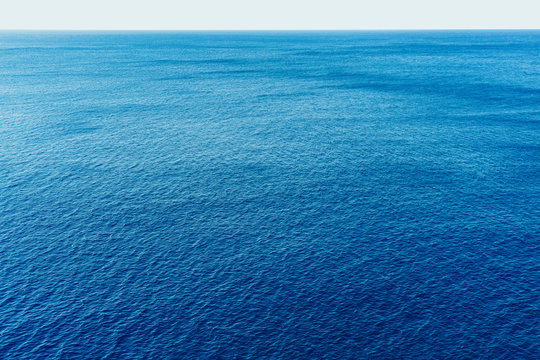
Dark patches in real photos: