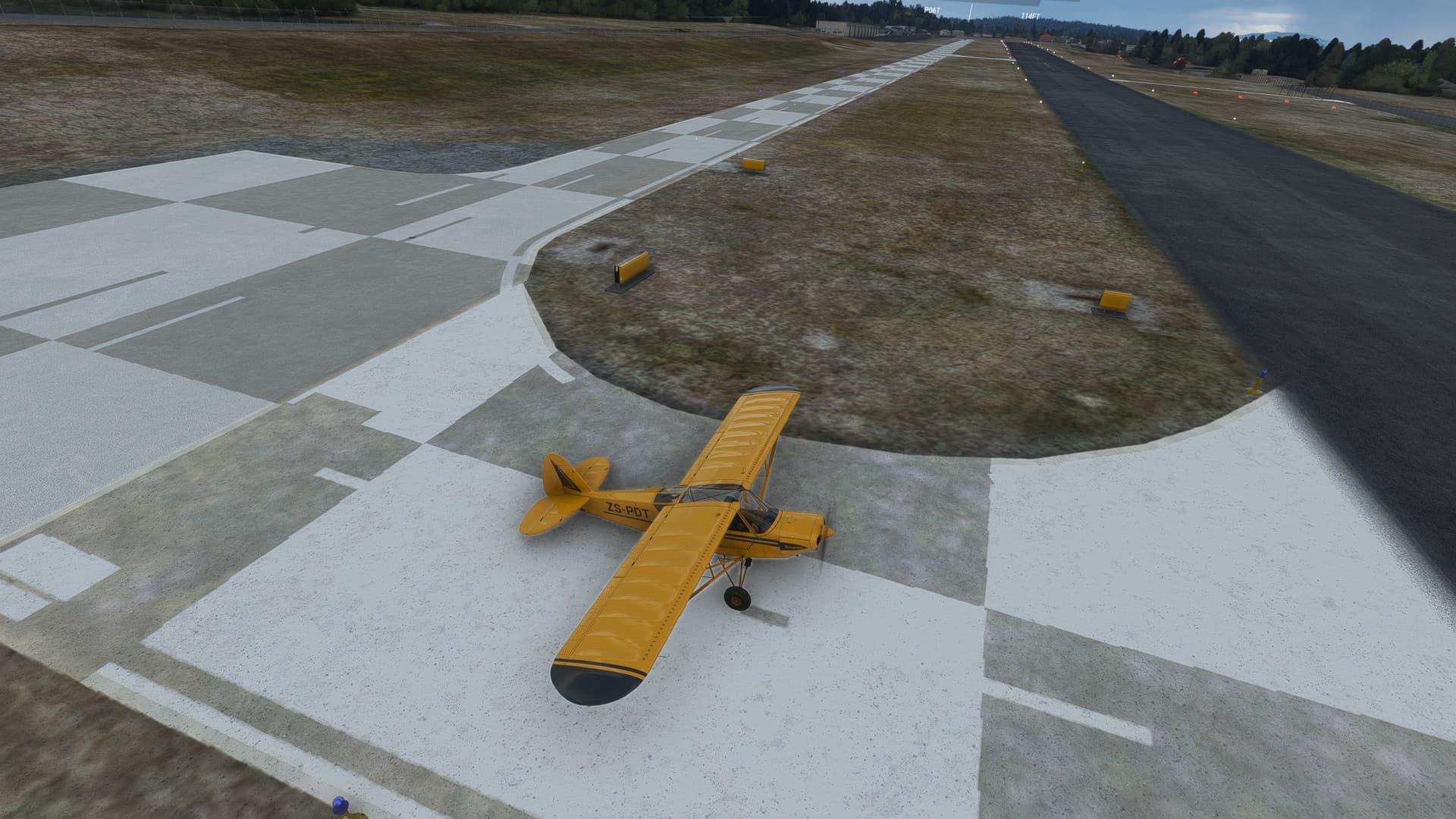
Good day , wondering if anyone has the same problem as i have, this happened after the latest sim update 12, blocky apron textures and no centre lines on the runway,
picture was taken a friday harbour, but this is a problem at numerous other airports…
What I have done so far:
-all sim updates are up to date
-rolling cache has been deleted and re-enabled (no change)
-photogramatry turned on and off (no change)
-no 3rd party add ons, only those from market place (no airports only aircraft)
-graphics driver is up to date (Nvidia RTX 3090 24Gb)
-switched between DX11 and DX12 beta (no change)
-never used and alternative textures like REX or Zinerteck or any other texture sets
never had this problem before, and really would like to avoid reinstalling the whole flightsim all over again…