ISSUE DESCRIPTION
I select the departure point and aircraft, then press FLY. The blue progress bar freezes when it reaches 80%. The program is likely unable to load Bing Maps. If I turn off “ONLINE FUNCTIONALITY” in General Options > Data, the flight starts normally. What could be causing this? After a long discussion with AI support, the issue wasn’t resolved in the slightest. I reinstalled MSFS 2020, but that didn’t fix it either. Next, I created a different account and was able to start the flight normally. So, I installed MSFS 2020 on another computer and logged in with my original account, but it froze again.My original account is the Deluxe edition, so I want to keep it.
The root cause was that I had edited the textures in the official folder using Paint. I deleted all the data and reinstalled everything, but bingDATA? won’t accept the connection (this is just my guess).
FREQUENCY OF ISSUE
every time on sim load,
REPRODUCTION STEPS
Please list clear steps you took in order to help our test team reproduce the same issue:
-
After editing the textures in the official folder, I can no longer start the game
-
I uninstalled the app and reinstalled it.
-
However, it freezes while loading and I can’t start the game
[PC ONLY] FAULT BUCKET ID
It just shows up as “Not Responding” in Task Manager
It has been working without any issues since it was first released in 2020.
[PC Only] Are you using Developer Mode or have you made any changes to it? >Yes and no
[PC, MSFS 2020 Only] Are you using DX11 or DX12? >I tried both
[PC Only] What GPU (Graphics Card) do you use?>yes RTX2080 super 8GB
[PC Only] What other relevant PC specs can you share? i9-10900 32GB
MEDIA
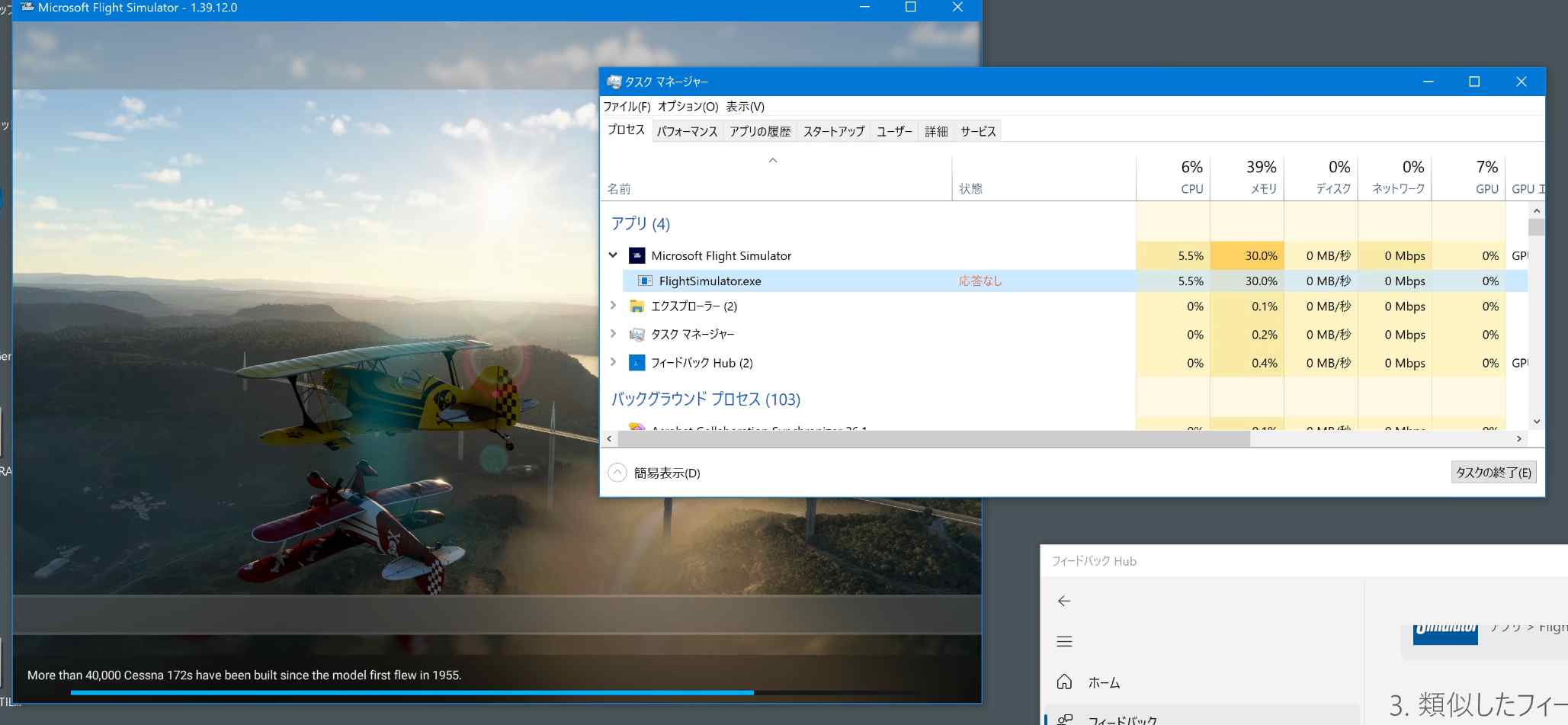
Please add a screenshot or video of the issue occurring.