Same issue here!
This issue is still not resolved in 1.6.31.0!
I am getting afraid now…
Sadly, I can concur!
I actually had this issue before and upgraded to the beta to see if it fixed it (it didn’t).
I really hope they get it fixed soon.
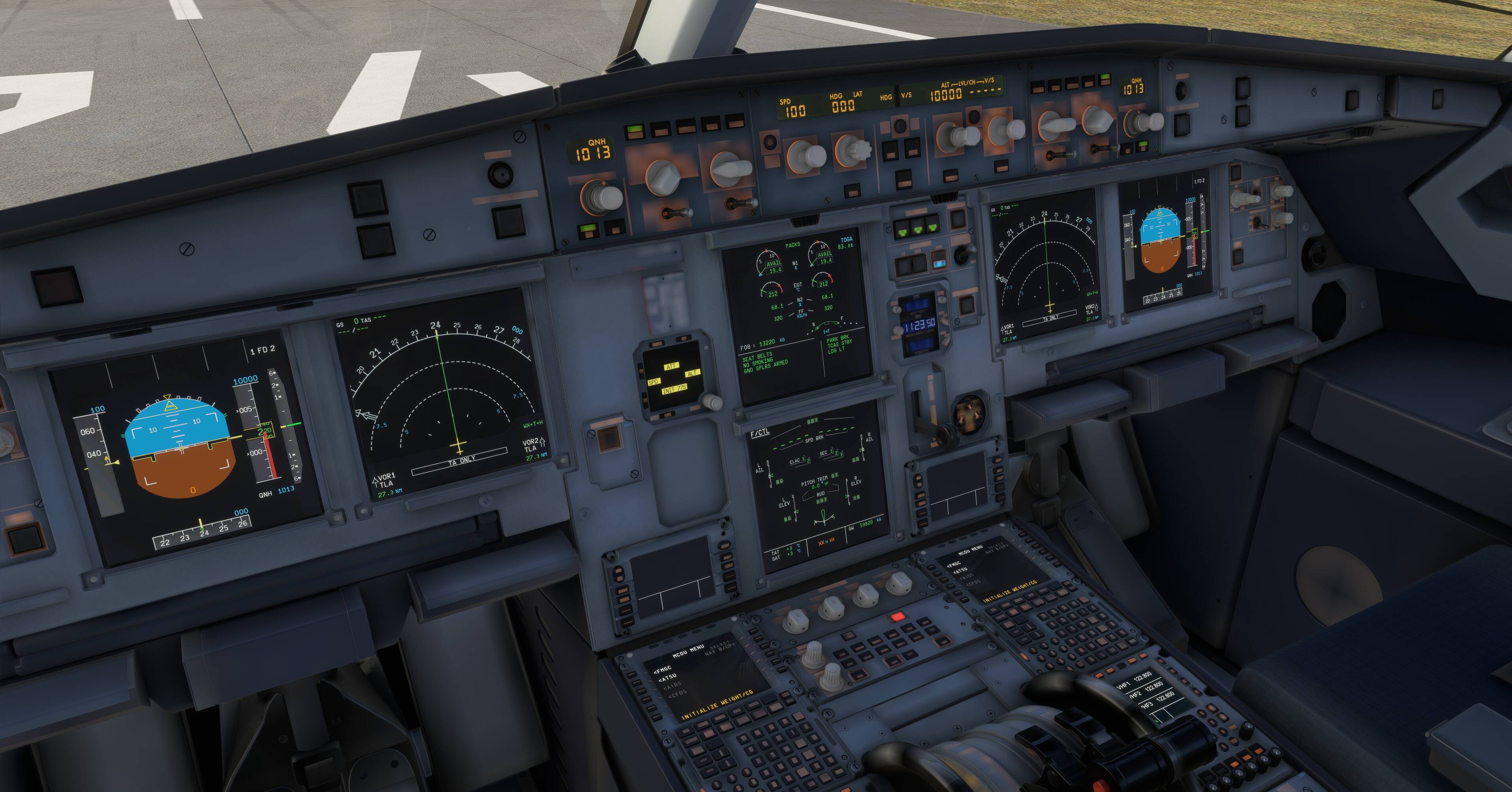
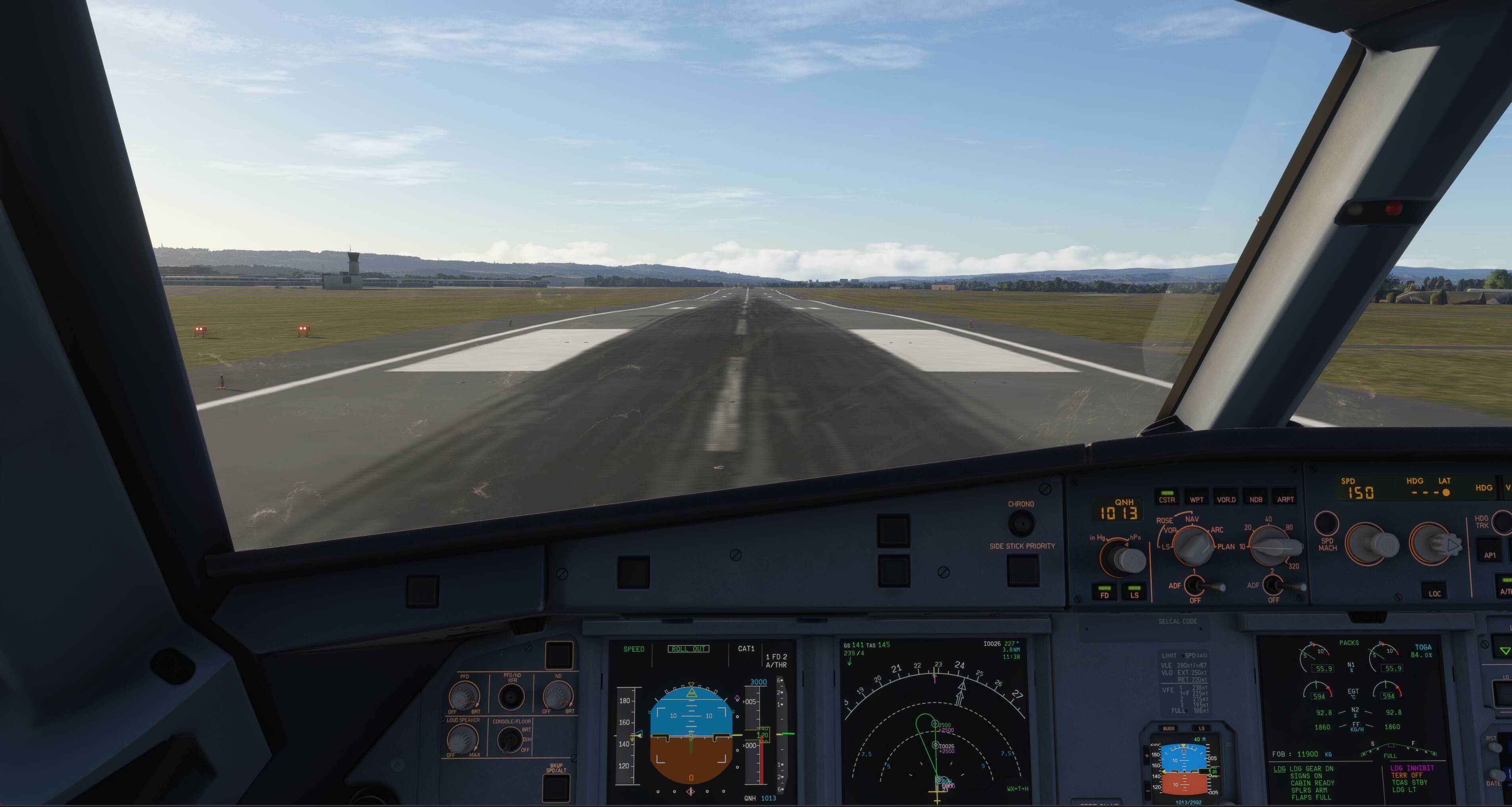
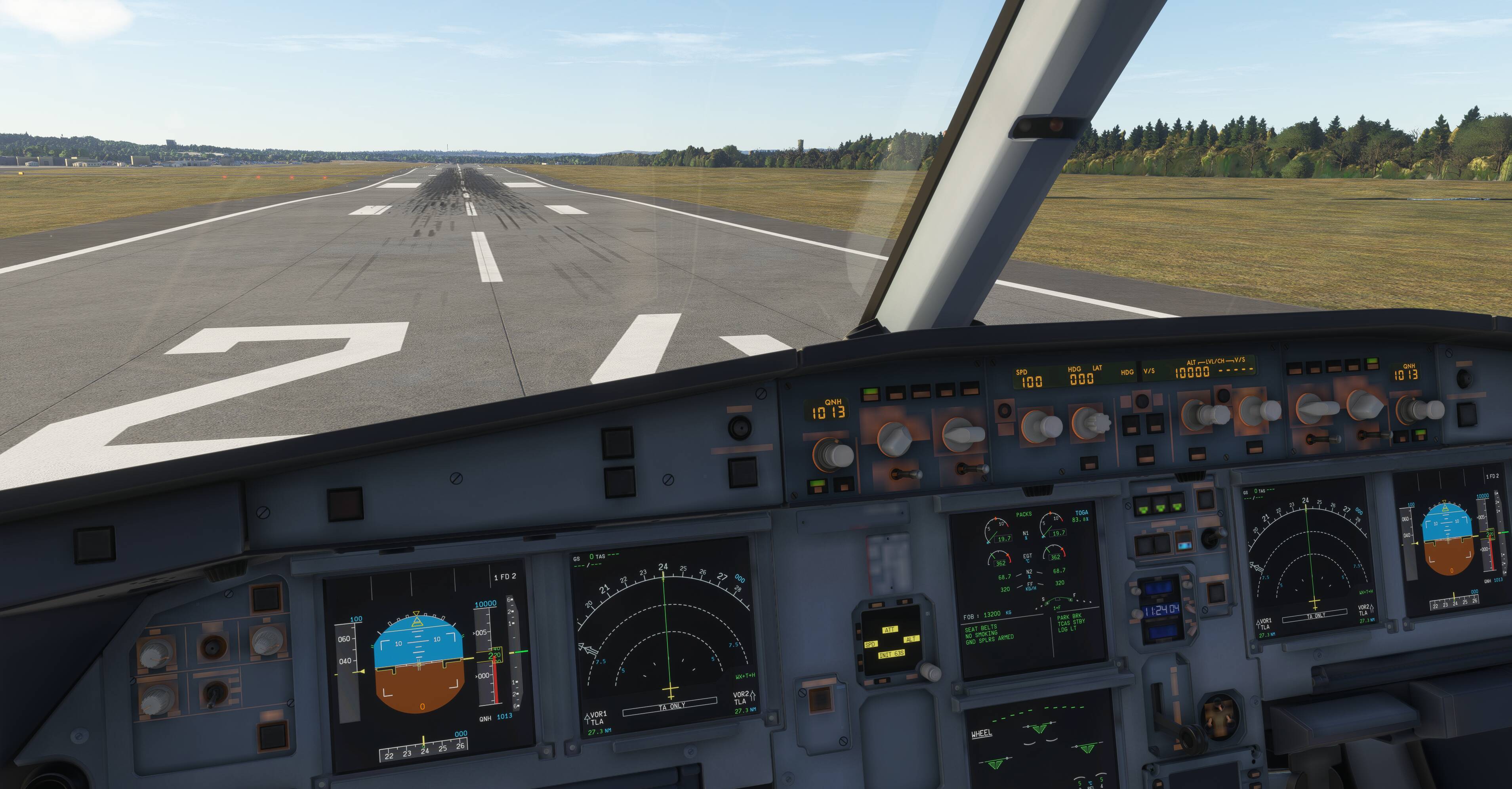
Just following up with some photos:
This was with the community folder empty too and using default aircraft.
Like you, issues with slow cockpit texture loading and the runway appears to have sections crisp and then blurred. Appears only to properly load once I am on the ground and stopped.
Have tried both downloaded and streamed scenery and custom installed addons, exact same issue.
Deffo a problem here and I don’t believe its 3rd party addon caused.
1 Like
I have begun encountering this issue where the runway textures do not load until I have touched down and the aircraft has come to a stop.
Sometimes it is the whole runway (as demonstrated in the attached video), other times it is sections of the runway (as show in the photo attached).
I have tried using both default and addon scenery, tested both streamed and installed to the drive airports and the issue remains in all scenarios.
I have cleared my community folder, rolling cache and tried a whole range of setting changes (TLOD etc). Used just the default aircraft and airports (again downloaded and streamed) - the issues remains.
Ping and internet are fine too. I have a good GPU RTX4090 and CPU I9-9900K with 32gb RAM.
I am at a loss what is causing this!
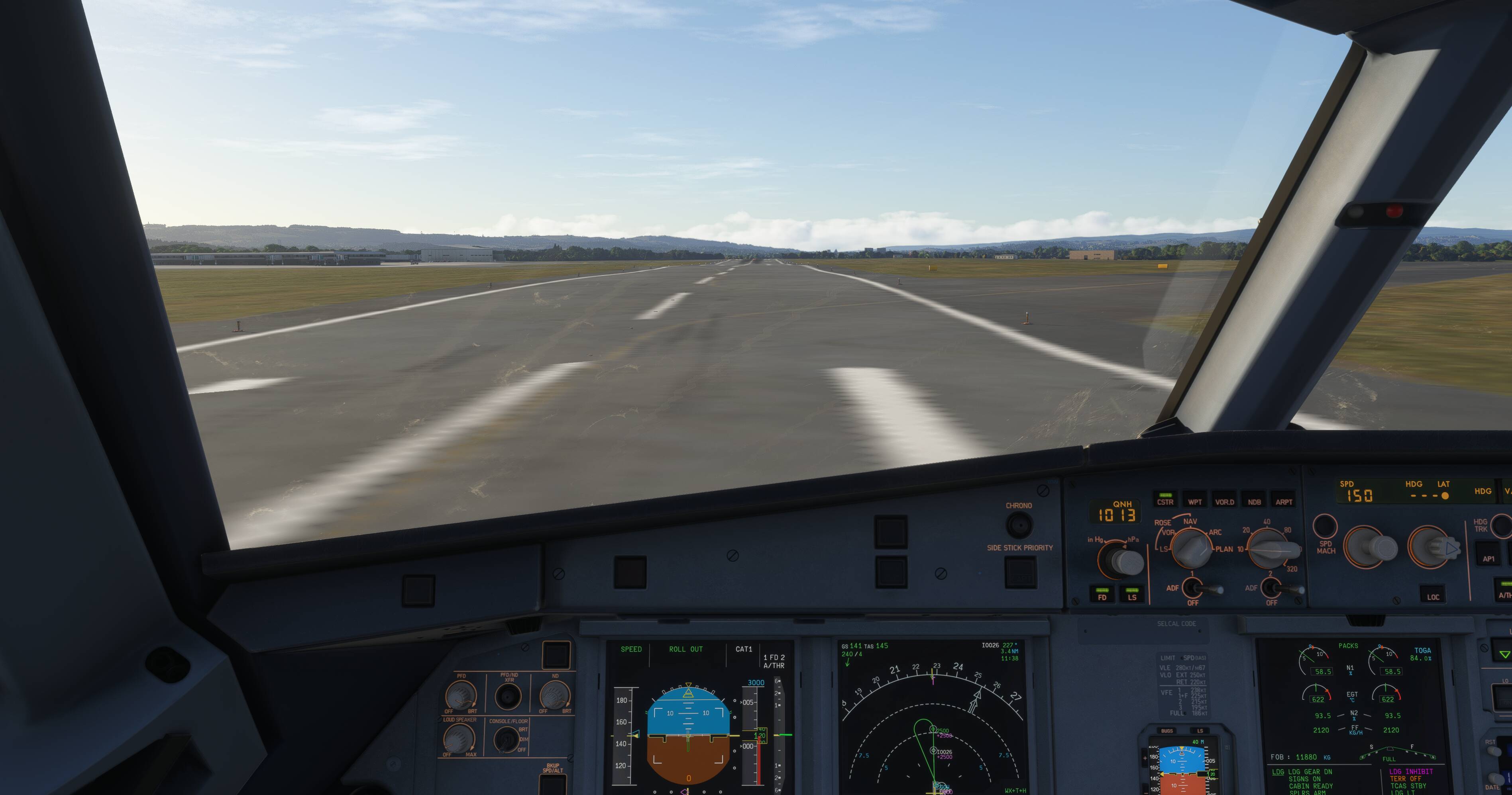
Topic moved back to Sim Update 4 Beta | MSFS 2024 > Install, Performance & Graphics since some reports mention issue also happens without any addons.
Same issue
It is blurry now if PhG is OFF at least on my side
1 Like
I’m on build 1.6.31.0, and I’ve been having the same issue since today. It’s not just the runways that are blurry, but the whole terrain as well. Plus, the transitions between photogrammetry and non-photogrammetry areas are super harsh, and I’m also getting terrain and object pop-in.
I’ve also tried clearing all the relevant caches, switching the texture resolution back and forth, and of course restarting the sim each time… none of it helped.
I haven’t seen anything like this in any previous build, so I’m hoping it’s just some temporary server issues.
9800X3D, 7900XTX, 64GB RAM @ 6000MT/s, TLOD 225, OLOD 150, Textures Ultra.
4 Likes
The terrain steps that come with blurry runways can be brutal. This video is just after landing at EGNT this morning, runway lines are blurry. I hadn’t been there in a while.  The runway can look fine at night as the runway lights are sharp, but the not fully loaded runway textures and the terrain steps that you can crash into are by far the most annoying FS2024 thing that happens. EGNT is marketplace and stored locally here too so not streamed. just not loaded into cache. Only way I know around this is to visit destination airport/runway ahead of time to preload all textures and terrain into cache. EGNT has PG next to it. Not sure that PG is the sole issue going on here though.
2 Likes
Do you also have the problem where the non-photogrammetry terrain is really blurry everywhere, while the photogrammetry terrain is super sharp, causing hard edges at the transitions between the two?
I’m not just seeing this problem at airports, it’s happening all over the world.
I’ve already tried every setting I can think of and nothing helped: texture resolution, TLOD, OLOD, off-screen terrain pre-caching, etc.
I didn’t notice this during my first flights with 1.6.31.0, and I think it started for me about two days ago, so I’m guessing it has something to do with the streaming.
1 Like
I do have PG ON, but can’t really say I’ve gone to inspect it for issues (i mostly fly airliners). However blurry runways have been going on since sim launch for me. One of the most repeatably bad airports I have blurry runways and terrain steps at is LEBB (default Gaya enhanced, not downloadable) it’s brutal. I’m unsure if Bilbao has PG though.
However I’ve seen blurry runways and terrains steps it happen at many airports ( both 3rd party and default) though, often with PG close by so EGLL, EGPF etc. The terrain steps are nearly always at a crossing path(s) in the runway so at a ramp or even another runway where it intersects. Blurry runways without intersections are fine to land on but just blurry.
I used to think it was a FS2020 airport thing, but I’ve seen it happen on FS2024 airports too. I used to think it was my slow broadband, until I saw people with 1GB connections report the same issue too. I used to think it was a streamed v locally stored asset issue until i saw it happen with locally stored airports. The issue is that the data isn’t being pre-loaded into data cache fast (or early) enough.
The only current solution (I currently know of) is to pre-cache the airport data by visiting the destination airport first to let the textures load in to cache. that’s why I have raised as a feature request having a pre-cache button I could hit ahead of a flight to tell the sim to go do this ahead of time.
Why this issue does not have more visibility is a complete mystery to me. It spoils flights for many people right at the most critical phase. It keeps getting lumped in with general LOD threads by mods , which is not what this issue is about. It’s the pre-caching of airport data that is often not working in time for many of us. I suspect being around PG just makes that situation worse.
EDIT: I should also add that I have a 128GB data cache and rarely clear it out. I have slow broadband (ADSL 30MBit/sec), but the main reason I don’t clear it is because of this blurry runway issue, which goes away (or is reduced) if the airport I fly into is already in cache. For those of you who regularly clear the data cache out, you will likely run into this problem more often.
1 Like
So to my understanding this wont be fixed in SU4?

Blurry runways still in the official release of SU4.
I have got this problem since the release of SU4 beta, this update feels more like a downgrade to me..
2 Likes
Me too. I’ve gone back and forth from the beta and hoped they would fix it, but still nothing. Really dissapointing that they didn’t even fix on the public release! It’s near unplayable
1 Like
Can confirm I am having this issue also, in fact, in some form or another, I’ve had it since around mid-way through the SU2 beta.
I routinely clear my Nvidia Cache, Rolling Cache, and DDU any time there is a new Nvidia Driver update, and none of the above seem to reliably resolve the issue.
As others have said, it seems to be exacerbated when landing in Photogrammetry-covered areas, but occasionally it happens in non-PG areas also.
SU4 (and throughout most of the recent beta) seemed to have slightly improved the issue, but it still occurs.
Example airports where I have had it occur consistently:
EGPH, EGLL, EIDW, EKCH, LPPT, KIAD, KLAX… and many more. (Both small and large airports, almost always payware addons, typically the larger more graphically demanding of which are worse with this issue). Seems to happen irrespective of what aircraft I fly (Fenix A320, Ini A350, 340, FBW A380X, PMDG 777s etc).
It seems something is preventing the cache from loading higher res textures / LODs when in close proximity to the airport…
My specs:
RTX5090, Ryzen 7 9800X3D, 64GB DDR5 6000MT/s, running on a 2TB NVME SSD. Broadband ~60-70Mbps average.
Running mostly 4K high/ultra settings
1 Like
I hope SU5 beta will start very soon, because landing with blurry textures when even Infinite flight has better textures does make me not want to fly that often…
I hope for the future that updates wont come with regressions with severity like this one.
1 Like
I’d have thought constantly clearing your rolling cache would worsen the situation. Having a functional (and large enough) rolling cache helps. I rarely ever clear mine out (128GB). I have slow ADSL, and I haven’t had many issues when my destination airports are pre-cached. Same is probably true with those surrounded by PG. By clearing the rolling cache you are forcing it all to be streamed in (to cache) as well as being rendered while landing, which would in IMO be a worse case scenario performance wise.
Store airports locally and on main SSD, have them loaded into rolling cache before using (go visit your destination airport first to load the data in to cache). You will rarely see issues.
Should the sim behave this way? No, but there are ways to work around slow to stream into cache scenery issues.
Is there any update on this? Anytime I fly to a new airport I have this problem. Seems to be more common in default airports.