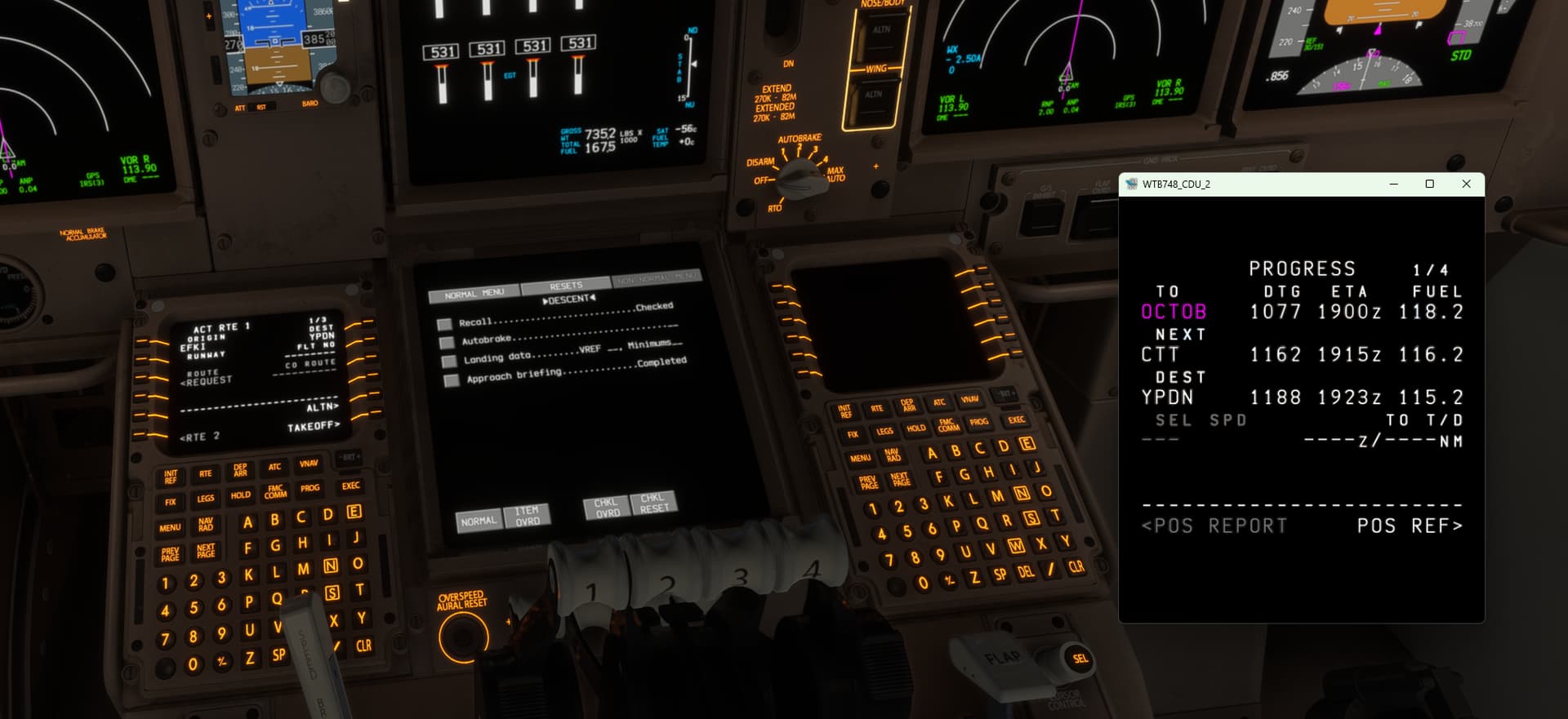
I FOUND A SOLUTION TO THE ISSUE but it’s not the most favorable option. This will work perfectly if your using multiple monitors and for the ones using one monitor, it still works but two monitors is recommended.
For PC you will need to pop out the window of the MCDU by holding ALT GR (next to the space key on your keyboard), hover with your mouse over the MCDU screen and a magnifying glass with an arrow icon will appear. Once your see this icon and are hovering over the MCDU screen, Left mouse click to pop it out. It should open in a separate window. You can size this down or up to your liking and will have the screen of what the standard MCDU would have. As I said earlier, if you have two monitors you can move the popped out window to the other monitor to have a cleaner desktop setup.
If your NOT on PC, but know how to pop out windows on your device, just do the same thing.
As I said, it’s not the most favorable option but the popped out MCDU screen will just have to act as the new MCDU screen.
I hope this helps.
I am cloud-streaming the simulator for now and the problem comes 10 to 20 mins after I spawn. It’s annoying, doesn’t anyone know how to fix it on my end?
I have recently started to have some issues with flying 747 but will stick to MCDU lighting.Previously one had a bright amber coloured screen but though it is not totally blank it is perhaps at its lowest intensity.Its a bug which has come up after recent updates.I am on Xbox X and have no A320 from any Dev.
Shockingly (not really) this is still happening in May 2025 – the Aisle Stand Panel/Flood doesn’t work in this instance of the failure. 747-8, MSFS 2024
But yeah, the popout panel is the only way I’ve found to use it and avoid a restart. That little trick works in a LOT of failure cases. Can’t tell you how many times I’ve had to land a plane with blank panels (wasm crashes maybe?) using the EFB map or this trick. In this case I don’t really NEED the second display but it’s nice to have it.
My 747-8 also has blank/black FMCs. I was able to fix it by messing with the brightness button and then restarting the flight. The right one is still not very bright though…