Using the template below will greatly help the team reproduce the issue and ease the process of fixing it. Before posting, search for an existing report. If you are not sure it’s a bug, please first report in User Support Hub.
3 tags are required - add them in the tag section next to the title above:
-
One for platform (ms-store, steam, xbox, playstation, or xcloud)
-
One for aircraft (start typing in your aircraft name in the tag section and pick correct option)
Feel free to delete this quote section after adding your appropriate tags.
ISSUE DESCRIPTION
Description of the issue:
Common issues with both 2020 and 2024 versions
- The prop governor doesn’t seem to be able to hold a constant RPM and requires constant adjustment every time speed or manifold pressure changes.
- Default VR head position is the high landing view.
- “Toggle Radios” function duplicated on two clickspots - old fashioned radios behind the control stick and one of the electrical switches on the lower right. Neither affect the other so if one is on the radios will be present even if the other is off.
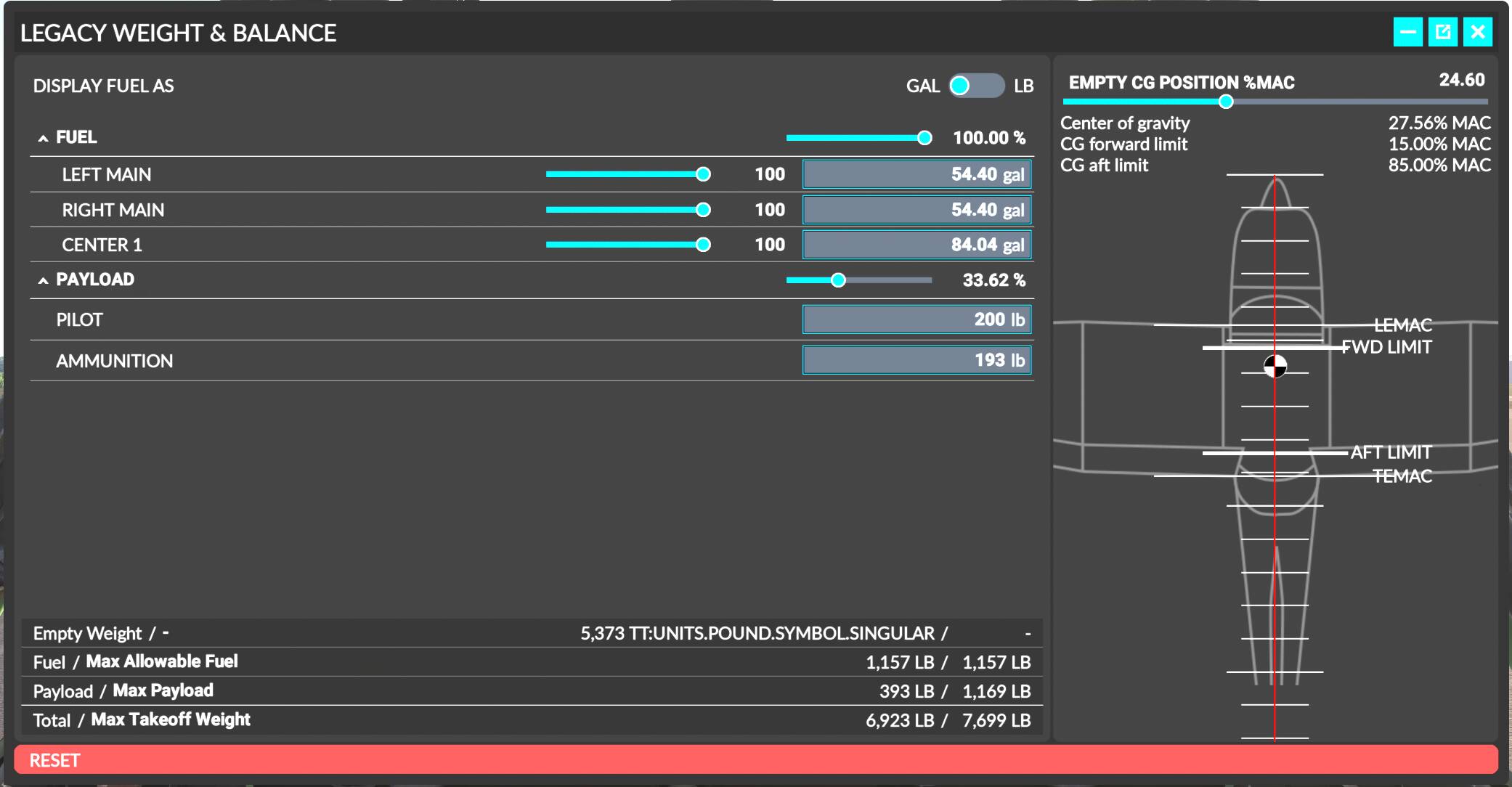
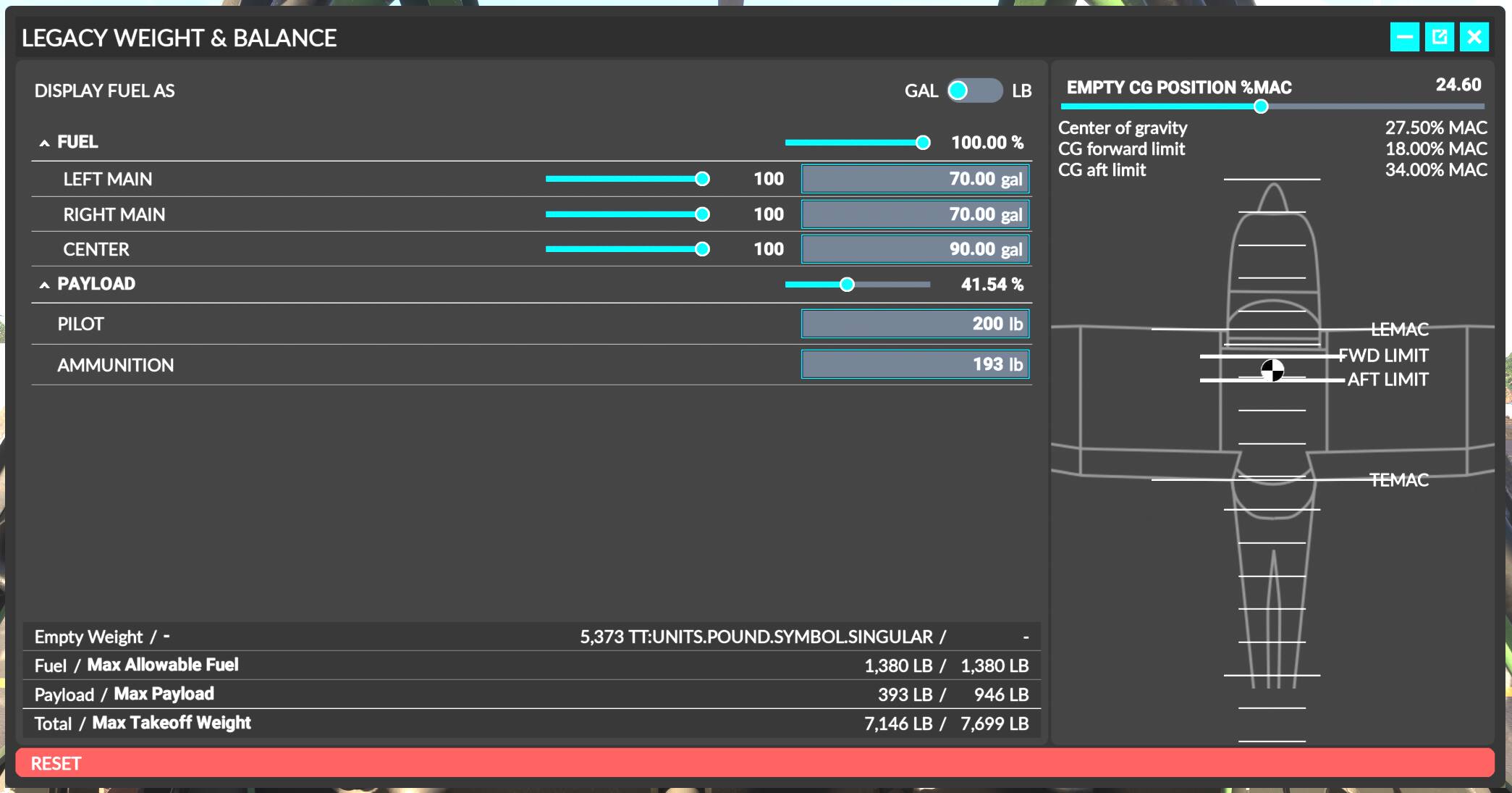
- Center tank fuel should be in Imperial Gallons but reads in in US Gallons - i.e. a full tanks should be 70 imp. gal (84.06 US gal) but it doesn’t show any change until you drop bellow 70 US gal.
2024 native version from Inibuilds
- Can not open the canopy as it’s used for exiting the plane. This is a must have on a taildragger warbird with a sliding canopy and the most important bug that needs fixing
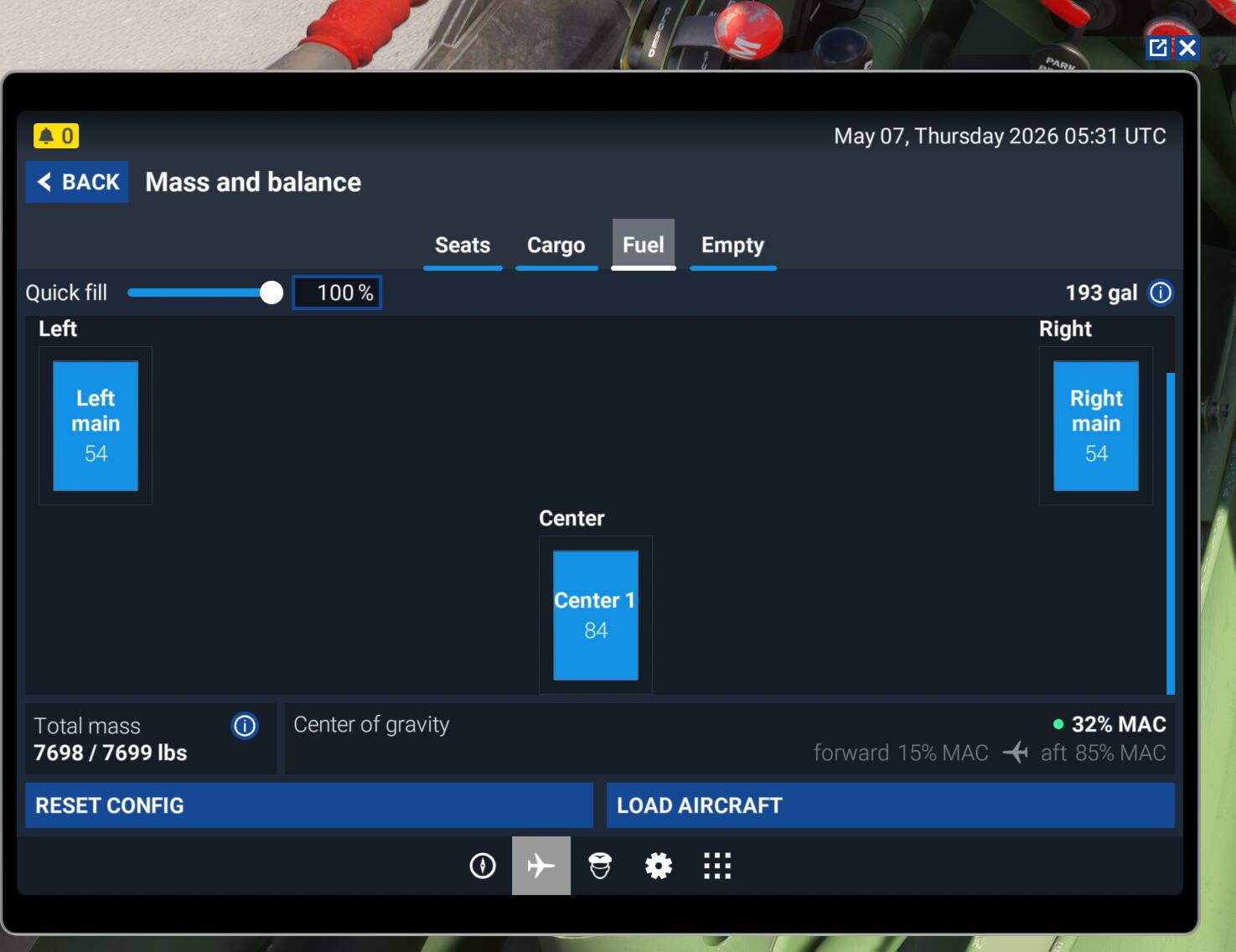
- Fuel load is wrong, should be 70 imp. gal (~84.06 US gal) for the center tanks and 45 imp. gal (~54.04 US gal) for the wing tanks not 90 and 70 US gal
- Fuel gauges don’t respond to loadout changes. Sometime they correct after 10mins or so but mostly do not. Inibuilds Spartan had a very similar bug.
- The Cylinder Head Temp seems way to high, shooting up to 250 almost immediately after engine start , and opening cowl flaps has zero cooling effect
- Tail wheel lock lever doesn’t respond when using bound HOTAS button. Lock function still works correctly however just with the cockpit lever and tooltip out of sync with the actual setting.
- Primer pump handle doesn’t rotate when unlocking it like it does on the 2020 version
- Cannon and machine gun lights don’t light up when switch on as they do in the 2020 version
- Nav lights not visible from the cockpit in VR. They show correctly in external view however. Not an issue on flat screen
- Fuel gauge lights don’t actually light up any of the fuel gauges just provide a low glow with no apparent source
- Landing lights give a flash when switching on which is visible through the wing from behind in external view (could also be an issue with the 2020 version but forgot to test)
- The pilot and harness clickspot is still present in the 2024 version despite not having a function as it uses the 2024 avatar rather than the custom WWII pilot of the 2020 version.
- The 2024 pilot avatar seems scaled wrong and much too small for the plane.
2020 native version from Aeroplane Heaven
- Trying to open the canopy with the mouse wheel when the lock is engaged still results in increased wind noise as if the canopy is open
- Cockpit light is blindingly bright
- Fuel gauge light switch doesn’t do anything
- Nav lights make the entire wingtip glow unrealistically. In VR from the cockpit the glow is visible but not the actual light. The light is visible in external VR view or both views on flat screen
FREQUENCY OF ISSUE
How often does this occur for you (Example: Just once, every time on sim load, intermittently)?
- Every time
REPRODUCTION STEPS
Please list clear steps you took in order to help our test team reproduce the same issue:
-
All testing done under MSFS 2024 SU5
-
Activate and fly the 2024 native CAC Boomerang
-
Activate and fly the 2020 native CAC Boomerang
YOUR SETTINGS
If the issue still occurs with no mods and add-ons, please continue to report your issue. If not, please move this post to the User Support Hub.
What peripherals are you using, if relevant:
[PC Only] Are you using Developer Mode or have you made any changes to it?
- No
[PC, MSFS 2020 Only] Are you using DX11 or DX12?
- N/A
[PC Only] What GPU (Graphics Card) do you use?
- Radeon RX7900xtx
[PC Only] What other relevant PC specs can you share?
- Ryzen 7 5800x3D; 64Gb PC3600, 2tb PCIe 4.0 NVMe drive
- 3440x1400 screen or Pimax Crystal Light VR
MEDIA
Please add a screenshot or video of the issue occurring.