I have a license for each aircraft in career mode, but we are not shown the aircraft in the store. There are always only a few and not the right ones I need to start the next company.
I need help
I have a license for each aircraft in career mode, but we are not shown the aircraft in the store. There are always only a few and not the right ones I need to start the next company.
I need help
I just purchased my first business in Career Mode and have enough credits to purchase the C172, but can’t find the purchase option. Any suggestions on what I am not doing properly?
Hey
I don’t have the sim to hand but if you go to All Conpanies, in the top left there is a “Manage Companies” option. In there you will have the option to “Buy Aircraft”.
Hope this helps.
Thx for the info
Still the same planes do buy
Hi everyone,
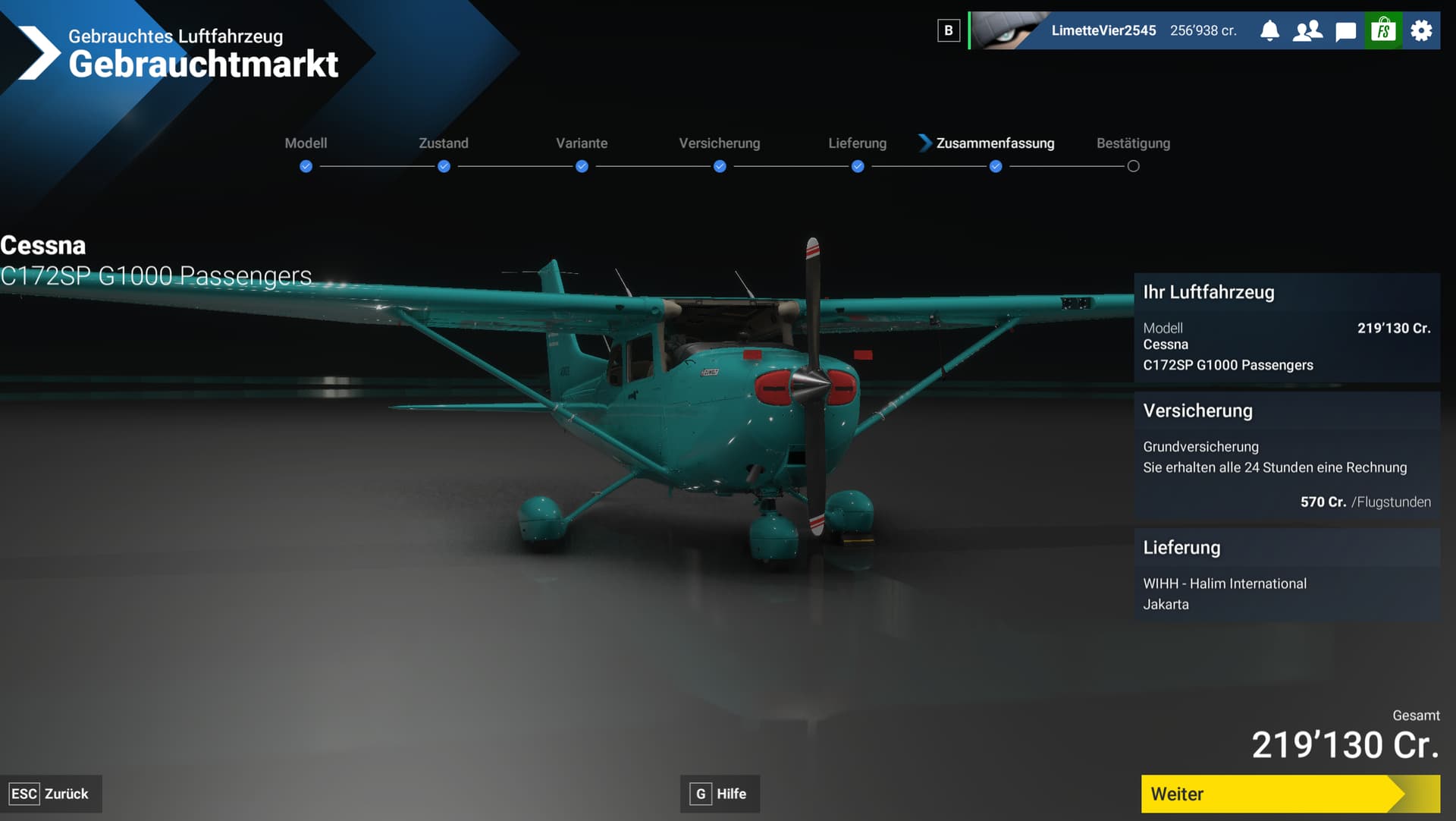
i try to buy my second airplane for my second company. I have the money. but if i click on buy and accept. nothing happens. Why? anyone can help?
Hast du vielleicht einen Falschen Flughafen gewählt?
Ich habe ca. 15 verschiedene Flughäfen versucht. Keins funktioniert. Und ich weiss nicht wieso
Probier mal ein anderes Flugzeug im Gebrauchten Shop? Oder Konfiguriere dir nochmals das selbe
Könnte Natürlich auch ein Bug sein?
Geld reicht nur für dieses eine Flugzeug. habs auch nochmal konfiguriert. hat leider auch nicht geklappt. Vermute ist wohl ein bug
Glaube auch
Sorry das es nicht geklappt hat
Still the Same Problem
Please help
I have not yet purchased a plane for my company. Currently, I have around 200,000 credits. I only have options to purchase a used 172 or a helicopter? Can I purchase another plane as my first plane or must I purchase one of these two? I’d like to save enough money to buy another plane, as I’ve read somewhere that the first plane is heavily discounted. But I do not see any other planes for purchase, and there is a lock on the section to buy new planes. Is this because I don’t have enough money? It would be nice to at least be able to browse the new planes so I know how much I need to save. Thanks.