ISSUE DESCRIPTION
Description of the issue:
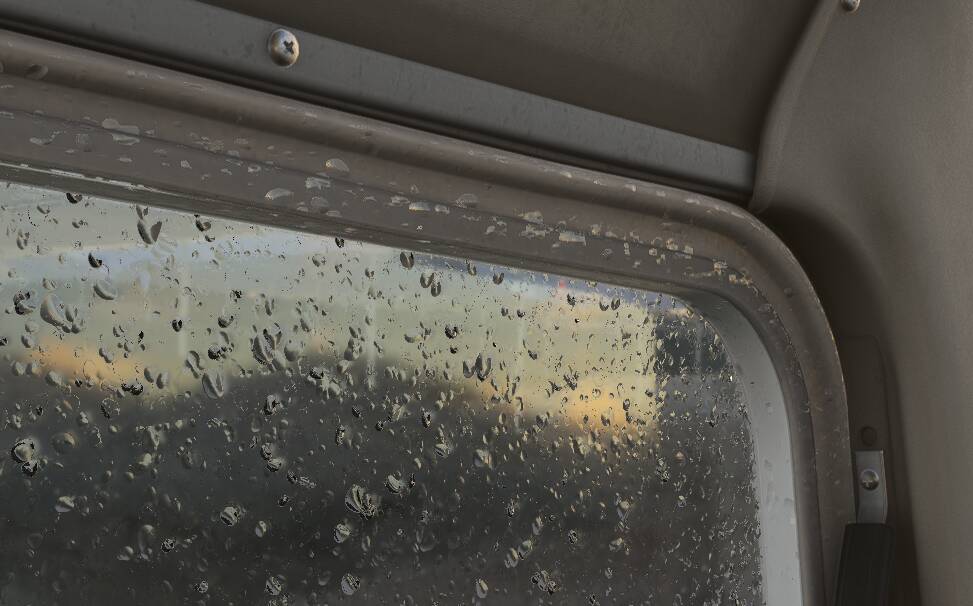
Cessna 152 doors have rain animation on the inside material. This should only be on the windows, but is on the actual door too.
Cause:
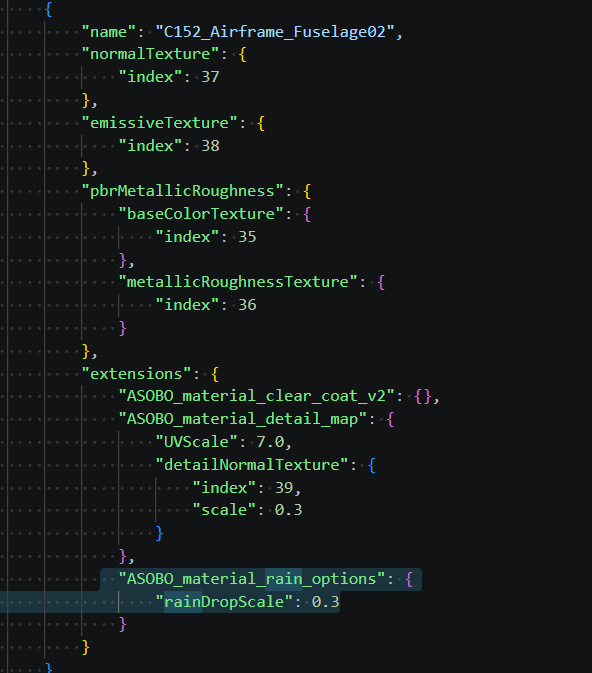
This happens because the following materials have rain enabled in the cockpit model (They were correctly made with rain enabled for the exterior model, but should have been cloned and modified for the interior model to be a separate material before export):
C152_Airframe_Fuselage02
C152_Airframe_Fuselage05
C152_Airframe_Fuselage06
FREQUENCY OF ISSUE
How often does this occur for you (Example: Just once, every time on sim load, intermittently)?
Always in rain.
REPRODUCTION STEPS
Please list clear steps you took in order to help our test team reproduce the same issue:
-
Park in the rain and observe door while in cockpit, or:
-
In developer mode override rain rate under options → winshield rain and observe door while in cockpit
YOUR SETTINGS
If the issue still occurs with no mods and add-ons, please continue to report your issue. If not, please move this post to the User Support Hub.
What peripherals are you using, if relevant:
[PC Only] Are you using Developer Mode or have you made any changes to it?
Happens with developer mode disabled too.
[PC, MSFS 2020 Only] Are you using DX11 or DX12?
[PC Only] What GPU (Graphics Card) do you use?
RTX 4090
[PC Only] What other relevant PC specs can you share?
MEDIA
Please add a screenshot or video of the issue occurring.