C172 Taxi speed in aircraft and external Full HUD different

ISSUE DESCRIPTION

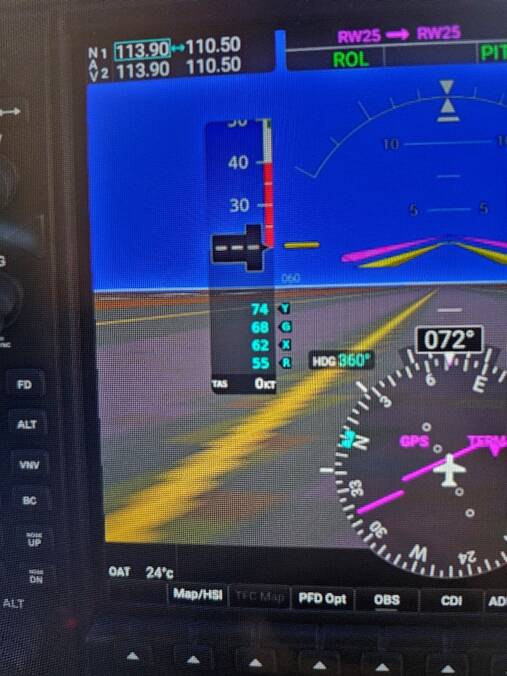
Description of the issue: Taxying down runway the TAS indicator on PFD shows 0kts. (Screen shot from phone provided)

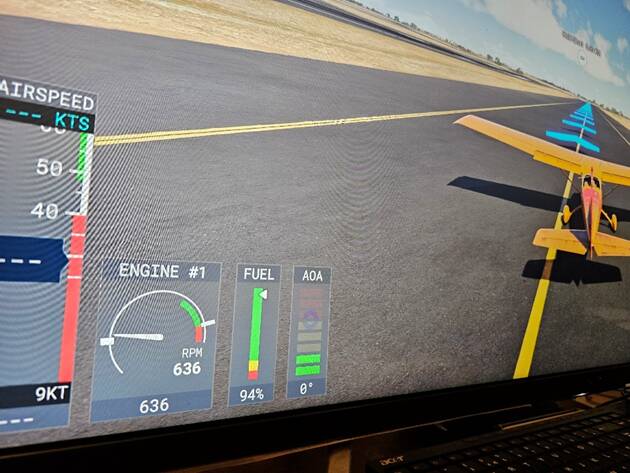
I switched to external HUD and there it shows I was doing 9Kts - and of course both then are not showing the correct speed with respect to each other!

FREQUENCY OF ISSUE

How often does this occur for you (Example: Just once, every time on sim load, intermittently)?

This is the second time.

REPRODUCTION STEPS

Please list clear steps you took in order to help our test team reproduce the same issue:

  1. Career mode light cargo mission in PS5

  2. Start to taxi down runway, TAS shows 0kts so I have no idea what speed I am doing

  3. Switch to external HUD and notice I am doing 9Kts

  4. Slow down anyway because I don’t know what TAS I am doing down the runway.

  5. Did not occur on landing but I didn’t exceed taxi speed because parking spot was really close for a change.

YOUR SETTINGS

If the issue still occurs with no mods and add-ons, please continue to report your issue. If not, please move this post to the User Support Hub.

What peripherals are you using, if relevant: Controller, Hotas4, mouse, keyboard

[PC Only] Are you using Developer Mode or have you made any changes to it?

[PC, MSFS 2020 Only] Are you using DX11 or DX12?

[PC Only] What GPU (Graphics Card) do you use?

[PC Only] What other relevant PC specs can you share?

MEDIA

This isn’t a bug, just a misunderstanding. The measurement you’re looking for is “groundspeed” which can be shown on the right G1000 MFD as one of the customizable fields in purple at the top of the display. This is the speed against which taxiing is measured - and penalties are enforced.

2 Likes

Ok, but the internal TAS and external TAS are still not the same and I have always taxied on PC with the TAS kts which never gives me a ding when using it

Yeah, that’s a separate bug - the HUD has never been a very reliable measure of, well, anything it shows, which is why I usually recommend hiding it immediately and for all aircraft.

1 Like

I’ll change the title

1 Like

Can replicate:

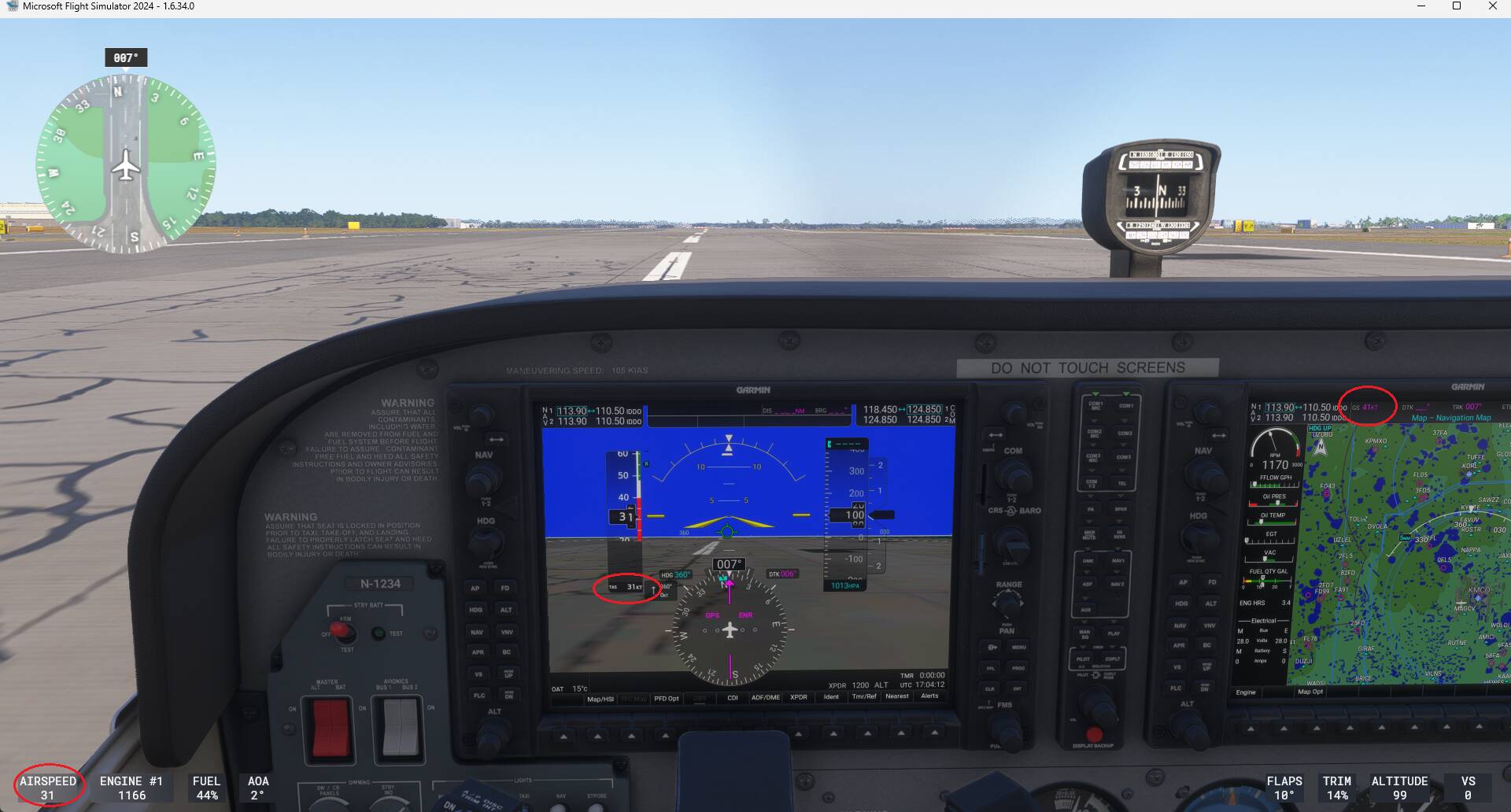
On the right MFD we can see a ground speed of 41 kts:

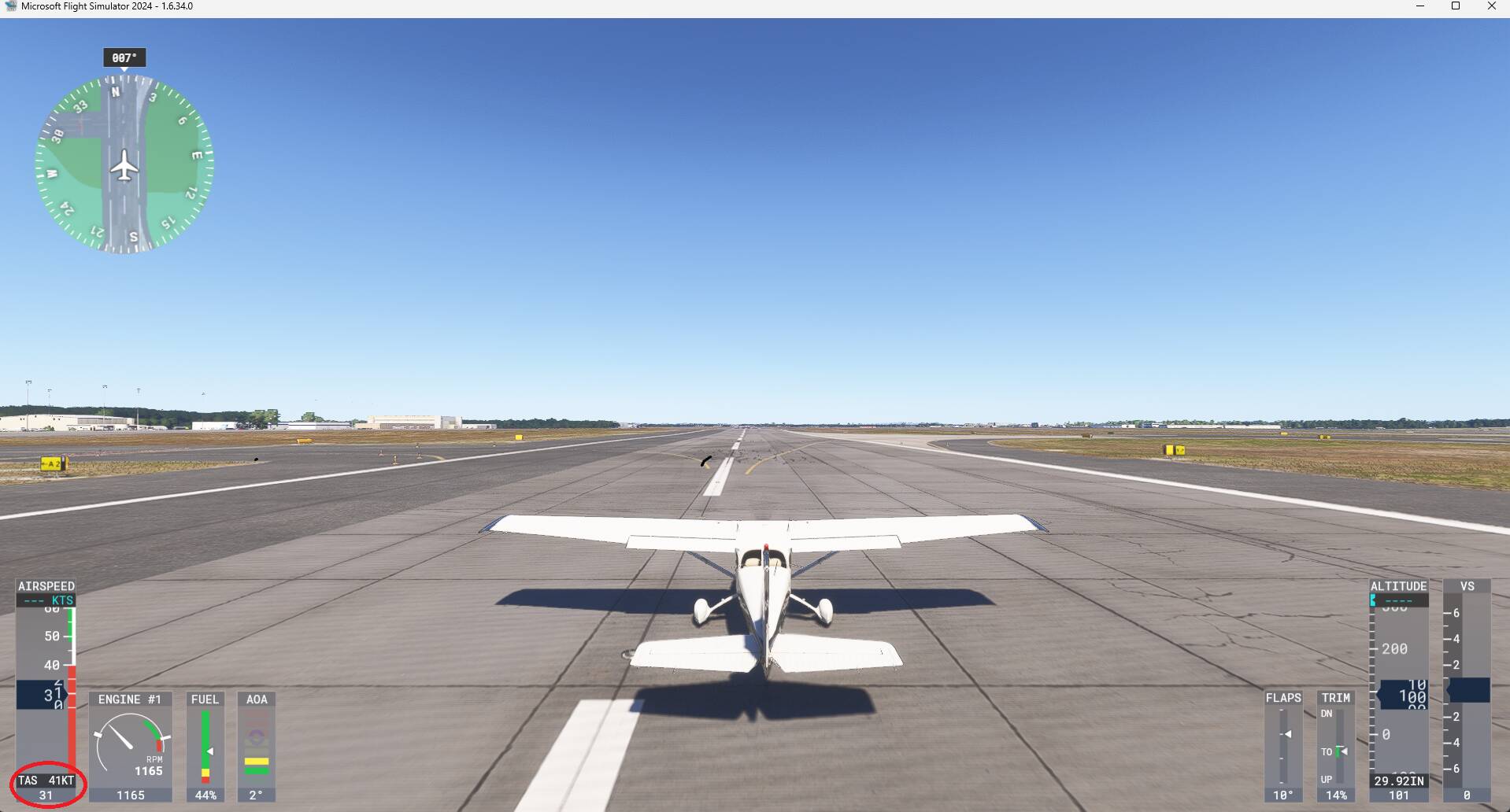
But on the external HUD TAS is indicating the ground speed of 41 kts. TAS value of 31 kts is indicated just below. So values are inverted on the HUD or “TAS” label should be renamed “GS”:

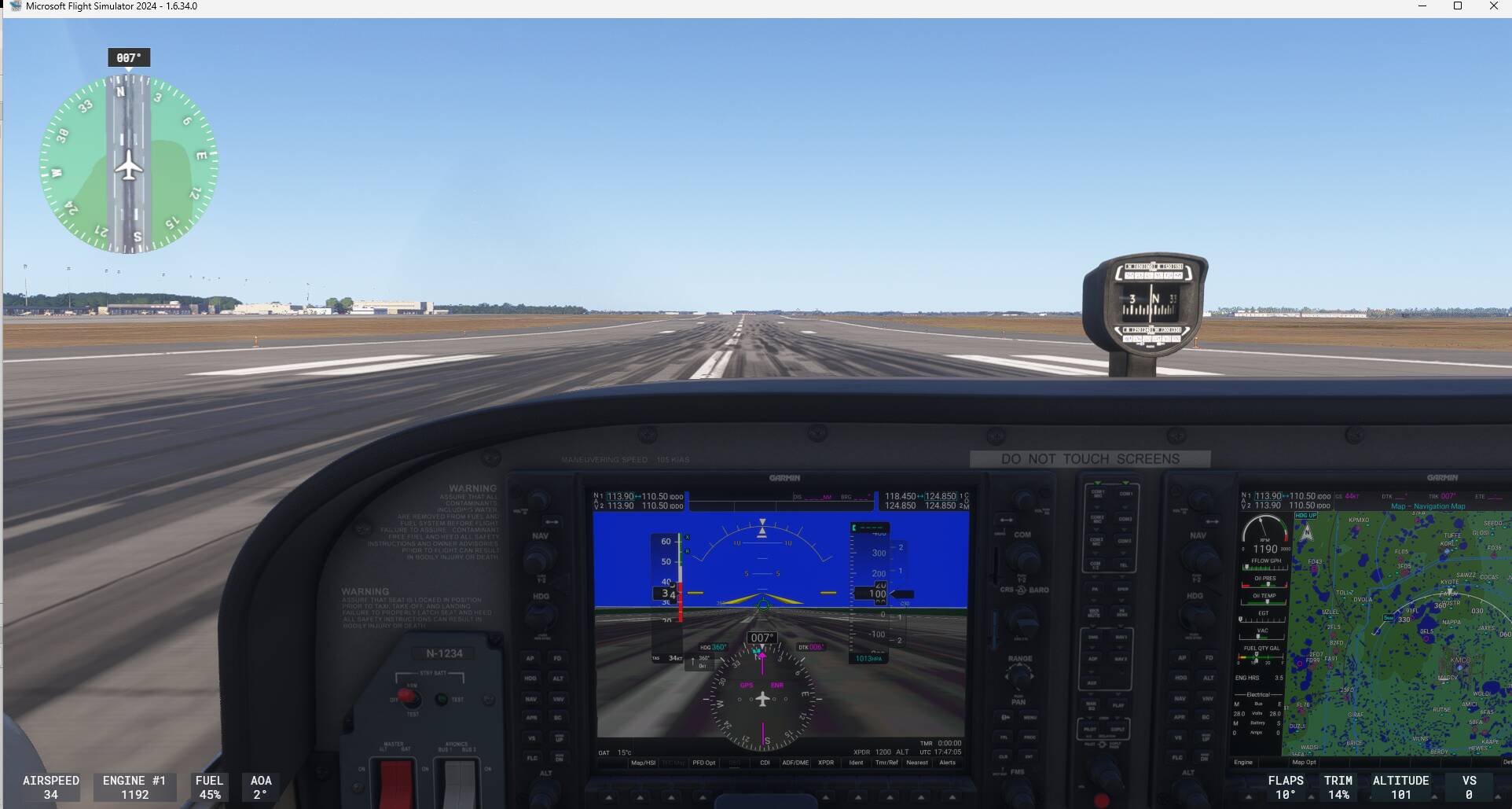
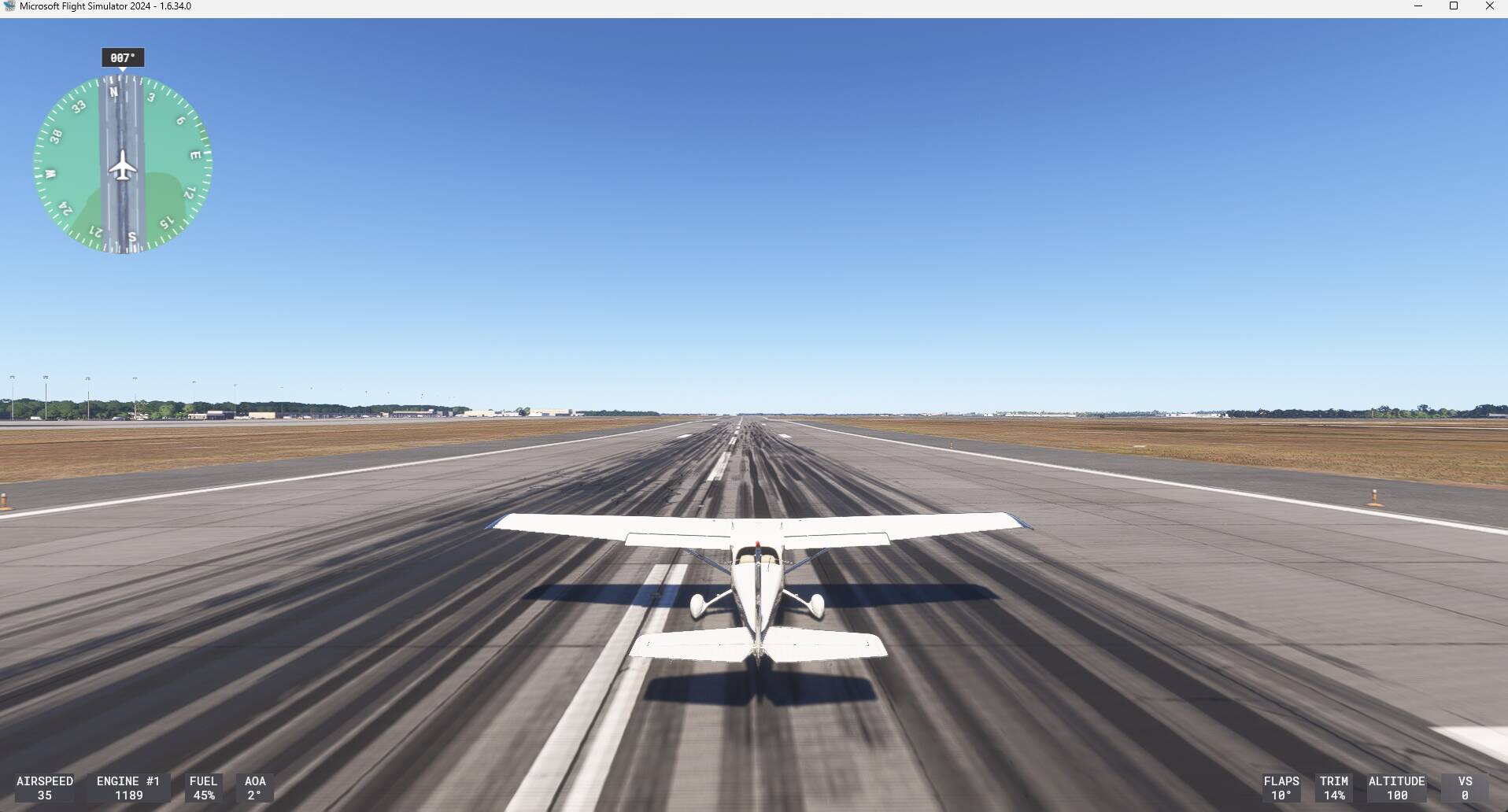
No issue with the external minimal HUD, the only speed that is displayed is the TAS one:


I would say issue is not C172 specific but more likely external HUD related.

2 Likes

Additionally airspeed indications are unreliable for a number of reasons so the G1000 TAS should read zero until you’ve accelerated during take off. One of the checks during takeoff is “Airspeed alive” once it starts registering.

Steam gauges only start registering around 30 or 40 knots due to the unreliability.

GS is derived from GPS so it’s the best source for taxi speed.

Not sure what the HUD is showing but it prossibly ignores the unreliability and registers the sim’s calculated speed.
3 Likes