ISSUE DESCRIPTION
In the C208 The Audio Panel has the COM 3 MIC and COM 3 REC button Controls reversed. The Button that is labeled (and correctly located on the 3D Model) as COM 3 MIC will control the “listen” events while the Button to the Right of it labeled COM 3 sends the COM 3 Mic Events.
COM 1 and COM 2 Buttons directly above are working Correctly and can be referenced regarding how they should be ordered.
FREQUENCY OF ISSUE
Always … this is a wrongly assigned set of Input Events to the wrong buttons.
REPRODUCTION STEPS
Please list clear steps you took in order to help our test team reproduce the same issue:
-
Open Dev Mode – Open the Behaviors Tab – hover Mouse Over COM 3 Button and press CTRL+G. Read the assigned InputEvents section — shows COM_3_MIC
-
With Dev Mode Still open – Move Mouse to the COM 3 MIC Button – PRESS CTRL+G – Shows COM 3 not COM 3 MIC.
-
With Dev Mode Still Open – Look at the code under the COM 1 MIC and COM 2 MIC buttons. Then look at the COM 1 and COM 2 Receive Buttons. Now you will see that the COM 3 events were assigned to the wrong buttons.
YOUR SETTINGS
This is not relevant. This is a wrongly assigned Component IDs.
The Attachments Behavior File (\Local\Packages\Microsoft.Limitless_8wekyb3d8bbwe\LocalState\VFSProjection\simattachments\instruments\Asobo_mpa_g1000_audiopanel\model\g1000_audiopanel.behavior.xml)
Has the correct instructions associated with the correct component ID.
The Buttons in the 3D Model have the wrong Component ID .
MEDIA
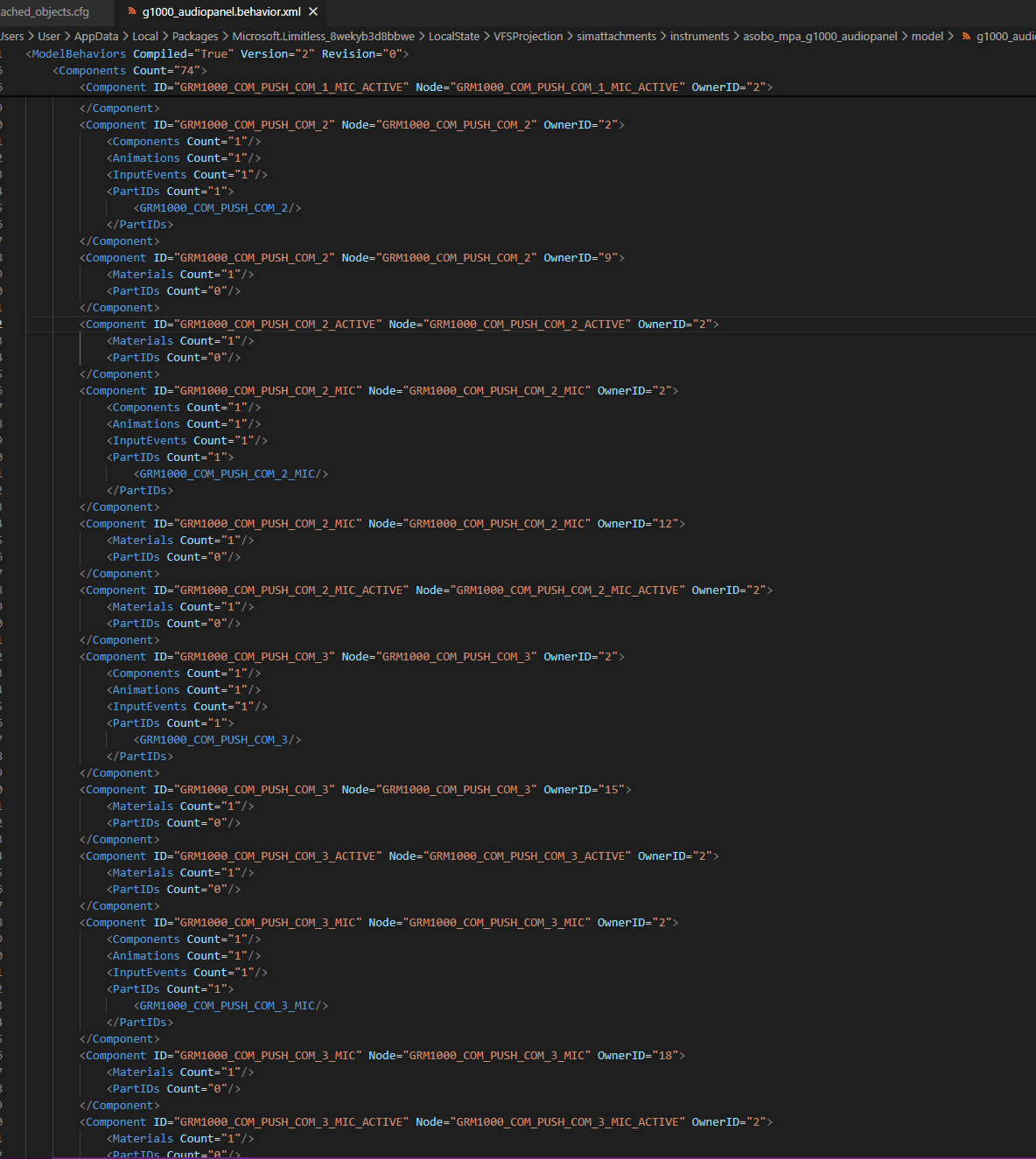
Behavior File is correct…

COM 2 is Correct

COM 3 MIC is set as the ID for the COM 3 Listen
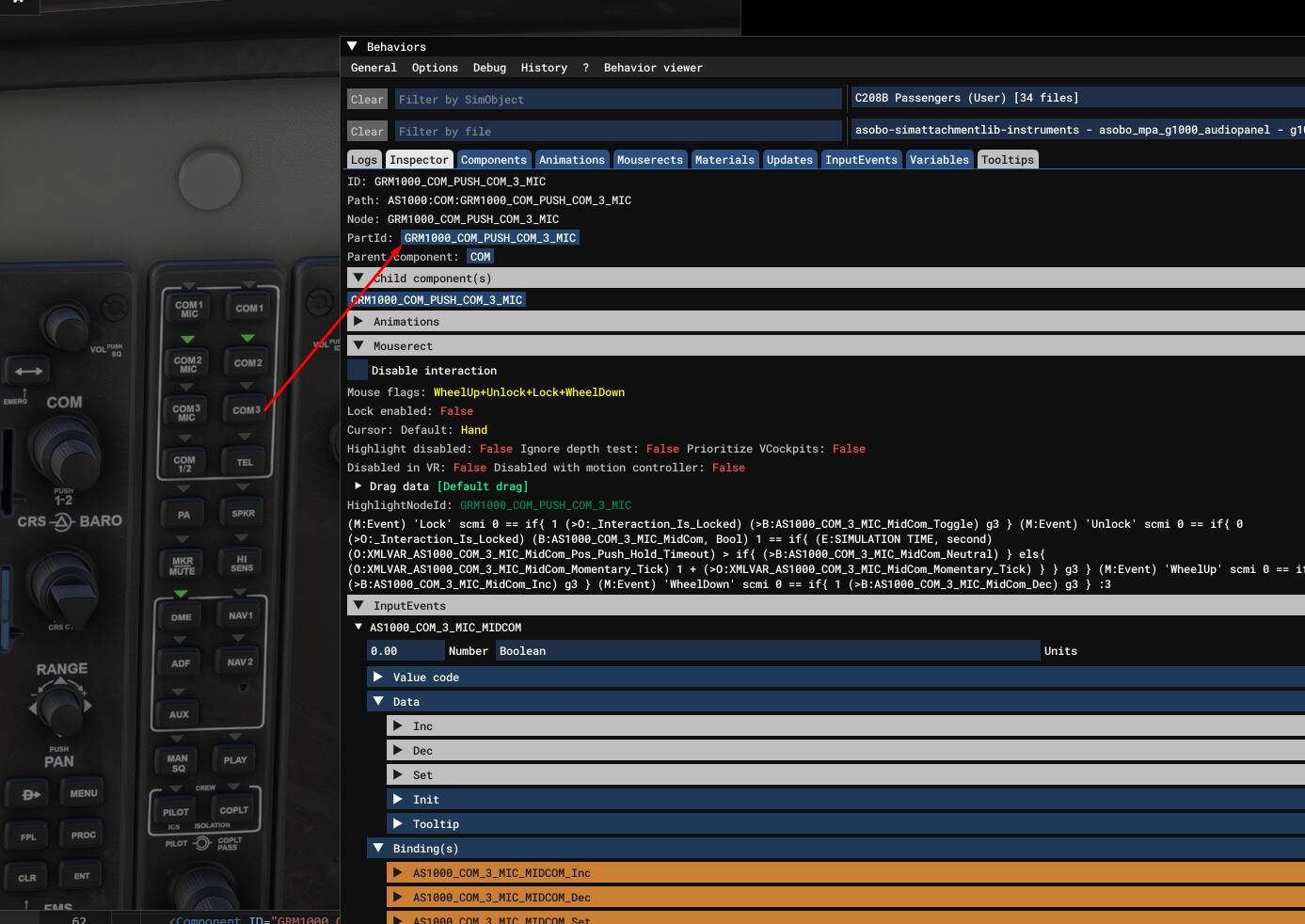
COM 3 Listen is assigned to the COM 3 MIC ID