ISSUE DESCRIPTION
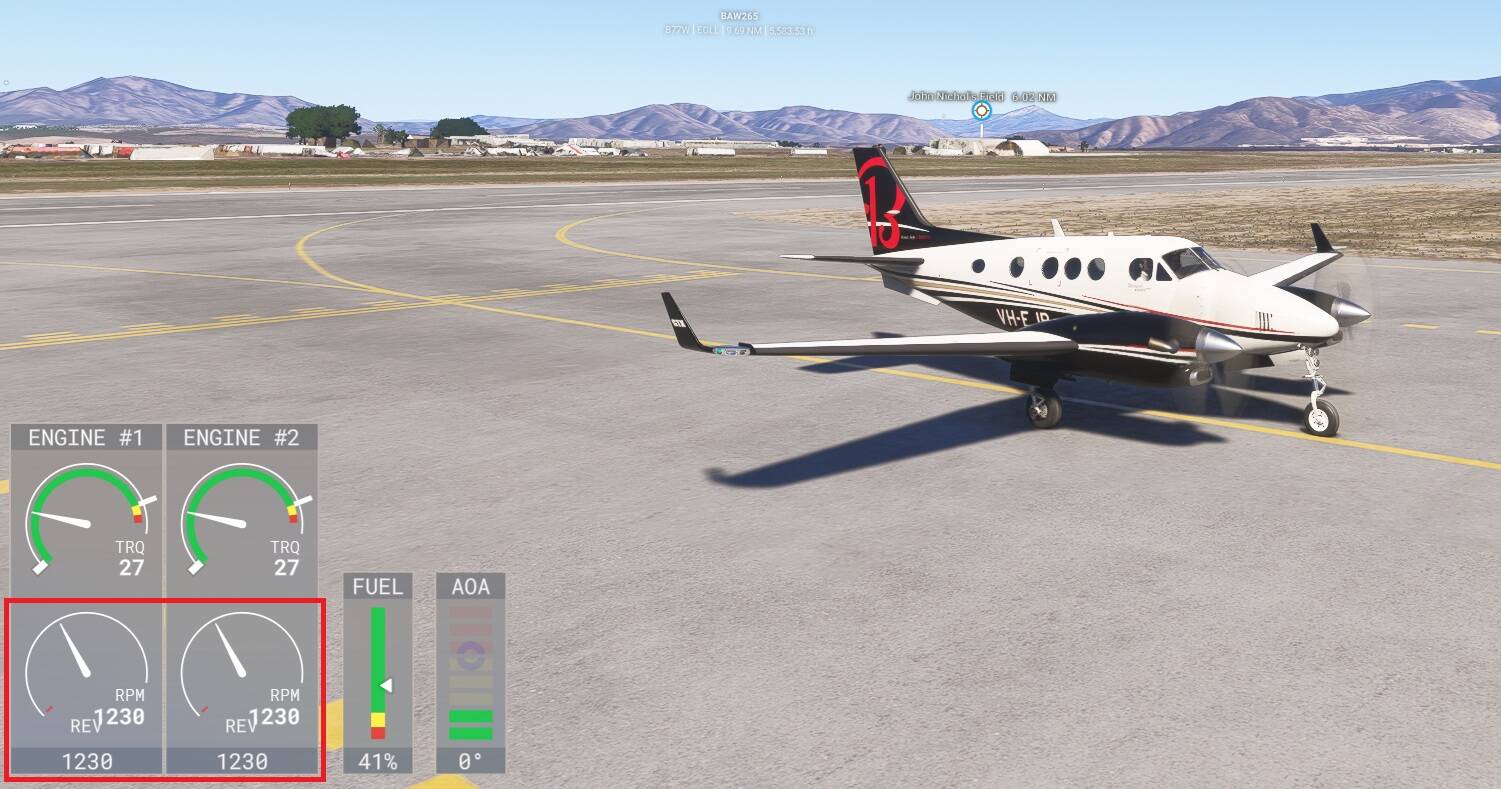
When using the XBOX controller on PC the aircraft slips past idle detent into reverse when using [RB]+[B] shortcut.
This is either caused by incorrect setting of the reverse positioning on the throttle levers or just a misalignment of the shortcut itself (it slips to -1% throttle).
Would be nice to have separate detents for IDLE, GND IDLE and Reverse.
FREQUENCY OF ISSUE
Persistent
REPRODUCTION STEPS
-
Using XBOX controller on MSFS 2024
-
Use the shortcut [RB]+[B] on the controller
-
the engines will engage -1% throttle / reverse
YOUR SETTINGS
[PC Only] Are you using Developer Mode or have you made any changes to it?
NO
[PC, MSFS 2020 Only] Are you using DX11 or DX12?
DX12
[PC Only] What GPU (Graphics Card) do you use?
NVIDIA 3060ti
[PC Only] What other relevant PC specs can you share?