@AuralunaOne Thank you very much for posting this Guide. I have followed this Guide multiple times very carefully, step by step. Here are the results.
My specs are,
- Intel® Core™ i5-12600K Processor
- ASUS ROG Strix GeForce RTX™ 5070 Ti 16GB GDDR7 OC Edition
- Corsair VENGEANCE® RGB RS 32GB (2 x 16GB) DDR4 DRAM Up To 3200MHz C16 Memory Kit
Settings are,
- 3840 x 2160 (Anything less than that is a blurry mess on a 75" 4K TV)
- TAA (DLSS causes blurriness in Glass Cockpits unless the camera is close to the blurry data)
- HDR is ON
- TLOD an OLOD set to 100 for testing
- RT Shadows are ON. Anything other than that messes up all shadows.
- All other settings are High or Medium. Textures are High. Clouds are the only setting set to Ultra.
So I have been testing this for a while now with traffic injection via SayIntentions AI but earlier today, during the “Manchester Real Ops” VATSIM event, I thought that was absolutely perfect scenario for testing as the airport was packed with VATSIM traffic. Here are the results,

So average FPS is 25. 1% Low was between 19 and 24. So I set the Max Frame Rate to 20, Frame Gen to 3x and I get 60 FPS but with some input lag.
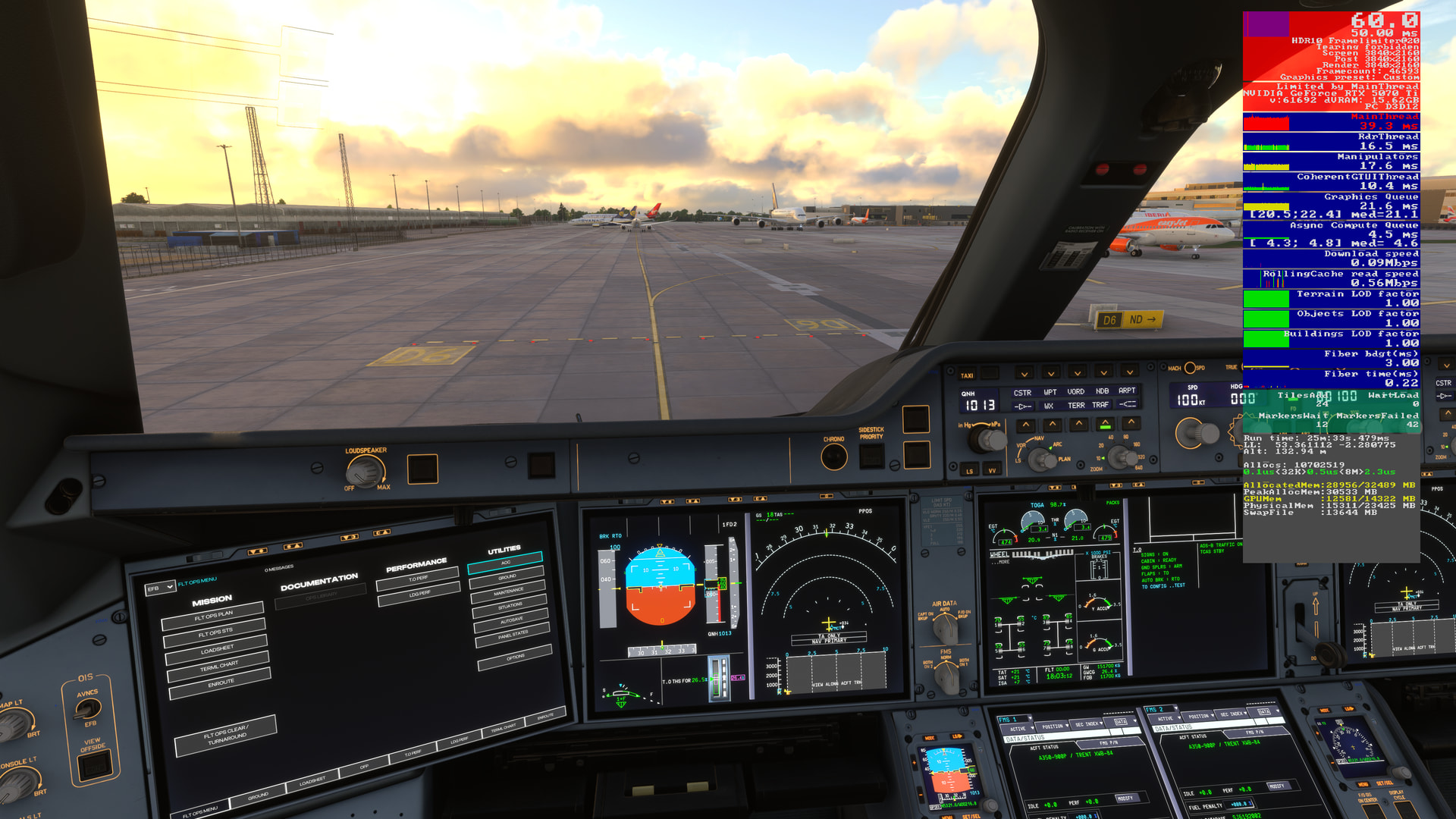
As you may notice in both cases, the “Mainthread” hovers around 40ms. It just won’t go down in this case. Of course, if I spawn into a smaller airport without VATSIM traffic, I would get around 33ms. In both case, VRAM isn’t the issue.
The issue may be my CPU. If that is the case, there are 2 choices.
i. Purchase a higher end LGA 1700 CPU like 14900K
ii. Purchase everyone’s favorite 9800X3D (or better) but that would mean purchasing a new motherboard, DDR5 RAM, better CPU cooler.
My resolution is always 4K in which case the GPU does the heavy lifting.
Any suggestions would be greatly appreciated.