Since SU7 v1.9.10.0 I am finding some of the settings in each tab do not reflect the underlying setting, and touching the values results in unexpected behviour - some have no effect when they should, others have an effect without changing value. It’s kind of broken.
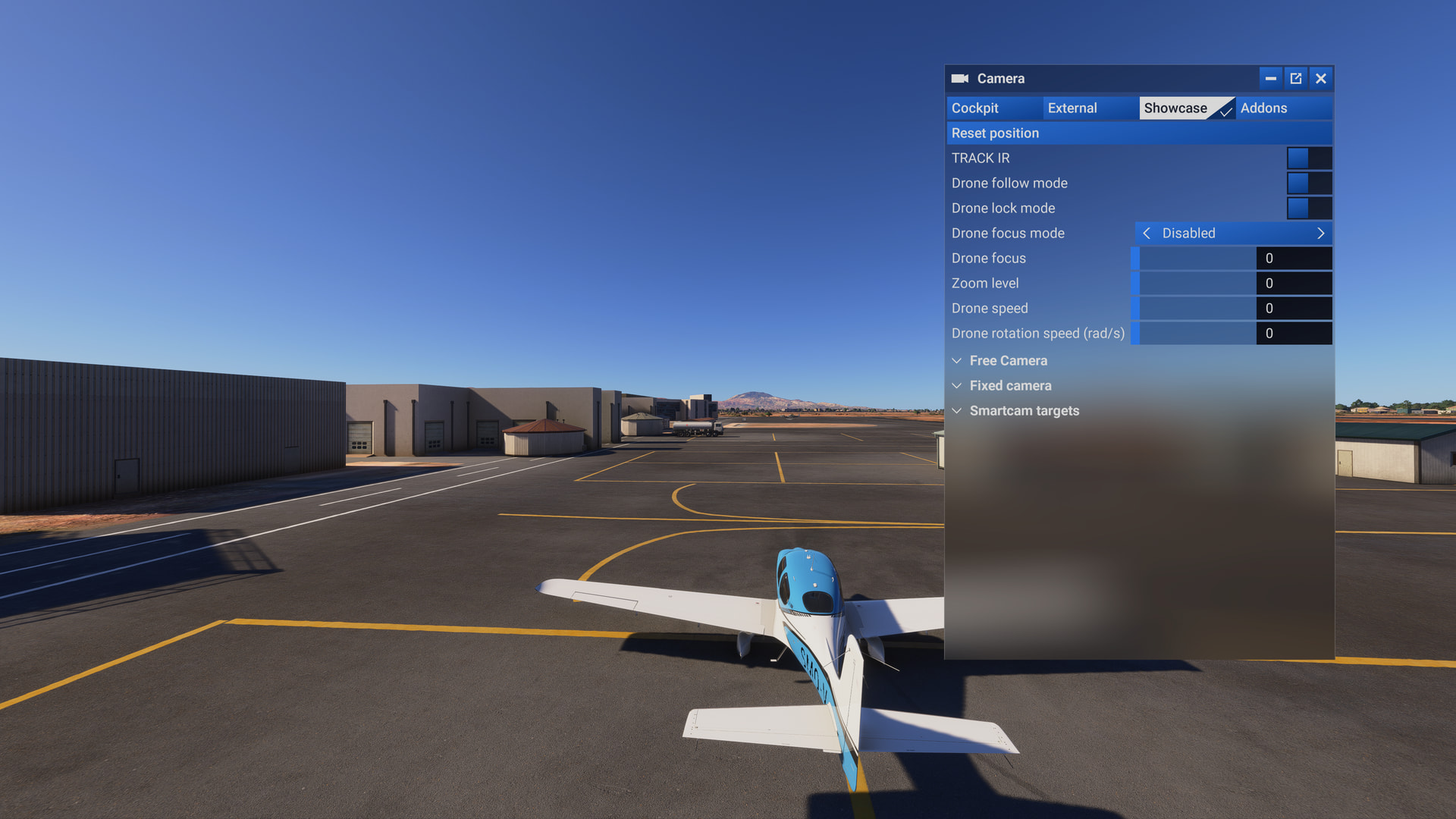
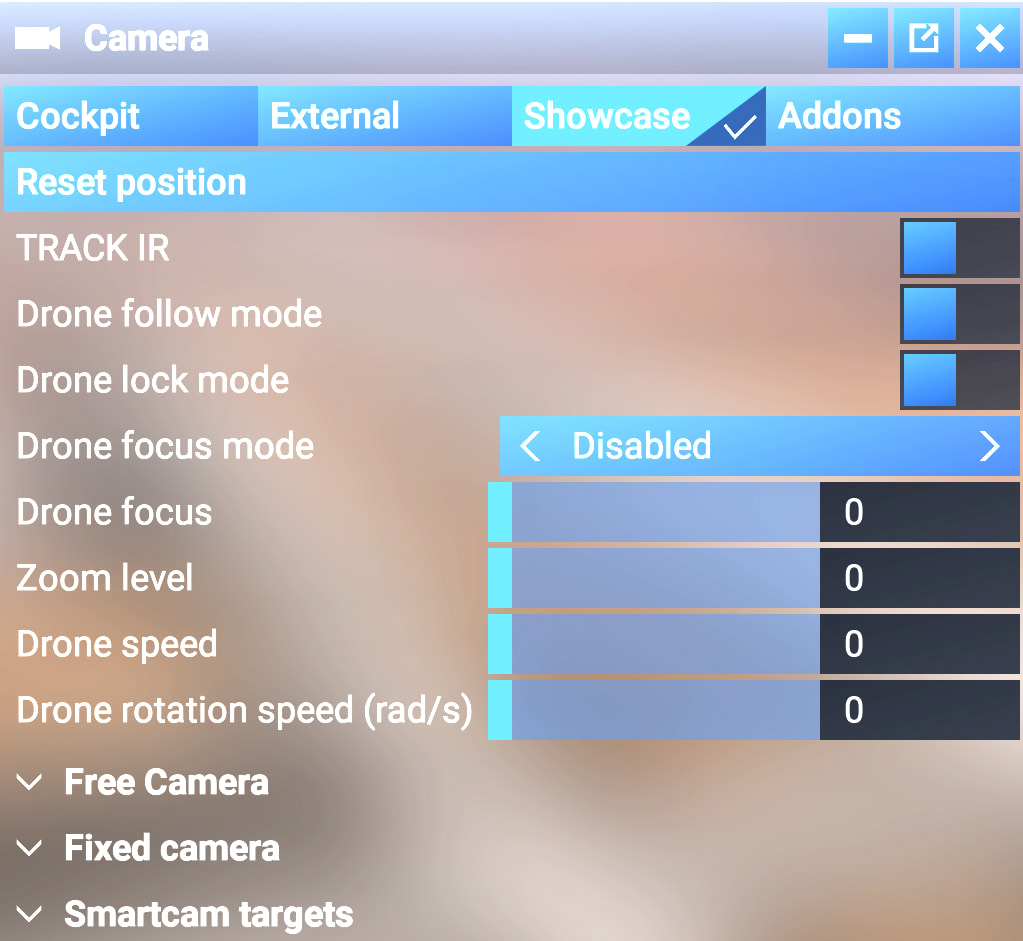
Example 1: Showcase tab (aka, the Drone camera)
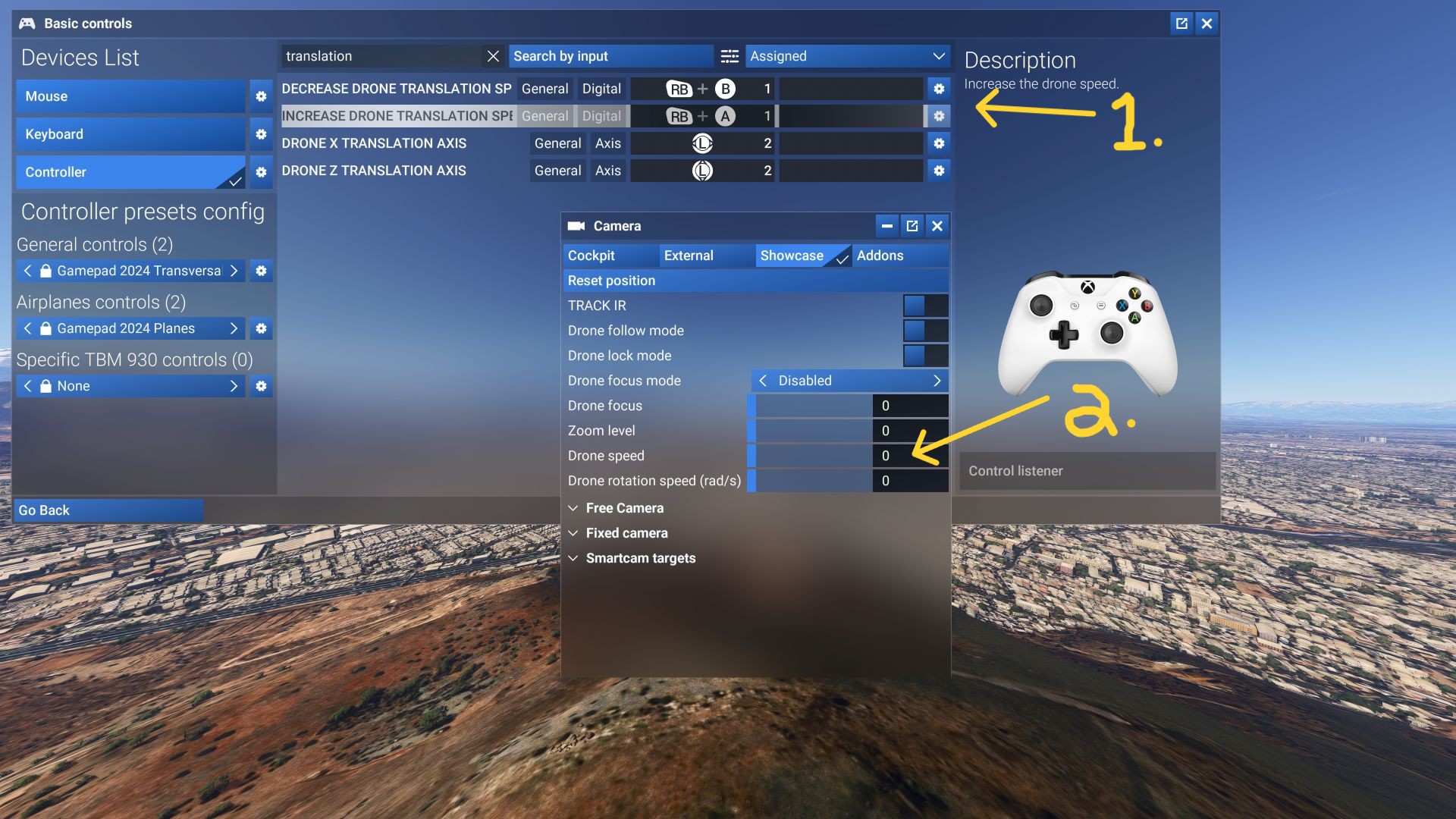
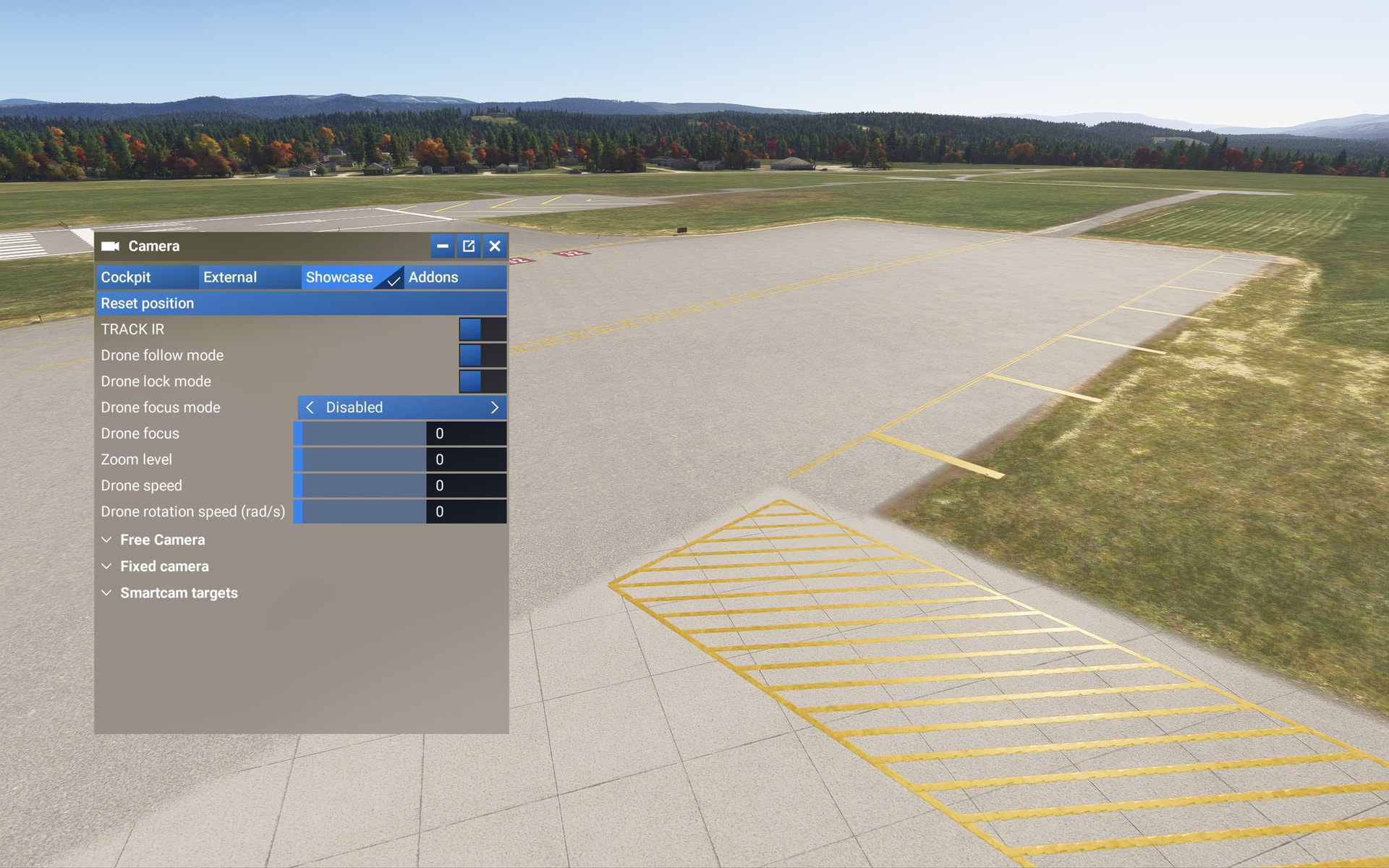
The values in this panel now all show as zero, instead of the underlying value, and there seems to be no relationship with the behaviour in the sim.
Initial values all show zero, but drone moves at default speed?
When the Drone Speed is set to zero, the drone should not move, but it does.
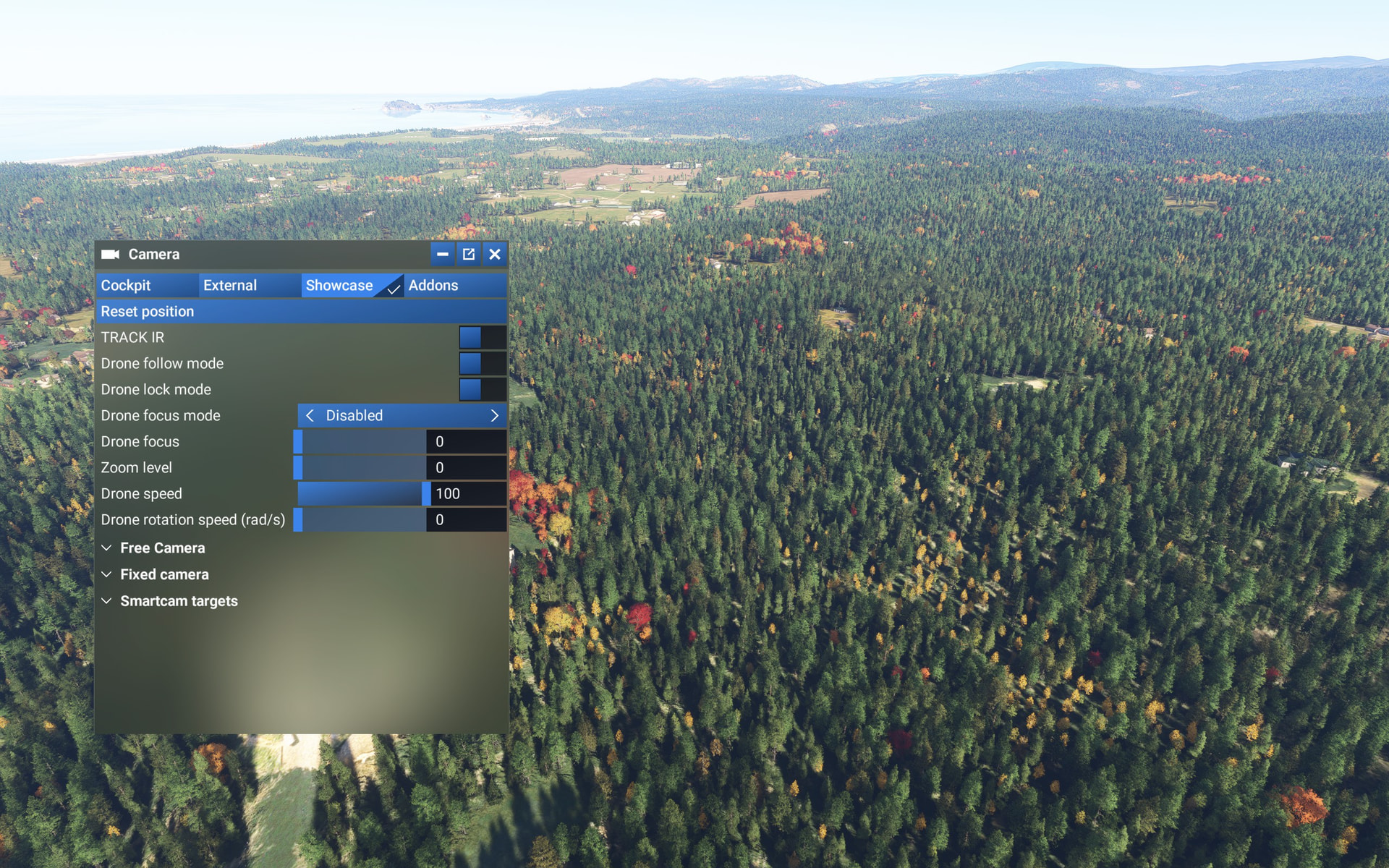
The range for this used to be 0 to 250, now it is 0 to 100.
Manually changing it has no effect on the speed of the drone.
The default controller inputs to increase or decrease the speed of the drone still do affect the speed, but they do not change the value shown in the toolbar.
So there is complete disconnect between this toolbar and what the underlying settings are. It neither affectst the behaviour, nor reflects the settings.
Example 2: Cockpit Cam > Freelook Speed
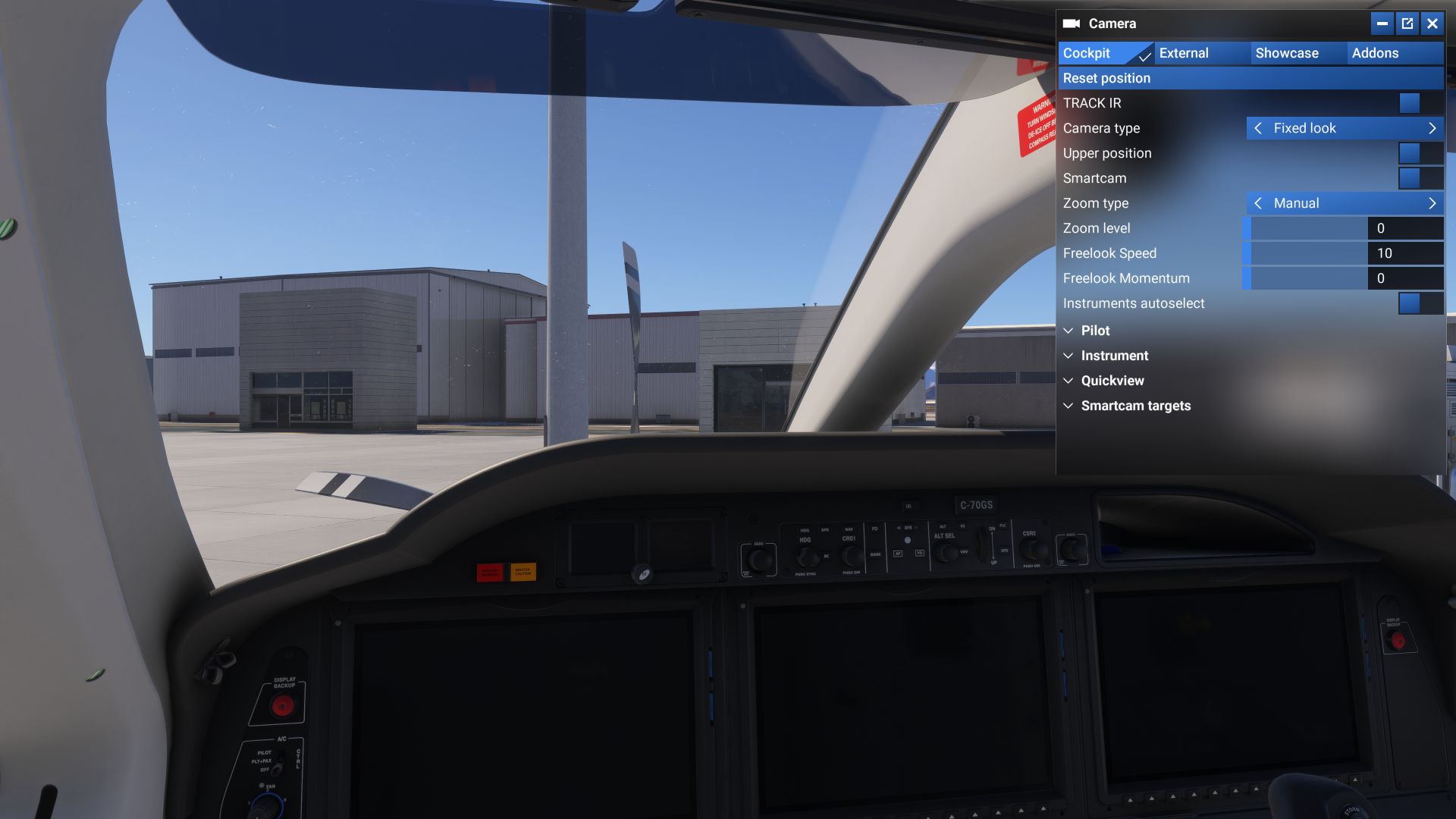
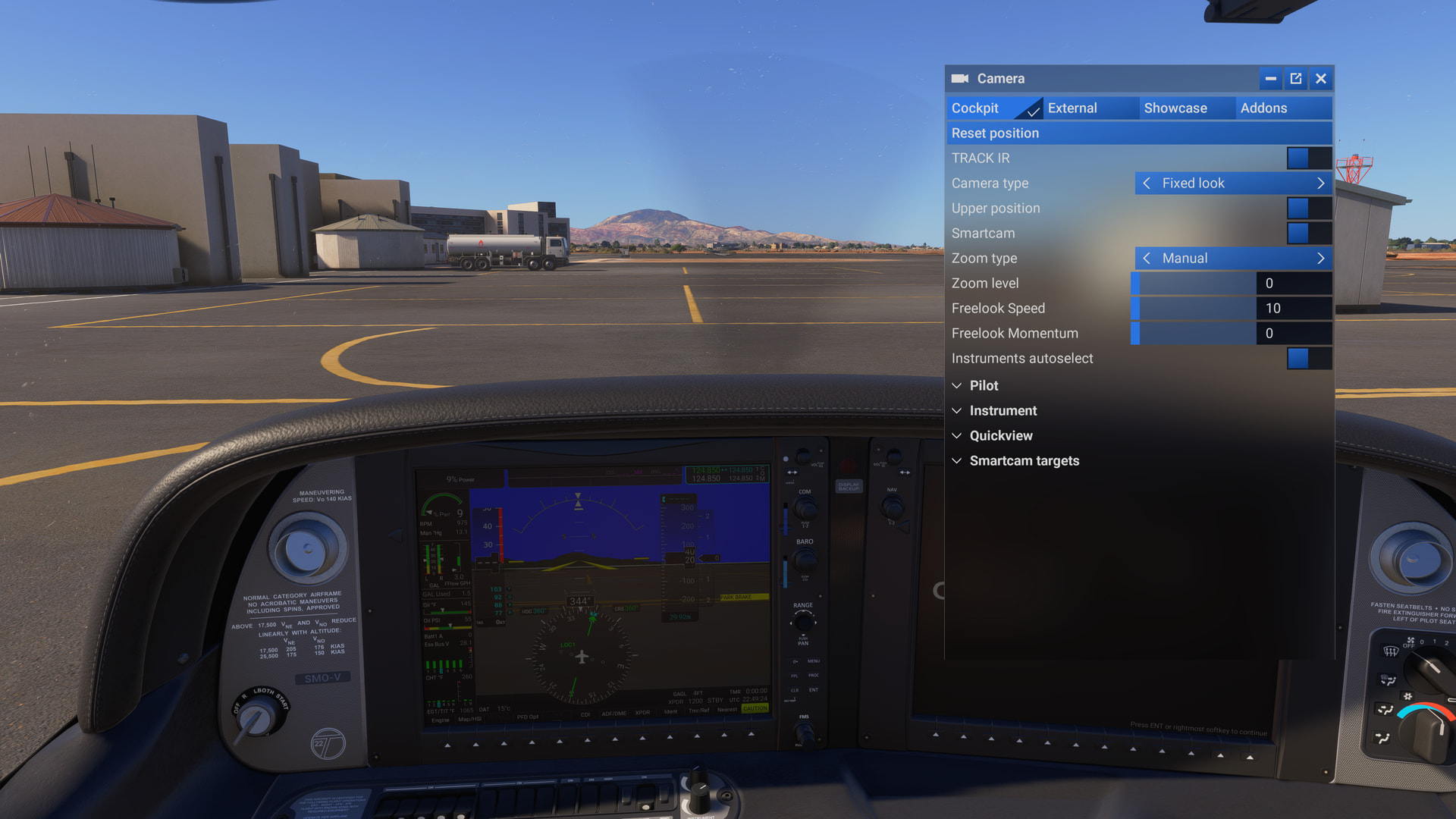
Initial value shows as 10 but slider is at zero
Touching the slider without moving it apparently sets it to zero because then camera movement stops
It is unknown what the default value should be and there is no “reset to defaults” here, so touching it means it’s hard to get back to normal.
I have not tested all of the settings in the Camera Toolbar Panel tabs, but something is broken here.
FREQUENCY OF ISSUE
How often does this occur for you (Example: Just once, every time on sim load, intermittently)?
Every time.
REPRODUCTION STEPS
Please list clear steps you took in order to help our test team reproduce the same issue:
Load in to the TBM 930
Change to Drone Camera
Using Xbox controller, move around
Open the Camera Toolbar > Showcase
Observe the Drone Speed is zero
Change the drone speed value, and move around (notice speed doesn’t change)
Change to the Cockpit Camera view using the Toolbar
Observe Freelook Speed slider is zero, value is 10, camera moves
Click on the slider without moving it, note camera stops moving
Change Value to 50, normal movement returns, initial value was wrong.
YOUR SETTINGS
If the issue still occurs with no mods and add-ons, please continue to report your issue. If not, please move this post to the User Support Hub.
What peripherals are you using:
[PC Only] Are you using Developer Mode or have you made any changes to it?
No
[PC Only] What GPU (Graphics Card) do you use?
RTX 5090
[PC Only] What other relevant PC specs can you share?
9800X3D
MEDIA
Showcase / Drone Speed
Using controller inputs to change drone speed DOES affect drone speed, but
The value in the Toolbar panel shows as zero
Changing speed via controller doesn’t affect value shown
We have created an internal ticket to see if our team already has this logged, and if not they will attempt to reproduce the issue and create a new bug report. This item is now marked as feedback-logged. If there is an existing bug report or one is created, we will move this thread to bug-logged.
This topic has now been updated from feedback-logged to bug-logged after successful internal reproductions. Please note that we do not provide estimated timelines for bug fixes to be released.
Thanks for helping us to identify this issue by creating a Bug Report.
This kind of mismatch is especially confusing with camera controls because you can no longer tell whether the UI value or the actual camera behaviour is the reliable one. Having the displayed values stay synchronized with the real camera state would make troubleshooting much easier.
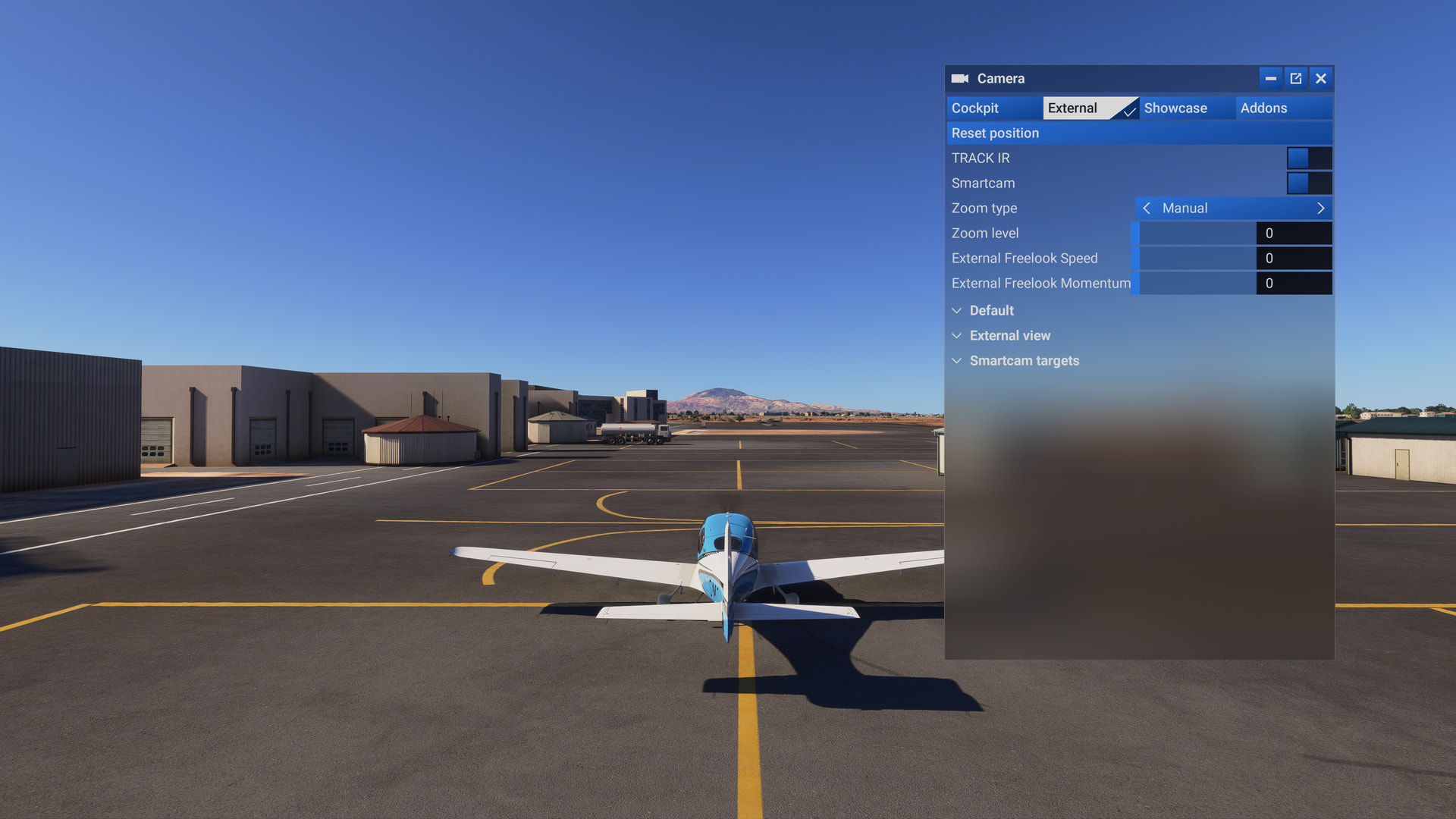
The Camera Toolbar Panel settings are extremely messed up, specifically the “speed” settings for each view (Cockpit, External, Showcase/Drone) do not match what is active in the sim, and changing the settings causes chaos.
I find it extremely annoying and disappointing that this has made its way into the released version. I would REALLY have hoped that they would fix such a silly regression introduced in the Beta before releasing the update.
I don’t think there is any further point in beta testing. Microsoft just seems to ignore a lot of user reports now - and the developers certainly don’t use the software or they would clearly see these issues for themselves.
Since Sim Update 7, the Showcase (Drone Camera) interface has suddenly changed. The zoom level now starts at zero instead of being around the middle, as it was before. The speed range has also been reduced from what I recall being 0–250 to 0–100, making the drone camera much slower than before. Higher speeds were often necessary, and now everything feels unnecessarily slow at max speed of 100.
I really hope these changes were not intentional and that a hotfix will restore the previous behavior.
FREQUENCY OF ISSUE
always
REPRODUCTION STEPS
Please list clear steps you took in order to help our test team reproduce the same issue:
Open the drone cam
Increase the speed
YOUR SETTINGS
If the issue still occurs with no mods and add-ons, please continue to report your issue. If not, please move this post to the User Support Hub.
Very disheartening if you enjoy making videos and value the drone camera. We’ve not only losdt high speed control but also low, fine speed control.
This was the first bug i came across in the original beta and was pleased to see it was promptly recognised. However, to find that it’s now made it’s way into the release version is inexplicable and makes a mockery of the point of a beta.
It’s not Asobo, it’s Microsoft. They have made so many cutbacks and they decide what Asobo works on. Any bugs reported here are filtered through one or 2 people at Microsoft who decide what is a priority, what has budget, etc. I don’t think those people even use MSFS - if they did, they would see the issues.
Using the template below will greatly help the team reproduce the issue and ease the process of fixing it. Before posting, search for an existing report. If you are not sure it’s a bug, please first report in User Support Hub.
3 tags are required - add them in the tag section next to the title above:
One for aircraft if related (start typing in your aircraft name in the tag section and pick correct option)
Feel free to delete this quote section after adding your appropriate tags.
ISSUE DESCRIPTION
Description of the issue:
Drone cam maximum speed is now slower than before the update. Max used to be 250 now it’s 100, if max is going to be 100 make it at least as fast as it was before.
Drone rotation speed gets crazy fast and hard to control for any value beyond 3
FREQUENCY OF ISSUE
Every time
REPRODUCTION STEPS
Please list clear steps you took in order to help our test team reproduce the same issue:
Open Camera Menu
Select Showcase tab
Move Drone Speed slider to 100 or Move rotation Speed to any number > 3
YOUR SETTINGS
If the issue still occurs with no mods and add-ons, please continue to report your issue. If not, please move this post to the User Support Hub.
What peripherals are you using:
[PC Only] Are you using Developer Mode or have you made any changes to it?
[PC, MSFS 2020 Only] Are you using DX11 or DX12?
[PC Only] What GPU (Graphics Card) do you use?
[PC Only] What other relevant PC specs can you share?
MEDIA
Please add a screenshot or video of the issue occurring.
For me camera views are all set to value of zero and as WolfbaronX says above : " … Same here cannot use lock mode properly cant tell if enabled or disabled and speed of drone/showcase cannot go beyond 100. How did we break that…"