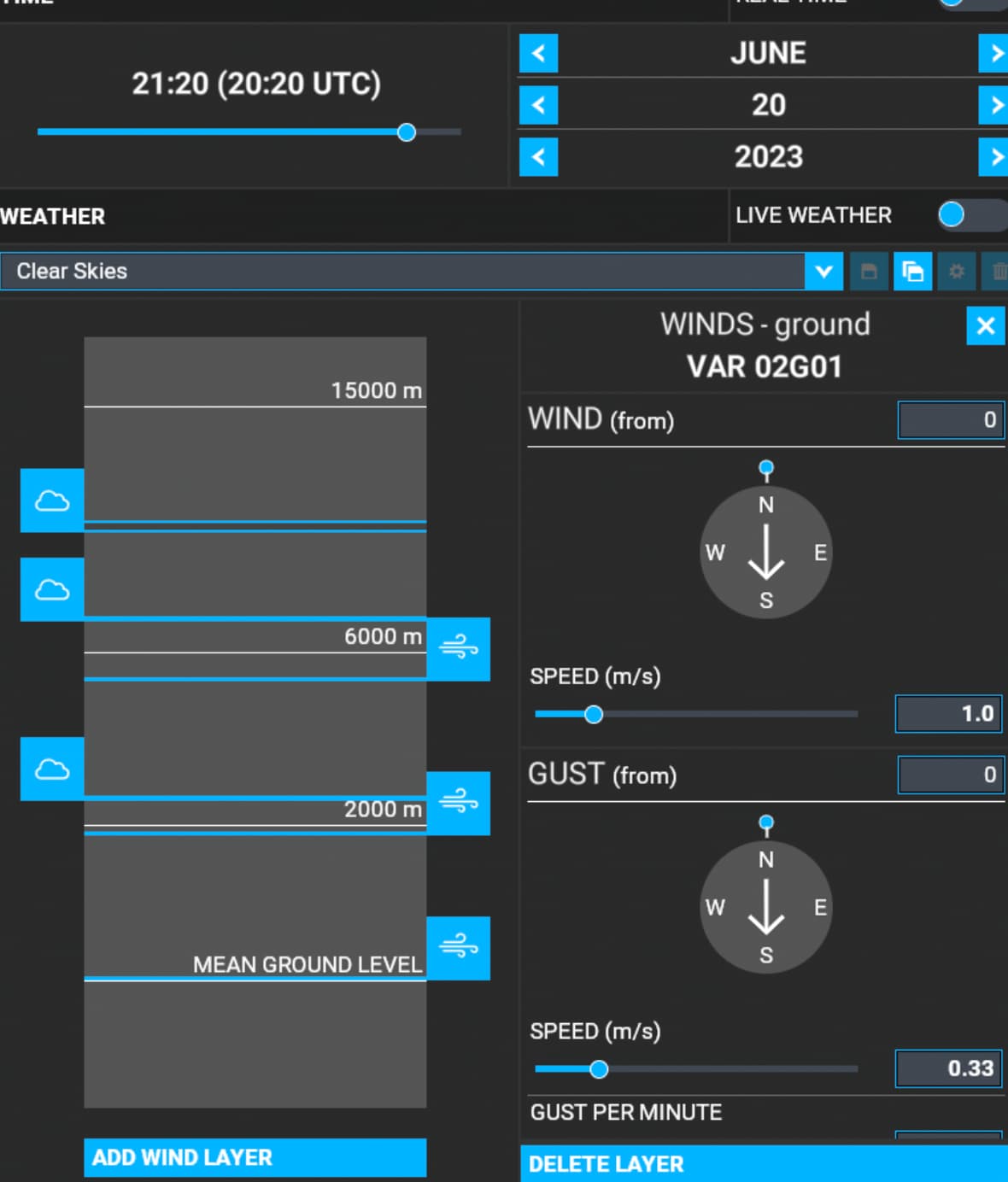
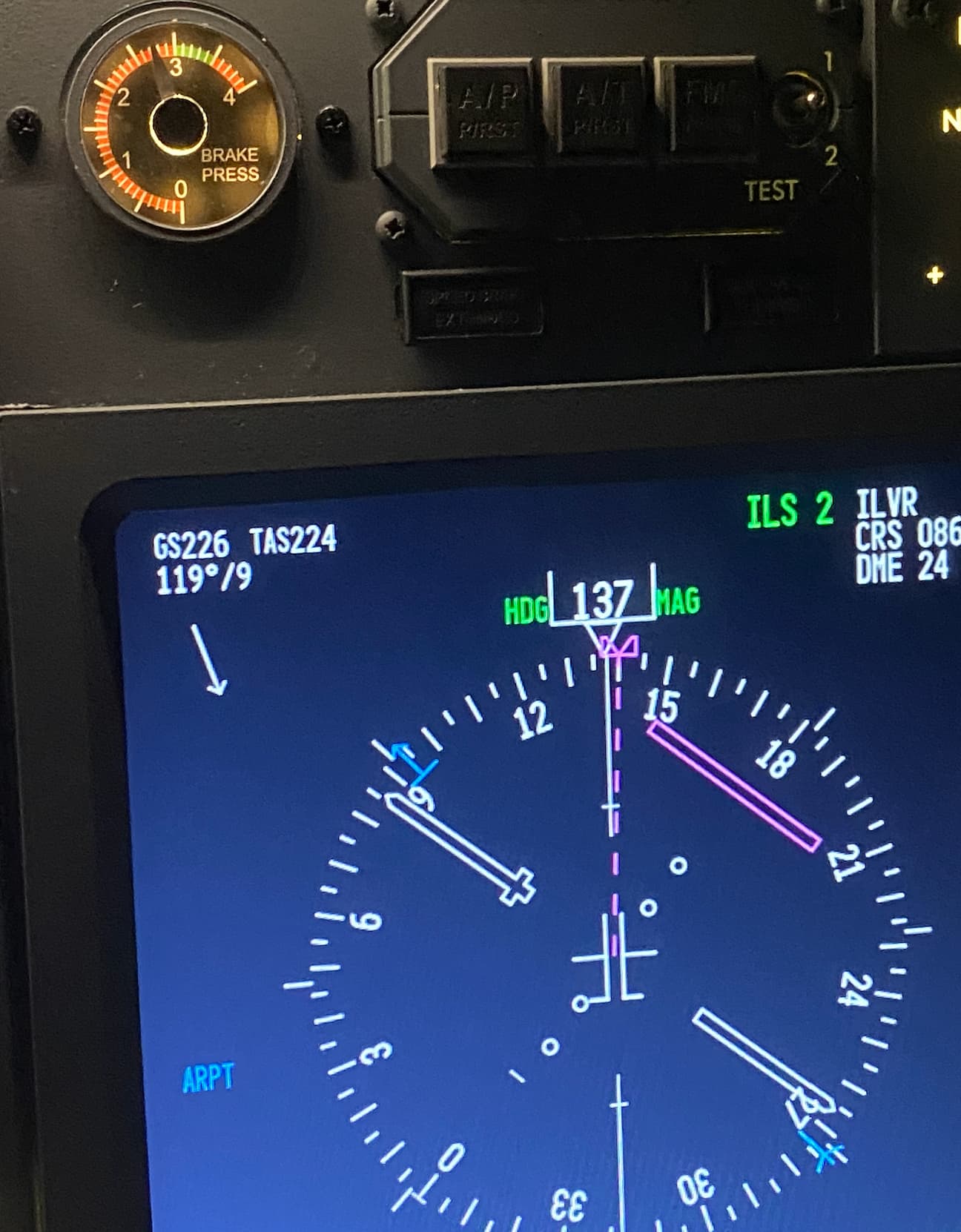
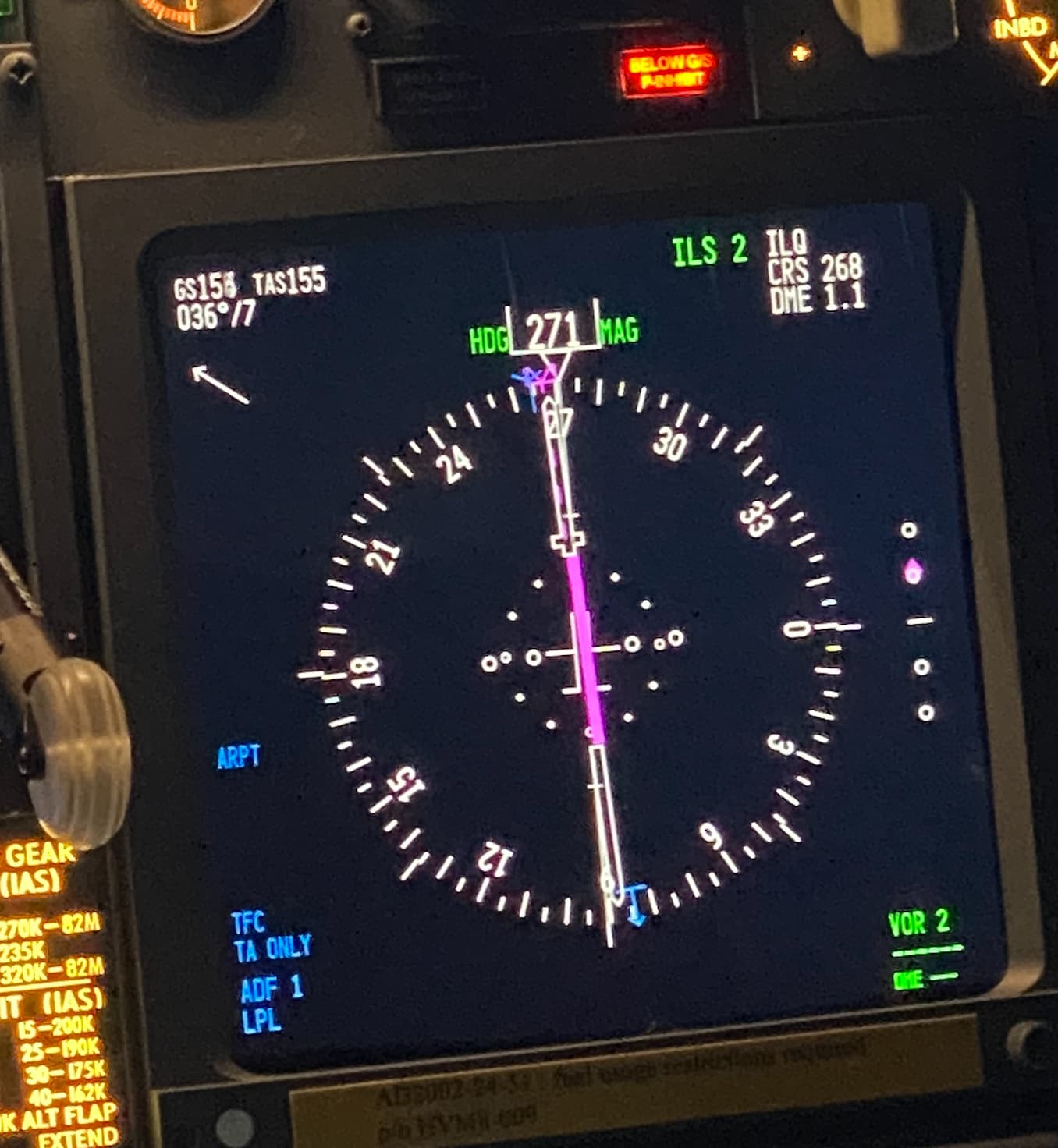
I’m not using real weather because the purpose its to train diferent types of TO and APP but the sim have its own will.
Even if I try to simulate std weather conditions, QNH 1013, temp 15 and calm wind… the sim don’t allow it
I try with multiple wind layers, i try without any one, nothing work.
why Asobo / Microsoft team allow to add / delete the wind layers if afterwards it does not do anything?
Is this a bug? Its like this since day 1 and nothing happen..
Deleting a single wind layer has always worked for me. It completely removes all wind. Not sure about multiple wind layers as I don’t think I’ve ever played around with that.
At which altitude were you flying when reporting wind 119/9 and 36/7 ? Could you provide screenshots of your wind weather settings at 2000m and at 6000m since I am seeing they are setup in you configuration.
Also, if you can try flying at the end of the day or during night or early the morning when there are no thermals generated by the sim to check if the reported wind then stay calm. If yes, then the issue is due to the thermals that have been introduced a couple of SUs ago and that are impacting intermittently the wind values (strenght/direction) you manually setup.
Since I’m already on the APP glideslope I would say between 2000 and 3000 ft.
and this was without any wind layer. but I will do another test today or tomorrow and I will post the photos of the weather MSFS screen.
Since this happen all the times after 1 or 2 APP will be very esy to replicate.
(just to be explain the layers, I add wind layers with calm wind to see if the simulator don’t generate wind in altitude…)
any idea when Asobo / Microsoft Team will do a good upgrade in the weather engine?
or like open the API to developers like Active Sky could replicate some of their good work in the XP or P3D to the MSFS?
Ok, when performing the test again, could you try as I said to setup a time at the end of the day, night or morning to make sure thermals are not impacting the wind you setup ?. also by reducing temperature this can avoid having thermals.
I did a test yesterday with wind speed setup at 1 m/s and no thermal impacting (time was late in the day): the wind was steady at 3 knots in my PFD (and little navmap). Changing time to an earlier one, wind speed and direction were unstable, increasing per moments to 9/11 knots and then going back to 3/4 knots.
it was maybe every 2 to 5 seconds, like having gust impacting speed/direction continuously. (but it was not gust, I disabled them, it was thermals). You can also activate the thermal visualization in the weather options, so if any impacting your plane you’ll see them.
This was at what altitude, 3,000ft? What about AGL?
So, since these thermals were not present in the evening, they were probably the “heat only thermals” or “ground lift,” and these channels of lift are presenting themselves basically as gusts at twice the wind speed. Does anybody know if this is reasonable?
I used the cessna 182 for that test. On ground wind was as configured in the weather options (1m/s = 2/3 knots) but almost right after take off, thermals started to impact wind speed/direction and same until 3000 ft I level off, this during day time. When moving time to the evening almost night, wind/direction stabilized to what was setup in the weather options, 1m/s = 2/3 knots.