ISSUE DESCRIPTION
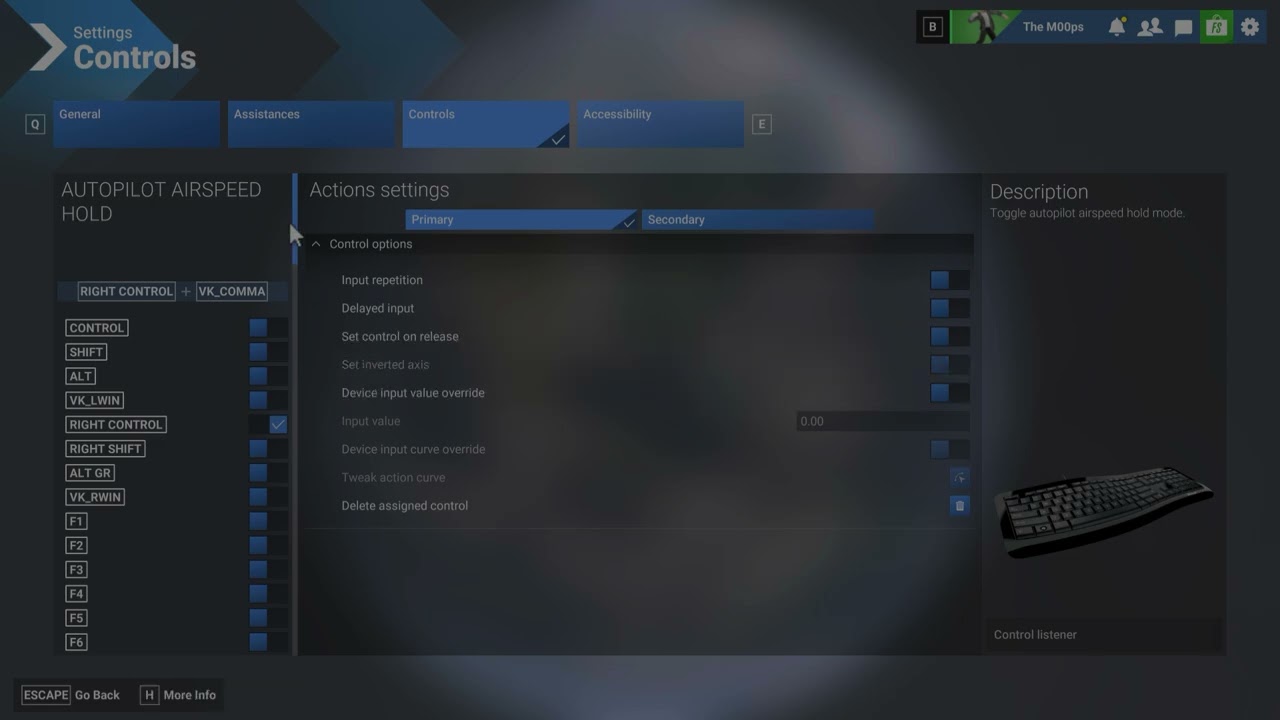
Description of the issue: When editing a control, you cannot choose from the list on the left hand side of the screen because if you scroll down using a mouse on the scrollbar, as soon as you remove the mouse to select a key, the list jumps back to the top.
FREQUENCY OF ISSUE
How often does this occur for you (Example: Just once, every time on sim load, intermittently)? Every time
REPRODUCTION STEPS
Please list clear steps you took in order to help our test team reproduce the same issue:
-
Click the cog to edit a command
-
Scroll down the list of keys to assign using the scroll bar
-
Try to pick a key. The list jumps back to the top.
YOUR SETTINGS
If the issue still occurs with no mods and add-ons, please continue to report your issue. If not, please move this post to the User Support Hub.
What peripherals are you using:
[PC Only] Are you using Developer Mode or have you made any changes to it?
[PC, MSFS 2020 Only] Are you using DX11 or DX12?
[PC Only] What GPU (Graphics Card) do you use?
[PC Only] What other relevant PC specs can you share?
7800x3d
MEDIA