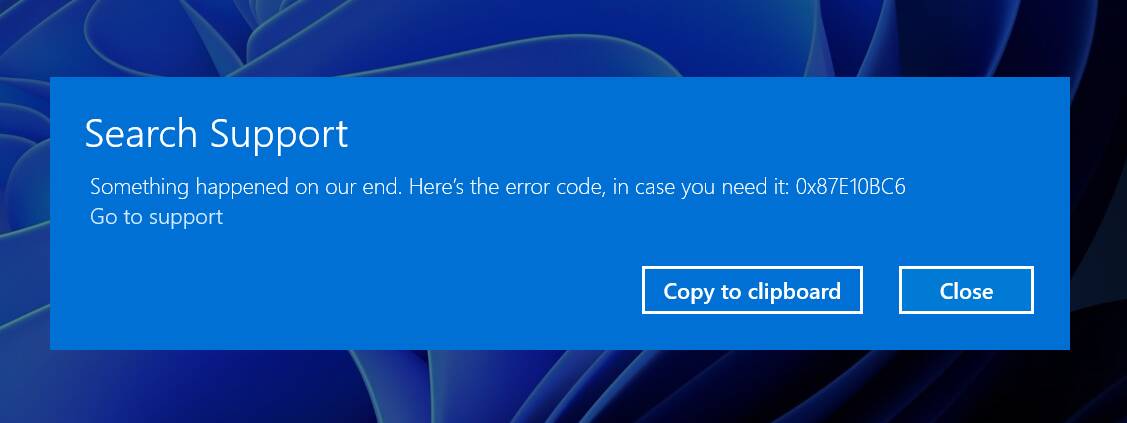
Cannot launch due to: "Here’s the error code, in case you need it: 0x87E10BC6"

Do you have the same issue if you follow the OP’s steps to reproduce it?

SAME PROBLEM
Provide extra information to complete the original description of the issue:

EARLIER IMAGE FILES SHOW THE SAME ERROR MESSAGE

If relevant, provide additional screenshots/video:

Ditto for me in California. I was actually going to reinstall the sim again but seems it’s a server gremlin issue. Line up and wait.

1 Like

I have learned to check the forums before uninstalling, just to see if it is a server-side issue

4 Likes

Crazy thing is I check Xbox Status page and it says everything is all good and searched forums and didn’t see anything till now with this post now showing on top on google…

Just started happening tonight 8 est, just got home from work. Win 11 , No Beta sign up, signed in and out of xbox live ect . Two different errors.


I’m on 10, no Beta, but not the Steam version. I wonder if that’s the distinction. Any other Steam users can confirm?

I must’ve been lucky. I launched the sim around 2250z and loaded up no problem. Currently enroute KAUS-KIAD. Not in the beta,windows 10, store version. What is strange is I got that same message a few days ago when I tried opening up the standard calculator. ended up having to redownload from it windows store

Do you have the same issue if you follow the OP’s steps to reproduce it?

Same issue
Provide extra information to complete the original description of the issue:

If relevant, provide additional screenshots/video:

Just like you I am on windows 10, no beta, and I am on windows store and am having this issue, i noticed that it popped up with a admin prompt for windows package installer, and after clicking yes it pops up with the error

Do you have the same issue if you follow the OP’s steps to reproduce it?

Yes

Provide extra information to complete the original description of the issue:

Happening on both my Xbox Series X and Series S. Program won’t start, and a message comes up on the screen saying “Try a different game or app” with the error code 0x87e10bc6.

If relevant, provide additional screenshots/video:

1 Like

Do you have the same issue if you follow the OP’s steps to reproduce it?

Yes, same problem!

Provide extra information to complete the original description of the issue:

If relevant, provide additional screenshots/video:
Same here my friend. Just wanted to fly during this storm since everyone is stuck in for the rest of tonight where I am at, Central New York.

Also, I am a die hard Mac/Apple product user.

Just bought PMDG Boeing 737-800 and can’t even play :sob: hopefully can soon

1 Like

My windows10 FS2020 (store version) has the same symptoms.
is it a server error?
I hope there will be an official announcement soon…

Same here pretty angry right now :face_with_symbols_over_mouth:

1 Like

Do you have the same issue if you follow the OP’s steps to reproduce it?

yes

Provide extra information to complete the original description of the issue:

error code 0x87E10BC6

If relevant, provide additional screenshots/video:

appears to be a server issue yeah

You’ll likely get your settings back when this is resolved.

But I’ll never understand why the first reaction when these server issues crop up is to uninstall/reinstall the sim. Take a deep breath. Read a book.

4 Likes

I have two PCs with Windows 11 and Windows 10. Windows 10 can boot, but Windows 11 can’t boot.
I have not installed the beta version.

1 Like

Well, it appears this is a microsoft system issue possibly

1 Like