ISSUE DESCRIPTION
Description of the issue: Cannot start MSFS2024 due to Exception code: 0xc0000005 error during initial loading screen. Removing MSFS2024 manually and re-installing temporarily fixed the issue then error came back when trying to start a day or so later.
I would get the same issue in MSFS2020 and would only be fixed by a re-install, very annoying it has persisted to MSFS2024. I have tried the various solutions on forums, do not have package manager installed etc. and MSFS worked after initial install for a week or two before this issue started, and worked again when I reinstalled, however that is not an acceptable thing to have to do each time I want to use this purchase.
[PC Only] Did you remove all your community mods/add-ons? If yes, are you still experiencing the issue? Yes, no community mods installed.
FREQUENCY OF ISSUE
How often does this occur for you (Example: Just once, every time on sim load, intermittently)? Every time.
REPRODUCTION STEPS
Please list clear steps you took in order to help our test team reproduce the same issue:
- Started MSFS2024.
YOUR SETTINGS
If the issue still occurs with no mods and add-ons, please continue to report your issue. If not, please move this post to the User Support Hub.
What peripherals are you using, if relevant:
[PC Only] Are you using Developer Mode or have you made any changes to it? No
[PC, MSFS 2020 Only] Are you using DX11 or DX12?
[PC Only] Many issues may be due to an outdated graphics card. Please state your Graphics Card Driver Manufacturer (NVIDIA, Intel, AMD) and Version:
NVIDIA GTX 1070Ti
[PC Only] What other relevant PC specs can you share?
Intel(R) Core™ i5-8400 CPU @ 2.80GHz 2.81 GHz
Windows 10 Home 22H2 19045.5131
MEDIA
Please add a screenshot or video of the issue occurring.
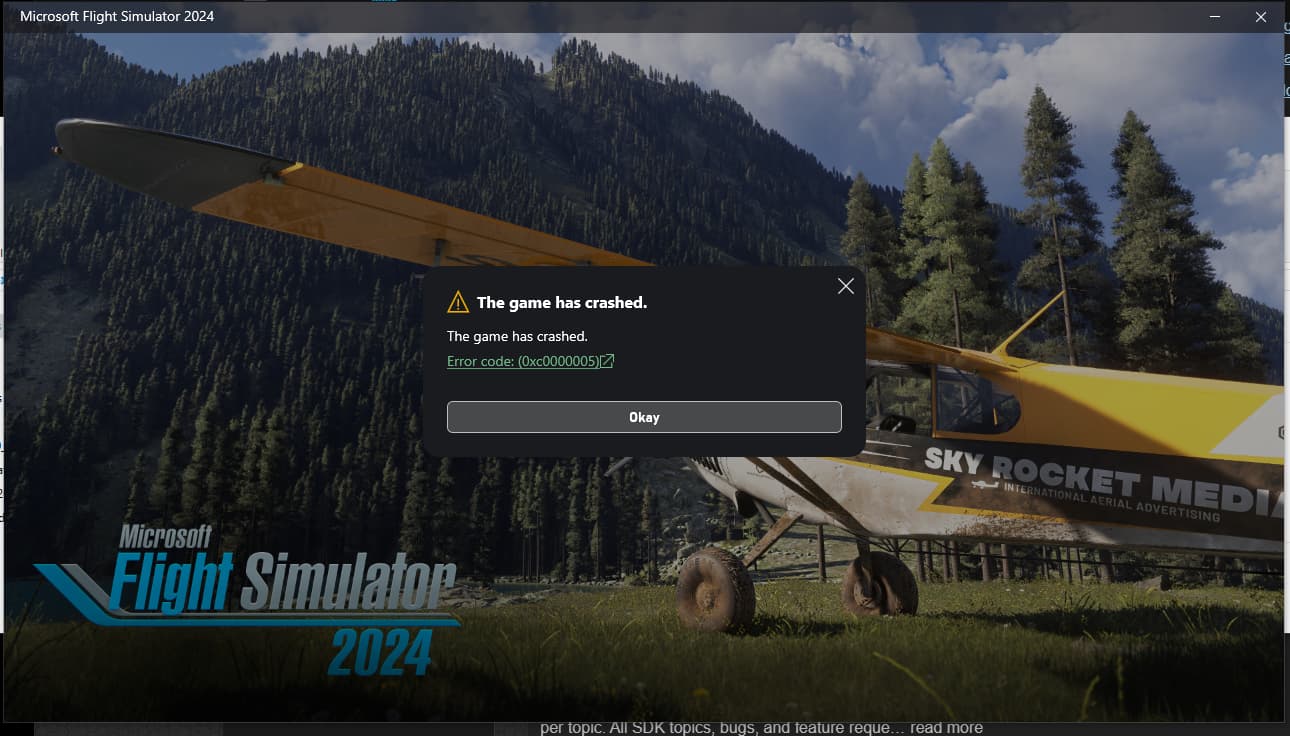
[END OF FIRST USER REPORT]
 For anyone who wants to contribute on this issue, Click on the button below to use this template:
Do you have the same issue if you follow the OP’s steps to reproduce it?
•
Provide extra information to complete the original description of the issue:
•
If relevant, provide additional screenshots/video:
•