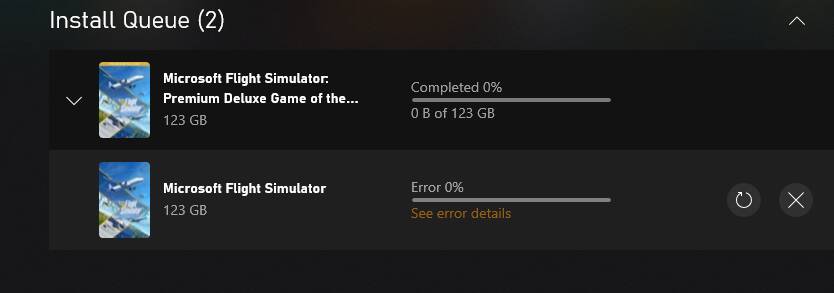
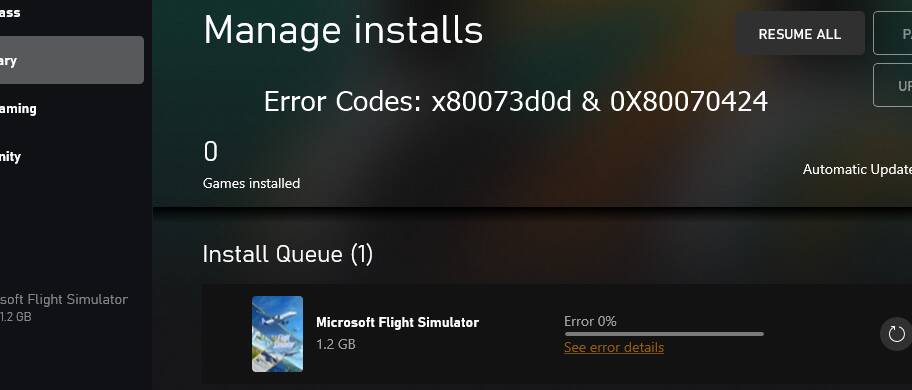
I’ve been trying to do a clean install but, after researching the error code ‘0x80070424’
I’ve checked the error number on the lists and tried what they’ve suggested but can’t get anything to work. 
Which one should I try to install? Do I have to install the main version first and then the deluxe versions on top? Whichever I try I keep getting error messages.
I’ve tried uninstalling and reinstalling the Xbox App and the Gaming Services App.
I’ve made sure all the Xbox apps and the Windows updates apps and gaming services are running and on automatic, still gettting this…
Update system to the latest version.
(also check optional updates)
Update all apps via microsoft store app.
Terminate,repair, reset gaming services app.
Go to system settings > apps > click gaming services > advanced options
I’ve tried all those, still no joy.
I’ve updated everything I can find. I’ve terminated, repaired and reset everything. I’ve uninstalled the gaming and xbox apps and reinstalled them. I’ve sliced, diced and poached… even scrambled… still get error when trying to download. 
I’ve even tried installing it on different drives to see if they have something missing but whatever drive I try it still won’t install.
Steve
I’ve just tried with firewall and AV turned off, still getting the error message.
I’ve also made sure both my microsoft store and Xbox are the same email addresses.
I’ve managed to sort it by reinstalling Windows 10. And an extra bonus, my pc is running faster!