ISSUE DESCRIPTION
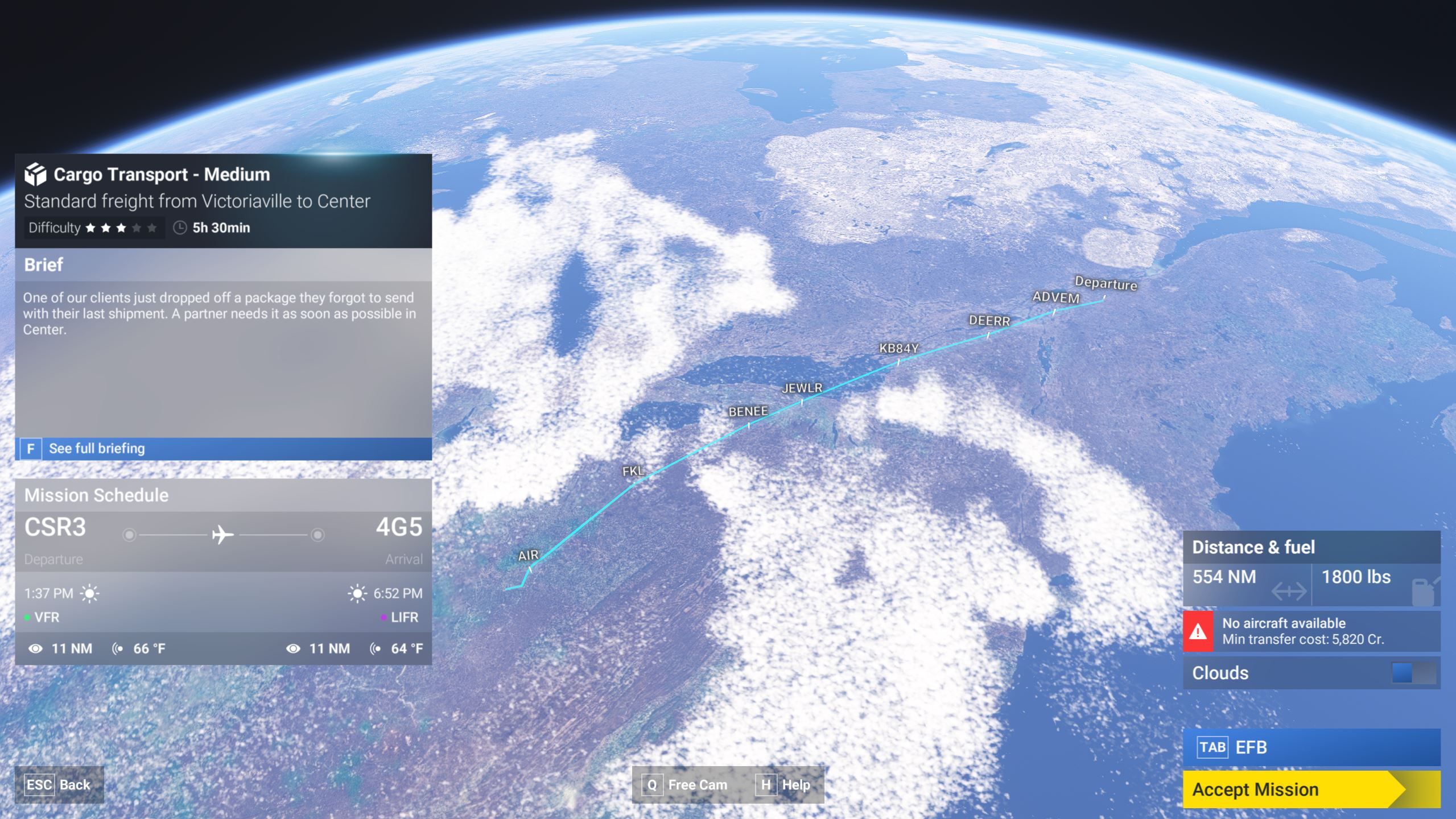
Description of the issue: Game freezes while loading waypoints/route during mission overview screen. Primarily occurs for long missions, requiring a higher PC workload. It’s worth noting that this is a complete freeze. It doesn’t CTD. I have to “End Task” via Task Manager. It’s also worth noting that this only started happening after SU1.
[PC Only] Did you remove all your community mods/add-ons? If yes, are you still experiencing the issue? Yes. Issue occurs at similar rates with and without mods/add-ons.
FREQUENCY OF ISSUE
How often does this occur for you (Example: Just once, every time on sim load, intermittently)?
When problem occurs, it’s almost always around the halfway point in the mission briefing process, while loading the flight preview. Generally, the issue occurs while loading the briefing for flights greater than 500 NM. I’d say about 80-90% of those missions freeze. I’ve had no issues on shorter flights (light cargo, shorter VIP missions using the Vision Jet, etc.).
REPRODUCTION STEPS
Please list clear steps you took in order to help our test team reproduce the same issue:
- Under Career Mode, select any long-range mission (no difference between freelance or company missions or mission type).
- If it doesn’t freeze on the first long briefing, try several others. I’ve had it load one flight briefing before I decided I wanted another one. Then, while trying to load the second briefing, it froze, even though plane and mission types were identical, with similar distances around 550 NM.
YOUR SETTINGS
If the issue still occurs with no mods and add-ons, please continue to report your issue. If not, please move this post to the User Support Hub.
What peripherals are you using, if relevant: N/A
[PC Only] Are you using Developer Mode or have you made any changes to it? No.
[PC, MSFS 2020 Only] Are you using DX11 or DX12? N/A
[PC Only] Many issues may be due to an outdated graphics card. Please state your Graphics Card Driver Manufacturer (NVIDIA, Intel, AMD) and Version: NVIDIA - Latest driver (576.02). Issue has been present through multiple driver updates.
[PC Only] What other relevant PC specs can you share?
CPU: Ryzen 5700x3D
GPU: RTX 3080
RAM: 32 GB
OS: Windows 10
MEDIA

[END OF FIRST USER REPORT]
 For anyone who wants to contribute on this issue, Click on the button below to use this template:
Do you have the same issue if you follow the OP’s steps to reproduce it?
•
Provide extra information to complete the original description of the issue:
•
If relevant, provide additional screenshots/video:
•