ISSUE DESCRIPTION
Description of the issue:
Hi all,
I am enjoying the career mode a lot. However, it seems that the G1000 in the C172 I just bought is showing ISA conditions instead of the actual weather.
I am located at EDES (airfield elevation around 360ft) on the ground and the QNH is 1000hPa with temperatures 10°C as shown on the EFB.
However, the G1000 must be set to standard QNH 1013hPa and is showing 15°C OAT.
The weather in the surrounding of the airport is correct though, i.e. I am seeing clouds and experience wind according to METAR.
I also see correct wind components on the main flight display once I am airborne.
But temperature and ambient air pressure is wrong.
FREQUENCY OF ISSUE
Every time. I haven’t tried with other planes yet and I will update this post once I have.
Edit: It also happens in Employee missions! I just started one at LIDT in the DA40 NG. G1000 is showing airfield elevation at QNH STD and OAT 15°C. However, METAR in EFB (real life weather from mission time) is showing QNH 1000hPa and M01 OAT.
REPRODUCTION STEPS
-
Start any mission in career mode.
-
Check QNH and OAT on avionics against METAR in EFB.
YOUR SETTINGS
I am flying on Xbox Series S with the latest updates installed.
MEDIA
Find
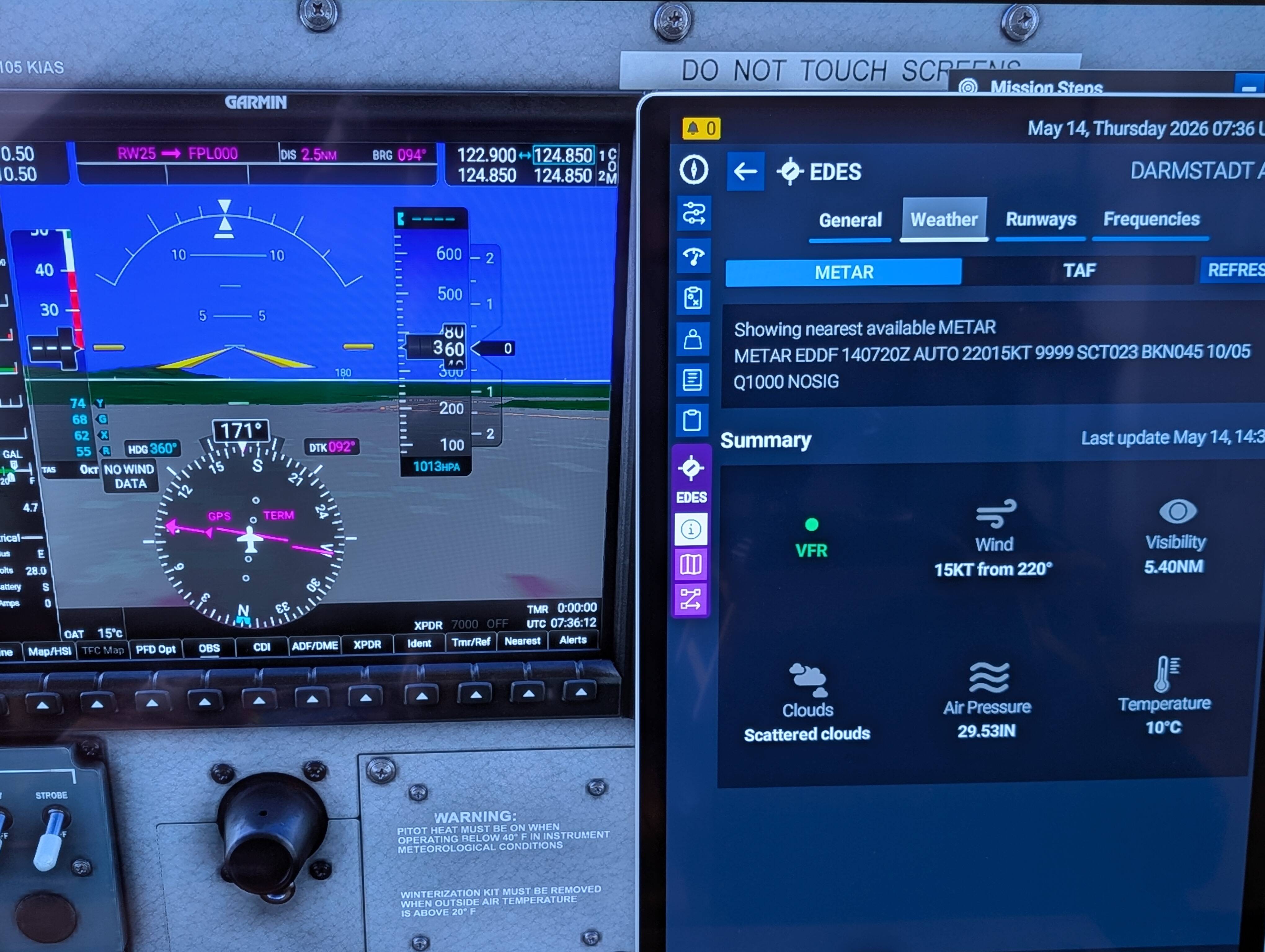
screenshot attached.
