Another interesting update on this whole thing… you CAN get night missions with a workaround for now:
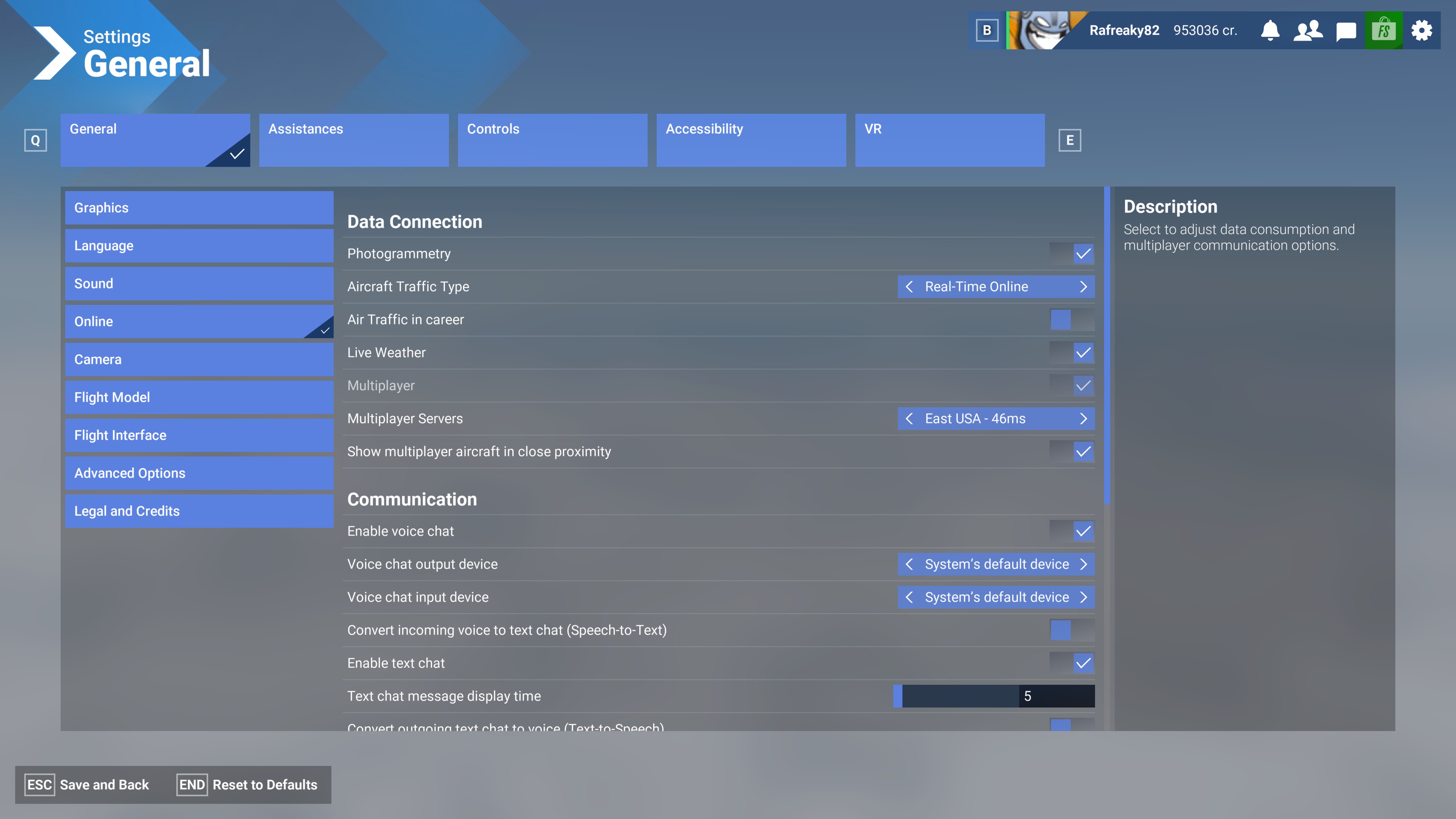
Go to the controls and bind SET ZULU DAY/HOURS/MINUTES/YEAR (4 bindings)
I have a mission that’s supposed to be 9am out of Belgium. The following observations were made using the EFB time in the top or any aircraft MFD datetime:
If I press SET ZULU DAY, it goes to Dec 31, 2023 at 17:19, no matter how many times I press it. Its currently 17:19 in my real life location time, central US time zone.
If I press SET ZULU HOUR It goes to December 15, 2024 (yesterday) at 18:19 (an hour off of my local time?)
If I press SET ZULU MINUTE It goes to December 16, 17:00 which is about 19 minutes ago of todays date.
If I press SET ZULU YEAR It goes to December 31 1969 at 18:00…
Technically while I’m not able to get 9am in December for Belgium when this mission is, I appear to be getting a night mission as it is night right now in Belgium. This just gets even more wonky
2 Likes
As several others, same – always flying in August, even when it’s December. Never had a night mission once.
Come on Asobo.
1 Like
I had a mission and the live time was 9:00pm.
Sun was directly overhead.
1 Like
After I did the Night currency, something changed in my career.
My very first freelance medevac mission had a night landing.
Took off from Texas late afternoon and landed in South Carolina in complete darkness.
Nice change from the endless daylight missions without any change in lighting.
1 Like
How is such a simple thing still not fixed? This is ridiculous.
6 Likes
haha one of the lucky ones that got it! If you see my post a few above yours, the keybinds are the only way I’ve managed to get to at least live-time.
1 Like
“Reproduce the issue”, there are no night missions period. Either you use live settings or not. It just something else that magically didn’t make it into the game at release. Grrrbhhek.
1 Like
On a long 737 flight I landed at night.
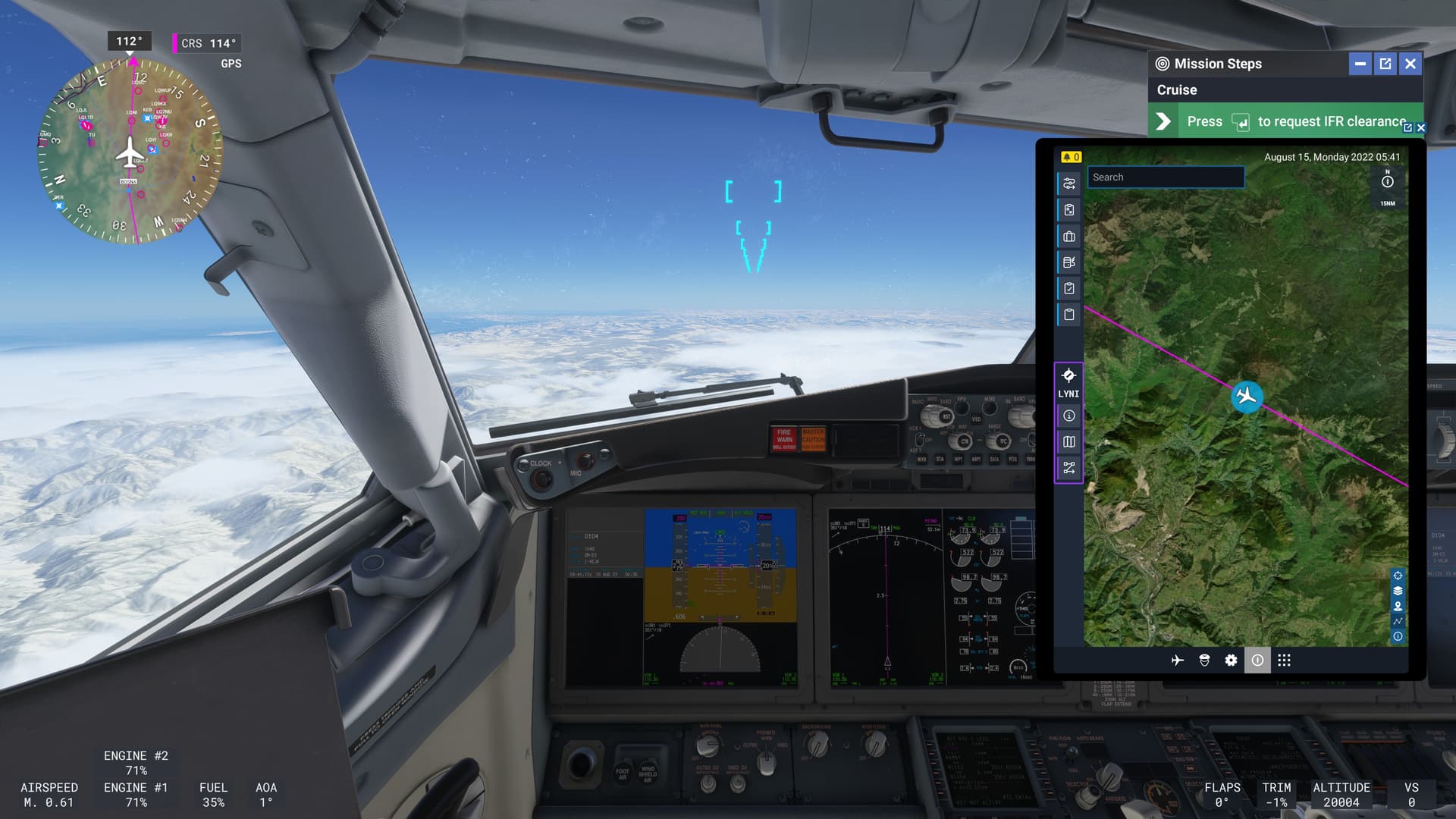
Yeah, if the mission is long enough the time does advance, but there’s basically no sunrise/sunset/night starting missions at all. The time and date it gives you for the mission is always wrong, if you check the EFB you’ll see the date gets sent back to August 15 of 2022.
There is a fix for this, I’m copying from a Reddit thread.
To set to night - Live Time - in Career Mode in MFS2024 you can set a shortcut to Zulu Time in controls, in my case “Ctrl+,”. After you enter your plane, hit the shortcut 
This shifts the time and date to online ZULU (UTC).
Hats off to Kip On the Ground for showing this
Yeah I posted the ZULU binding results a few posts above this, but again, I think the in-game time should be the actual mission time. If you use those it doesn’t let you set the time to the mission time it’s supposed to be, its only going to depend on when you can get on to play.
I think you can adjust the mission time to match the game time somehow.
I agree, if you are playing LIVE with a red LIVE on the time dial, we shouldn’t be tinkering anything. It should be a LIVE TIME with a LIVE WEATHER and LIVE MISSIONS. All three at this moment have issues and need fixing.
1 Like
it isnt Live Time.
all missions are at a fixed time, only with live weather - by design.
the whole point of that is
- Players who work during the day in the UK arent forced to fly over their home towns at night
- those who wanna stay in one region arent forced into dayy/night conditions
moving the slier to night is supposed to highlight night missions
while slider at daytime is supposed to highlight day missions.
LIVE TIME is never going to be a thing in career.
The very point of it as MS put it - is to ensure that users can choose to fly day missions, or night missions - at will - without forcing them to travel around the world just to stay in daytime.
1 Like
The night mission are’nt available because the sim mission generator totally uses random destination, and is not filtering the size of the airport, the size of the runway etc etc
That problem is the same as having a PC24 mission asking you to land on a 300m runway
They just disabled the night mission because of the mission generator doesn’t know what airport has light and what airport hasn’t
Hope it will be developed fast, i’m tired of flying at mid day, I only once be able to make a landing at a late sunset just because it was a very long flight in caravan and I was very slow, but thats an exception
Guys you developed a night certification …
The sim does have all the airport classification and information so why it’s still not implemented ? It’s should be easy, even manually to set that aircraft need a X meter runway to land, if not just dont generate this mission or something like that, same for night mission .. we are talking about microsoft…
And I know this off-topic but why there so few aircraft available in career mode ? We all know that the game was released too early, but there is around 100 planes in deluxe edition and career mode only uses around 20 of them (and maybe 8 or 9 has still several issues) ?
I had hopes when I saw the pilatus and saab but nothing since, but where is A320 ? 737Max is so buggy and the only one available for liners missions.. Where is ATR ? DHC 6 ? Pil PC6 for skydiving ? Which is used by 70% of the dropzone in the world.. Cessna 188 for crop dusting missions ? There is absolutely no communication on live update server side, It’s a shame…
1 Like
Do you have the same issue if you follow the OP’s steps to reproduce it?
• All the time. Never played a night mission in career mode.
Provide extra information to complete the original description of the issue:
• pictures im attching will show pure sunshine as if its in the middle of the day. I have live time on, its 0318 in the east coast and on the game its showing its 0518 bc I’m flying in Konstantin, Veliki. However in career mode it has never gave me any night missions, even if im in the US, my local time.
If relevant, provide additional screenshots/video:
•
I don’t think this is correct. With the time slider, you can select the time and conditions from the past 24 hours. If you are flying in a region where it is nighttime, you can choose a different time and the corresponding weather conditions if you are not satisfied with the live settings. Therefore, the missions should always reflect live conditions unless you intentionally select a setting within the past 24 hours.
As far as I know, there is no official statement explaining why this feature is not currently fully implemented, so any claims regarding this, including mine, are purely speculative.
1 Like
I dont know if someone else said it, but the 24h Time Slider actually affects the missions!
For example, moving the slider can change whether the red dot, which marks a mission as particularly challenging, appears or disappears. Additionally, the timeframes for mission start times can vary significantly. In one case, I had a mission with start times ranging from 1050Z to 1530Z, depending on the slider setting.
This strengthens my belief that the missions are designed to always reflect live time and weather, with the option to shift the timeframe and weather back by 24 hours. However, I suspect that this feature is currently (still) broken.
Cheers
Since the EFB in career mode always shows August 15, 2022, in the top right corner, I think the game uses the sun position from that specific date but combines it with the METAR data from the current real-world date, adjusted to the in-game time. So, essentially, it’s mixing real-world weather from today, at the ingame time with the sun position of August 15, 2022. The whole thing is pretty broken…
1 Like
Same experience here, I’ve been able to see real life weather reflect directly in the sim based on where I fly, with pretty good accuracy
But as you said the actual time doesn’t match, unless you do trickery set Zulu keybinds which I tried but stay away from now (some destination airports have no lights if you did this)