ISSUE DESCRIPTION
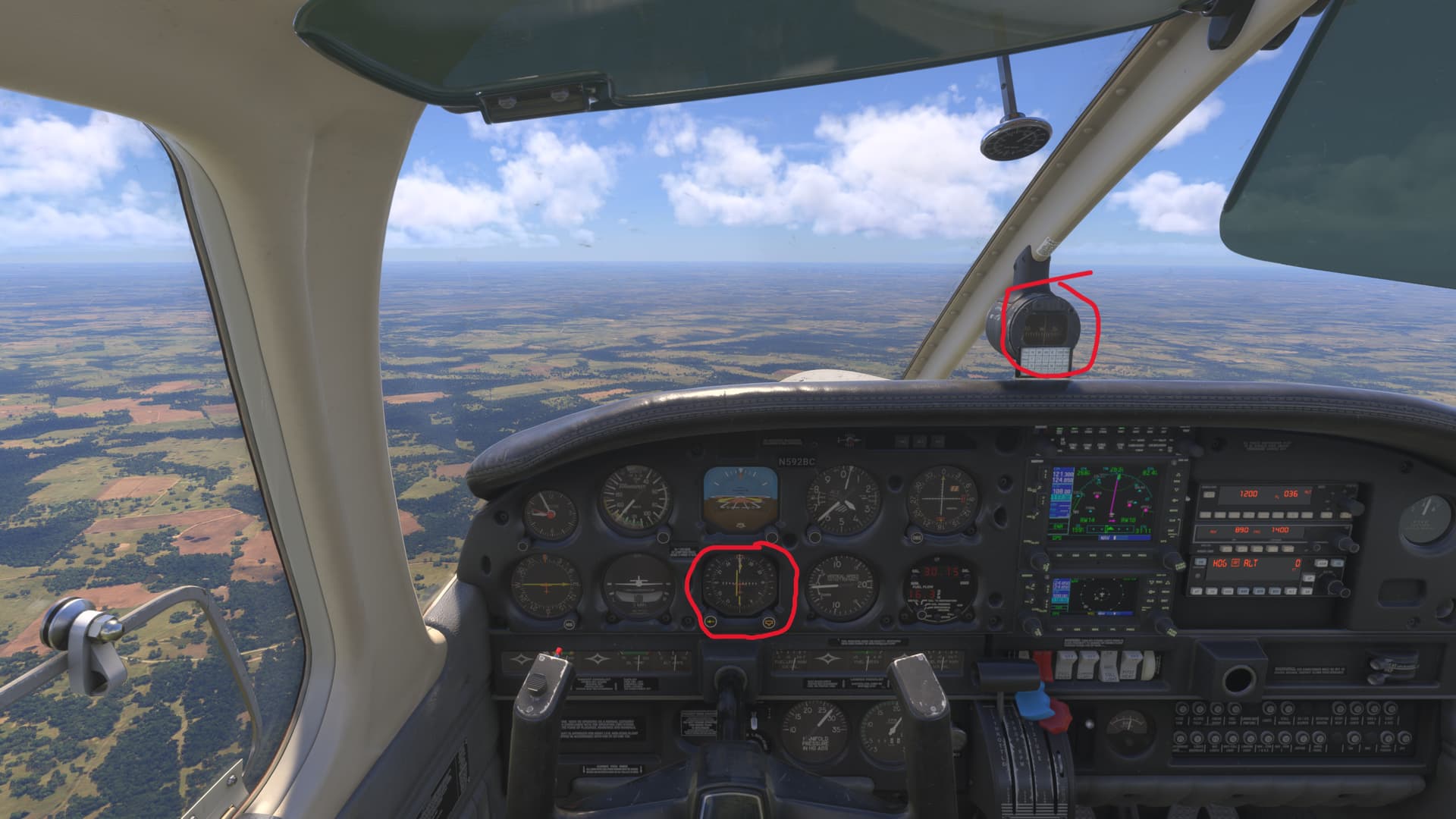
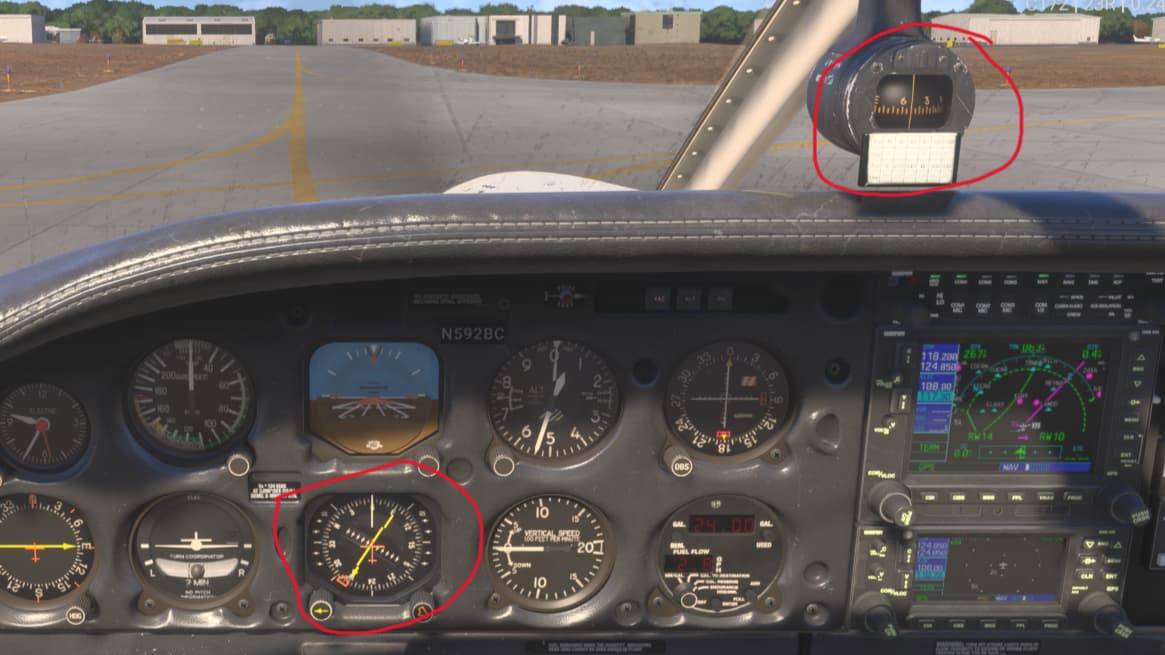
Description of the issue: The Famous Flyer 12 Carenado Dakota, has a misalignment between the compass and the KCS-55A. According to this (KCS 55A) “But the KCS 55A is considerably more than a visual display; it’s a complete slaved compass system that includes a magnetic slaving transmitter, a slaving control and compensator unit, a directional gyro for stabilization of the system, and the Pictorial Navigation Indicator (PNI) itself.”
For example, a magnetic course of 270 will be 276 on the HSI. There is no way to correct the unit because it is supposed to be self correcting. See the red circles in images.
FREQUENCY OF ISSUE
How often does this occur for you (Example: Just once, every time on sim load, intermittently)?
Every time
REPRODUCTION STEPS
Please list clear steps you took in order to help our test team reproduce the same issue:
-
Fly the Dakota for more than 30 minutes on a magnetic course on a number or direction.
-
Look at HSI and see misalignment not self correcting
MEDIA
Found this myself, actually it’s just as IRL, although the real aeroplane doesn’t “precess” as much as the model (unless it’s failing, but that’s obviously not the case here).
It is possible to re-align it with the magnetic compass using one of the knobs (can’t remember which, and I’m in a different aeroplane atm). I use a Knobster and there is an option in there.
Don’t think there is an option in the Assistance menu to auto-align it though.
1 Like
There’s no knob on the unit to manually align it as depicted in the sim. It self aligns according to the Bendix website and data sheet. https://www.bendixking.com/content/dam/bendixking/en/documents/document-lists/downloads-and-manuals/006-08256-0004-KCS-55A-Pilots-Guide.pdf
I am assuming it is operating in slaved mode and the bug is that it is not self correcting.
If the unit Is meant to be slaved and compensated then the manual knob is not necessary and therefore not present. On this unit specifically the compensator unit has a manual mode that can be used to perform a manual adjustment if necessary. What you describe is a basic non compensated Directional Gyro. I don’t have this aircraft but it seems from what the OP is saying that Carenado have not implemented its IRL functionality correctly.
1 Like
Thankyou for that, but I hadn’t been in the Dakota for a little while, so had a quick look.
You appear to be correct in that Carenado hasn’t implemented slaved gyro compensation. However, it is possible to adjust it manually in MSFS2024 by using the “,” (comma) and “.” (period/full stop) keyboard keys, which I believe is what the OP was looking for. It is obviously this that the Knob FS profile is picking up.
As always, of course, you could rebind the keys to suit your own purpose.
EDIT. There is in fact a setting in the Assistance menu of 2024 to prevent gyro drift although it does have a note that it may need manual intervention in certain aircraft.
How has this not been fixed yet???
Can’t fix an issue you don’t know about.
People need to report bugs
And vote on the bugs for visibility
Is it really a bug? Or just the way the developer intended?
Whether it is a bug or incorrect functioning due to how the developer decided to do it, it is still wrong. It is just wrong for one of two different reasons as it does not correctly reflect the actual device simulated.
1 Like
Perhaps your request would be better addressed to Carenado rather than a five word “demand” here.
Still an issue after SU4.
Delete AppData\Local\Packages\Microsoft.Limitless_8wekyb3d8bbwe\LocalCache\SimObjects\Airplanes\microsoft_pa28_236_dakota to reset your HSI compass.
Or use gyro drift keybinds to fine tune the direction, if you’d prefer.