Haven’t they got a 2020 version? I believe it’s the 2024 upgrade of that
The 2020 version was basically a mod of the Asobo 350i, so who knows if it’s going to be that or a clean slate. I don’t mean to derail this thread, just thought it was a pretty specific comment when there hasn’t been much released about it, so it made me wonder.
Sorry I had to go do something. I bought it and while the beta range needs work the aircraft doesn’t run away from me.
Thanks for checking, I will need to checking my bindings for beta, I’m either full reverse or nothing on this plane
The B200 is so powerful at idle and accelerates so rapidly during taxiing that you have to keep your foot on the brake. Is that really the case? Is that how it’s supposed to be?
Hi, I haven’t bought it just yet, but wondering if it is possible to set the condition levers to low idle for a reasonable taxi speed?
Without a working beta range, yes.
With beta, you can slow down and even stop the aircraft without touching the brakes (not modeled at the moment).
See my posts above.
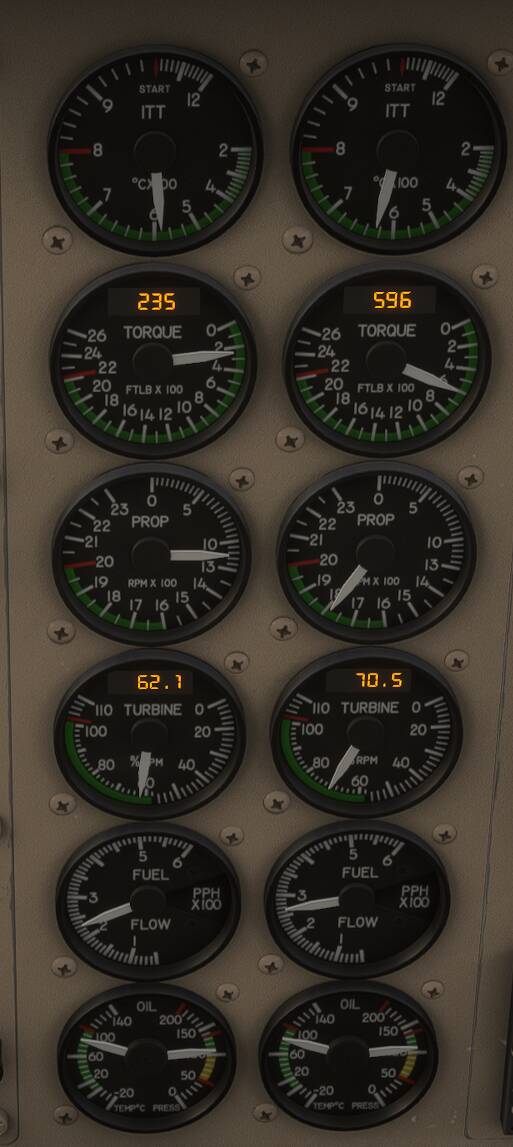
Thanks for posting this, should help folks out who have been asking about taxi speeds. Will get this one this week, along with an L-1011 LOL!
B200 MSFS2024 updated to version 1.0.2
Changelog:
-
Windshield wiper effect added
-
Improved altimeter behavior.
-
Improved contact points and damping.
-
Fixed heat effects.
-
Improved Auto-Feather.
-
Improved engine start-up sounds and indoor/outdoor transition sounds.
-
Fixed COMM 2 functionality.
-
Fixed radio knob animations.
-
Fixed fuel flow gauge behavior.
-
Improved power at low idle
-
Improved attitude indicator startup effect.
-
Improved ice and dirt effects.
-
Minor fixes in liveries.
-
Improved nose landing gear door animation.
-
Improved animation for inoperative switches
-
Fixed RPM control by Condition Levers
Many thanks for the update great to read the fixed pain points. A question, something which I am missing a lot is a decent beta range simulation when taxing. Is that something Carenado could look at it to implement in all turboprop aircraft’s? I ask because it is a big immersion killer and somehow other Devs started to supply this beta range simulation on all recent products. Would highly appreciate a feedback.
I’m having the same issue with beta range, im either at idle or full reverse there is no in-between?
I’m using the bravo what throttle settings do people recommend to access the beta range?
I’ve just converted from airliners with the throttle decrease and cut bindings for reverse, so probably need to tweak this area for turboprops beta, or it’s this aircraft. Which is amazing btw loving the king air
I’ve found a VIP mission to Mexico (there isn’t many for the king air) and en route with my VIP cartel client, in the king air, very GTA Narcos vibes and when I land and access new missions if there isn’t a king air mission there will be a Kodiak cargo so I can go deeper into Latin America with a truck load of things in the back 
Maybe see a few post above about using the condition levers to taxi in low idle? And if already done so, does that make for manageable taxi speeds? Just a thought. Cheers!
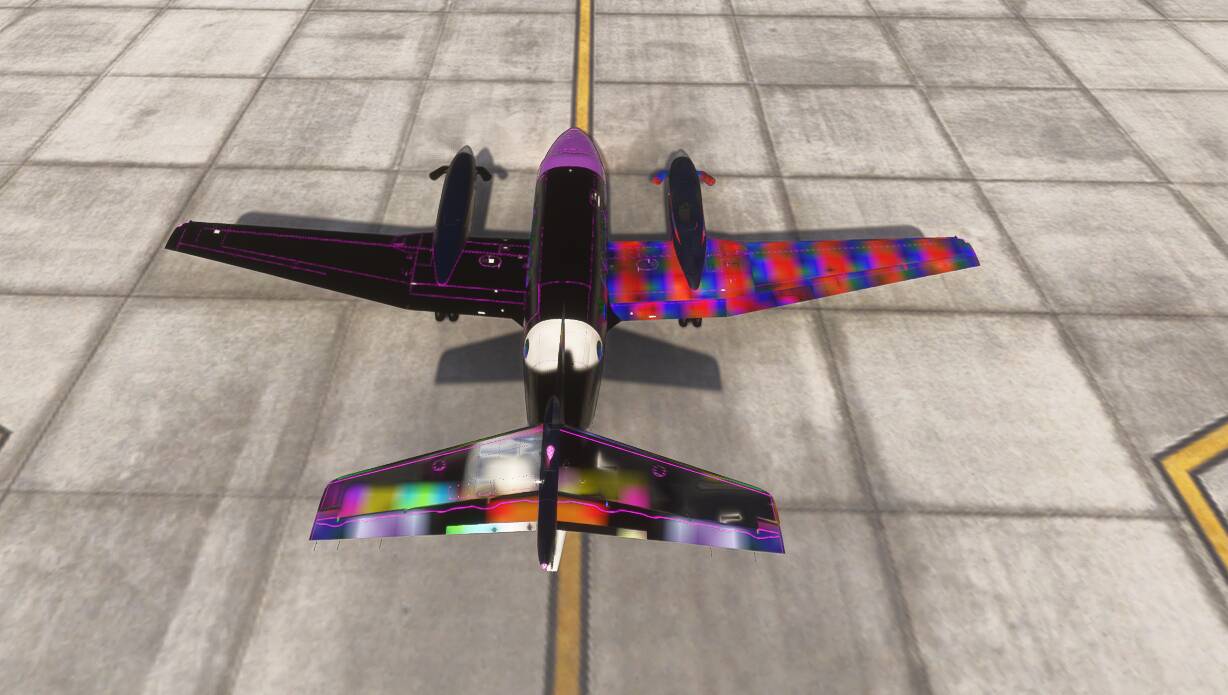
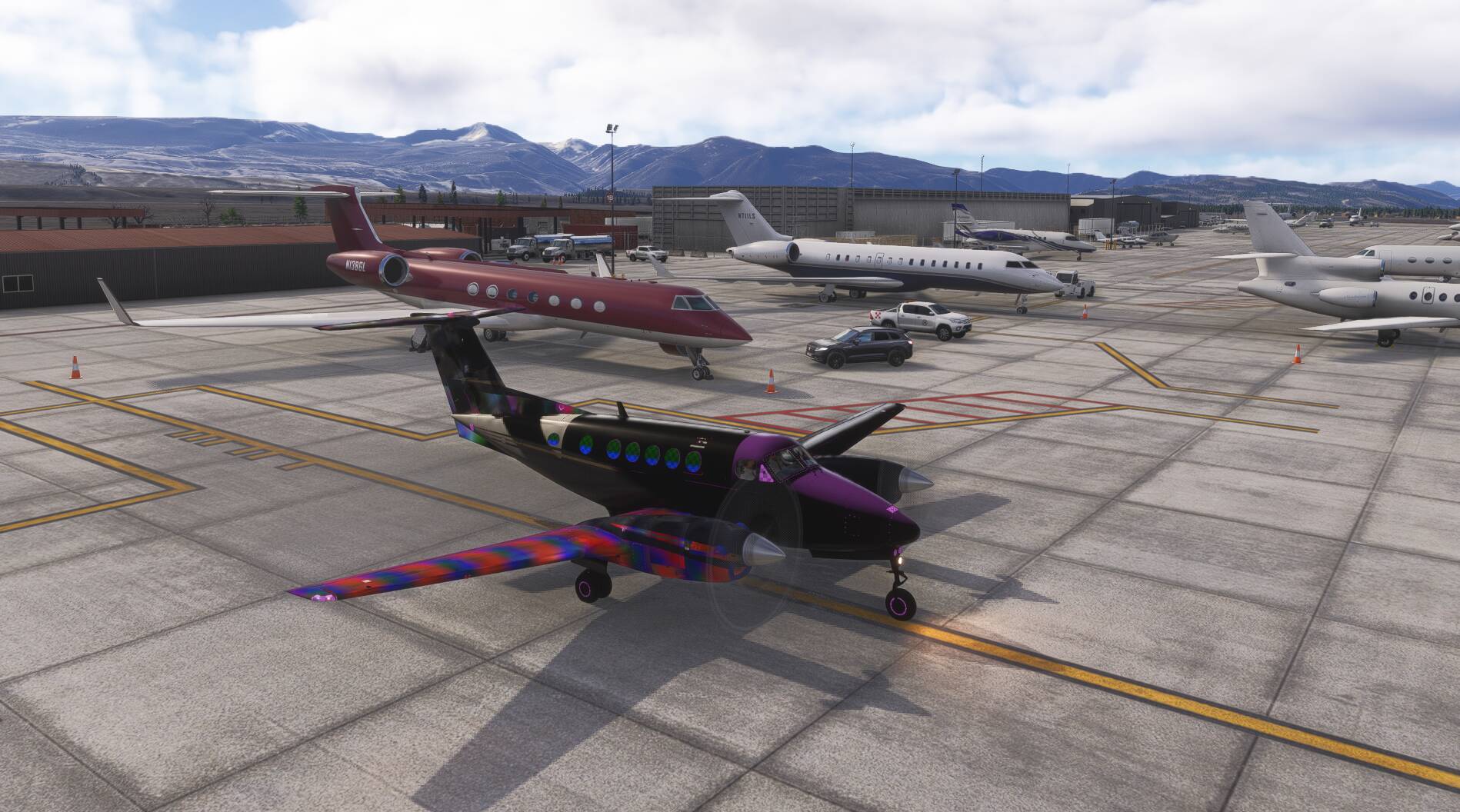
Did you reboot MSFS after installing the plane?
Yes, few times now, and the computer. I guess, I will try uninstall and reinstall. im in middle of a two hour flight right now.
I’m in career mode, I have not tried free flight or other liveries.
It wouldn’t be the first time they’ve messed up a livery. They tend to vary their decals for each livery, which means they have a different model per livery. That livery might be pointing to the wrong model (Assuming you’re using a default livery and not one from FS.to). If it’s still there after an uninstall/reinstall, and other people see it, too, there will likely be an update.
I just updated and rebooted and it appears that all of the liveries are messed up
ok so mine works now when streamed but not when downloaded.