ISSUE DESCRIPTION
Description of the issue:
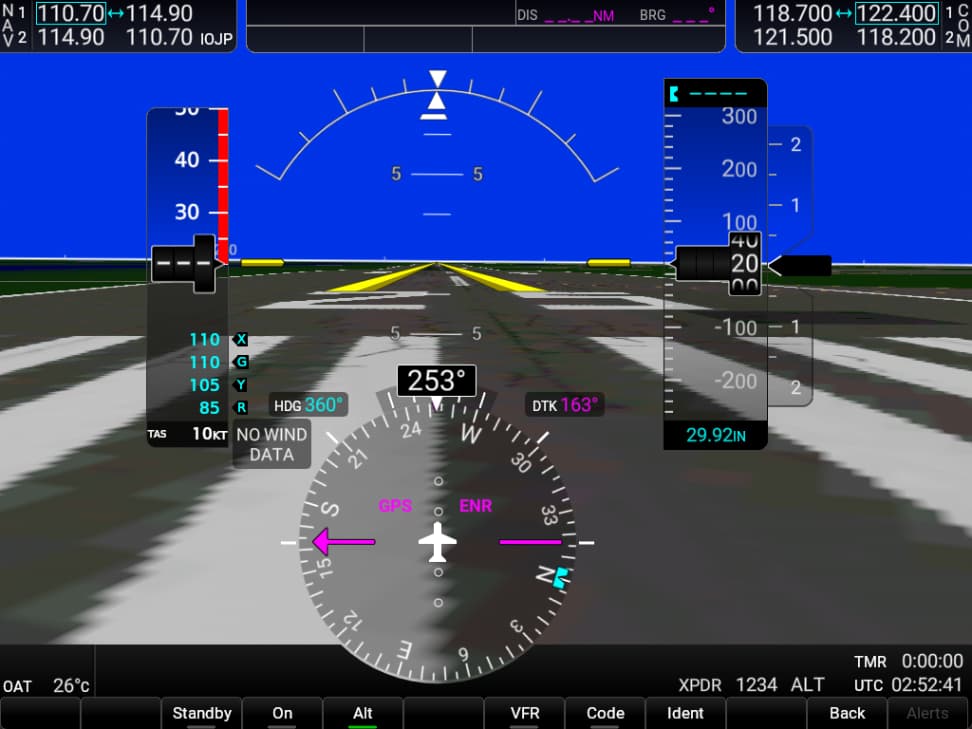
Transponder does not work. It only allows two numbers to be input. The first number input controls the first two numbers of the transponder code, and the second number input controls the second two numbers. For example, inputting 6 2 gives a transponder code of 6622.
If applicable, which aircraft is experiencing this issue:
Carenado Cessna C408 SkyCourier
[PC Only] Did you remove all your community mods/add-ons? If yes, are you still experiencing the issue?
Don’t have community mods/add-ons.
FREQUENCY OF ISSUE
How often does this occur for you (Example: Just once, every time on sim load, intermittently)?
Every time
REPRODUCTION STEPS
Please list clear steps you took in order to help our test team reproduce the same issue:
Input a squawk code. It is only possible to input 2 numbers for a 4 digit squawk code. For example, inputting 6 and 2 results in a squawk code of 6622.
YOUR SETTINGS
If the issue still occurs with no mods and add-ons, please continue to report your issue. If not, please move this post to the User Support Hub.
What peripherals are you using, if relevant:
Thrustmaster T.16000M
Thrustmaster T-Rudder Pedals
Honeycomb Bravo Throttle Quadrant
[PC Only] Are you using Developer Mode or have you made any changes to it?
No.
[PC, MSFS 2020 Only] Are you using DX11 or DX12?
DX12
[PC Only] What GPU (Graphics Card) do you use?
RTX 2060 Game Ready Driver
[END OF FIRST USER REPORT]
 For anyone who wants to contribute on this issue, Click on the button below to use this template:
Do you have the same issue if you follow the OP’s steps to reproduce it?
•
Provide extra information to complete the original description of the issue:
•
If relevant, provide additional screenshots/video:
•