ISSUE DESCRIPTION
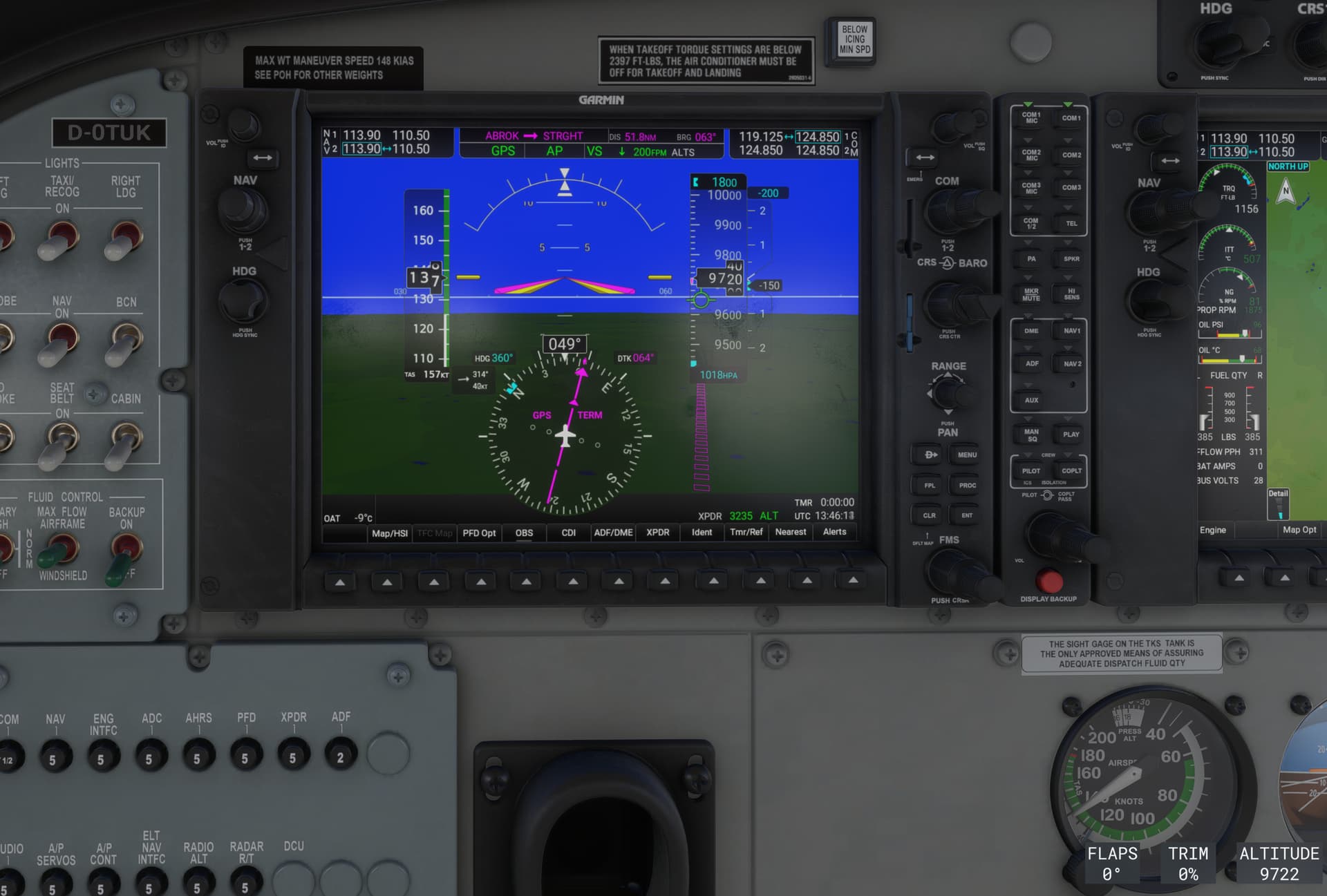
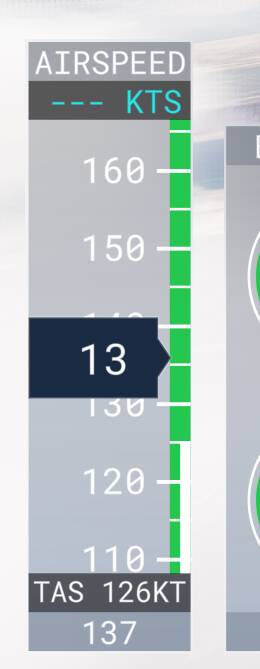
Description of the issue: The Air Speed Indicator stopped working mid-flight. I observed this twice when 2-3 hours in flight. All three ASI stopped.
Shortly before the landing the ASIs come to life again.
If applicable, which aircraft is experiencing this issue: Cessna 208B
[PC Only] Did you remove all your community mods/add-ons? If yes, are you still experiencing the issue?
I never installed any community mods or add-ons.
FREQUENCY OF ISSUE
How often does this occur for you (Example: Just once, every time on sim load, intermittently)? twice - during different career mode missions (e.g. medium cargo LHFH → UKDO)
REPRODUCTION STEPS
Please list clear steps you took in order to help our test team reproduce the same issue:
- Use Cessna 208B to fly career mode medium cargo missions.
- Sometimes after some time, the ASI stopped working.
YOUR SETTINGS
If the issue still occurs with no mods and add-ons, please continue to report your issue. If not, please move this post to the User Support Hub.
What peripherals are you using, if relevant:
- Keyboard
- Mouse
- Thrustmaster Airbus
[PC Only] Are you using Developer Mode or have you made any changes to it?
No
[PC Only] What GPU (Graphics Card) do you use?
NVidia RTX 3500 Ada
[PC Only] What other relevant PC specs can you share?
- Dell Precision 7680
- 32GByte RAM
- 1TB NVMe
- Intel i7-13850HX
MEDIA
[END OF FIRST USER REPORT]
 For anyone who wants to contribute on this issue, Click on the button below to use this template:
Do you have the same issue if you follow the OP’s steps to reproduce it?
•
Provide extra information to complete the original description of the issue:
•
If relevant, provide additional screenshots/video:
•