ISSUE DESCRIPTION
Description of the issue:
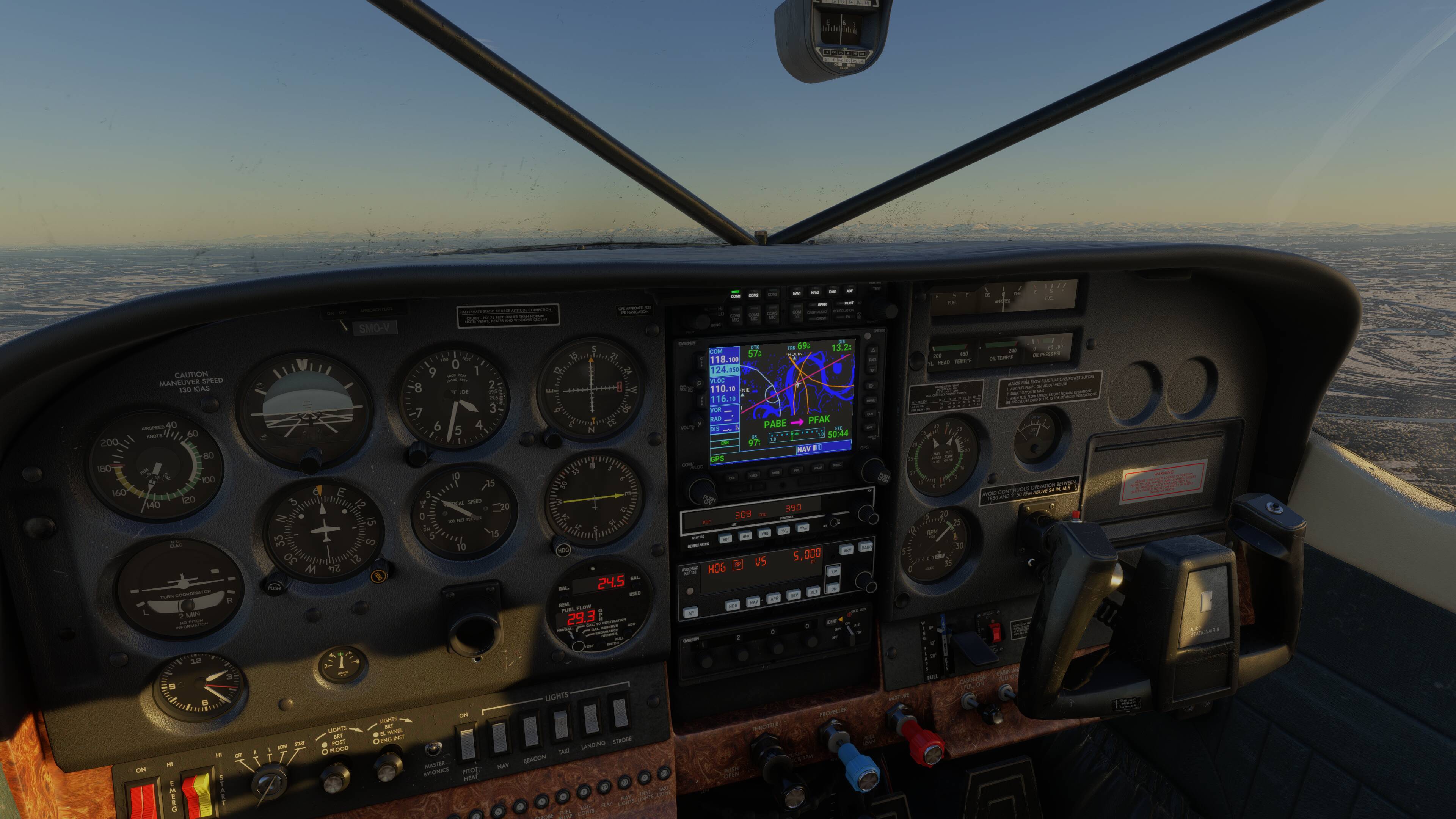
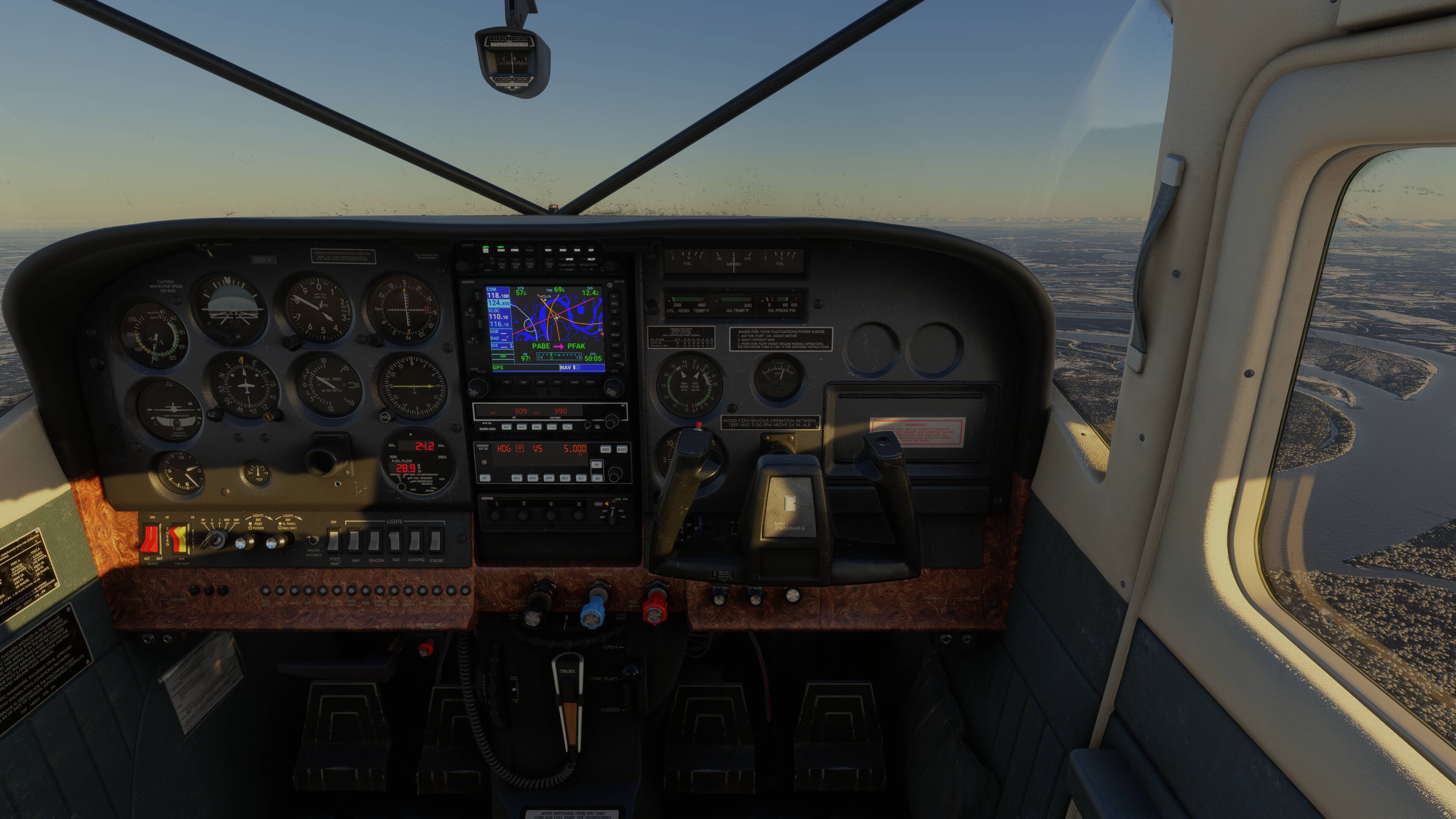
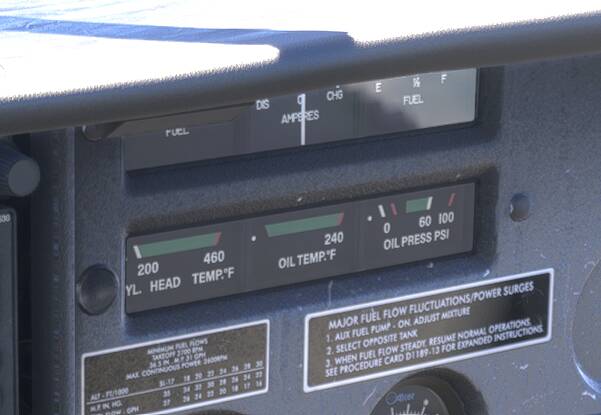
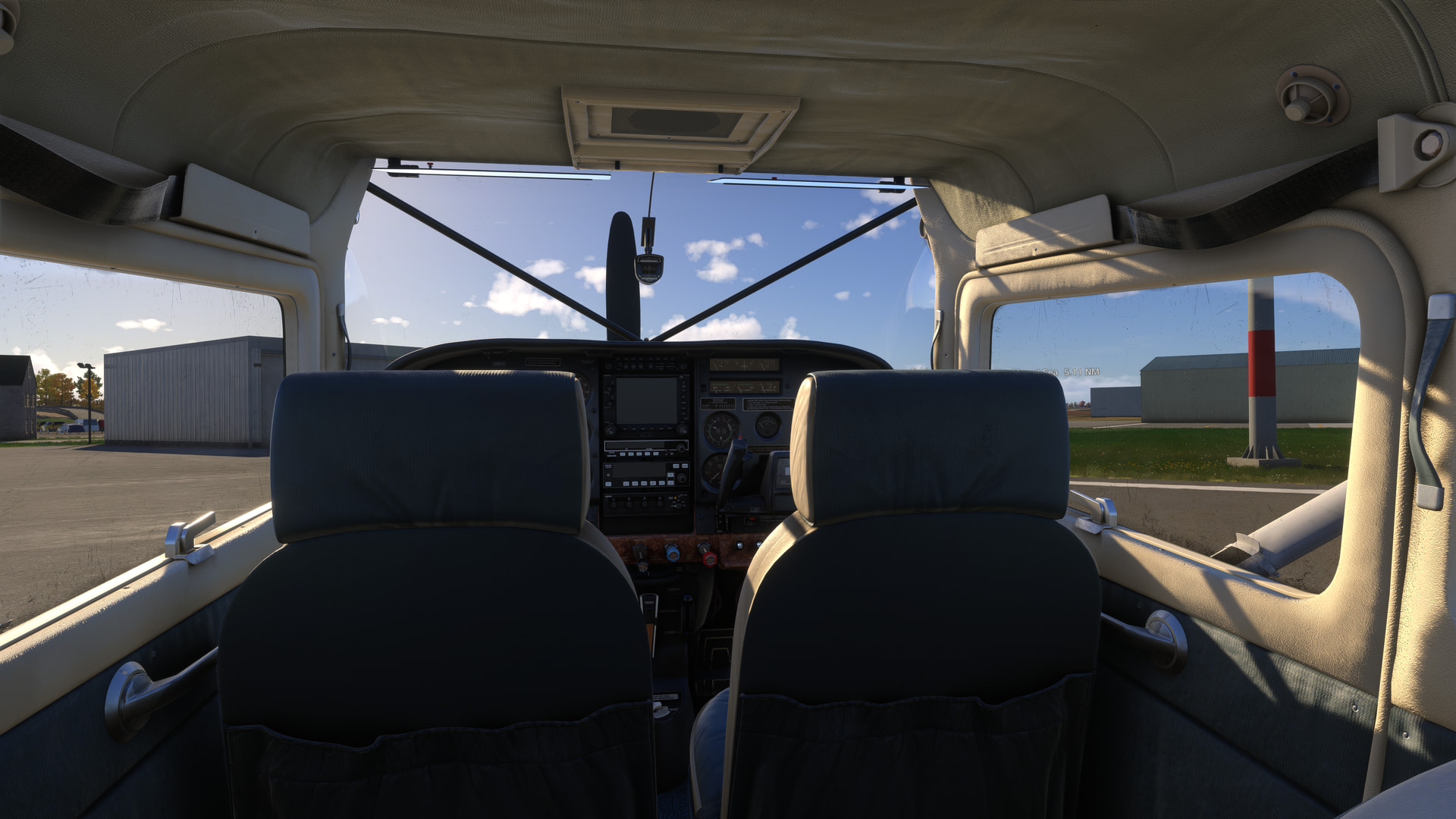
The needles for fuel, cyl. head temp, oil temp & oil pressure appear to have an aggressive LOD issue that causes them to disappear if the pilot eyepoint is too far away from the gauges.
FREQUENCY OF ISSUE
How often does this occur for you (Example: Just once, every time on sim load, intermittently)?
First seen v1.6.31.0 (just acquired the aircraft), but also reported by others here.
REPRODUCTION STEPS
Please list clear steps you took in order to help our test team reproduce the same issue:
- In free flight, select the Cessna T207A , start a flight at any parking spot at any airport, select any daytime hour & clear skies preset for convenience.
- Enter the cockpit.
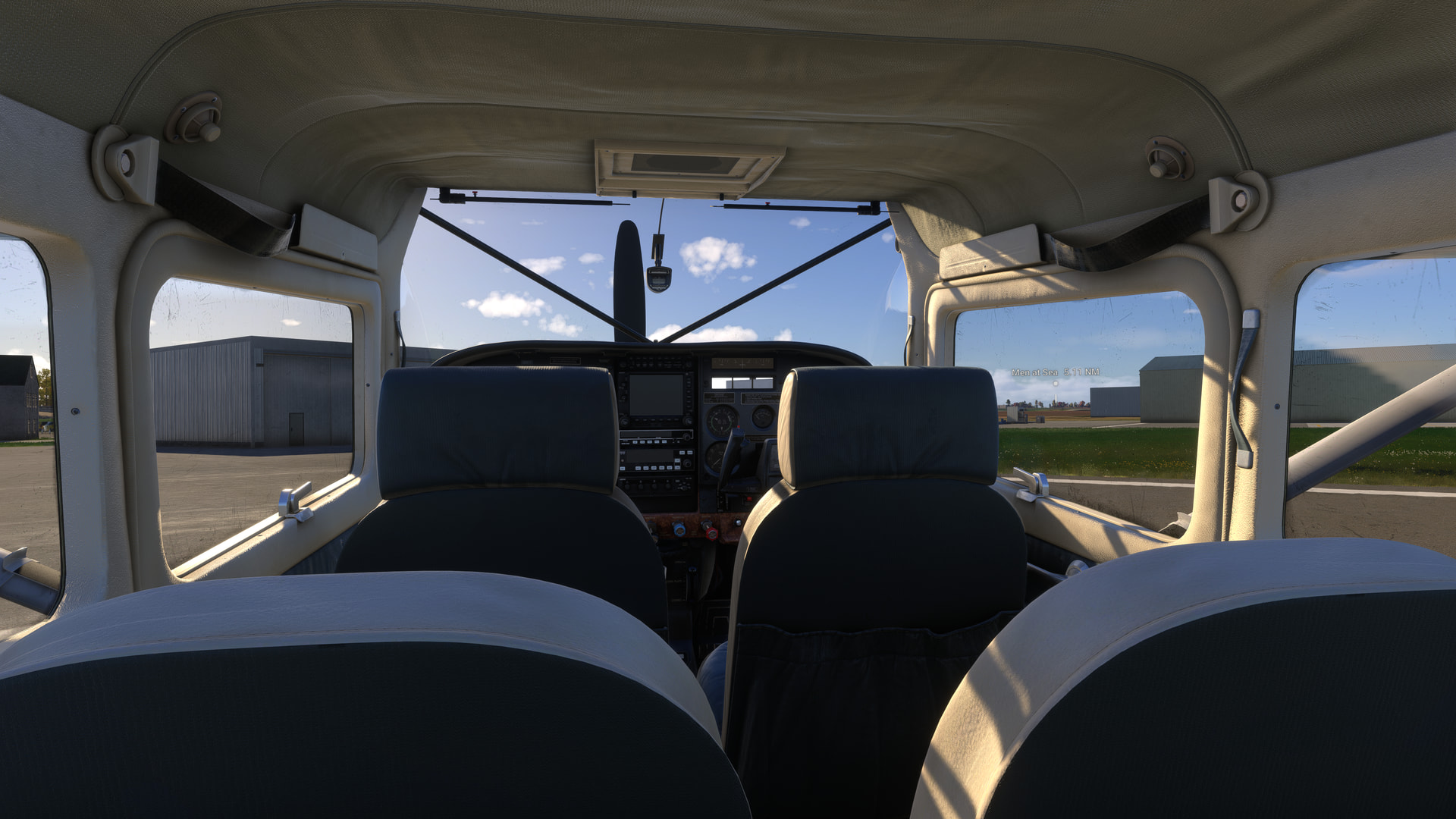
- Look at the gauges on the right-side of the aircraft. The needles for all but one are missing (Screenshot 1)
- Move your eypoint closer to the gauges. The needles appear (Screenshot 2).
- Move your eypepoint backwards. The needles disappear (Screenshot 3).
YOUR SETTINGS
What peripherals are you using, if relevant:
N/A
[PC Only] Are you using Developer Mode or have you made any changes to it?
No, No
[PC, MSFS 2020 Only] Are you using DX11 or DX12?
N/A
[PC Only] What GPU (Graphics Card) do you use?
AMD Radeon RX 9070 XT (16GB) Driver v25.11.1
[PC Only] What other relevant PC specs can you share?
Expand to see partial graphics settings
| Item | Setting |
|---|---|
| Display Mode | Full Screen |
| HDR10 | On |
| Exposure Compensation EV | -1 |
| Full Screen Res | 3840 x 2160 |
| Anti-Aliasing | TAA |
| Render scaling | 100 |
| AMD FidelityFX Sharpening | 200 |
| Max Frame Rate | On |
| Max Frame Rate Value | 60 |
| Frame Generation | AMD FSR 3 |
| Framerate Multiplier | 2x (N/A) |
| VSync | Off (N/A) |
| VSync Interval | Half refresh rate (N/A) |
| Dynamic Settings | On |
| Frame Rate Target | 40 |
| - | - |
| Global Rendering Quality | Custom |
| Terrain LOD | 400 |
| Off Screen Terrain Pre-Cache | Ultra |
| Object LOD | 200 |
| Texture Resolution | High |
| Glass Cockpit Refresh Rate | High |
Expand to see my other settings
| Item | Setting |
|---|---|
| Online Tab | |
| Photogrammetry | On |
| Rolling Cache | 16GB |
| Bandwidth | Unlimited |
| Flight Model Tab | |
| Flight Model | Modern |
| Advanced Options Tab | |
| Developer Mode | Off |