ISSUE DESCRIPTION
Description of the issue:
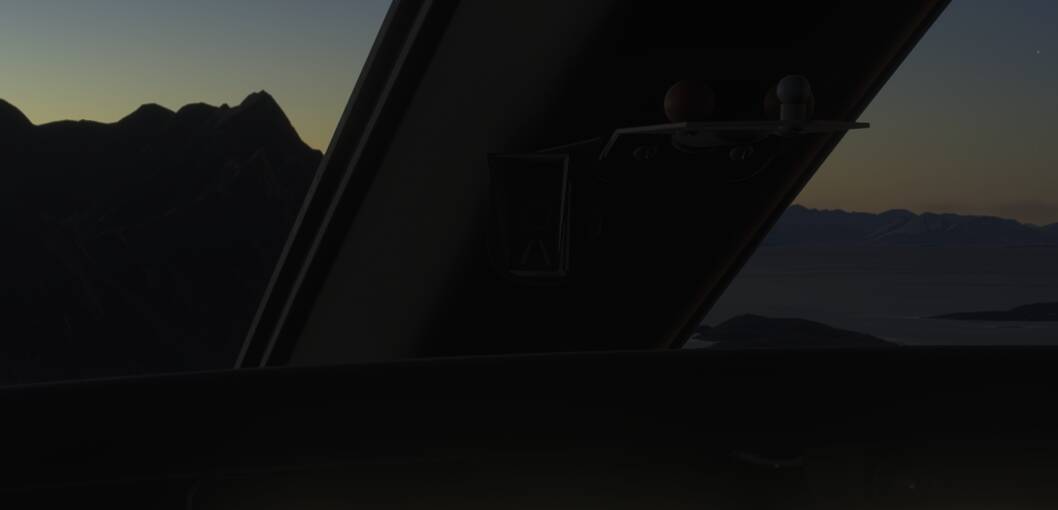
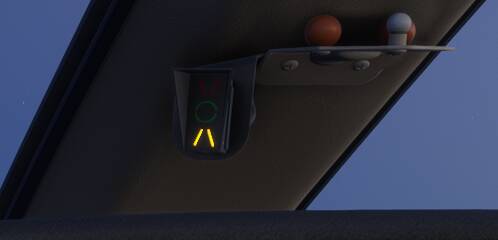
On the CJ4 the AoA indexer mounted on the windshield middle pillar does not work. It does not light up in any condition, and even testing the emissive function via behavior debug in developer mode does not work.
FREQUENCY OF ISSUE
How often does this occur for you (Example: Just once, every time on sim load, intermittently)?
Every time
REPRODUCTION STEPS
Please list clear steps you took in order to help our test team reproduce the same issue:
-
Fly the CJ4. Gear down, flaps down. Slow down from 150 to 110 knots.
-
Observe the AoA indexer does not light up.
-
Optionally, test the AoA indexer emissive in behavior debug (find the cj4 cockpit simobject module, search aoa in the inspector, force emissive value.
YOUR SETTINGS
If the issue still occurs with no mods and add-ons, please continue to report your issue. If not, please move this post to the User Support Hub.
What peripherals are you using, if relevant:
[PC Only] Are you using Developer Mode or have you made any changes to it?
Yes
[PC, MSFS 2020 Only] Are you using DX11 or DX12?
[PC Only] What GPU (Graphics Card) do you use?
RTX 4090
[PC Only] What other relevant PC specs can you share?
Have not seen it light up on PC or PS5, so I assume it is system agnostic.
MEDIA
Please add a screenshot or video of the issue occurring.
Ok. Here is the cause of the bug:
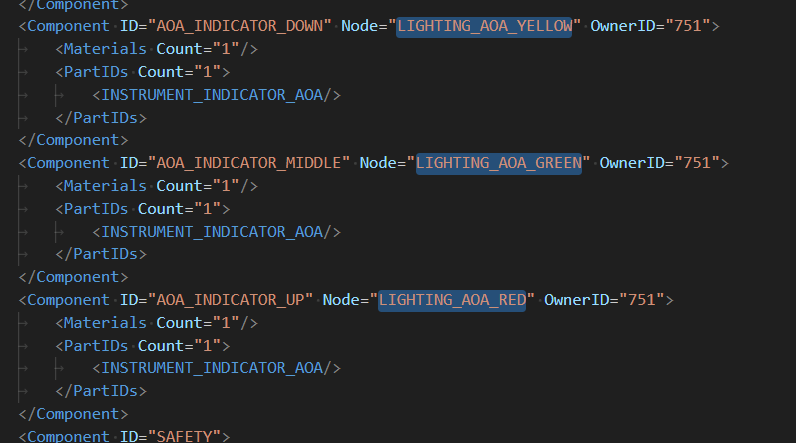
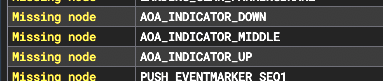
The code template used expects the node names “AOA_INDEXER_XXXX”.
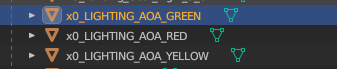
The 3D model node names are: “LIGHTING_AOA_YYYY”
1 Like
Confirmed: Fixing the node names in the behavior code makes the AoA indexer work.
For your convenience, I made a quick hacky fix that can be dropped in community folder for testing. (Mods, please remove if not appropriate): link to download fix package
4 Likes
Hey!
Excellent find.
I have been trying to recreate your fix, and I have an xml file and all, but I’m not able to get it to work.
The reason I’m recreating is to learn, and that your upload is no longer available.
Would you mind uploading it again?  That would be very much appreciated!
Regards
/TD
I’m not sure why the link expired, but I updated the post, and it should work again.
The easy-ish way to do it for yourself, for learning purposes, if you don’t care about compatibility with other mods, is to create a new folder named something like trakdah-aircraft-cj4mod in your community folder, copy the correct cockpit model behavior file from the virtual file system while recreating the folder structure to where it’s found, add a manifest.json and layout.json and use msfslayoutgenerator to update the layout.json file.
Hej Wombii
Thanks for helping, but I still can’t get it working…
- your download link is still not working
- I have used the layoutgenerator (thank you) but I cannot get my version of the mod working.
What I have is:
C:\Users\[user]\AppData\Roaming\Microsoft Flight Simulator 2024\Packages\Community\TD CJ4 AOA fix\SimObjects\Airplanes\asobo_cj4\attachments\Asobo\part_interior_cockpit\model\cockpit.behavior.xml
In that file I have the exact same block as in your image (above).
The layout.json is:
“content”: [
{
“path”: “SimObjects/Airplanes/asobo_cj4/attachments/Asobo/part_interior_cockpit/model/cockpit.behavior.xml”,
“size”: 2055518,
“date”: 134177824683147634
}
]
}
The manifest is:
{
“title”: “CJ4 AOA Indexer Fix”,
“manufacturer”: “”,
“creator”: “”,
“package_version”: “1.0”,
“minimum_game_version”: “1.2.8”,
“builder”: “Microsoft Flight Simulator 2024”,
“dependencies”: ,
“content_type”: “MISC”,
“minimum_compatibility_version”: “2.6.0.17”
}
And I have tried in both “Community” and “Community2024”.
Sorry to be a bother. Your help is really appreciated!
/TD