ISSUE DESCRIPTION
Description of the issue:
When clicking on the “Clear” option within the cog settings for a preset, none of the assigned bindings are removed.
FREQUENCY OF ISSUE
How often does this occur for you (Example: Just once, every time on sim load, intermittently)?
Every time. 1st seen on SU5.1 v1.34.0, but unlikely to be a beta regression, so (for now) filed in the Bug Reporting Hub
REPRODUCTION STEPS
Please list clear steps you took in order to help our test team reproduce the same issue:
-
In the Settings / Controls configuration page, select the keyboard device (should be selected by default).
-
Select the settings cog for the Airplanes / Helicopters controls (the choice / name will vary depending upon the currently chosen aircraft), click on “Create”, and name the new preset “Test” (or something similar):
-
Once created, make sure that “Test” is the active preset for the Airplanes / Helicopters controls, select the settings cog and click on “Clear”:
-
Click “OK” on the notification page. Note that ithe heading says “Reset Profile”, not “Clear Profile” as one might expect, despite the text saying the bindings will be cleared:
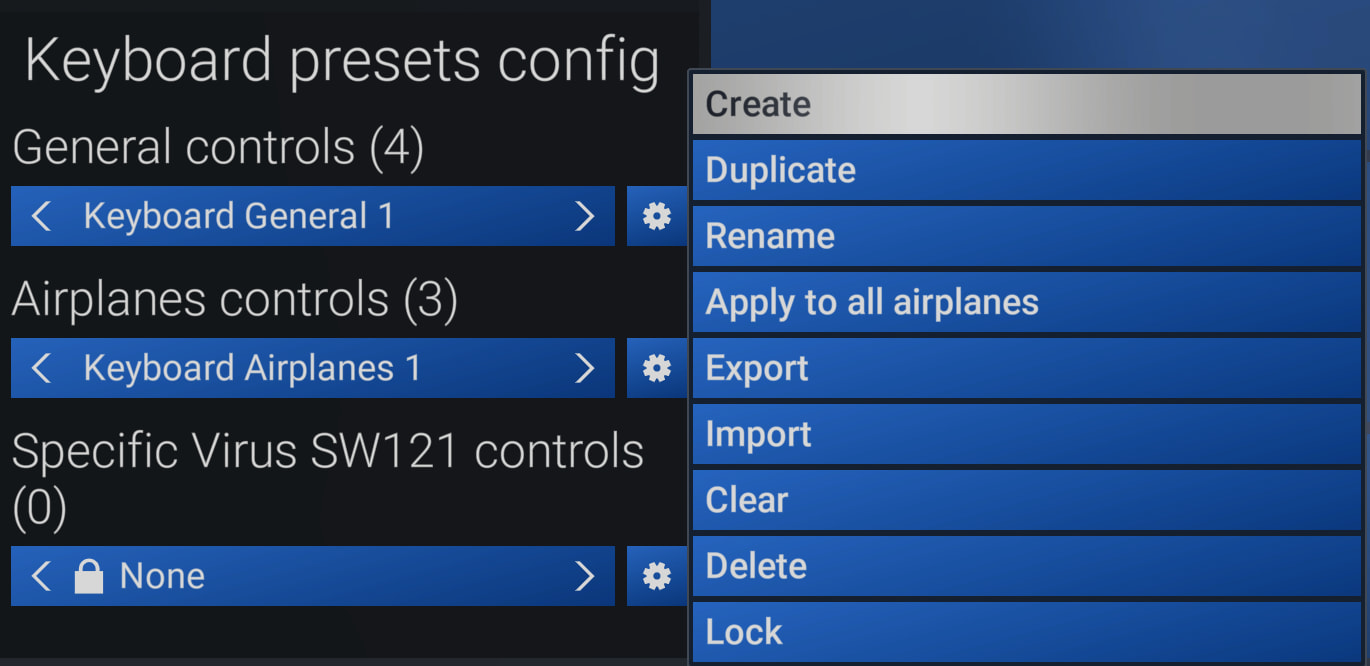
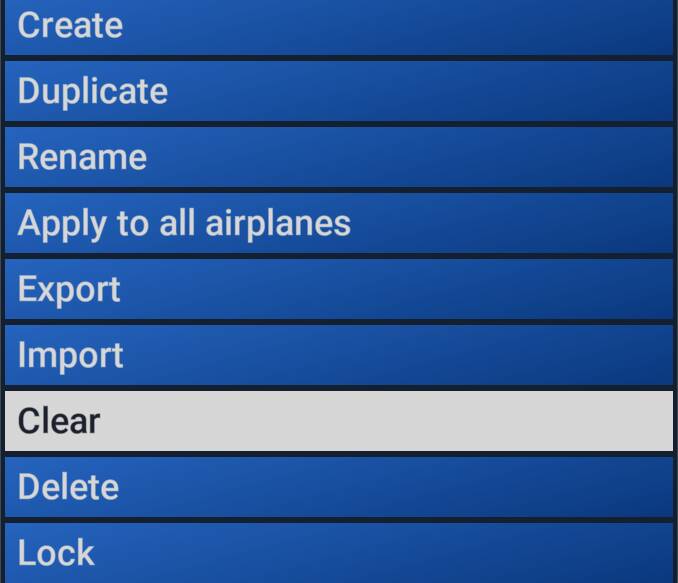
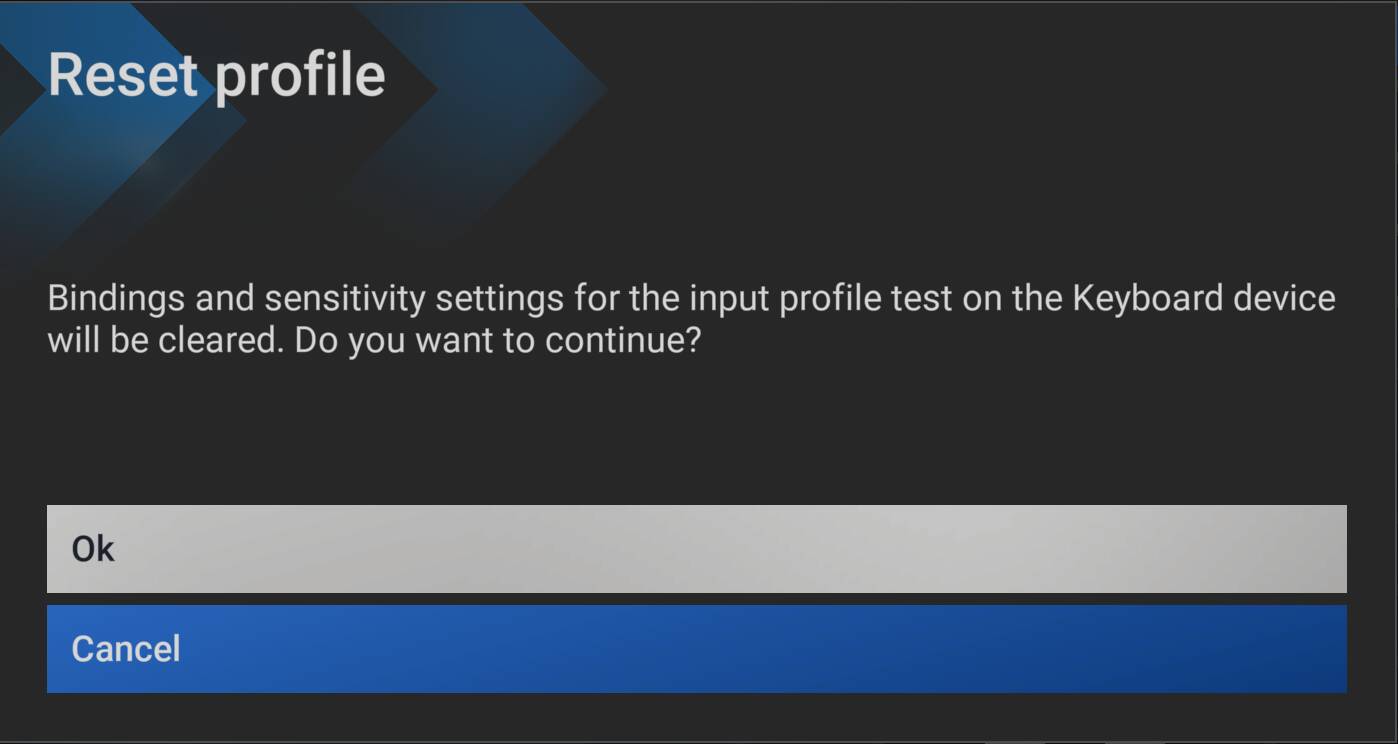
Expected behaviour: All bindings are cleared (removed). If filtered by “Assigned”, no bindings should show in the filtered list, as they have now all been removed.
Actual Behaviour: No bindings are removed. If filtered by “Assigned”, all the pre-clear bindings are still shown in the filtered list.
Examining the appropriate file in the controls folder for that preset (e.g. …SystemAppData\wgs\000901F2F116AAA5_000000000000000000000000604CC91B) shows all the binding xml entries still exist.
Clicking “Save & Back” in the UI that returns one to the previous in-game screen does not cause the bindings to be deleted either (in case that step was required).
YOUR SETTING
What peripherals are you using:
Microsoft USB Natural Keyboard, Microsoft USB Wireless Intellimouse Explorer, Turtle Beach VelocityOne Flight Yoke & Rudder.
[PC Only] Are you using Developer Mode or have you made any changes to it?
No / No
[PC, MSFS 2020 Only] Are you using DX11 or DX12?
N/A
[PC Only] What GPU (Graphics Card) do you use?
AMD Radeon RX 9070 XT (16GB) Driver v32.0.23017.1001 (Adrenalin v26.1.1)
[PC Only] What other relevant PC specs can you share?
Expand to see my basic PC specs:
| Item | Setting |
|---|---|
| CPU | i7-12700K (no overclocking or undervolting) |
| RAM | 32 GB 5200 MHz DDR5 CL40 RAM |
| GPU | AMD Radeon RX 9070 XT (16GB) Driver v32.0.23017.1001 (Adrenalin v26.1.1) |
| Rebar BIOS Setting | On |
| Peripherals | Microsoft USB Natural Keyboard, Microsoft USB Wireless Intellimouse Explorer, Turtle Beach VelocityOne Flight Yoke & Rudder. |
| OS | Windows 11 Pro 25 H2 v26200.8655 + all OS updates. |
| MSFS 2024 Edition | MS Store Aviator + all WUs & CUs |
| Current Build Version | SU5 v1.7.34.0 |
| Downloaded Core Content | None (i.e., all Streamed) |
| Community Addons (Local) | None |
| Community 2024 Addons (Local) | None |